
Self-host Canonry
v7.50.0Open-source platform for AI search visibility and SEO
- Stars
- 194
- Port
- 4100 (HTTP server for web UI and API)
- Requires
- SQLite
What is Canonry?
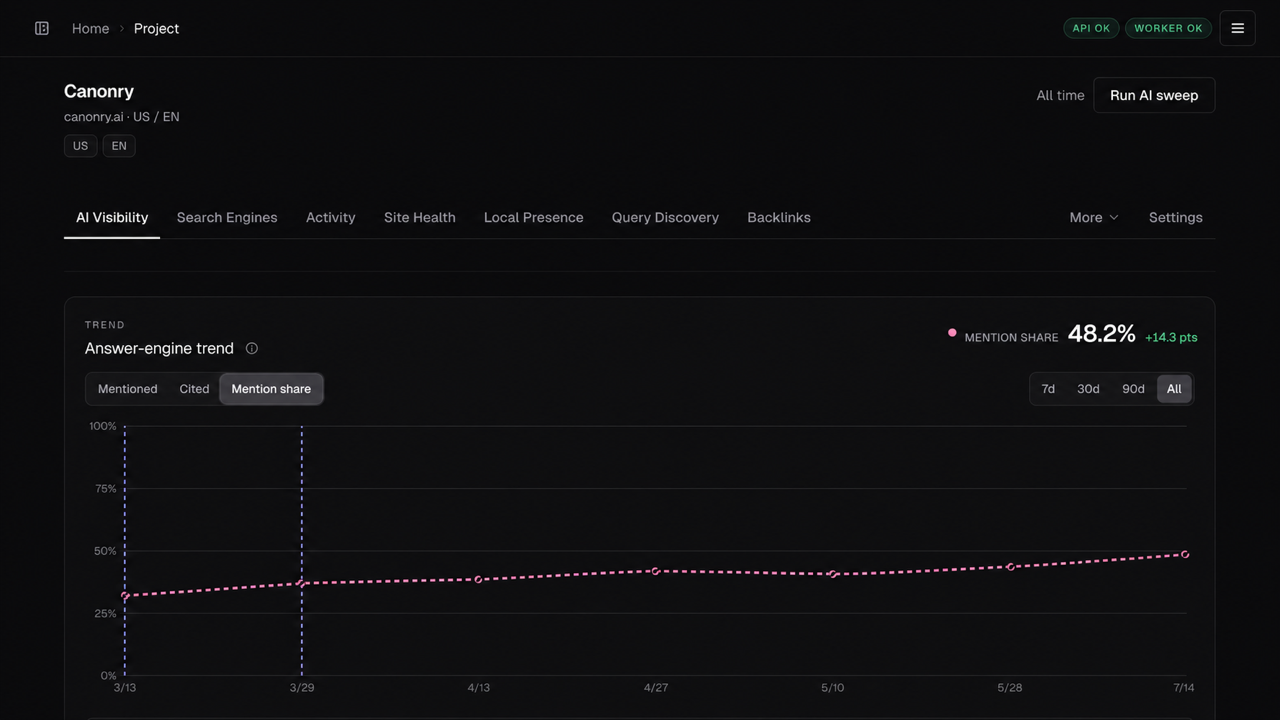
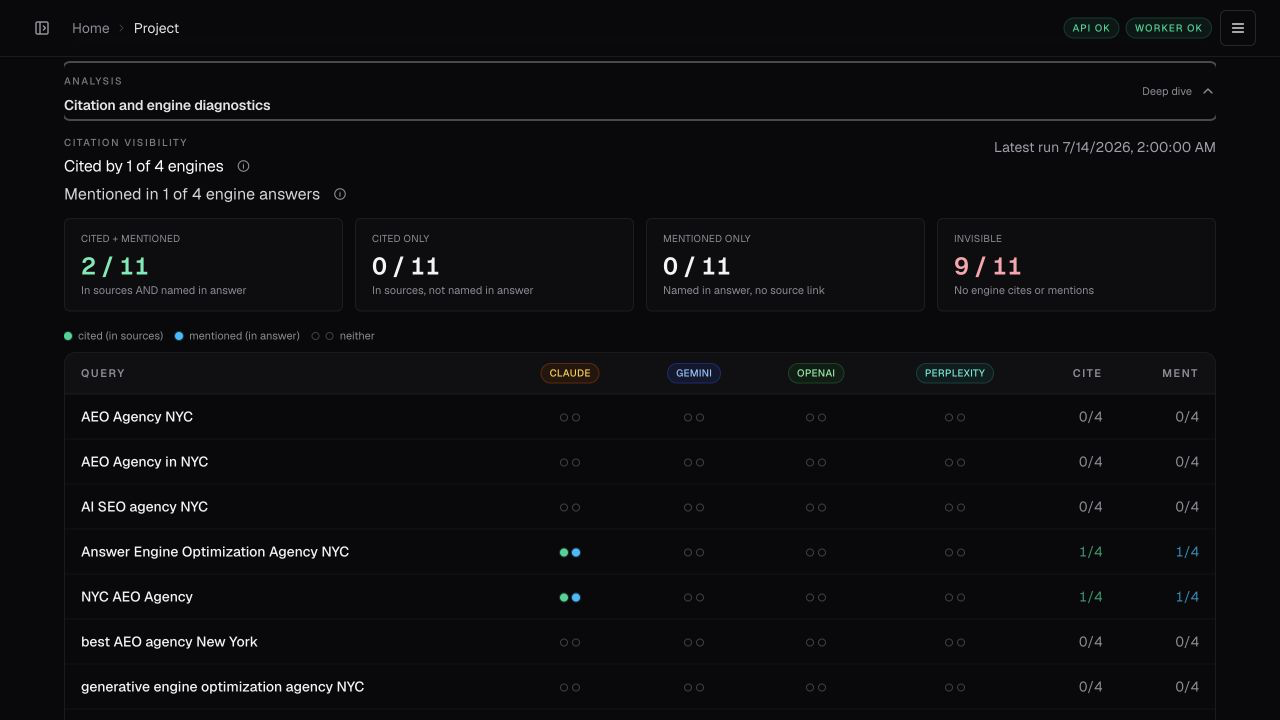
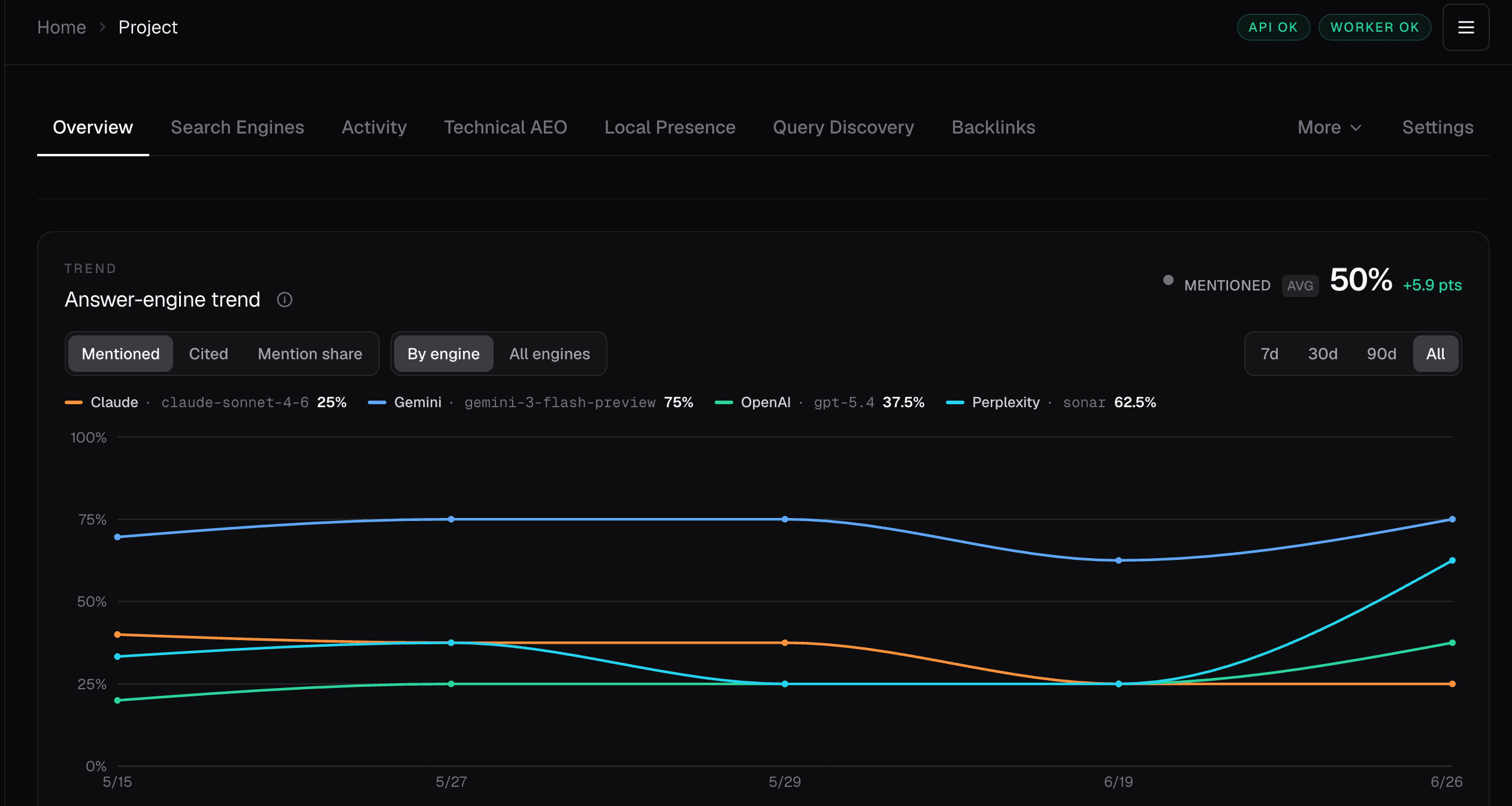
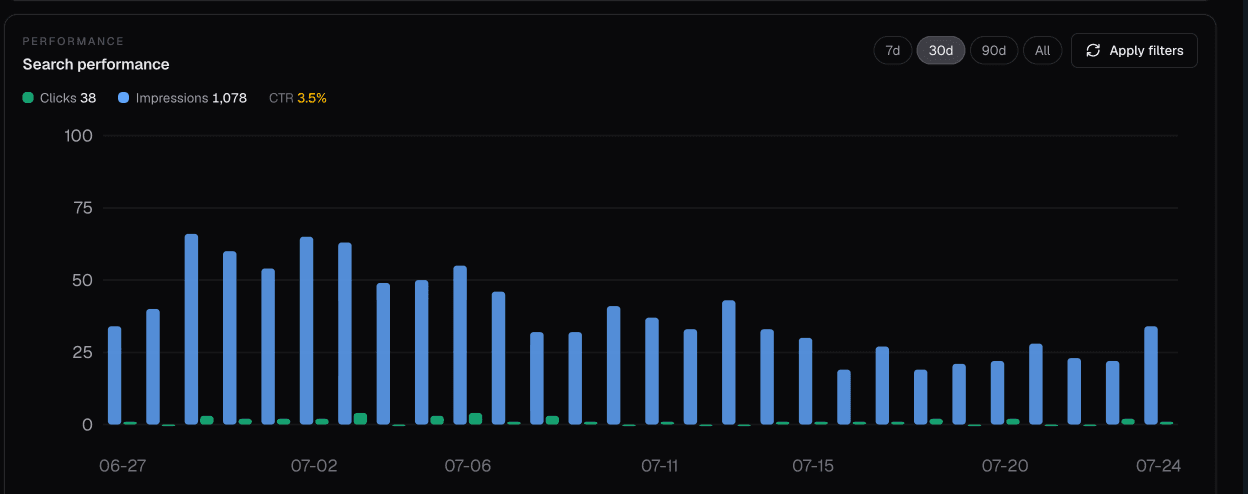
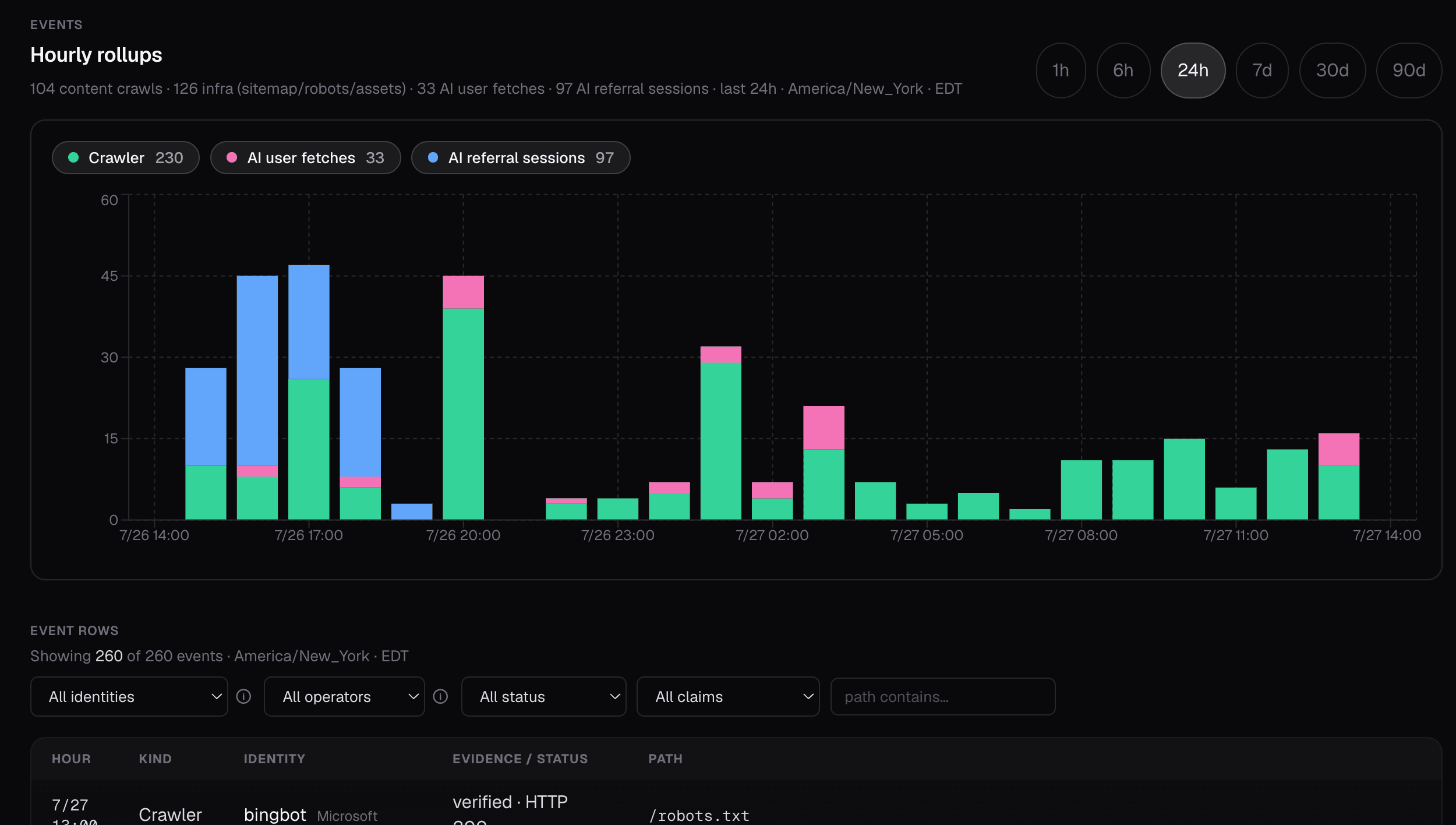
Canonry is a self-hosted platform for tracking how AI answer engines mention and cite your brand. It monitors visibility across ChatGPT, Claude, Gemini, Perplexity, and Meta Muse while also pulling search performance from Google Search Console and Bing, analytics from GA4, and server traffic data. The platform provides a web dashboard, command-line interface, REST API, and Model Context Protocol adapter for agent integration. Data lives in a local SQLite database and users supply their own API keys for AI providers. A built-in agent called Aero handles analysis workflows. Integrations include WordPress publishing, Google Ads conversion tracking, and Common Crawl backlink data. Installation options include npm, Homebrew, Docker, or direct binary.
Should you self-host Canonry?
Canonry scores 50/100 on selfhost.directory (how scoring works) and ranks #27 of 41 in Search Engines. It has 194 GitHub stars.
It shipped 8 stable releases in the past year. The latest, v7.50.0, came out on 20 October 2026. New versions land roughly every 8 days.
Setup is moderate: expect some configuration beyond a single command. It is MIT-licensed and written mostly in Typescript.
Its closest alternative on selfhost.directory is SearXNG (86/100, 38 943 stars). It scores higher overall, so compare the two before you pick. See Canonry vs SearXNG side by side.
Features
- AI Visibility tracking
- Built-in agent (Aero)
- BYOK provider keys
- CLI Interface
- MCP adapter
- REST API
- Search engine indexing
- Site health scanning
- Technical SEO auditing
- Web Dashboard
- Webhooks
- WordPress publishing
Canonry README
FAQ
Is the source public?
Yes. Read the code, issues, design, and guides on GitHub. The npm package is @canonry/canonry. Canonry 5.0 and later use the MIT license.
How does my agent connect?
Codex and Claude Code can install the Canonry plugin. Other agents can use CLI commands with JSON output, a versioned REST API, or MCP tools loaded as needed. Signed webhooks can trigger work in other systems.
Which AI tools can it track?
Canonry supports Gemini, OpenAI, Claude, Perplexity, Meta's Muse Spark, and local models with OpenAI-compatible APIs. Optional browser checks capture supported AI apps when their answers differ from API results.
Where does Canonry store my data?
You host Canonry for your own team. By default, project data lives in one SQLite file on your computer or server. You control API keys, backups, and where it runs.
Does Canonry replace my agent?
No. Canonry gives your agent evidence, tools, spending limits, and approval checks through CLI, REST, MCP, webhooks, or a Codex or Claude Code plugin. Aero is the bundled agent.
What is Canonry?
Canonry tracks AI mentions and citations alongside search data, site traffic, and technical audits. Run it on your own server and use the web app, CLI, REST API, MCP tools, or webhooks. The source code is public.
More in Search Engines
 CKANSelf-hosted, open-source data management system for open-data portals and catalogs: publish, share and search datasets via a web UI and a full API.
 crawliecrawlie is a self-hosted, open-source technical SEO and GEO crawler with 57+ checks. Runs locally via CLI, MCP server, or Tauri desktop app.
 crawlseoSelf-hosted, open-source SEO dashboard for founders: Search Console reports, site audits, Web Vitals, rank tracking plus an MCP server.
 degoogSearch engine aggregator with a comprehensive plugin/extension system
 directory-indexerA self-hosted MCP server that indexes local folders into a searchable knowledge base for AI assistants using local embeddings and a vector store.
 elasticsearchOpen-source distributed search engine that handles structured, unstructured, and vector data for real-time search, observability, and AI workloads.
 FessFess is a self-hosted, open-source enterprise search server built on OpenSearch that crawls websites, files, and databases for full-text search with AI/RAG.
 Flamehaven-FilesearchSelf-hosted RAG search engine with BM25+semantic hybrid search across 34 formats, multi-LLM support (Gemini, OpenAI, Claude, Ollama) for private document search.
 FredyFredy monitors 29 European property portals, deduplicates listings, calculates affordability and travel times, sends notifications via Slack, Telegram, Email, Discord.
 GeoLookSelf-hosted, open-source GEO platform for AI search visibility. Runs locally with Python 3.9+, covers 17 engines, closes the loop from analysis through auto-verification.
 HisterA self-hosted private search engine that indexes visited web pages and local files for full-content search from web, terminal, or MCP AI assistants.
 houndOpen-source source code search engine: a Go backend indexes every configured repository and a React UI runs regex queries against a trigram index.
0 comments