
Self-host authelia-admin
v1.1.2Web admin panel for Authelia with LLDAP user management
- Stars
- 204
- Port
- 9093 (Web UI)
- Requires
- Authelia, LLDAP
ghcr.io/asalimonov/authelia-admin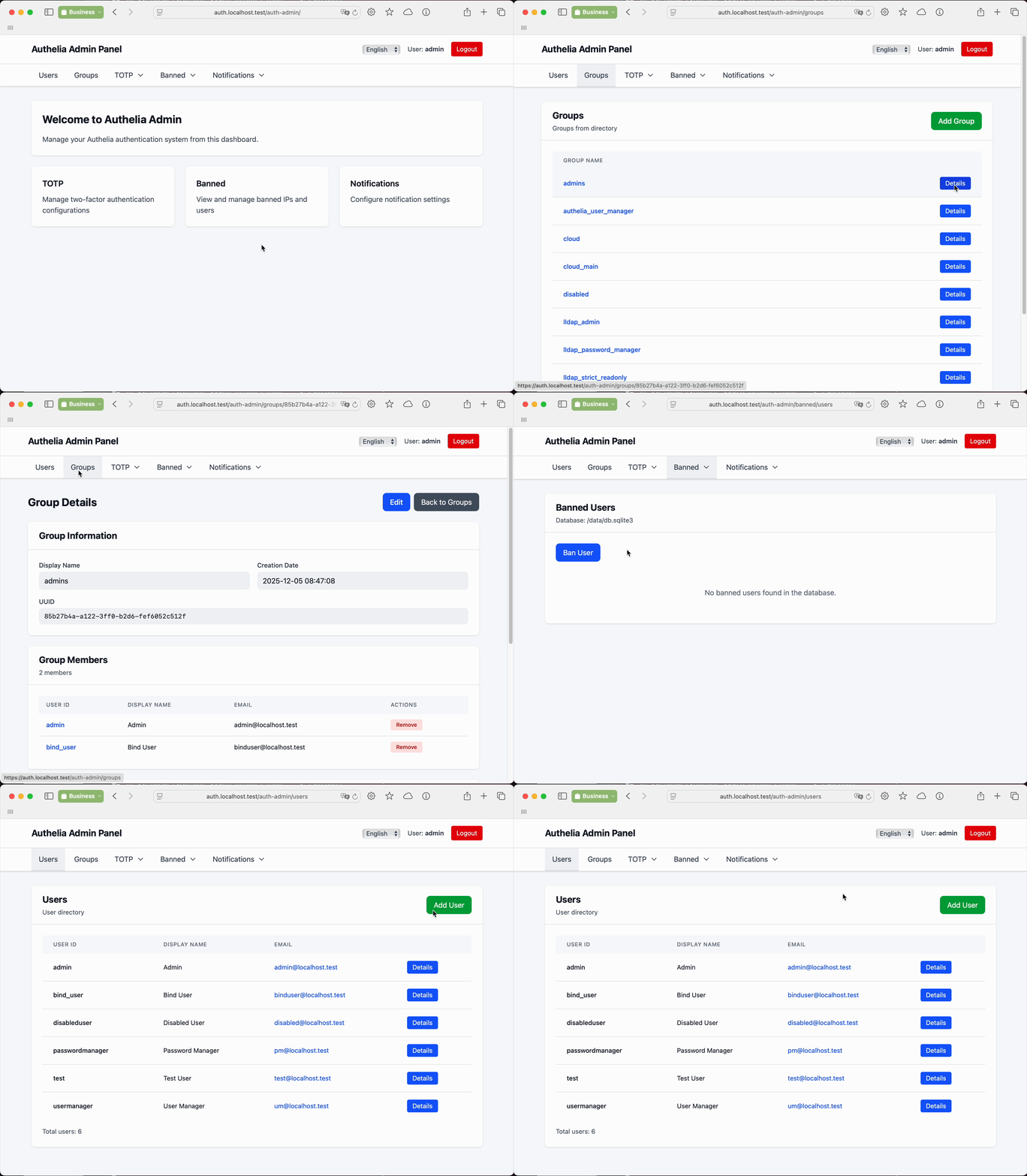
What is authelia-admin?
This control panel lets administrators manage an Authelia authentication server backed by LLDAP. It handles user and group administration, TOTP device configuration and history, and banned IP addresses. Role-based access control provides dedicated user_manager and password_manager roles with a protected-user mechanism to prevent privilege escalation. The service runs on port 9093 as a Node.js/SvelteKit application, configurable via YAML or AAD_-prefixed environment variables. It reads Authelia's storage (SQLite or PostgreSQL) and communicates with LLDAP over GraphQL and LDAP. Deployment uses Docker or Docker Compose alongside Authelia, LLDAP, and a reverse proxy such as Traefik. The codebase is MIT-licensed and has reached version 1.1.2 with PostgreSQL support and end-to-end tests.
Should you self-host authelia-admin?
authelia-admin scores 44/100 on selfhost.directory (how scoring works) and ranks #28 of 40 in Authentication. It has 204 GitHub stars.
It shipped 5 stable releases in the past year. The latest, v1.1.2, came out on 16 September 2026. New versions land roughly every 2 months.
Setup is advanced: plan for several services and some ongoing maintenance. An official Docker image is available. It is MIT-licensed and written mostly in Typescript.
Its closest alternative on selfhost.directory is keycloak (86/100, 37 577 stars). It scores higher overall, so compare the two before you pick. See authelia-admin vs keycloak side by side.
Features
- Banned IP Management
- Group Management
- Internationalization
- Role-based Access Control
- TOTP history
- TOTP Management
- User Management
authelia-admin README
More in Administration
 CasaOSSelf-hosted personal cloud OS for Linux machines: a friendly web dashboard, an app store with one-click Docker installs, drive and file management, and remote access.
 CloudBeaverOpen-source, self-hosted web front end for your databases: SQL and data editors, multi-user administration, LDAP and proxy login, shipped as a Docker image.
 CortenDeskSelf-hosted RustDesk console bundling ID server, relay, and browser client in one Docker image. Fixes signed-in client issues, adds fleet management, access control.
 CronmasterSelf-hosted cron job management web UI: edit host crontabs, keep a script library, stream live job logs and history, with password or OIDC login.
 Crontab-UIOpen-source self-hosted crontab manager with a web UI to add, pause, and back up cron jobs safely, plus error logging, import/export, and email notifications.
 databasementDatabasement is a self-hosted, open-source database backup manager: register MySQL, PostgreSQL, MongoDB, Redis and more, schedule backups, and restore.
 DejTunnelDejTunnel is a self-hosted, open-source web panel that automates Tinc VPN mesh network creation and management via a single bash installer on Debian/Ubuntu servers.
 deqHomelab control plane with native Android app, Wear OS, and Android Auto. SSH-based control from a dashboard. Single Python file. Zero dependencies. Dynamic config. No YAML.
 EpoptesOpen-source computer lab management tool for screen broadcasting, monitoring, remote command execution, and client control in educational environments.
 garage-s3-webuiOpen-source admin web UI for Garage, the self-hosted S3-compatible object store: health status, cluster layout, buckets, object browser and access keys.
 HeadplaneSelf-hosted, open-source web admin panel for Headscale, the open Tailscale control server: nodes, ACLs, DNS, SSO and browser SSH.
 headscale-adminSelf-hosted web UI for headscale (Tailscale control server). Manage users, nodes, routes, ACLs via static files in Docker or any web server.
0 comments