
Self-host keycloak
26.8.2Open-source identity and access management with SSO
- Stars
- 37 849
- Ports
- 8080 (HTTP), 8443 (HTTPS), 9000 (Management (health/metrics))
quay.io/keycloak/keycloak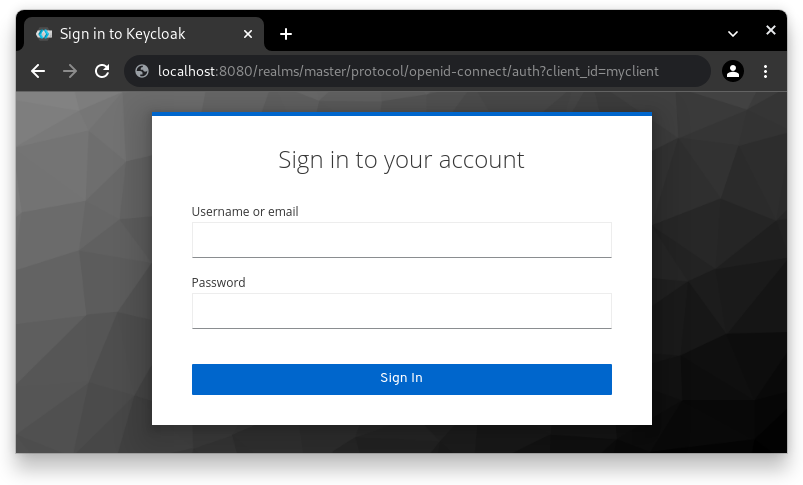
What is keycloak?
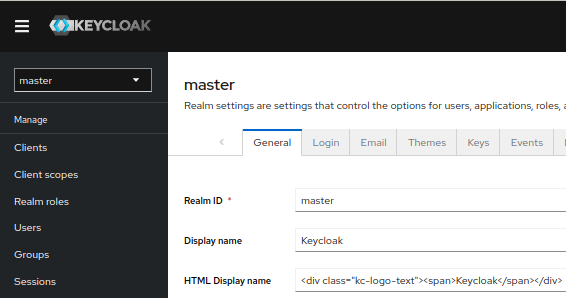
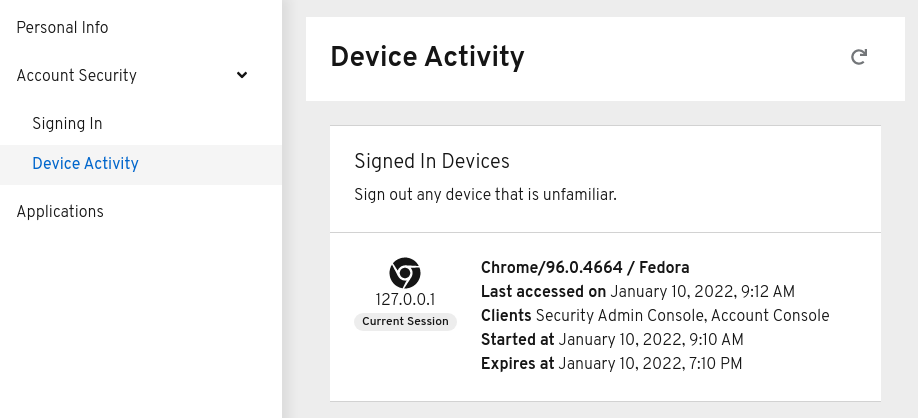
Keycloak is an open-source identity and access management server for modern applications and services. It delivers single sign-on, user federation with LDAP and Active Directory, identity brokering with social login and OIDC/SAML identity providers, an admin console for centralized management, and an account console for user self-service. It supports standard protocols for authentication and authorization, and offers fine-grained authorization services. Keycloak runs on Java (OpenJDK 17/21/25) and requires a relational database such as PostgreSQL, MySQL, or MariaDB. It can be deployed via Docker, Podman, Kubernetes, OpenShift, or as a standalone distribution on Linux and Windows.
keycloak alternatives
 authentikSelf-hosted, open-source identity provider for SSO over OIDC, SAML, LDAP, RADIUS and SCIM, with TOTP and passkeys, configurable flows, RBAC and Helm or Compose installs.Compareauthentik with keycloak
 Pocket IDSelf-hosted, open-source OpenID Connect Certified provider for homelabs and small teams that find Keycloak or Authentik too heavy; passkey sign-in only.ComparePocket ID with keycloak
 CasdoorSelf-hosted open-source IAM and SSO server with a web console, a built-in MCP server for AI agents, and support for more than 100 identity providers.CompareCasdoor with keycloak
 AuthorizerSelf-hosted open-source auth and authorization server: OAuth2/OIDC, social logins, magic links, MFA, passkeys, SAML SSO, RBAC plus embedded OpenFGA, on 13+ databases.CompareAuthorizer with keycloak
 FusionAuthFusionAuth is a self-hosted CIAM platform for auth, authorization, and user management with SSO, MFA, passkeys, and social login. Free Community edition available.CompareFusionAuth with keycloak
 zitadelSelf-hosted open-source IAM stack: password, passkey and second-factor logins, external IdP brokering, OIDC/SAML tokens, on PostgreSQL with Docker or Kubernetes.Comparezitadel with keycloak
 qauthQAuth is a self-hosted, open-source OAuth 2.1/OIDC 1.0 server for AI agents with on-behalf-of delegation, audience-bound tokens, and post-quantum ready crypto.Compareqauth with keycloak
 autheliaSelf-hosted, open-source IAM portal providing single sign-on, multi-factor authentication and an OpenID Certified OpenID Connect provider for proxied apps.Compareauthelia with keycloak
Should you self-host keycloak?
keycloak scores 86/100 on selfhost.directory (how scoring works) and ranks #1 of 40 in Authentication. It has 37 849 GitHub stars, +585 in the last 30 days.
It shipped 15 stable releases in the past year. The latest, 26.8.2, came out on 5 November 2026. New versions land roughly every 2 weeks.
Setup is moderate: expect some configuration beyond a single command. An official Docker image is available. It is Apache-2.0-licensed and written mostly in Java.
Its closest alternative on selfhost.directory is Pocket ID (79/100, 10 288 stars). keycloak scores higher overall. See keycloak vs Pocket ID side by side.
Features
- Single Sign-On
keycloak README

How to install keycloak
Install keycloak with Docker
KC_BOOTSTRAP_ADMIN_USERNAME, KC_BOOTSTRAP_ADMIN_PASSWORD, KC_DB, KC_DB_URL, KC_DB_USERNAME, KC_DB_PASSWORD, KC_HOSTNAME, KC_FEATURES, KC_HEALTH_ENABLED, KC_METRICS_ENABLEDdocker run quay.io/keycloak/keycloak start-dev
Development mode with insecure defaults; for production use optimized images.
How to configure keycloak
KC_HEALTH_ENABLED=falseIf the server should expose health check endpointsvalues: true, false
KC_METRICS_ENABLED=falseIf the server should expose metricsvalues: true, false
KC_DB=dev-fileThe database vendorvalues: dev-file, dev-mem, mariadb, mssql, mysql, oracle, postgres, tidb
KC_DB_URLThe full database JDBC URLvalues: String
KC_DB_USERNAMEThe username of the database uservalues: String
keycloak releases & version history
Upgrading
Before upgrading refer to the migration guide for a complete list of changes.
All resolved issues
Security fixes
- #53061 [CVE-2026-92358] Cross-browser fallback proof survives successful account linking and self-service unlink
organizations - #53618 [CVE-2026-105305] Device Authorization Grant bypasses per-client minimum.acr.value enforcement
authentication - #53749 CVE-2026-107623: OIDC DCR read-modify-write silently disables offline token revocation on backchannel logout
oidc - #53813 [CVE-2026-107889] Stored XSS on the login page via kcSanitize bypass
authentication - #54333 [CVE-2026-111497] Out-of-bounds write in bundled Brotli decoder
dist/quarkus - #54687 [CVE-2026-112201] Login-failure upsert trusts MySQL/MariaDB affected-row count
- #54688 [CVE-2026-112208] Account takeover via stale SSO_AUTH note in Organization identity-first login (reproduced on 26.8.1)
- #54689 [CVE-2026-110932] Keycloak <= 26.8.0 : Unauthenticated persistent disk exhaustion (theme gzip cache)
- #54690 [CVE-2026-107123] Unauthenticated DoS in Keycloak SAML endpoint
- #54691 [CVE-2026-107124] Session takeover by victim logout with injected id_token_hint
- #54692 [CVE-2026-107602] Unauthenticated CPU and worker-pool exhaustion (restart required) via SAML 1.1 KeyInfo parser loop on a legal ds:KeyName
- #54693 [CVE-2026-110931] Unauthenticated single-request JVM termination (OutOfMemoryError) via SAML 1.1 AuthorityBinding parser loop, incomplete fix of CVE-2026-7307
- #54694 [CVE-2026-97367] DCR azp+sid claim substitution via User Property mappers allows Account REST victim session takeover — #YWH-PGM40475-313
- #54695 [CVE-2026-97174] CIBA sub parameter injection causes attacker authentication to issue victim tokens — #YWH-PGM40475-289
- #54696 [CVE-2026-114232] UMA user-managed permission resourceType field not validated — cross-owner resource access — #YWH-PGM40475-306
- #54697 [CVE-2026-97847] Client manager can replace a sessionless token principal and take over the realm — #YWH-PGM40475-292
- #54698 [CVE-2026-96547] DCR registration-time claim-path gap: attribute mappers forge realm_access.roles from user-editable fields
- #54699 [CVE-2026-96457] Group-admin DENY bypass via top-level move (GroupsResource, CVE-2026-9099 regression)
- #54700 [CVE-2026-96460] Token from token exchange can have unlimited expiration
- #54701 [CVE-2026-97848] [SECURITY] Protocol mapper with jsonType=JSON bypasses CVE-2026-16102 fix — duplicate resource_access claim in access token; forged resource_access in ID token, userinfo and introspection response
- #54702 [CVE-2026-109081] Principal with only create-client can inject a role into the realm default-roles — #YWH-PGM40475-290
- #54703 [CVE-2026-93998] SAML adapter accepts assertions from the wrong configured issuer
- #54704 [CVE-2026-96453] kcadm custom truststores trust arbitrary self-signed certificates
- #54705 [CVE-2026-92857] Identity spoofing: a default-allowed DCR protocol mapper writes the reserved sub and aud claims
- #54706 [CVE-2026-103112] Account Takeover via Authentication Race
- #54707 [CVE-2026-97175] Unverified IdP email auto-linking enables account takeover
- #54708 [CVE-2026-96447] Stateless token preferred_username fallback enables identity rebinding after client recreation
- #54709 [CVE-2026-82965] SAML SOAP endpoint DoS via unbounded XML parsing on /realms/{realm}/protocol/saml/resolve
- #54710 [CVE-2026-96448] FGAP v2 composite-blind role mapping lets manage-users assign a wrapper containing realm-admin — #YWH-PGM40475-256
- #54711 [CVE-2026-92855] Keycloak SAML Broker Accepts Holder-of-Key Assertions Without Proof of Key Possession
- #54712 [CVE-2026-92856] Keycloak SAML Identity Broker Ignores `ProxyRestriction`, Allowing Forbidden Downstream Assertion Issuance
- #54713 [CVE-2026-19688] Admin API missing audience check
- #54714 [CVE-2026-117691] SAML redirect binding signature bypass via percent-encoded parameter name (%53AMLResponse) — broker login as any user
Weaknesses
- #50917 Realm client-session stats disclose hidden clients under FGAP v2
admin/fine-grained-permissions - #52104 JWE key-management algorithm not validated against provisioned key algorithm on request object decryption
oidc - #53210 Harden PathMatcher URI normalization for leading dot segments and authority-less schemes
authorization-services - #53535 SAML SLO: unsigned client can impersonate victim SP via spoofed Issuer on back-channel SessionIndex logout
saml - #53815 Unverified broker email can satisfy an organization domain gate
identity-brokering
Enhancements
- #54184 Upgrade to Quarkus 3.40.1.1
dist/quarkus
Bugs
- #44474 Keycloak Maximum Concurrent Session Limit is incorrectly registered as a login failure, triggering Keycloak's Brute Force protection
authentication - #51630 FGAP V2: isInternal denylist missing admin-permissions client allows delegated admin to update it
admin/fine-grained-permissions - #52870 Realm import: JSON representation migration fails with LazyInitializationException when a users file is present (regression in 26.3)
import-export - #52968 Much open UDP Sockets after some Time
core - #53238 Theme resources intermittently 404 on a cold gzip cache: `GzipResourceEncodingProvider` replaces the cached file non-atomically
core - #53507 Enhancement request suggestion in downstream documentation
docs - #53510 Github discussion reference should only be upstream
docs - #53612 BCFIPS imports only the first certificate from a multi-certificate PEM trust bundle
core - #53634 IdentityBrokerService fires duplicate error events and reflects user input in responses
identity-brokering - #53760 Concurreny issue in JAXPValidationUtil
saml - #53804 Operator Helm chart renders null version labels because Chart.yaml lacks appVersioN
operator - #53809 ISPN000427 timeout on distributed caches when entry lock is contended during topology change
infinispan - #53819 Links to keycloak.org in downstream
docs - #53834 Flaky test: Admin UI E2E "should handle OID4VC section visibility based on feature flag"
admin/ui - #53898 Original exception is swallowed by NullPointerException when acquiring the database lock fails
storage - #53901 NullPointerException in KeycloakLogFilter after failed startup as the Profile is no longer initialized
dist/quarkus - #53930 Periodic user storage sync runs at twice the configured period when a sync takes longer than ~1 second
core - #53999 Validate keycloak locale before setting to KEYCLOAK_LOCALE Cookie
authentication - #54173 Upgrade playwright for JS tests
testsuite - #54398 FIPS tests failing: Could not transfer artifact / Could not generate keypair for algorithm: X25519MLKEM768
ci
Upgrading
Before upgrading refer to the migration guide for a complete list of changes.
All resolved issues
Security fixes
- #50945 [CVE-2026-15943] OIDC identity provider update reuses masked client secret after token URL changes
identity-brokering - #51381 [CVE-2026-18569] OIDC broker backchannel logout accepts unsigned forged logout tokens when signature validation is disabled
oidc - #52321 [CVE-2026-82968] Persistent wrong-account linking through null / GitHub identity provider
identity-brokering - #53057 [CVE-2026-94001] Admin credential DELETE bypasses denied reset-password permission
admin/fine-grained-permissions - #53060 [CVE-2026-94000] A delegated admin with only `manage-users` can become `realm-admin` by joining (or being created into) a group that maps an admin role
admin/fine-grained-permissions - #53070 [CVE-2026-94218] 2FA setup enforcement bypass via /realms/{realm}/login-actions/restart — #YWH-PGM40475-254
authentication - #53071 [CVE-2026-94215] Cross-realm realm resource read/write via per-request session-level cache in RealmCacheSession
admin/api - #53072 [CVE-2026-94213] Missing user view authorization in the Authorization Services policy evaluation endpoint, possible incomplete fix of CVE-2026-37978
authorization-services - #53073 [CVE-2026-94217] UMA scope merge across resource owners via name collision in resolveResourcePermission
authorization-services - #53111 [CVE-2026-96446] Security vulnerability in Keycloak 26.7.3 — PAR single-use bypass via prompt=none
oidc - #53112 [CVE-2026-96445] Conditional OTP trusts skip headers on untrusted proxy paths
authentication - #53158 [CVE-2026-97177] Generic user update bypasses denied reset-password permission
admin/fine-grained-permissions - #53159 [CVE-2026-95503] Potential KDC spoofing attack when Kerberos password authentication is enabled
authentication - #53160 [CVE-2026-97311] Broken access control in Admin REST API: roles/{role-name}/groups discloses groups the caller cannot view (incomplete fix of the 26.7.2 hardening)
admin/api - #53187 [CVE-2026-97846] Standard Token Exchange bypasses required mTLS certificate binding and issues an active bearer token when no client certificate is supplied
token-exchange/standard - #53338 [CVE-2026-101333] Unbounded metric series creation via idp tag on broker login endpoint
observability - #53388 CVE-2026-91777 com.fasterxml.jackson.core:jackson-databind
dependencies - #53393 Multiple CVEs in tools.jackson.core:jackson-databind
dependencies - #53419 [CVE-2026-103884] Path traversal via X.509 CRL Distribution Point - client-supplied CRL path escapes $KC_HOME/conf
authentication - #53582 Multiple CVEs in simple-git
dependencies - #53659 Flaky test: initial-access.spec.ts 'Initial access token' fails with TypeError on table data read
admin/ui - #53674 [CVE-2026-107121] SMTP starttls=true permits plaintext credential and message downgrade
admin/api
Weaknesses
- #49009 DockerEndpoint does not validate invalidRequestMessage after parsing authorization request
oidc - #49786 Organizations: Invitation link can be used by multiple users due to missing single-use check
organizations - #51312 refresh-vs-revoke race in strict mode (revokeRefreshToken=true) defeats token revocation
oidc - #51887 Username enumeration via empty-password timing
authentication - #52063 Ensure max consumed respone size is respected for OCSP and CRLs
authentication - #52680 Kerberos TRACE logging records complete SPNEGO credentials
authentication - #52982 Non-critical X.509 KeyUsage mismatch bypasses authentication policy
authentication - #52984 SimpleHttpResponse connection pool leak in identity brokering flows
identity-brokering - #53079 Dynamic client registration self-enables privileged SSF event access
oidc - #53116 SAML SLO: unauthenticated arbitrary session termination via LogoutRequest (SessionIndex)
saml - #53354 SAML broker HTTP-Redirect binding: query-string signature is verified over a different SAMLResponse than the one processed (';' parameter separator) - unauthenticated login as an arbitrary user (ANT-2026-HQ54RPF9)
identity-brokering - #53417 FGAP v2 custom role injection via oidc-hardcoded-role-mapper bypasses removeTransientAdminRoles (incomplete fix for CVE-2026-4629)
admin/fine-grained-permissions - #53430 Rotated-out client JWKS key and CRL stays valid on all but one node (keys cache invalidation event has no listener)
storage - #53494 SimpleHttpResponse: connection pool leak on invalid charset and case-sensitive Content-Encoding check
core - #53693 FGAP v2: non-imported LDAP users returned in search results for query-users-only delegated admins
admin/fine-grained-permissions
Bugs
- #51268 Group members endpoint sometimes returns 200 and empty list instead of 500 when DB is down
admin/api - #52139 Client sessions attached to offline user sessions via token exchange are created with OFFLINE_FLAG=0, causing orphaned OFFLINE_CLIENT_SESSION rows
token-exchange - #52362 HttpServerUtil.sendResponse drops the headers it is given
core - #52449 Organization invite: link in the plain-text part of the email is HTML-escaped and unusable
organizations - #52792 Authenticator Reference is incorrectly masked after CVE-2026-16104 fix
authentication - #52927 Admin Console "Sign out" on one user session unexpectedly logs out a different, unrelated session for the same user
authentication - #53029 Token introspection omits act claim for token-exchange delegation tokens
token-exchange - #53142 Realm settings - security defenses
admin/ui - #53370 RoleSelect lost its undefined guard on form values, so Permissions → Evaluation crashes when Roles is selected
admin/ui - #53467 Flaky Admin UI E2E: 'should add OIDC mapper of type Attribute Importer' times out waiting for navigation
ci - #53471 Regression with Trust Email when the userinfo endpoint is used
identity-brokering - #53505 Broken link to FIPS documentation
docs - #53567 Broken link to vault documentation in downstream
docs - #53569 Fix broken link to migrating the database in downstream
docs - #53571 Broken link in Operator Guide
docs - #53624 Multiple link issues including incorrect names and upstream only coding
docs - #53653 Flaky test: Admin UI E2E flows.spec.ts 'sets as default in action menu' fails on Firefox with strict mode violation
admin/ui - #53660 Flaky test: main.spec.ts 'Enable/disable help mode in desktop mode' fails with help label still visible
admin/ui - #53665 Flaky test: PauseTest.testPause times out on slow runners — no wait for operator readiness
ci - #53757 Broken EntityManager API link fails ExternalLinksTest
testsuite - #53824 JGroups certificate reload blocks the view handling thread and hides task failures
infinispan - #53825 JGroups TCP sends to healthy nodes are blocked by an unreachable node when virtual threads are disabled
infinispan - #53856 JsonFileImport198MigrationTest fails: realm certificate expired on 2026-10-12
ci
AI summary New digital wallet credential capabilities
Highlights
This release features new capabilities for users and administrators of Keycloak. The highlights of this release are:
-
Issue and verify digital wallet credentials with OID4VCI and OID4VP
-
Automate user provisioning across identity systems with the SCIM API
-
Run multi-cluster deployments without an external cache using stateless mode (now supported)
-
Simpler administration with automatic index creation, reduced memory usage, and enhanced HTTP performance
-
Token exchange delegation for AI agents and automation with consent and FGAP authorization
Read on to learn more about each new feature. If you are upgrading from a previous release, also review the changes listed in the upgrading guide.
Security and Standards
Verifiable Credential Issuance promoted to preview with credential management and revocation
The OpenID for Verifiable Credential Issuance (OID4VCI) feature has been promoted from experimental to preview.
It can now be enabled with --features=preview or --features=oid4vc-vci.
Credential lifecycle management now includes revocation when refresh tokens are revoked, and a new Application Initiated Action (AIA) lets users request credential issuance within an authenticated session.
Key attestation is configurable in the admin console with hardened x5c certificate validation following the HAIP profile.
This release also adds experimental support for the mdoc format, provided by the new experimental feature oid4vc-mdoc.
Integration guides for the Lissi and Valera wallets are available, along with documentation for SD-JWT signing key setup, credential management, and revocation.
Example applications are provided in this release (for illustration, not officially supported):
-
Quickstart OID4VCI deployment - a playground for rapid prototyping with mdoc and SD-JWT credentials
-
OID4VCI Demo in Keycloak FAPI playground - available to show the details of the OID4VCI protocol messages exchanged between wallet and issuer, and to illustrate advanced concepts like proofs, attestation, credential refresh, and more.
The attestation-based client authentication (client-auth-abca), pre-authorized code grant (oid4vc-vci-preauth-code), REST credential offer endpoint (oid4vc-vci-rest-credential-offer), and OpenID4VP (oid4vc-vp) remain experimental features.
Many community members were involved in the development. Many thanks to Awambeng, Babis Routis, ShurongCAO, Pascal Knüppel, Thomas Darimont, Dominik Schlosser, forkimenjeckayang, Francis Pouatcha, Hager Khamis, Ingrid Kamga, Naman Jain, Asish Kumar, Ogen Bertrand, Hugo Hakim Damer, Rohit Behera, rameshkumarkoyya, Shashank RM, Thomas Diesler, Vinod Anandan, Palpable and Stefan Wiedemann for the contributions!
Verify credentials with OID4VP (experimental)
Organizations adopting verifiable credentials need a way to accept credential presentations from digital wallets as part of login flows, without requiring a traditional password.
Keycloak can now act as an OID4VP verifier, enabling authentication flows where users present verifiable credentials from their wallets.
The verifier supports cross-device presentation flows and the direct_post.jwt encrypted response mode.
Trust material for credential verification can be delegated to an external identity provider by alias, and SD-JWT User Attribute and Session mappers are available to extract claims from presented credentials.
Thanks to Dominik Schlosser for this contribution.
React to account status changes with Shared Signals Framework (experimental)
The experimental Shared Signals Framework (SSF) support now emits RISC account-disabled and account-enabled event types when a user is enabled or disabled, extending coverage beyond the CAEP session and credential events that shipped in 26.7. Additionally, the event structure has been revised for better alignment with the CAEP and RISC specifications, and the admin event store no longer receives unvalidated payloads to prevent PII leakage.
For more details, see the Shared Signals Framework guide.
Parameterized (formerly dynamic) scopes preview support (preview)
Parameterized scopes (formerly known as dynamic scopes) allow clients to pass a parameter value along with the scope name in an OAuth 2.0 authorization request. This is especially useful when a scope represents an entity with a large or dynamic set of values (for example a project name like project:12345), preventing the need to pre-define countless individual client scopes in Keycloak.
Parameterized scopes have officially moved from experimental to preview status.
For more details about the feature, see the Server Administration Guide.
Token exchange delegation with consent, FGAP authorization, and audit trail (preview)
Applications such as AI agents and automation tools need limited, consent-based access to act on behalf of a user without requiring administrator privileges or exposing sensitive credentials.
Users can now delegate access to a client application through OAuth consent using the new delegation:client:<client-id> parameterized scope.
The resulting token includes an act claim identifying the client as the actor.
Unlike admin-user delegation, client delegation does not grant Admin API access even if the client holds service account credentials, ensuring that a leaked delegation token cannot escalate privileges.
The delegation:user and delegation:client client scopes are now auto-created as Optional scopes in all realms, and delegation authorization is controlled exclusively through Fine-Grained Admin Permissions V2 using the delegate and delegate-members scopes.
Delegation audit events now include the client identity, and standard token exchange rejects subject tokens carrying delegation claims to prevent bypass.
A new client policy executor allows administrators to restrict the may_act claim in access tokens, giving per-client control over which clients can participate in delegation.
Token exchange delegation support status is now preview.
For more details, see the Token exchange delegation section.
Track impersonation across token lifecycle and downstream services
When an administrator impersonates a user, downstream resource servers and audit systems had no reliable way to identify that a token was issued under impersonation or who the impersonator was.
Token lifecycle events (CODE_TO_TOKEN, REFRESH_TOKEN, and others) are now enriched with impersonator and impersonator_id details, providing a complete audit trail across all token operations performed under impersonation.
Additionally, tokens issued from impersonation sessions now include the act (actor) claim (RFC 8693 Section 4.1) in both access tokens and ID tokens, allowing downstream resource servers to identify the impersonator.
The claim is always present and cannot be disabled.
Secure client cluster node registration
A new client policy executor, secure-client-node-hostname, is available to protect against server-side request forgery (SSRF) via the legacy adapter cluster node registration endpoint (/clients-managements/register-node).
A confidential client could previously register an attacker-chosen hostname, which Keycloak would later use as the destination for management callbacks such as logout propagation and push-revocation.
When the executor is attached to a client policy, node hostnames are validated against an administrator-configured list of regex patterns before being persisted. Registrations that do not match any pattern are rejected.
This protection is opt-in and must be explicitly configured to take effect.
Administrators managing deployments that use the legacy adapter node registration feature should add the secure-client-node-hostname executor to a client policy and configure the allowed hostname patterns.
Hostname patterns match against DNS hostnames and IPv4 addresses. Port suffixes are always rejected. Patterns are matched against the bare hostname or IP address.
Administration
Declarative client management with Admin API v2 (preview)
The Client Admin API v2, introduced as an experimental feature in Keycloak 26.7, has been promoted to preview.
It can now be enabled with --features=preview or --features=client-admin-api:v2.
The API provides strict validation, declarative configuration, and an accurate OpenAPI specification for managing OIDC and SAML clients.
It can be consumed through a Java client, an auto-generated JavaScript client, and a CLI, and the Keycloak Operator uses it to manage clients declaratively via the KeycloakOIDCClient and KeycloakSAMLClient custom resources.
The Operator’s KeycloakOIDCClient and KeycloakSAMLClient custom resources were also promoted to Preview.
For more details, see the Admin API v2 guide and the Managing Keycloak Clients operator guide. Feedback is welcome!
Client Secret Rotation (supported)
Rotating client secrets in production without downtime required manual coordination and risked service interruptions if the old secret was invalidated before all consumers switched to the new one.
Client Secret Rotation allows confidential clients to rotate their secrets through client policies, keeping up to two concurrently active secrets for seamless rotation without downtime. Administrators can plan the rotation schedule and anticipate when applications need to adopt the new secret, reducing the risk of secret leakage.
In this release, Client Secret Rotation is promoted from preview to supported. For more details, see the Server Administration Guide.
Invite users automatically with workflows
Sending invitation emails to newly created users previously required external automation or a call to the Admin REST API’s execute-actions-email endpoint.
The new invite-user workflow step sends an action-token email automatically when a user is created, without requiring external tooling or a custom workflow step provider.
Administrators can configure which required actions the user must complete (defaulting to password update and email verification), and optionally specify a client and redirect URI for the post-completion flow.
For details, see the Defining Steps guide.
Thanks to bilkoua for this contribution.
Protocol mapper allow-list for Admin REST API
Client Policies now provide the allowed-protocol-mappers executor to restrict protocol mapper types that can be created or updated through the dedicated Admin REST API protocol mapper endpoints.
SCIM API (supported)
The SCIM (System for Cross-domain Identity Management) API provides a standards-based interface for managing users and groups within a realm. It enables seamless integration with identity management systems and applications that support the SCIM protocol.
In this release, the SCIM API is promoted from preview to supported. The SCIM API received extensive improvements including support for multivalued user attributes, User Profile permissions, Fine-Grained Admin Permissions in search filters, and improved performance for large user bases. For more details, see the Managing users and groups through SCIM documentation.
Configuring and Running
Multi-cluster v2 (supported)
Multi-cluster v2 enables connecting two or more Keycloak clusters without an external Infinispan cluster by using the stateless feature.
Session data is stored in the database, simplifying the deployment architecture compared to multi-cluster v1.
In this release, multi-cluster v2 and the stateless feature are promoted from preview to supported.
The feature is disabled by default and can be enabled with --features=stateless.
A new deployment guide for bare-metal and VM environments is now available alongside the existing Kubernetes guide.
For more details, see <@links.ha id="multi-cluster-v2-introduction" />.
Multi-cluster v1 (deprecated)
Multi-cluster v1 (the multi-site feature) is deprecated and will be removed in a future major release.
Multi-cluster v2, which uses the stateless feature, is the recommended replacement.
It simplifies the deployment architecture by eliminating the external Infinispan cluster and its cross-site replication.
If you are using --features=multi-site, migrate to --features=stateless.
For migration instructions, see Migrating from multi-cluster v1 to v2 in the High Availability Guide.
Support for encrypted PEM files for TLS certificate and private key
Deploying Keycloak with encrypted private keys previously required converting them to an unencrypted format or using a keystore, adding operational complexity.
Keycloak now supports encrypted PKCS#8 private keys in PEM format for HTTPS configuration.
Use the new --https-certificate-key-file-password option to provide the decryption password.
The management interface also supports this via --https-management-certificate-key-file-password.
For details, see <@links.server id="enabletls"/>.
Login failures now stored in the database
Brute force detection data is now persisted in the database by default, so temporarily locked-out users remain locked out across cluster restarts.
Deployments using the multi-site or clusterless features continue to store login failures in the external Infinispan cluster.
The previous in-memory behavior is available as login-failures:v1 but is deprecated.
For details, see the Upgrading Guide.
First-class CLI options for cluster and node name
The embedded cache cluster name and node name can now be configured with the new --cache-embedded-cluster-name and --cache-embedded-node-name CLI options, replacing the low-level SPI options that were previously required.
By default, the node name is a random value generated on each start, making it difficult to correlate metrics, logs, and JGroups diagnostics across restarts. Setting a stable node name is especially useful for observability tools such as Grafana dashboards and log aggregation.
When deploying with the Keycloak Operator, the node name is now automatically set to the Kubernetes pod name (for example, keycloak-0).
For standalone deployments on Kubernetes, set KC_CACHE_EMBEDDED_NODE_NAME using the downward API to inject the pod name.
For non-Kubernetes deployments, pass --cache-embedded-node-name=<name> with a value that uniquely identifies each node.
Automatic non-blocking index creation for large tables
When upgrading Keycloak with large database tables, index creation was previously skipped during schema migration to avoid blocking startup. Operators had to create the missing indexes manually.
Keycloak now automatically creates skipped indexes in the background after startup using non-blocking index creation on PostgreSQL, Oracle, MySQL/MariaDB, and supported Microsoft SQL Server editions. Invalid PostgreSQL indexes left by failed previous attempts are detected and recreated automatically. On databases without non-blocking support, Keycloak continues to log the SQL for manual execution.
Vert.x-based outbound HTTP client (experimental)
Keycloak uses the Apache HTTP Client for all outgoing connections to external services such as identity providers, OCSP responders, and backchannel logout endpoints. As Keycloak already runs on Vert.x/Netty for inbound traffic, using a separate HTTP stack for outbound connections adds unnecessary complexity and dependency overhead.
Keycloak now provides an experimental Vert.x-based HTTP client that replaces the Apache HTTP Client with Vert.x/Netty for all outgoing connections.
To enable it, start Keycloak with --features=http-client:v2.
When enabled, all outgoing HTTP traffic uses the Vert.x HTTP client. Existing configuration options work the same way.
For more details, see the Configuring outgoing HTTP requests guide.
Helm Chart Operator install (experimental)
Keycloak now releases an experimental Helm chart to install the Operator.
For installation instructions, see the Operator Guide.
Organizations
Shared identity providers across organizations
Identity providers can now be linked to multiple organizations, enabling scenarios such as a single corporate identity provider serving users across different business units or subsidiaries, each represented as a separate organization. Each identity provider link carries its own auto-membership and membership type configuration, allowing fine-grained control over how users are onboarded per organization.
Domain routing has been moved from the identity provider to the domain entity. Each domain can independently specify which identity provider handles authentication and whether users are auto-redirected. The domain gate ensures cross-organization isolation — a user is only auto-added to an organization that claims their email domain, even when multiple organizations share the same identity provider.
New identity provider links created after upgrading default to the Unmanaged membership type. Existing links are migrated with the Managed type to preserve previous behavior.
For setup instructions and common configuration patterns, see Common setup recipes in the Server Administration Guide. For migration details, see the Upgrading Guide.
Themes
Redesigned identity provider buttons on the login page
The social identity provider section on the login page has been refreshed with updated icons, a new divider layout, and improved button labels.
If you have a custom login theme, see the Upgrading Guide for details on what changed.
Upgrading
Before upgrading refer to the migration guide for a complete list of changes.
All resolved issues
Security fixes
- #50444 [CVE-2026-12388] IdP mapper admin role escalation
identity-brokering - #50618 [CVE-2026-14781] OIDC broker applies id_token email_verified to userinfo email, marking unverified addresses as verified
oidc - #51865 [CVE-2026-19608] Name-only group claims let same-name groups satisfy path-specific group policies
authorization-services - #52168 CVE-2026-54515 CVE-2026-59889 com.fasterxml.jackson.core:jackson-databind 2.22.0
dist/quarkus - #52169 CVE-2026-59903 io.netty:netty-codec-http:4.1.136.Final
dist/quarkus
Weaknesses
- #47295 LDAP bind credentials sent to new server when connection URL is changed
ldap - #49022 SAML ECP endpoint returns inconsistent Content-Type on error responses
saml - #49220 Client GET endpoints return raw client secrets to view-clients role holders
admin/rbac - #49239 Stop storing client private keys in the database and deprecate generate endpoints
admin/rbac - #49242 SMTP masked credential substitution does not verify destination fields haven't changed
admin/api - #49610 Document trust boundaries for attribute-based conditions with self-registration enabled
workflows - #49784 UserInfo Endpoint: Add null-check for SignatureProvider when validating JWT bearer tokens
oidc - #49785 UserInfo Endpoint: Handle malformed Content-Type header gracefully
oidc - #50123 Client baseUrl URI-scheme validation missing during realm and partial import
admin/api - #50124 OIDC: Inverted return value in `compareSessionIdWithSessionCookie()` backwards-compatibility path
oidc - #50131 Client Policies: `allowed-protocol-mappers` enforcement missing for Admin REST API protocol mapper operations
admin/api - #50135 OIDC: PAR request URIs stored in single-use cache without realm binding
oidc - #50368 OID4VCI: Account API delete endpoint for issued verifiable credentials missing ownership validation
oid4vc - #50468 Parameterized Scopes: Pre-authentication username enumeration via username/delegation scope types
- #50469 Parameterized Scopes: First-match prefix resolution allows permissive scope to shadow stricter scope
- #50470 Parameterized Scopes: CustomRegexScopeType applies admin regex to unbounded attacker input without length cap
- #50471 SCIM: Missing lower-bound validation on count parameter in list operations
scim - #50473 SCIM: Groups endpoint members operations do not enforce isAdminUser check
scim - #50475 SCIM: PATCH operations list has no size limit — missing maxOperations enforcement
scim - #50489 Client API v2: Temporary client creation via addClient() shim bypasses realm-level authorization
admin/api-v2 - #50493 Client API v2: Operator disables TLS hostname verification for admin connection
admin/api-v2 - #50517 OID4VCI: key_attestations_required not enforced when key_attestation header absent from proof JWT
oid4vc - #50518 OID4VCI: Key attestation x5c chain validated against system cacerts with no EKU or revocation
oid4vc - #50520 OID4VCI: Unbounded expire parameter on /create-credential-offer allows indefinite pre-auth codes
oid4vc - #50521 OID4VCI: getAttestationRequirements() hardcodes proof-type key to jwt ignoring other types
oid4vc - #50523 OID4VCI: LD-VC signer fetches remote @context URLs over HTTP with no allowlist or cache
oid4vc - #50524 OID4VCI: User-editable did attribute used as credential subject with realm-local uniqueness only
oid4vc - #50533 Identity Broker v2: Wrong-IdP token returned after account-linking due to un-namespaced session note
oidc - #50602 Handling HTTP/2 connection coalescing issues originating from wildcard certificates
dist/quarkus - #50749 OID4VC JWT proof JWK claim type confusion crashes proof validation
oid4vc - #50934 Credential request decryption accepts RSA1_5 for RSA-OAEP-256 encryption keys
oid4vc - #50965 URI client-policy executors omit OIDC front-channel logout URI
oidc - #50985 SCIM Users filter leaks hidden group membership under FGAP
scim - #50986 SCIM Groups filter leaks hidden user membership under FGAP
scim - #50987 SCIM reads and filters bypass user-profile view permissions for mapped attributes
scim - #50988 Workflow group membership events confuse slash-named groups with nested paths
workflows - #50989 Workflow role grant events match client and realm roles by bare name
workflows - #50991 SCIM user writes bypass user-profile edit permissions for custom attributes
scim - #50999 Same-second refresh-token rotation allows stale token replay
oidc - #51109 SD-JWT verification accepts signatures whose algorithm differs from the JWS header
oidc - #51127 Persistent User Sessions: cache-miss unconditionally re-hydrates cache from DB, resurrecting deleted sessions
storage - #51139 Server info exposes database operational details to view-realm administrators
dist/quarkus - #51158 User partial filters ignore ancestor group membership denies
admin/fine-grained-permissions - #51211 SAML: Add signature verification for inbound LogoutResponse messages
saml - #51212 JOSE: Base64Url decoder throws unchecked exception on padding-only input
oidc - #51241 Client update admin events retain private-key attributes
admin/api - #51242 Registration access token regeneration stores live bearer tokens in admin events
admin/api - #51243 RP-initiated logout can suppress upstream broker logout with forged initiating_idp
oidc - #51276 Unrestricted Class.forName() on query parameter in ComponentResource.getSubcomponentConfig
admin/api - #51311 Unauthenticated NullPointerException (HTTP 500) on OIDC Dynamic Client Registration PUT via the "scope" field (CWE-476)
oidc - #51328 Client type read-only client properties can be bypassed during registration
oidc - #51535 Admin API v2 client update does not clean up stale rotated secret attributes
admin/api-v2 - #51699 Missing security headers on root-path redirect when http-relative-path is configured
dist/quarkus - #52013 [OID4VCI] unauthenticated RSA1_5 padding oracle in OID4VCI credential requests
oid4vc - #52058 Add warning about dynamic urls to reflect the danger of hostname pollution
docs - #52105 OID4VC issued credential deletion not scoped to path user or realm
oid4vc - #52106 SAML metadata key cache is not invalidated on client updates
saml - #52398 Concurrent completion of one WebAuthn registration ceremony persists multiple passwordless credentials
authentication/webauthn - #52400 LDAP password-policy response control parser defects — warning/error tag collision (forced-password-change forgery and suppression) plus uncaught NumberFormatException login failure
ldap - #52598 SCIM membership PATCH events omit the changed relationship from audit trail
scim - #52599 SCIM legacy query roles infer cross-resource memberships when FGAP is disabled
scim - #52640 SCIM Group DELETE bypasses administrative-resource protection through cascade
- #52642 SCIM user deletion skips security-state cleanup
- #52644 Absence-based completion predicate cannot distinguish consumed from never-persisted events
- #52645 Bulk HQL executeUpdate bypasses AsyncCommitIntegrator security classification
- #52646 Concurrent failures at brute-force reset boundary can erase newly recorded attempts
- #52650 LoginFailureEntity async commit classification can discard failure counters after failover
infinispan - #52651 Multi-Cluster v2 RPO "No data loss" conflicts with default async commit of ephemeral data
docs - #52664 Password denylist can be bypassed under Turkish locale
authentication - #52665 Same-name client role authorizes victim-targeted credential offers via role namespace confusion
oid4vc - #52666 Reusing a rotated OID4VCI refresh token repeatedly reissues credential authority
oid4vc - #52667 User-editable mapped attribute can extend an SD-JWT credential beyond the issuer-configured lifetime
oid4vc - #52668 Credential issuance ignores the administrator-approved attribute snapshot
docs - #52669 Unauthenticated credential requests trigger private-key JWE decryption before bearer authentication
oid4vc - #52670 Refreshing a stolen targeted offer lets another user bypass offer-required issuance
oid4vc - #52671 OID4VCI SD-JWT issuance makes array claims all-or-nothing disclosures
oid4vc - #52681 kcadm preserves world-readable permissions on existing config files
admin/api-v2 - #52684 SCIM search writes raw filter values to debug logs
scim - #52691 Token exchange provider routing allows delegation tokens to bypass actor validation via standard exchange
token-exchange - #52696 Recovered sites can enforce stale security configuration for up to one hour
storage - #52732 [OID4VCI] Make sure that OID4VCI access token usable just for credential endpoint
oid4vc - #52919 OID4VCI: Preventing memory leak and adding decompression limit
oid4vc - #53166 Realm import resets organization-IdP link policy to permissive defaults
identity-brokering - #53307 Identity-provider reads disclose organization links outside the caller's scope
identity-brokering
Deprecated features
- #44062 Should Kerberos Credential delegation be deprecated?
- #51921 Deprecate legacy OIDC client switches from 'OpenID Connect Compatibility Modes'
oidc - #52121 Deprecate volatile sessions and allow opting out of session caching
- #52923 Deprecate 'Full scope allowed' client switch
oidc - #53219 Deprecate other client registration providers than OIDC
Removed features
- #51897 Deprecate route from AUTH_SESSION_ID cookie for sticky sessions
- #52130 Deprecate clusterless feature
- #52480 EOL Keycloak Realm Operator
New features
- #16738 Supported client secret rotation
- #48899 SSF: Add support for RiscAccountPurged event
ssf - #50644 [OID4VP] Support direct_post.jwt (encrypted) response mode
authentication - #50876 update admin client tests to use sort and filter
Enhancements
- #16947 group.spec.ts does not contain example of how to add attributes while creating groups
admin/client-js - #22524 Improve WebAuthn error messages
translations - #22962 SAML Responses with Invalid Signatures
saml - #27437 Accept encrypted PEM TLS certificate key
- #32080 Infinispan: LoginFailures cache should not be unbounded
- #40211 Add link to clients in UsedBy hint for auth-flows listing in admin ui
admin/ui - #40246 Selecting value in combobox not default listed
admin/ui - #43741 Parametrized client_id in the organization invite link and invite token
organizations - #44605 Infinispan metrics should not contain a dynamic node label
- #44963 PassKey "User verification requirement" error's are not translated
translations - #46555 Concurrent Index creation on PostgreSQL and other databases for DB migrations
storage - #47921 Account Console: Add per-application session termination on the Applications page
account/ui - #47945 Good proxy instructions for a production ready Keycloak setup
- #48063 refresh_expires_in is 0 for offline tokens when Offline Session Max Limited is disabled, but server enforces Offline Session Idle
oidc - #48216 KeyCloak Admin Client - Support Jackson 3
dist/quarkus - #48349 Upgrade FreeMarker to the most recent version
- #48448 DNS Rebinding attacks to create bling SSRF
docs - #48847 Update Vale
- #49039 Signed JWT - Federated: support managed Kubernetes (EKS, GKE, AKS) via dynamic OIDC issuer discovery
identity-brokering - #49044 Better memory management with argon2
dist/quarkus - #49056 Make the Roles field optional on the client Authorization Evaluate tab
- #49297 Add `invite-user` workflow step
workflows - #49493 [SAST] Restrict direct access to `issuedFor` variable
- #49549 Upgrade to Quarkus 3.40 LTS
- #49767 Refactor SSF to use keycloak-admin-client and react hook form
- #49874 How to create a JFR recording with JDK standard tools
observability - #49968 Switch internal HTTP client from Apache to Vert.x/Netty
- #50159 Make UuidUnmodified more generic so that we can use it on multiple fields
admin/api-v2 - #50221 Add default non-endpoint methods to the admin api v2 interfaces as needed for typing
- #50695 [OID4VCI] Implement missing HAIP conformance tests
oid4vc - #50803 Document the Password Policy SPI in the Server Developer Guide
- #50911 Ensure consistent transaction rollback across all error response paths
core - #50948 Sorting Applications in Account Console
- #50970 Missing index on WORKFLOW_STATE.SCHEDULED_STEP_TIMESTAMP causes full filter scan in getDueScheduledSteps
workflows - #50992 Redesign identity provider buttons on the login page
login/ui - #51214 Improve runtime when building user representations via User Profile
user-profile - #51263 Organization group-by-path endpoint returns a brief representation instead of a full representation
organizations - #51273 Upgrade to Quarkus 3.37.4
- #51305 Token Exchange Delegation for Clients
token-exchange - #51310 Upgrade to Quarkus 3.38
- #51359 Complete Identity Provider support in the Test Framework Realm DSL
test-framework - #51400 SCIM user serialization creates ~200x more UserProfile instances than necessary
- #51402 SCIM search/list executes unconditional COUNT(*) query on every request
- #51403 SCIM filter string is parsed twice through ANTLR4 grammar per request
- #51413 [CIMD] Resource Indicators with CIMD
- #51428 Ensure consistent transaction rollback in SCIM error response paths
scim - #51432 Upgrade to Quarkus 3.38.1
- #51450 Unify QR code and divider components in the login theme
login/ui - #51451 [OID4VP] Improve cross-device login page layout
oid4vc - #51455 Unify OTP setup buttons to use shared `buttons` macro
login/ui - #51481 Introduce dedicated delegation permission for token exchange delegation
token-exchange - #51489 Add actor to impersonation tokens and details to event logs
core - #51506 Skip unnecessary provider initialization for non-server commands
dist/quarkus - #51528 Authentication events should distinguish primary vs rotated client secret
- #51537 Improve help text for admin permissions (FGAP) fields
authorization-services - #51676 Distinguish between Login Theme and Account Console for an already existing Mail in Keycloak
- #51685 SCIM should also return a forbidden response status for schemas and resourceTypes if the query is present in the request
- #51687 SCIM filtered search should leverage the Infinispan entity cache
scim - #51701 Store provider.jar mtime in seconds in keycloak-persisted.properties for Quarkus re-augmentation
- #51797 Keycloak with jdbc-ping stack failed to create a cluster after the MariaDB restore procedure
infinispan - #51808 Retarget quarkus-next to Quarkus 3.39 branch after 3.x branch was dropped
- #51851 Avoid contention on IDX_USER_SESSION_EXPIRATION_* indexes on MS SQL/MySQL
- #51854 Optimize index sizes for session storage in the database
- #51855 Client configuration changes are not propagated between sites
infinispan - #51900 Avoid updates to IDX_USER_SESSION_EXPIRATION_LAST_REFRESH on every token refresh
- #51938 Upgrade to Quarkus 3.39.0.CR1
- #51968 Don't wrap exceptions when running tests remotely in the new test framework
- #52012 Extend asynchronous commit optimization to SQL Server and Oracle
- #52126 Deprecate in-memory login failures and make persistent login failures the default
- #52127 Upgrade to Quarkus 3.39.1
- #52268 Organization authenticator drops the typed username when falling through to the default identity-provider-redirector (no login_hint)
- #52356 Upgrade to Quarkus 3.39.2
dist/quarkus - #52722 Upgrade to Infinispan 16.0.15
- #52943 Upgrade to Quarkus 3.40.0.CR1
- #52988 Cache parsed theme resource declarations to avoid re-parsing them on every login page render
login/ui - #52992 Cache the resolved max-length configuration for OIDC request parameters
oidc - #52994 Avoid building the WebAuthn trust verifier on every login
login/ui - #53010 MCP Documentation for 26.8
- #53211 Add session bucket and coarse-grained timestamp to ROOT_AUTH_SESSION for reduced index contention
storage - #53242 SAML broker: IdP-initiated logout fails with HTTP 500 and is rolled back when the IdP has no single logout service URL
identity-brokering
Bugs
- #41394 Flow steps back when changing locale or refreshing page (Regression of #30520 / #30644)
authentication - #41433 After update from 26.0 to 26.1 extent account theme keycloak.v3 is not working for custom components
account/ui - #44832 User creation problem with default groups defined, with identity provider and federated openldap
ldap - #47482 [quarkus-next] ConcurrentModificationException in parallel Quarkus build steps
dist/quarkus - #48043 [OID4VCI] c_nonce Replay
oid4vc - #48188 [OID4VCI] Issuance with Authorization Code Flow assumes same client_id for offer creation and redemption
oid4vc - #48858 'view-clients' bypasses 'view-users' restriction via 'client-scoped' endpoints
admin/fine-grained-permissions - #49077 NullPointerException in ResourceIndicatorsPostProcessor when access token audience is null
oidc - #49236 SSF: Client scopes ssf.read and ssf.manage not created when SSF enabled for existing realm
ssf - #49731 Creating a new realm from json using kcadm gives a PK violation on KEYCLOAK_ROLE despite it only being defined once in the JSON.
storage - #49891 [OID4VCI] CNF is not included in sd-jwt when number_of_decoys is not explicitly configured
oid4vc - #49964 Malformed Content-Type header causes HTTP 500 on token endpoints instead of RFC 6749 §5.2 compliant 400
authorization-services - #50110 Keycloak doesn't honor `--https-trust-store-type` when automatically creating the Trust Store
core - #50178 Scope-based permission accepts a scope not associated with the selected resource (Admin REST API)
authorization-services - #50190 Admin Console: saving attributes fails when the attribute key is "constructor", "toString", or another Object.prototype name
admin/ui - #50209 LifeSciences Login does not work anymore in Keycloak version 26.6.3
authentication - #50228 SearchQuery.getFields() exceptions
admin/api - #50362 [CIMD] Claude Desktop authentication rejected by Keycloak: jwt-bearer grant type incompatible with public client
oidc - #50535 Admin UI: Resource search does not work in Authorization Evaluate “Resources and Scopes - Key” selector
admin/ui - #50590 ConcurrentModificationException in OrganizationAdapter.setAttributes on concurrent PUT /organizations/{id}
organizations - #50596 User federation synchronizations will always evict all users of a realm from the users cache
storage - #50629 REVOKE_GRANT_ERROR prevents logout except when account console is open in another tab
oidc - #50684 SAML broker artifact binding fails to validate signed nested Response inside ArtifactResponse: Cannot resolve element with ID
saml - #50687 UI shows inherited role as non-inherited when the same role is also assigned manually
admin/ui - #50691 Email not lowercased in "Always Read Value From LDAP" delegate (incomplete fix from #43254)
ldap - #50694 Nightly Conformance tests are failing
oid4vc - #50700 Exporting a realm with users says it needs file parameter, which is provided
admin/cli - #50720 Trusted SSF event emission persists verbatim event payload in admin events
ssf - #50788 Putting --optimized before command gives confusing error message
dist/quarkus - #50791 NPE thrown on null secret in AbstractOauth2IdentityProdivder
authentication - #50796 ClientManager.isInternalClient checks only for "master" realm
core - #50800 SCIM: query-users role returns empty Resources array despite correct totalResults
scim - #50807 Dynamic client registration: "scope" member in the request suppresses realm default client scopes on the created client
oidc - #50812 Synthetic SSF emit accepts mismatched user and tenant subjects when only the tenant is subscribed
ssf - #50813 Keycloak does not apply connect timeout when Oracle runs in XA mode
dist/quarkus - #50845 Duplicate of #46382, #46178, #46433 : reporting because none were actually fixed for this case.
admin/client-js - #50854 NPE in executor configuration validation
- #50860 Empty or null description causes duplicate "Allowed field:"
admin/api - #50877 [DOC] FGAPv2: Clarify that manage scope on users and manage-members on group include creating users
admin/fine-grained-permissions - #50907 [kcw] `kcw dev` greps incorrect Keycloak version
- #50944 Flaky Admin UI E2E test: `initial-access.spec.ts`
ci - #50975 Admin UI E2E test failures - SSF Stream
ssf - #50994 Flaky admin UI tests
admin/ui - #51004 Legacy OIDC broker token exchange accepts ID tokens issued to a different audience
identity-brokering - #51018 Typo in "Integrating with Model Context Protocol (MCP)" (mcp-authz-server.adoc)
docs - #51064 Flaky test: org.keycloak.testsuite.forms.BrowserFlowTest#testUserWithOneAdditionalFactorOtpSuccess
ci - #51073 Flaky test: org.keycloak.testsuite.forms.MultipleTabsLoginTest#multipleTabsParallelLoginTestWithAuthSessionExpiredAndRequiredAction
ci - #51074 Flaky test: org.keycloak.testsuite.forms.MultipleTabsLoginTest#multipleTabsParallelLoginTestWithAuthSessionExpiredInTheMiddle
ci - #51075 Flaky test: org.keycloak.testsuite.forms.MultipleTabsLoginTest#multipleTabsParallelLoginTestWithAuthSessionExpiredAndRefreshInTab1
ci - #51076 Flaky test: org.keycloak.testsuite.forms.MultipleTabsLoginTest#multipleTabsParallelLoginTest
ci - #51100 Recovery codes have numeric input field despite alphanumeric codes being generated
login/ui - #51113 Usage of second class configuration may not be masked in show-config
dist/quarkus - #51123 Logout fails when IdP is disabled
identity-brokering - #51128 PreparedStatement can have at most 65,535 parameters
storage - #51137 Token exchange and JWT grants ignore use-lightweight-access-token policy
token-exchange - #51146 Test Authentication fails after correcting LDAP connection URL until configuration is saved
ldap - #51153 SCIM filter parentPath not saved/restored in visitValuePath, breaks nested valuePath
scim - #51155 SCIM PATCH does not enforce attribute mutability
scim - #51156 SCIM PATCH NPE when request body contains "schemas": null
scim - #51169 Flaky test: org.keycloak.testsuite.forms.RecoveryAuthnCodesAuthenticatorTest#test09recoveryAuthnCodesWithThresholdConfigured
ci - #51187 [OID4VCI] Handling of realm optional client scopes
oid4vc - #51191 OID4VPVerifierTestBase failure in CI
testsuite - #51201 Labeler fails to set the version in the main branch
ci - #51213 Admin API v2: SAML string-attribute mapper does not remove attributes on explicit null or omission
saml - #51253 Do not pass the client for Delegation parameterized scope type
admin/fine-grained-permissions - #51256 Flaky test: org.keycloak.testsuite.webauthn.registration.passwordless.PwdLessOtherSettingsTest#apiInvalidStateErrorMessage
ci - #51262 Unable to select authorization scopes beyond the first 100 in Scope-Based Permissions
admin/ui - #51269 LDAP Enabled switch remains interactive for users with view-realm only
admin/ui - #51330 Account already existed page button has no gap and no hover on effect
account/ui - #51347 [OID4VCI] Incorrect metadata for key_attestations_required
oid4vc - #51352 Better server error message and handling if email sender is disabled in configuration
admin/api - #51361 InvalidPathException when running test cases in embedded mode on Windows
dist/quarkus - #51372 Admin Console: changing the search term while on a later page keeps the old page offset and shows no results
admin/ui - #51396 `truststore-paths` certificates are ignored by `FileTruststoreProviderFactory`: it silently falls back to the JDK `cacerts` because it is initialized before `TruststoreBuilder`
dist/quarkus - #51398 Pin resolved identity to prevent consent transfer on user recreation
token-exchange - #51401 SCIM filter predicates handle case-insensitive matching incorrectly
scim - #51415 Workflow add-required-action does not allow all available required actions
workflows - #51423 [UX] account console nav on mobile not closing after selecting a page
account/ui - #51437 Enabling parameterized-scopes breaks the built-in organization: scope
oidc - #51496 Deleting a user attribute deletes all custom message localizations of default language en
admin/ui - #51498 Admin console Realm Settings delete uses display name instead of realm name (regression from #48084)
admin/ui - #51512 Flaky test: org.keycloak.testsuite.webauthn.registration.AuthAttachmentRegisterTest#authenticatorAttachmentPlatform
ci - #51525 SCIM filtered PATCH remove deletes all values for multivalued extension attributes
scim - #51527 Admin v2 API PATCH bypasses client secret rotation policy
admin/api-v2 - #51531 Composite realm role mappings endpoint does not scale with the number of realm roles — the #47157 fix was applied only to the client variant
admin/api - #51536 TypeError crash in Evaluation tab when selecting "Group" resource type
authorization-services - #51550 @InjectSysLogServer from test-framework does not work with defaults anymore
testsuite - #51552 Refresh Token Introspection
oidc - #51559 SPNEGO mutual authentication response token is not returned after successful login
authentication - #51571 SSF: Missing event details during user logout trigger NPE
ssf - #51590 SCIM: organization groups exposed via the groups attribute on Users
scim - #51600 Flaky test: org.keycloak.testsuite.broker.KcOidcBrokerTest#loginWithExistingUserWithBruteForceEnabled
testsuite - #51614 SCIM Users groups filter does not exclude organization groups
scim - #51620 Migrate remaining login pages have no override in the keycloak.v2 theme
account/ui - #51674 Keycloak's password length policy isn't triggered when changing password in FIPS mode
authentication - #51682 Exceptions in Kubernetes federated-client-authentication signature verification are silently swallowed with no default-level log trace
identity-brokering - #51690 [OID4VCI] Labels for OID4VCI events missing in the admin console
oid4vc - #51692 [OID4VCI] Some error events not reported
oid4vc - #51757 Base implementation of AbstractModelSchema.getAttributeMappers is keyed by model attribute name
scim - #51769 Dutch translation for linkExpirationFormatter produces duplicated value ("12 12 uur")
translations - #51796 Scim complex type attributes are forced to be case-insenitive
scim - #51853 Keycloak Admin Client fails on JS CI
testsuite - #51913 [quarkus-next] Helm chart CI jobs fail due to missing Quarkus snapshot cache restore
dist/quarkus - #51934 EXECUTE_ACTION_TOKEN : event impossible to save
workflows - #51943 AdditionalHelmTemplateBuildItem class is sometimes missing thought to random order of Helm dependencies
operator - #52041 [OID4VCI] mdoc not properly configurable in admin console client scope tab
oid4vc - #52087 Regression: resource_access claim becomes empty {} when populated via User Attribute mapper with JSON value (since 26.7.1)
core - #52103 Log injection via unsanitized client_id in OIDC logout endpoint
oidc - #52147 SCIM resource ID phishing
scim - #52157 Organization invitation fails with invalid_redirect_uri when the organization has no Redirect URL configured
organizations - #52166 Client-side password policy validation does not treat underscore _ as a special character
authentication - #52167 Securing Client Cluster Node Registration via Client Policy Executor
authentication - #52181 Organization invitation is lost when the invitee signs up with a realm-level identity provider
organizations - #52186 Fix missing arguments in HardcodedLDAPRoleStorageMapper warning log
ldap - #52188 Fine-Grained Admin Permissions v2: Cannot view a user who belongs to a group without "view" permission on that group
admin/fine-grained-permissions - #52190 [OID4VCI] Cannot unset values when configuring OID4VCI credential scope
oid4vc - #52197 Admin API v2 returns plaintext client secret to view-clients role holders
admin/api - #52206 User Profile settings allow mapping multiple attributes to the same SCIM attribute
scim - #52207 User creation via SCIM API does not enforce User Profile "required" validation for core user schema attributes
scim - #52208 SCIM User Partial Update Allows Removing Required User Profile Attributes
scim - #52219 Duplicate English text in generateKeysDescription message key
admin/ui - #52223 SCIM API allows updating username even when the Edit username setting is disabled
scim - #52224 SCIM API allows removing username despite it being required
scim - #52229 SCIM API does not enforce User Profile validators
scim - #52230 Missing detailed audit information in group / relam role operatons
admin/ui - #52285 Unsafe workflow pattern in labeler
ci - #52287 Workflows: notify-user email template hardcodes English text, so notifications cannot be fully translated
workflows - #52338 DatabaseIndexCheckerTest.testDetectsAndRecreatesInvalidIndexOnPostgresql fails on Aurora
testsuite - #52378 Admin REST OpenAPI schema types groups-in-role responses as UserRepresentation
admin/api - #52396 Organization missing from the login form model on the invitation confirm-membership page
organizations - #52421 [OID4VCI] Server-side validations for "Supported proof types" and "Cryptographic binding methods"
oid4vc - #52441 DPoPBindEnforcerExecutor requires DPoP on client create/update, defeating its own refresh-token-only binding option
oidc - #52475 Admin console crashes with a raw TypeError when a group request returns 404
admin/ui - #52491 Integer overflow in OIDC re-auth max_age comparison (OIDCLoginProtocol)
oidc - #52497 Flaky operator test: KeycloakDeploymentTest.testDeploymentDurability fails with "already exists"
operator - #52502 Flaky test: org.keycloak.testsuite.forms.BruteForceTest#testExceedMaxTemporaryLockouts
authentication - #52506 Operator CI jobs missing Maven cache restore — dependency download failures
ci - #52568 ResourceIndicatorsPostProcessor error does not log appropriate error event
oidc - #52574 Regression in 26.7.0: DefaultClientSessionContext.getScopeString() no longer attaches "openid" scope on token refresh when the client omits it from the request
oidc - #52580 ClosingStream does not close underlying stream when terminal operation throws an exception
core - #52583 HHH90010101 warning logged during SCIM concurrent requests due to orphaned Hibernate before-completion callbacks
scim - #52586 HHH100503 INFO message logged during concurrent SCIM requests after constraint violation
core - #52587 Organization group: removeMember should fail when user is not a member
organizations - #52610 Stateless JPA providers: race condition between INSERT ON CONFLICT DO NOTHING and concurrent DELETE
storage - #52611 Cluster event poller: uncaught ClassCastException on malformed event data
storage - #52612 JpaRevokedTokenProvider uses deprecated Time.currentTime() (int) instead of Time.currentTimeSeconds() (long)
storage - #52647 First cluster-readiness probe returns UP before asynchronous CP check completes
- #52654 Unable to re login after deleting the Identity Provider configurations
identity-brokering - #52659 BruteForceTest.testCacheExpiryForTemporaryLockout test is failing after switch to persistent login failures
authentication - #52673 SCIM Group PUT overwrites externalId despite schema declaring it immutable
scim - #52675 SCIM Groups endpoints expose and modify service-account membership
scim - #52676 CVE-2026-4633 User enumeration via identity-first login when Organizations feature is enabled
organizations - #52706 NO_PROXY entries with leading dots or spaces after commas silently fail
dist/quarkus - #52710 Test framework silently ignores database reuse when testcontainers reuse is not enabled
test-framework - #52714 Flaky operator tests: testDeploymentDurability and testDeploymentUpgrade fail with 409 due to leftover StatefulSet
operator - #52720 JWT Authorization Grant cannot be configured with Organization-linked IdPs
admin/ui - #52761 Consent screen returns HTTP 500 for a user in more than one organization (regression in 26.7.0)
organizations - #52767 Admin Console: Client scopes Evaluate tab does not refresh generated tokens when the user changes
admin/ui - #52785 Device flow does not throw error if scope parameter contains a scope not permitted for client
oidc - #52798 NullPointerException when POSTing null payload to /admin/realms/{realm}/groups
admin/api - #52804 Flaky test: org.keycloak.tests.webauthn.registration.passwordless.PwdLessOtherSettingsTest#apiNotAllowedErrorMessage
authentication/webauthn - #52831 Disabled organization set on session context during broker login callback
organizations - #52913 [quick-theme] Login Page Preview stylesheet URL omits the http-relative-path prefix
admin/ui - #52915 #46367 regression in user provider sync behavior
storage - #52938 Admin UI: IdP organization login switches always persisted as false
organizations - #53002 Client roles are not displayed in "Effective role scope mappings" in Client Scope Evaluate
admin/ui - #53013 FGAP v2: creating a user into a group via manage-members + manage-membership also requires the undocumented "view" scope on that group
docs - #53034 GrantTypeCondition misses some event types
authentication - #53100 Organizations: malformed domain in login username (e.g. user@example;com) causes unhandled ModelValidationException ('Invalid domain format')
organizations - #53106 WARN [io.quarkus.deployment.index.IndexWrapper] (build-44) Failed to index void: Class does not exist in ClassLoader QuarkusClassLoader:Deployment Class Loader: PROD for 66ce957f
dist/quarkus - #53107 SSF discovery document (.well-known/ssf-configuration) omits /realms/{realm} path when realm frontendUrl is set
ssf - #53117 signingCertificate handling in v2
admin/api - #53138 MayAct executor rejects valid delegation when the scope parameter is not the exact stored username
token-exchange - #53140 Skips the ClientID binding checks when the claim is not a string
token-exchange - #53154 prompt=none returns login_required for organization members without local credentials when the broker has "Redirect when email domain matches"
organizations - #53163 Upgrade migration can attach a stale IdP route to another organization's domain
identity-brokering - #53176 Missing manage-organizations permission check for org group mappers
organizations - #53188 Single-valued organization mapper emits an attacker-selected non-member organization
identity-brokering - #53220 Admin Console user picker (UserSelect) sends username= contains search, producing leading-wildcard LDAP filters that time out on large directories
admin/ui - #53252 Admin UI IdP mapper tests are flaky: clickSaveMapper clicks Cancel before the save request is sent
admin/ui - #53253 IdentityProviderModel removed getOrganizationId() method
organizations - #53290 Organization group representations leak client/realm role metadata to unauthorized admins
organizations - #53335 SCIM user PUT/PATCH bypass the user cache: active=false via SCIM does not disable the user for logins
scim
Upgrading
Before upgrading refer to the migration guide for a complete list of changes.
All resolved issues
Security fixes
- #50996 [CVE-2026-16103] Incomplete fix for CVE-2026-9798 (Keycloak CIBA brute-force lockout bypass at token redemption)
oidc - #51278 [CVE-2026-18206] Client policy source-host wildcard domains match non-subdomain suffixes
oidc - #51280 [CVE-2026-18203] Group policy child-extension matches sibling group path prefixes
authorization-services - #51281 [CVE-2026-18207] Source-group condition matches duplicate group names and can skip negative-logic enforcement
oidc - #51284 [CVE-2026-18208] Inactive out-of-audience introspection responses can include a signed JWT claim
oidc - #51285 [CVE-2026-18211] Secure-client-uris localhost exception accepts localhost-prefixed attacker domains
oidc - #51781 [CVE-2026-18217] SAML Redirect Binding Parameter Pollution
saml - #52531 CVE-2025-66021 com.googlecode.owasp-java-html-sanitizer:owasp-java-html-sanitizer
dependencies - #52692 [CVE-2026-89298] Confidential client secret disclosed to view-clients role via Client Registration GET
oidc - #52783 [CVE-2026-88770] Device Authorization Grant issues tokens to brute-force-locked accounts (sibling of CVE-2026-9798)
oidc - #52888 CVE-2026-84939 org.freemarker:freemarker
- #52972 CVE-2026-8798 org.bouncycastle:bc-fips
dependencies - #52974 CVE-2026-13505 org.bouncycastle:bc-fips
dependencies - #53074 [CVE-2026-93999] Keycloak 26.7.2: token-exchange refresh continues issuing tokens for a disabled audience client
token-exchange
Weaknesses
- #51340 DCR: Registration access token allows protocol switch from OIDC to SAML
oidc - #53024 check-licenses.sh: shell injection via source of dependency pom.properties
Enhancements
- #52357 Upgrade to Quarkus 3.33.4
dist/quarkus
Bugs
- #50739 keycloak 26.7.0 sha1 file is missing
dist/quarkus - #50903 Missing input length validation on username field causes outsized log generation in /login-actions/authenticate
authentication - #51065 Flaky test: org.keycloak.testsuite.oauth.ClientAuthPostMethodTest#testPostAuthenticationNotAllowedWhenBasicRequested
ci - #51067 Flaky test: org.keycloak.testsuite.oauth.ClientAuthPostMethodTest#testBasicAuthenticationNotAllowedWhenPostRequested
ci - #51304 Upgrade to 26.7.0 crashes under several tested scenarios. LazyInitializationException on non-deterministic getRealmsStream() order after DB dump/restore.
infinispan - #51761 PAR request URI lifespan is used as a hard cap on interactive login duration
oidc - #51778 [quarkus-next] BouncyCastle 1.85 breaks SAML client creation when client ID exceeds 64 characters
dist/quarkus - #52033 Improve retrieval of large read-only resources via admin API
storage - #52088 New Infinispan node joining the cluster becomes a command target/coordinator before its cache components are ready - ISPN000136 failures during Keycloak rolling restarts
infinispan - #52153 DEBUG logging breaks persistent client session locking
storage - #52193 Identity Provider Mappers - organization group targets do not resolve
organizations - #52257 Event listeners receive the wrong event type when an EventBuilder is reused (e.g. FEDERATED_IDENTITY_LINK is logged and emailed as LOGIN)
core - #52309 Admin Permissions filtering is applied to organization lookups during end-user authentication
organizations - #52327 surefire-junit-platform not cached, causing intermittent test failures in CI
ci - #52329 Flaky test: FlowTest.testRemoveExecutionSubflow fails with stale DELETE admin event
testsuite - #52331 Flaky SCIM FilterTest.testFilterGroupsByMetaTimestamps due to same-millisecond timing
saml - #52415 Flaky test: WebAuthnTransportLocaleTest.localizationTransportInternal fails with "Cannot logout user"
testsuite - #52423 Flaky test: MySQLDistTest fails with "process hasn't exited" on slow CI runners
testsuite - #52428 Flaky test: AttackDetectionResourceTest due to DefaultBlockingBruteForceProtector concurrent login blocking
authentication - #52433 Flaky test: registration-policies.spec.ts kebab menu "Delete" item not found after toggle click
testsuite - #52435 Flaky test: timeout.spec.ts fails with "fetch failed" due to server not ready and hardcoded port
testsuite - #52460 Remove azure-cli version pin after runner image update removes apt source
ci - #52487 Managing Identity Providers in the admin UI now requires client roles in the realm
admin/ui - #52490 Flaky Admin UI E2E test: "Should show items on next page" in scope.spec.ts
ci - #52493 AuroraDB IT - Create EC2 runner instance fails: RHEL 9.4 AMI deregistered
ci - #52712 WebAuthnPolicyComplianceTest.replayedCredentialRegistration is flaky due to missing sync point
authentication - #52716 Flaky CI: junit-jupiter-engine not in Maven cache causes transient test failures
ci - #52868 Flaky test: RecoveryAuthnCodesAuthenticatorTest#test07SetupRecoveryAuthnCodes on Chrome
testsuite - #53054 ServerConfigClassOrderer comparator violates Comparable contract causing flaky CI failures
testsuite - #53069 Format string mismatches in logging statements cause silent argument loss and potential MissingFormatArgumentException
core
AI summary Security fixes and resolved issues
Upgrading
Before upgrading refer to the migration guide for a complete list of changes.
All resolved issues
Security fixes
- #52834 [CVE-2026-90997] Default MySQL/MariaDB row counts make stateless replay gates accept reused artifacts
- #52835 [CVE-2026-79651] Keycloak Unauthenticated Denial of Service via Unbounded Locale Caching
- #52836 [CVE-2026-74909] Incomplete fix: percent-encoded semicolon bypasses matrix parameter stripping in PathMatcher
- #52837 [CVE-2026-19607] Username Takeover Leading to Account Lockout
- #52838 [CVE-2026-17526] Privilege escalation: the "impersonation" role can impersonate a realm administrator
- #52839 [CVE-2026-18212] SAML Redirect DEFLATE helpers leak native zlib state
Enhancements
- #52354 Upgrade to Quarkus 3.33.3.2
dist/quarkus
Bugs
- #49635 Performance issue with 26.6.2
dist/quarkus - #51102 Flaky test: org.keycloak.testsuite.oauth.AccessTokenTest#accessTokenRequest
ci - #52015 New links errors for https://quarkus.io/guides
docs - #52172 Cached `RealmAdapter.isUserManagedAccessAllowed()` returns `isEnabled()`
infinispan - #52173 `realm_client` is computed into a client's attributes and then persisted on save
admin/api - #52233 Oracle 19 full client OCI driver crashes on startup since 26.6.0 — SQLFeatureNotSupportedException on setNetworkTimeout
dist/quarkus - #52241 Clicking on a sub group in the admin console throws an exception
admin/ui - #52283 Flaky test SessionRestServiceTest.testGetDevicesSessions
testsuite - #52430 Flaky test: userprofile.spec.ts fails with timeout on "no-users-found-empty-action" in serial suite
testsuite
@ Every self-hosted release, weekly
One Monday email with the week's stable releases across the directory.
More in Authentication
 keygateSelf-hosted license server for software businesses with Stripe billing, usage metering, floating licenses, and update distribution for desktop apps.
 knockerKnocker is a self-hosted, open-source SPA gateway for homelabs that opens services on-demand via authenticated knock requests, integrating with Caddy or Firewalld.
 Kong GatewayKong is a self-hosted, open-source API and AI Gateway for proxying, routing, load balancing, auth, and LLM/MCP traffic with 60+ AI features.
 Let's SealLet's Seal is a self-hosted, open-source platform for cryptographically sealing any file — PDFs, images, XML, email, code — proving integrity, time, and issuer identity.
 LinOTPLinOTP is a self-hosted, open-source MFA server supporting OATH standards, LDAP/AD, and various tokens with web UI and REST API.
 LLDAPlldap is a self-hosted, open-source lightweight LDAP server with web UI, supporting SQLite/MySQL/PostgreSQL, simpler than OpenLDAP.
 lmgateSelf-hosted gateway adding enterprise auth, rate limits, and model ACLs to Ollama, llama.cpp, and LM Studio via Docker Compose.
 logtoSelf-hosted, open-source auth server for SaaS and AI apps: OIDC, OAuth 2.1 and SAML with passwordless, social login, MFA, RBAC and multi-tenant organizations.
 LoStackLoStack is a self-hosted Docker and Traefik proxy manager automating service routing, SSO via Authelia, with a 100+ package depot for one-click installs.
 melody-authOpen-source OAuth auth server for Cloudflare Workers or self-hosted Node.js with Redis/PostgreSQL. Features MFA, social login, SAML SSO, RBAC, and web admin panel.
 Mozilla Accounts (FxA)Monorepo for Mozilla Accounts (formerly Firefox Accounts)
 my-self-hosting-servicesSelf-hosted Docker homelab with Authentik SSO, Traefik automated SSL, Cloudflare DNS automation, and Portainer. Includes n8n, OpenClaw AI, and microservices.
0 comments