
Self-host arr-dashboard
v2.24.1Unified dashboard for managing *arr media automation
- Stars
- 319
- RAM
- 300-500 MB typical
- Ports
- 3000 (Next.js 16 frontend (web UI)), 3001 (Fastify 4 API server)
khak1s/arr-dashboard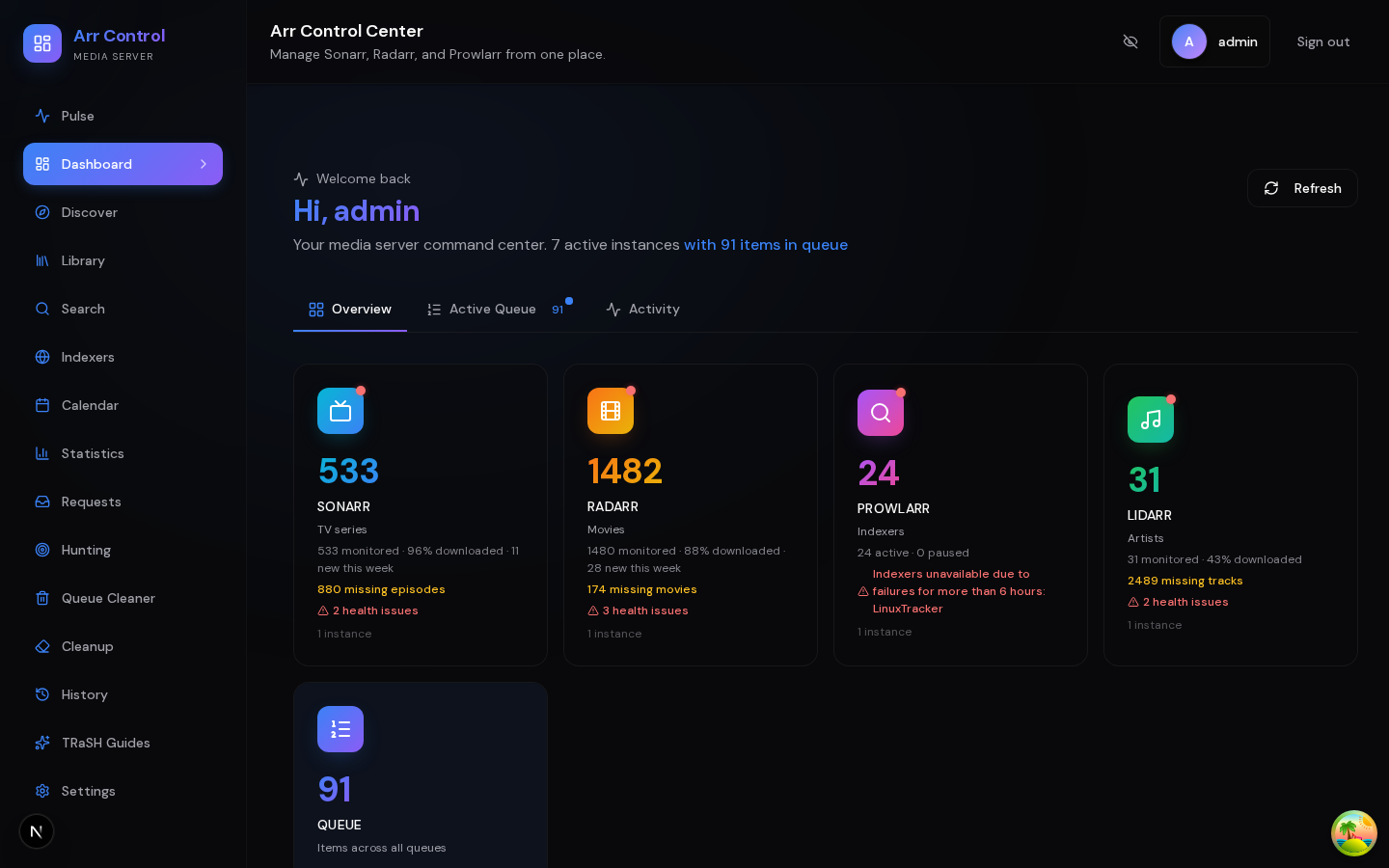
What is arr-dashboard?
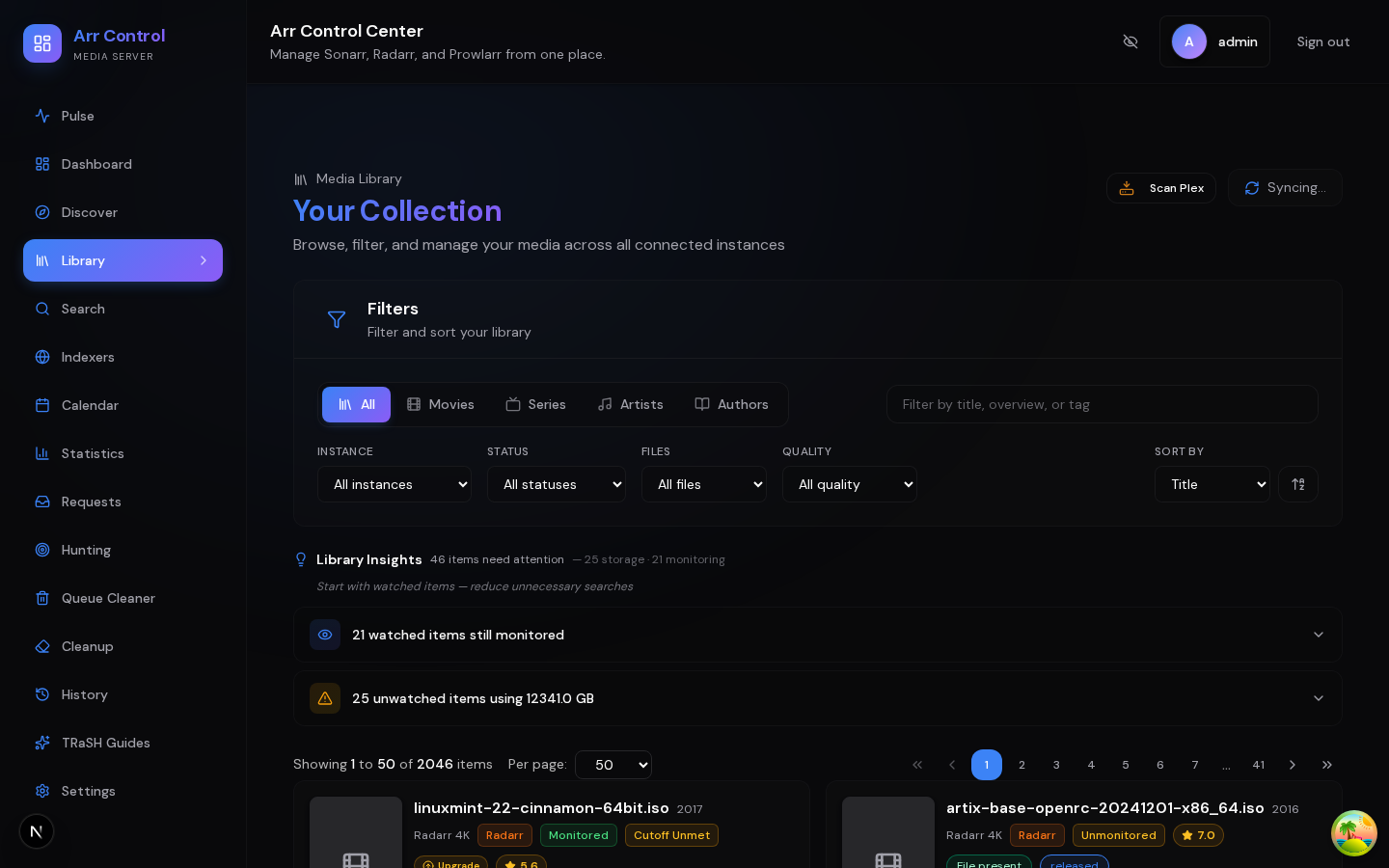
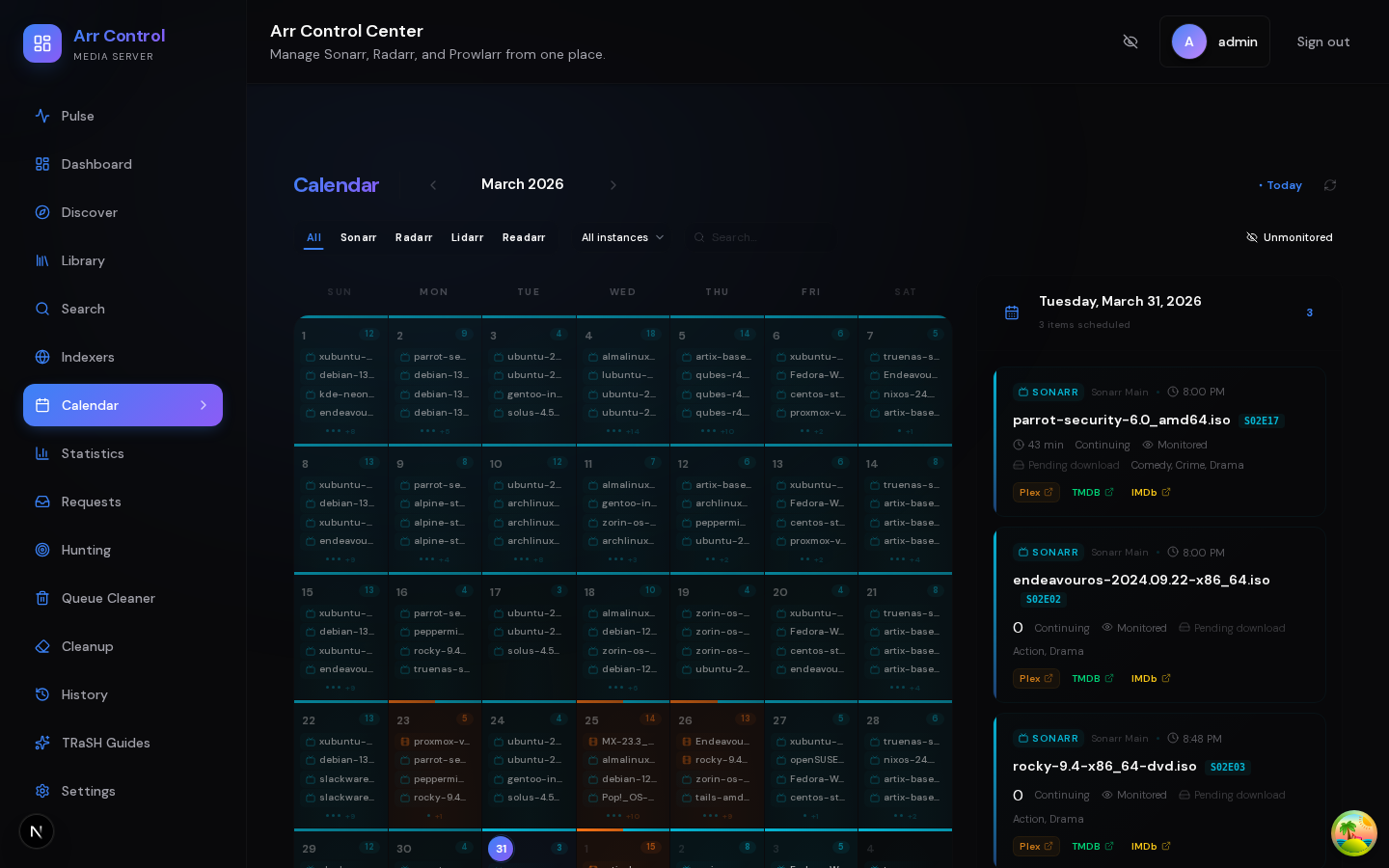
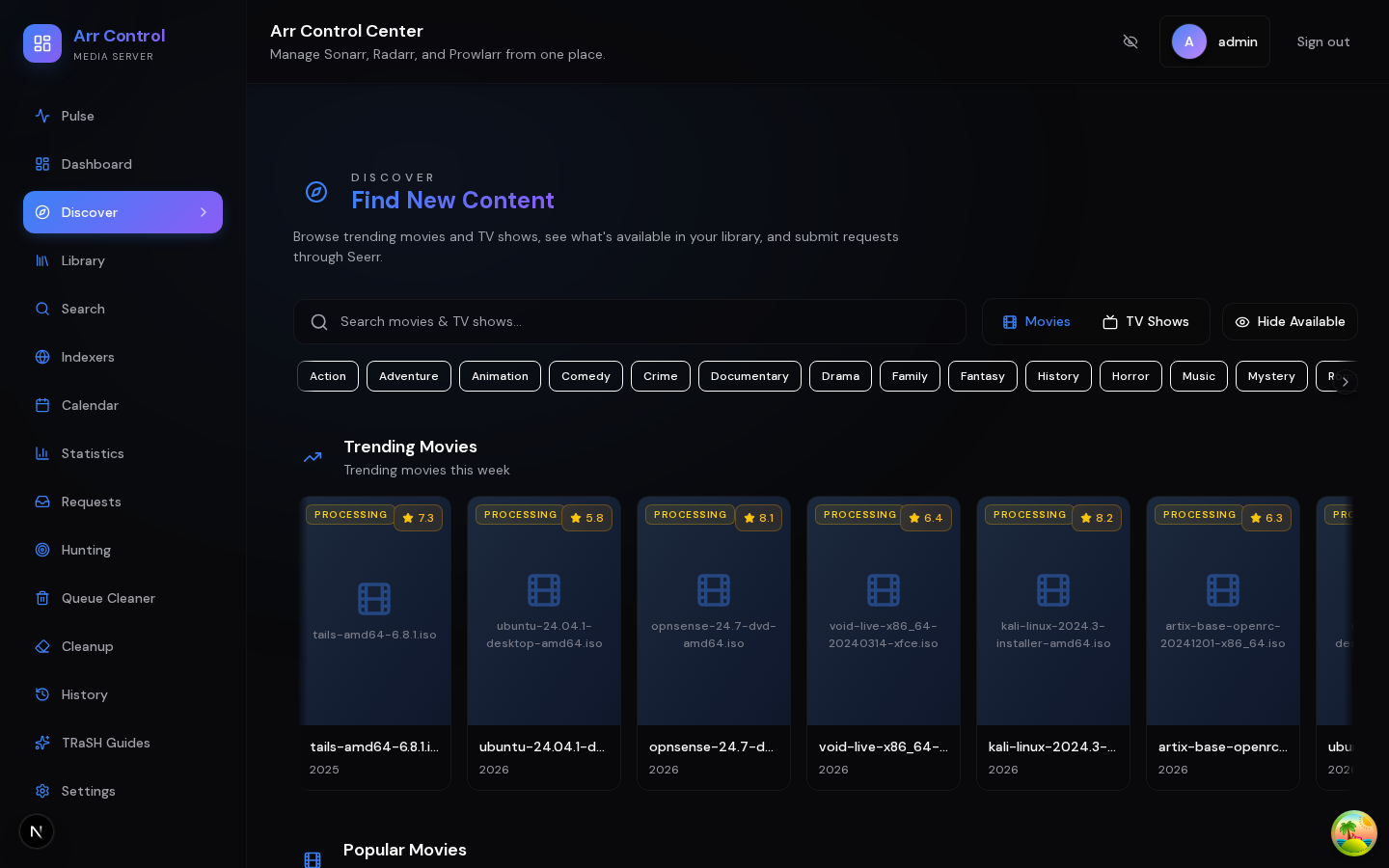
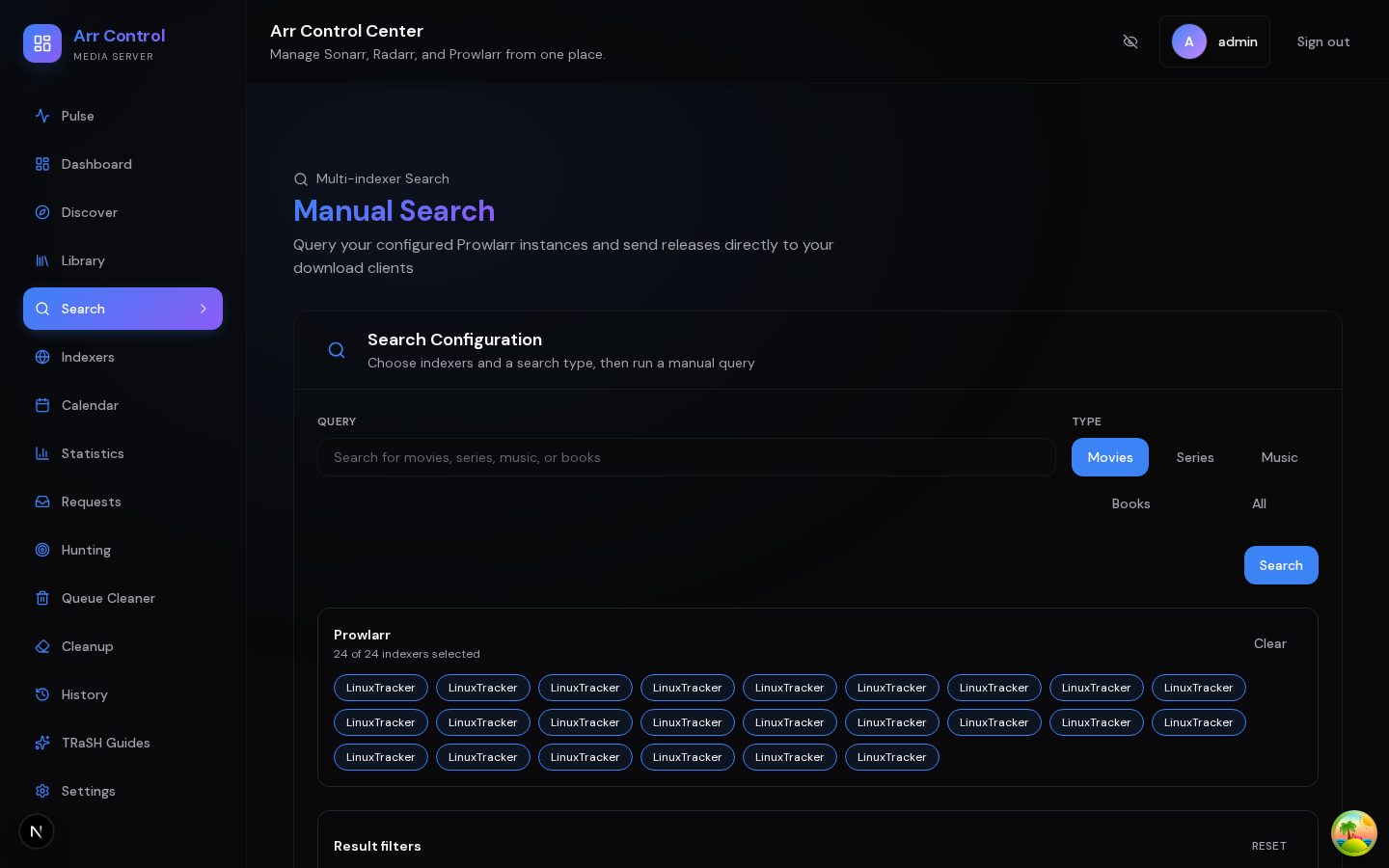
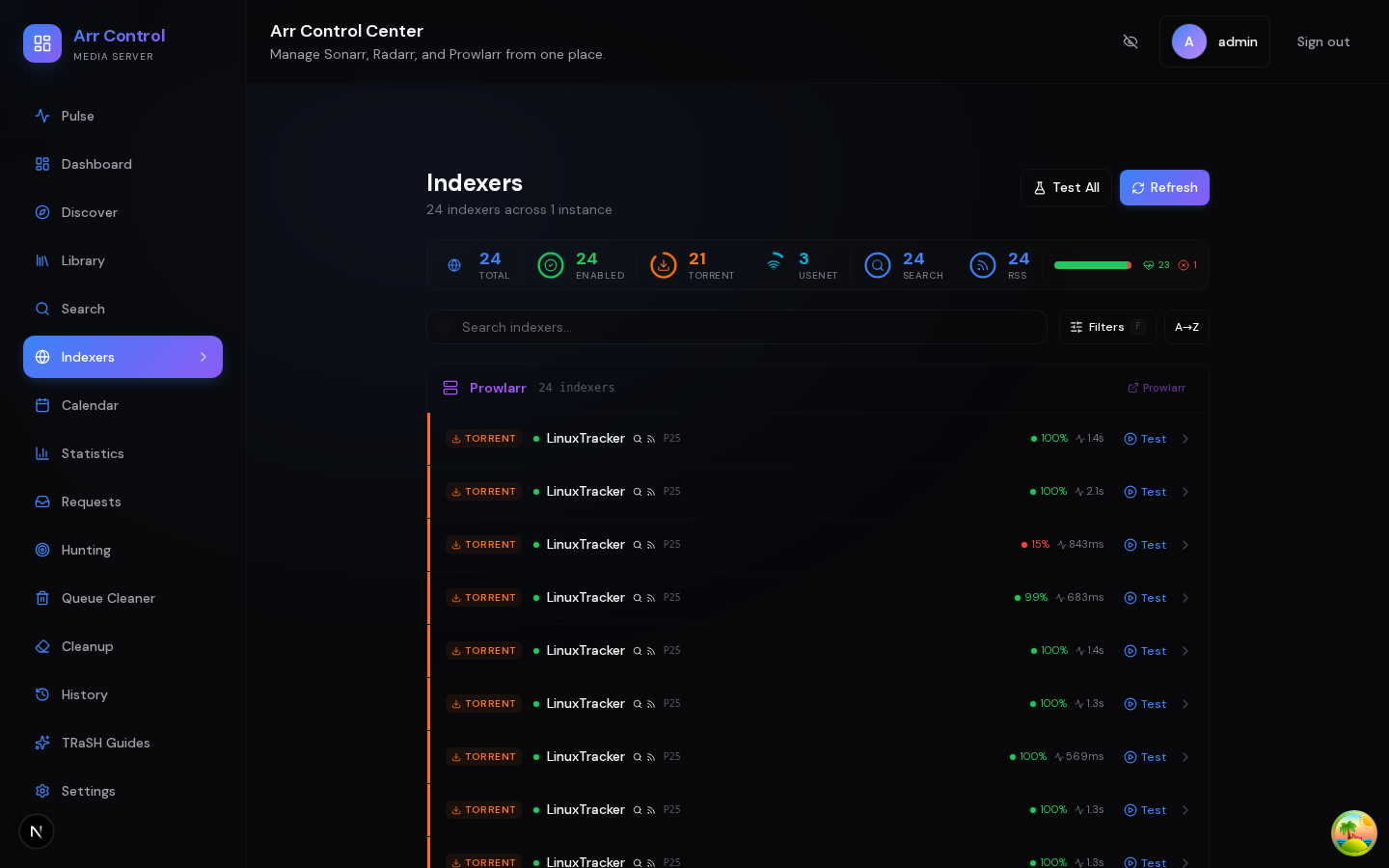
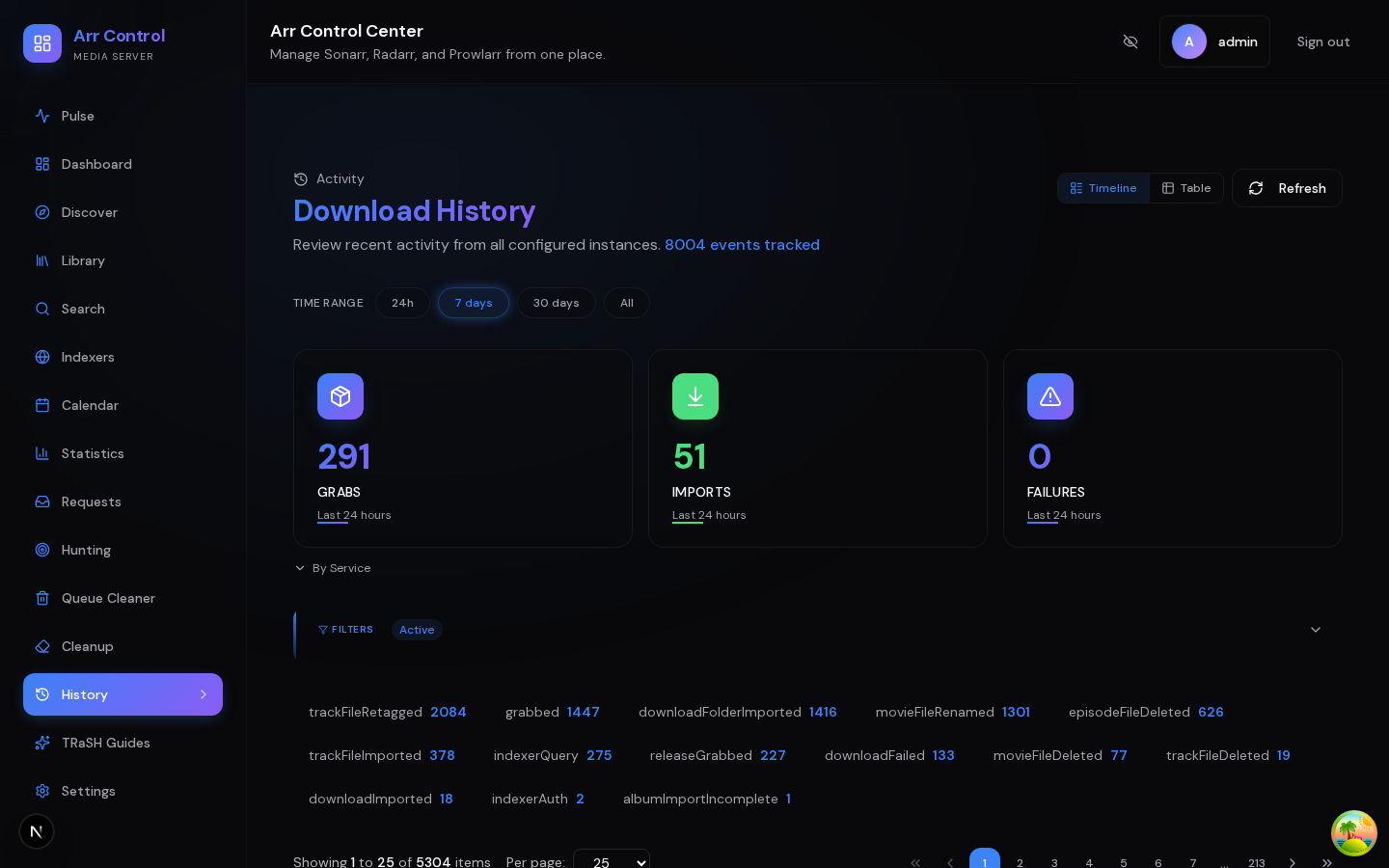
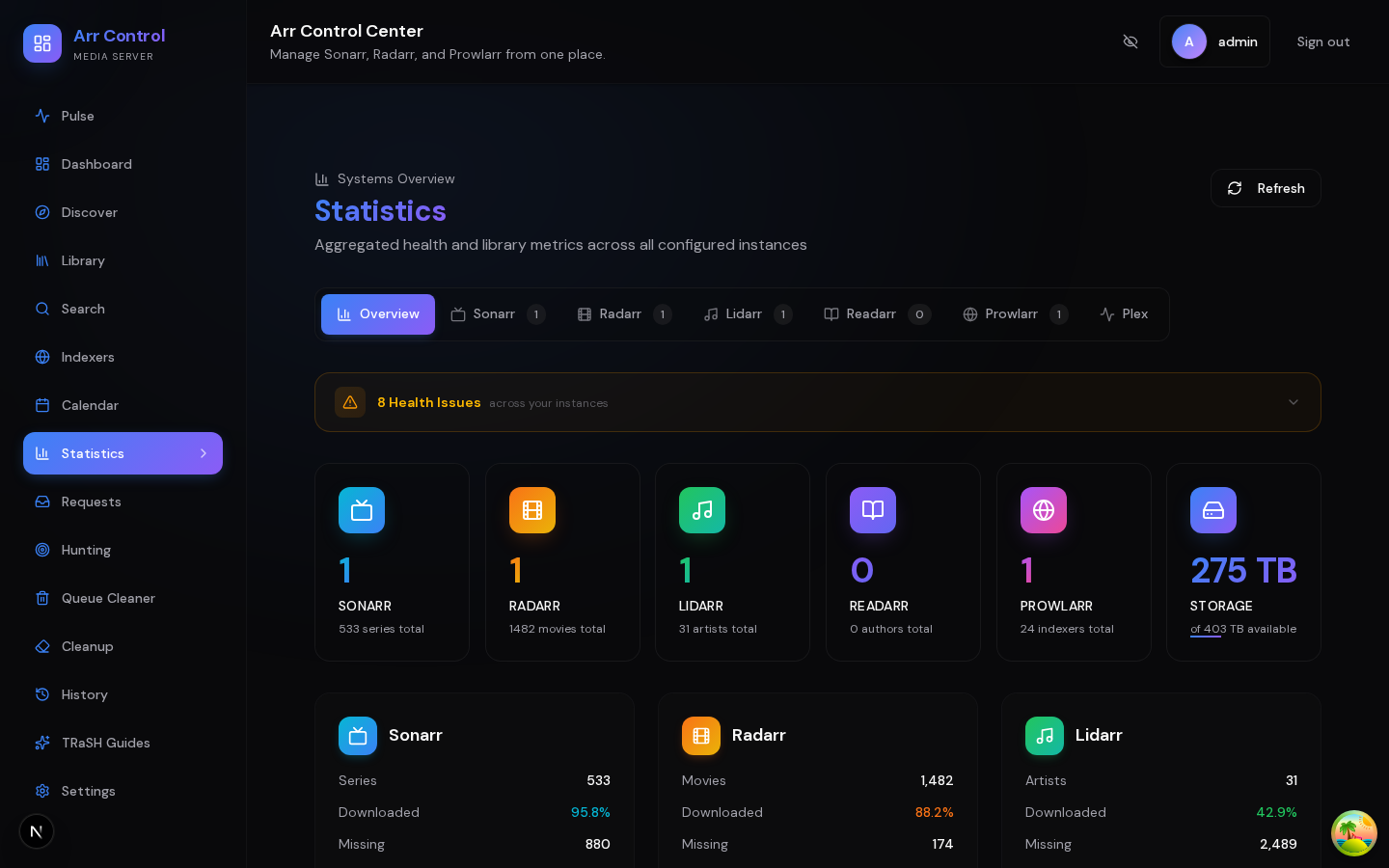
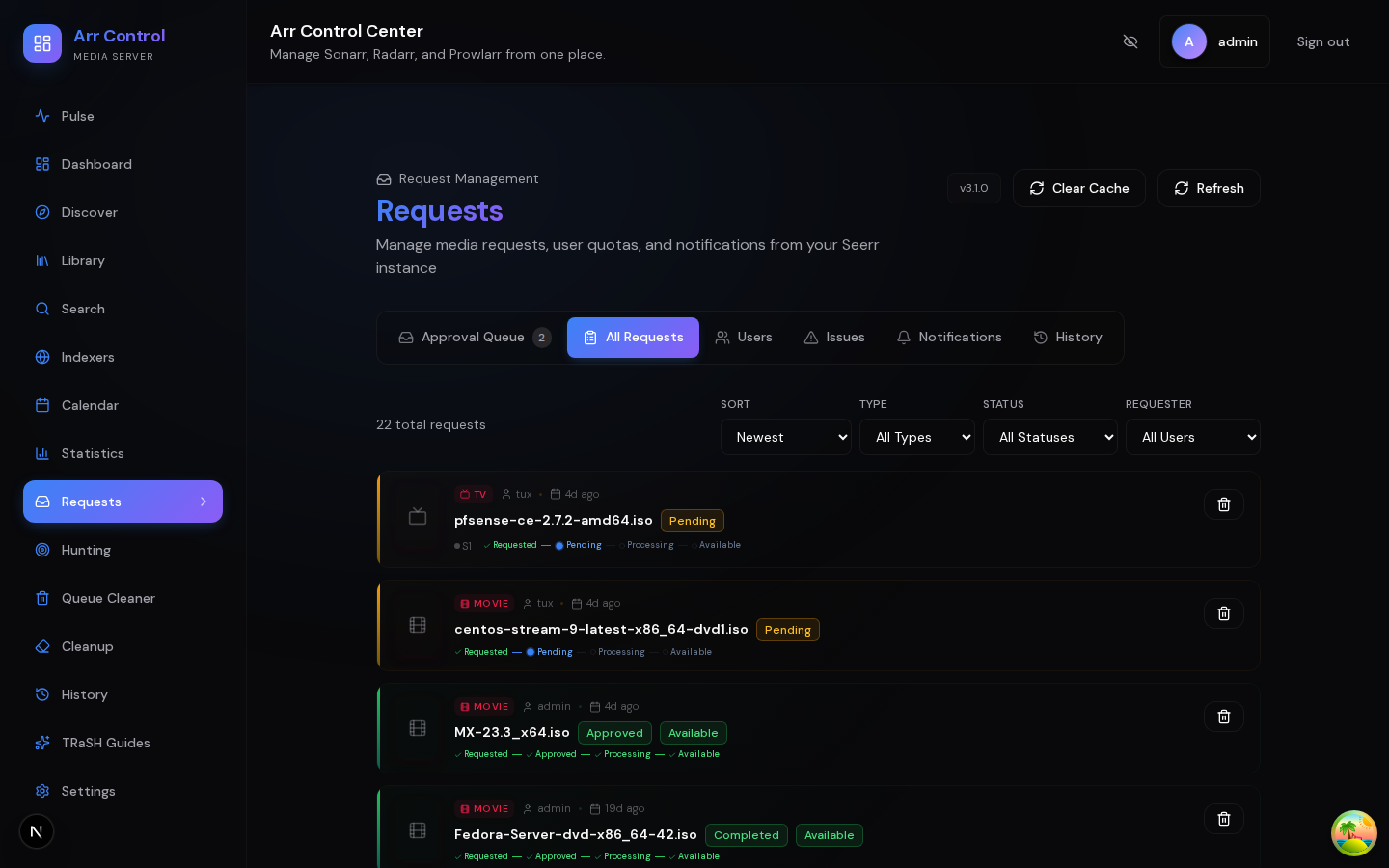
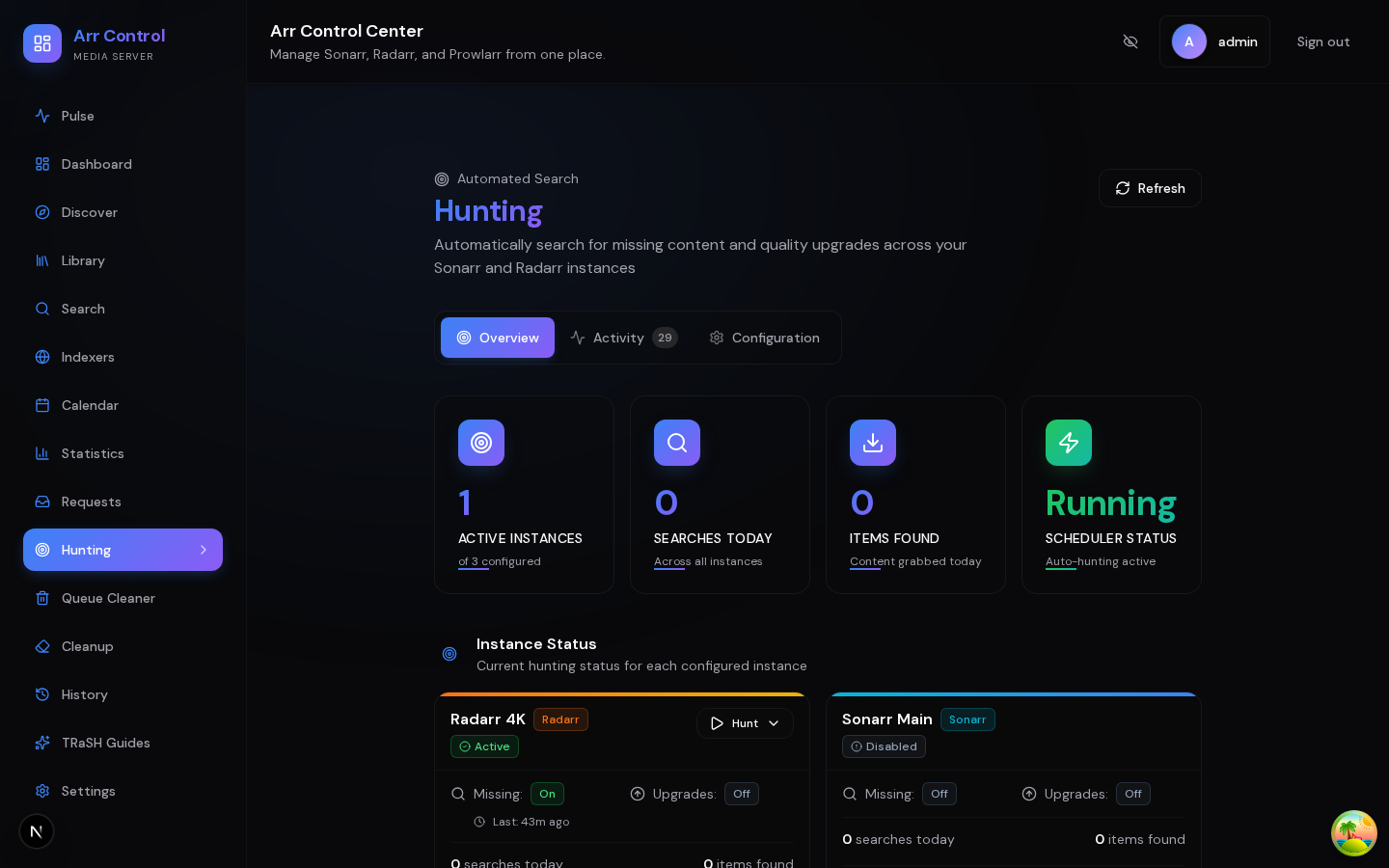
Arr Dashboard is a self-hosted web application that provides a unified interface for managing multiple instances of the *arr media automation stack (Sonarr, Radarr, Prowlarr, Lidarr, Readarr) along with media servers (Plex, Jellyfin, Emby) and request management (Seerr). It aggregates queue, calendar, library, history, and statistics across all connected instances into a single view. Key capabilities include global search across indexers via Prowlarr, content discovery with TMDB integration, TRaSH Guides quality profile and custom format synchronization, rule-based library cleanup with approval workflows, automated hunting for missing content and quality upgrades, queue cleaning for stalled downloads, and a notification system with 8 channels (Discord, Telegram, Email, Pushover, Gotify, Ntfy, Pushbullet, Web Push). It supports multiple authentication methods: built-in password, OIDC (Authelia, Authentik, Keycloak), and Passkeys (WebAuthn). All credentials are secured using AES-256-GCM encryption at rest. The application runs as a single Docker container exposing ports 3000 (frontend) and 3001 (API), with SQLite as the default database and optional PostgreSQL support. An incognito mode masks sensitive data for safe screenshots. The project is actively maintained with regular releases under the MIT license.
Should you self-host arr-dashboard?
arr-dashboard scores 53/100 on selfhost.directory (how scoring works) and ranks #54 of 142 in Media Management. It has 319 GitHub stars.
It shipped 11 stable releases in the past year. The latest, v2.24.1, came out on 17 August 2026. New versions land roughly every 3 days.
Setup is moderate: expect some configuration beyond a single command. An official Docker image is available. It is MIT-licensed and written mostly in Typescript.
Its closest alternative on selfhost.directory is Sonarr (81/100, 17 472 stars). It scores higher overall, so compare the two before you pick. See arr-dashboard vs Sonarr side by side.
Features
- Automated hunting
- Auto-tagger
- Calendar View
- Content discovery
- Global Search
- History Tracking
- Jellyfin/Emby integration
- Library cleanup
- Library Management
- Multi-instance aggregation
- Notification system
- Plex Integration
- Queue cleaner
- Seerr integration
- TRaSH Guides sync
arr-dashboard README
FAQ
I get "Authentication required" errors
Causes: session expired, database reset or container recreated with new volume, or secrets.json regenerated. Solutions: log out and log back in, run through setup wizard again if database was reset, clear browser cookies for the dashboard URL if stale cookies persist.
The dashboard shows no data
Causes: no service instances configured, instances unreachable, or incorrect API keys. Solutions: verify at least one instance is configured in Settings > Services, click Test on each instance, verify base URL and API key, ensure *arr services are running and accessible from the Arr Dashboard container.
Can I use it behind a VPN?
Yes, Arr Dashboard works behind VPNs with no special configuration for most features. The exception is passkeys (WebAuthn), which require the browser's origin to match the configured WEBAUTHN_ORIGIN environment variable. Set WEBAUTHN_RP_ID to your domain and WEBAUTHN_ORIGIN to the full URL the browser uses.
How does TRaSH Guides sync work?
Arr Dashboard pulls the latest TRaSH Guides JSON data from GitHub and caches it locally. You create templates based on TRaSH recommendations, preview changes before deploying, and templates are deployed to selected Sonarr/Radarr instances with automatic backup. Sync can be triggered manually and templates updated independently as TRaSH publishes new recommendations.
What's incognito mode?
Incognito mode hides all sensitive information from the dashboard interface: service names, URLs, and API keys are masked; media titles and file paths are obscured; a "Linux ISO" theme is applied; statistics and counts remain visible but anonymized. Useful for public demos, screenshots, or streaming.
Can I switch from SQLite to PostgreSQL?
Yes. Create a backup from Settings > Backup, set DATABASE_URL to your PostgreSQL connection string, restart the container (schema applies automatically), then re-add service instances (API keys need re-entry since they're tied to the encryption key). Back up secrets.json before making database changes.
How much RAM does it need?
Typical memory usage is 300-500 MB depending on number of connected service instances, size of media libraries, whether Plex/Tautulli caching is active, and database size. A Raspberry Pi 4 with 4 GB RAM can comfortably run Arr Dashboard alongside other services.
Does it work on ARM/Raspberry Pi?
Yes. The Docker image supports the arm64 architecture and runs on Raspberry Pi 4/5 and other ARM-based devices. Use the same image tag (khak1s/arr-dashboard:latest) — Docker automatically pulls the correct architecture.
How do I update?
For Docker Compose: docker-compose pull && docker-compose up -d. For Docker CLI: pull the latest image, stop and remove the container, then run a new container with your options. Database schema updates are applied automatically on startup.
Can multiple users use it?
Arr Dashboard is a single-admin application by design. However, if you connect a Jellyseerr or Overseerr instance, the Requests page provides multi-user media request management where users submit requests through Jellyseerr/Overseerr and the admin approves or denies them from Arr Dashboard.
What happens if I lose secrets.json?
All encrypted API keys become unrecoverable and you'll need to re-enter them for every connected service. All active sessions are invalidated. A new encryption key and cookie secret are auto-generated on next startup. Back up secrets.json alongside your database backups.
Is my data safe?
Yes. API keys are encrypted at rest using AES-256-GCM, passwords are hashed with Argon2id, sessions use cryptographically random tokens stored as SHA-256 hashes, secrets are auto-generated on first run, OIDC client secrets are encrypted, and account lockout activates after 5 failed login attempts.
Can I use it without Prowlarr?
Yes. Any combination of supported services works. You can connect just Sonarr and Radarr, or just Plex, or all 8 services. Features that depend on a specific service simply won't appear if that service is not configured.
Does it replace Sonarr/Radarr?
No. Arr Dashboard is a management layer that sits on top of your existing *arr applications. It aggregates data from multiple instances into a single unified view and adds features like TRaSH Guides sync, library cleanup, and hunting. Your Sonarr, Radarr, and other *arr apps continue to run independently.
What services does Arr Dashboard support?
Arr Dashboard supports Sonarr, Radarr, Prowlarr, Lidarr, Readarr, Plex, Tautulli (optional enrichment), and Jellyseerr/Overseerr. You can connect multiple instances of any service.
More in Application Management
 Auto RuntimeAuto Runtime is a self-hosted, source-available business automation platform turning team methods into reusable playbooks with composable functions and a ledger.
 BailingHubSelf-hosted open-source control plane for AI agents to securely operate e-commerce, SaaS, CRM, or ERP backends with permissions, approvals, and audit trails.
 bexbex is a self-hosted, open-source PaaS deploying apps from Git to HTTPS on your infrastructure, with a Render-compatible workflow for developers and AI agents.
 BuildarrSelf-hosted tool automating *Arr stack configuration via YAML. Idempotent updates, TRaSH-Guides sync, scheduled daemon mode.
 clawhostSelf-hosted platform to deploy OpenClaw and Hermes AI agents on dedicated VPS with full root access, automatic SSL, DNS management, and browser-based terminal.
 clawmasterSelf-hosted OpenClaw companion with guided setup, multi-provider LLM config, 6 messaging channels, memory, observability, MCP/skill mgmt via web console or desktop app.
 cloudseederCloud Seeder is an open-source desktop app for Windows, macOS, Linux that deploys 30+ self-hosted appliances like Mastodon, Nextcloud with one click using Podman.
 CompartmentCompartment is a self-hosted, open-source Kubernetes deployment platform for teams to run internal tools and apps on their own infrastructure with SSO and RBAC.
 ConvertigoConvertigo is a self-hosted, open-source low-code and no-code platform for building enterprise web and mobile applications with AI assistance and 300+ connectors.
 coolifySelf-hosted open-source alternative to Vercel, Heroku, and Netlify that lets you deploy applications, databases, and 300+ one-click services to your own servers via SSH.
 crowSelf-hosted agentic framework and MCP platform to build AI agents, connect clients like Claude Code as native MCP connectors, with persistent memory and P2P sharing.
 dashgateSelf-hosted, open-source app gateway for web services with multi-method auth, group access control, and auto-discovery from Docker, Traefik, Nginx, and more.
0 comments