
Self-host virtualtabletop
monthly-2026-10Browser-based virtual tabletop for board and card games
- Stars
- 320
- Port
- 8272 (HTTP/WebSocket server)
arnoldsmith86/virtualtabletop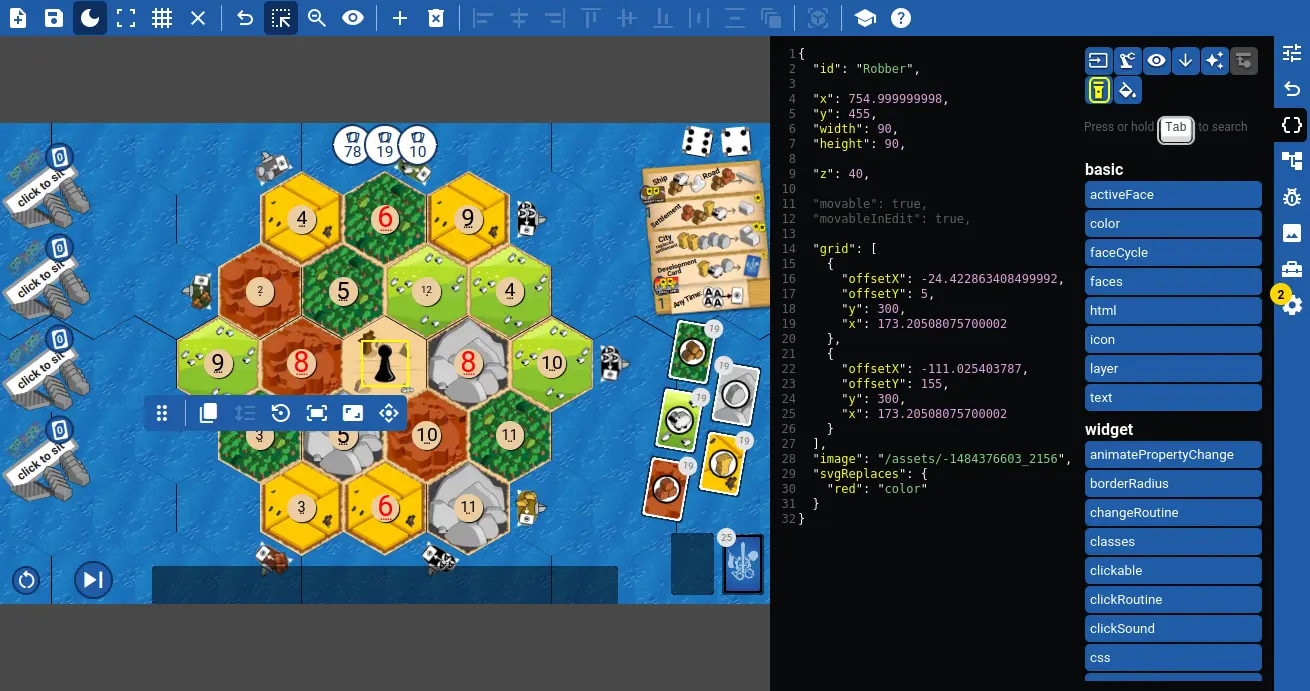
What is virtualtabletop?
VirtualTabletop.io is a browser-based virtual tabletop that lets you play board games, card games, and dice games with friends in real time. It includes a public library of over 300 games and a powerful built-in editor for creating your own games using widgets, JSON, CSS, and a custom routines language. The platform requires no user accounts, has no ads, and synchronizes all player interactions instantly. You can self-host it via Node.js, Docker, a Linux AppImage, or even run the server directly on an Android phone for offline local-network play. The project is licensed under GPL-3.0 and has an active community on Discord and GitHub.
Should you self-host virtualtabletop?
virtualtabletop scores 49/100 on selfhost.directory (how scoring works) and ranks #10 of 14 in Gaming. It has 320 GitHub stars.
It shipped 8 stable releases in the past year. The latest, monthly-2026-10, came out on 1 October 2026. New versions land roughly every 4 weeks.
Setup is moderate: expect some configuration beyond a single command. An official Docker image is available. It is GPL-3.0-licensed and written mostly in JavaScript.
Its closest alternative on selfhost.directory is The Battle for Wesnoth (70/100, 6 963 stars). It scores higher overall, so compare the two before you pick. See virtualtabletop vs The Battle for Wesnoth side by side.
Features
- Built-in game editor
- Card hands privacy
- Cross-platform browser play
- Custom game creation
- Game library (300+ games)
- Game variants
- Import from PlayingCards.io
- Import from Tabletop Simulator
- No Accounts Required
- Offline LAN play
- Real-time multiplayer
- Save/load game states
- Sound Effects
virtualtabletop README
More in Gaming
 v-rising-discord-botSelf-hosted Discord bot displaying V Rising server status, player gear, PvP kills, VBloods, and castle breaches via a companion mod.
 word-mastermindSelf-hosted Wordle clone with unlimited daily games and custom dictionary support for multiple languages.
 Zero-KZero-K is a free, open-source RTS with simulated physics, deformable terrain, 100+ units, campaign, and 16v16 multiplayer on Spring engine.
 A Dark RoomAn open-source, minimalist browser text adventure with 26 languages and autosaves; the self-hosted build is just static HTML/JS you serve yourself.
 ArchipelagoArchipelago is a self-hosted, open-source multiworld randomizer shuffling items across dozens of games for cross-game cooperation.
 AzerothCoreSelf-hosted, open-source World of Warcraft 3.3.5a server emulator in C++ with MySQL, modular addons, and installs from source, Docker or a bash dashboard.
 backlogiaBacklogia is a self-hosted, open-source game library manager aggregating games from 11 stores with IGDB metadata, playtime tracking, and custom collections.
 BracketSelf-hosted tournament manager for sports with elimination, round-robin, and Swiss formats, drag-and-drop scheduling, and live public dashboards.
 DDraceNetworkDDraceNetwork is a free, open-source cooperative platformer where up to 128 players help each other through custom maps. Includes a self-hostable game server.
 docker-steam-headlessSelf-hosted, open-source Docker image running a headless Steam client with Proton, accessed via a noVNC web desktop, Steam Link, Moonlight or Steam Remote Play.
 DropSelf-hosted open-source Steam alternative for DRM-free games with store, metadata imports, OIDC/passkey auth, and native desktop client.
 fireshareFireshare is a self-hosted, open-source media server for game clips with unique shareable links, optional transcoding, multi-user permissions, and Discord/webhook alerts.
0 comments