
Self-host viewscreen
Personal video streaming server with torrent support
- Stars
- 231
- RAM
- 1GB+
- Storage
- 5GB+
- Ports
- 80 (HTTP redirect to HTTPS), 443 (HTTPS with Let's Encrypt TLS), 61337 (Torrent client listener)
- Requires
- Ffmpeg
viewscreen/viewscreen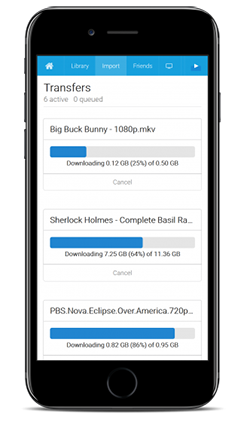
What is viewscreen?
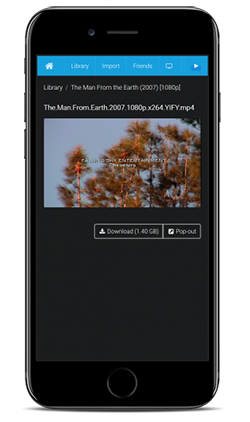
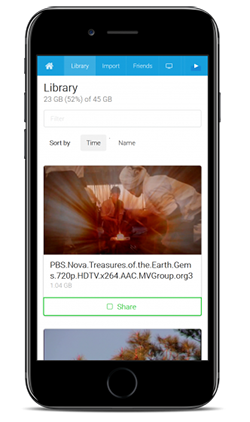
Viewscreen is a personal video streaming server for self-hosting on a VPS or dedicated machine. It offers a web UI to organize and play media, converting files on the fly to MP4 with AAC/H.264. A built-in torrent client downloads directly to the server, so your home IP stays hidden. TLS certificates come from Let's Encrypt automatically, with HTTP-to-HTTPS redirection. Access is protected by HTTP basic auth or reverse-proxy headers. Distribution options are a single static Go binary or a Docker image. Development stopped around 2018 with no formal releases.
Should you self-host viewscreen?
viewscreen scores 38/100 on selfhost.directory (how scoring works) and ranks #48 of 54 in Media Streaming. It has 231 GitHub stars.
There was no stable release in the past 12 months, so check the repository's recent activity before you rely on it.
Setup is moderate: expect some configuration beyond a single command. An official Docker image is available. It is MIT-licensed and written mostly in Go.
Its closest alternative on selfhost.directory is Invidious (81/100, 25 799 stars). It scores higher overall, so compare the two before you pick. See viewscreen vs Invidious side by side.
Features
- Automatic HTTPS
- Friend sharing
- HTTP Basic Authentication
- Offline Downloads
- Reverse Proxy Authentication
- Torrent Client
- Video Streaming
- Video Transcoding
viewscreen README
More in Torrent
 anorakAnorak is a self-hosted, open-source torrent grabber that searches Jackett indexers and sends torrents to Transmission as a general-purpose alternative to *arr apps.
 autobrrSelf-hosted and open-source: watches tracker IRC channels plus RSS, Torznab and Newznab feeds, filters each release, then pushes it to your torrent or Usenet clients.
 bitmagnetOpen-source, self-hosted BitTorrent indexer and DHT crawler with a web UI, GraphQL API and a Torznab endpoint for Sonarr, Radarr and Prowlarr.
 bittorrent-trackerOpen-source Node.js BitTorrent tracker you can self-host: run your own HTTP, UDP and WebSocket tracker server, with a client library and a /stats web interface.
 DecluttarrOpen-source, self-hosted cleaner for the *arr suite download queues: it removes stalled, failed, orphaned or slow downloads and re-triggers searches for wanted items.
 distribrrSelf-hosted orchestrator distributing torrent downloads across multiple servers via qBittorrent agents with token-based auth.
 docker-delugeSelf-hosted Docker image for Deluge BitTorrent client with WebUI, plugin system, and full encryption, maintained by LinuxServer.io.
 FlexGetSelf-hosted, open-source media automation tool that reads RSS, HTML and CSV sources to fetch series, movies and podcasts for torrent and NZB clients.
 FloodOpen-source, self-hosted web UI for administering rTorrent, qBittorrent and Transmission, with multi-user logins, dark mode, 20+ languages and a REST API.
 HuntorrHuntorr is a self-hosted, open-source web GUI for searching torrent sites and sending magnets to qBittorrent, with Plex/Jellyfin library sync.
 JackettA self-hosted, open-source proxy that exposes torrent trackers as Torznab and TorrentPotato APIs for Sonarr, Radarr, Lidarr and other media apps.
 nefariousA self-hosted, open-source web app that auto-downloads movies and TV shows via Jackett and Transmission, with quality profiles, multi-user logins, and VPN routing.
0 comments