
Self-host soundscape
Personal music streaming server with YouTube import
- Stars
- 745
- RAM
- 512MB
- Storage
- 5GB+
- Ports
- 80 (HTTP (redirects to HTTPS when Let's Encrypt enabled)), 443 (HTTPS (Let's Encrypt TLS)), 8000 (HTTP (when running behind reverse proxy))
- Requires
- Ffmpeg
soundscapecloud/soundscape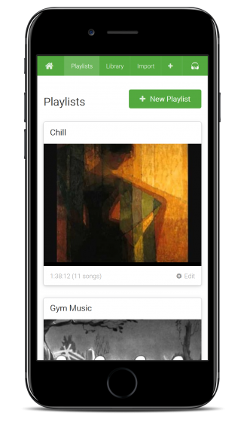
What is soundscape?
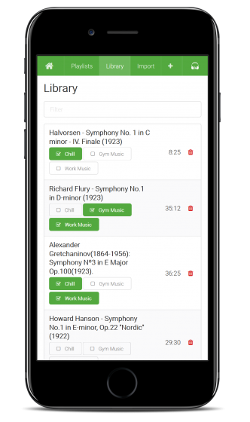
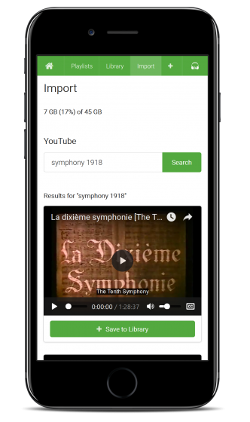
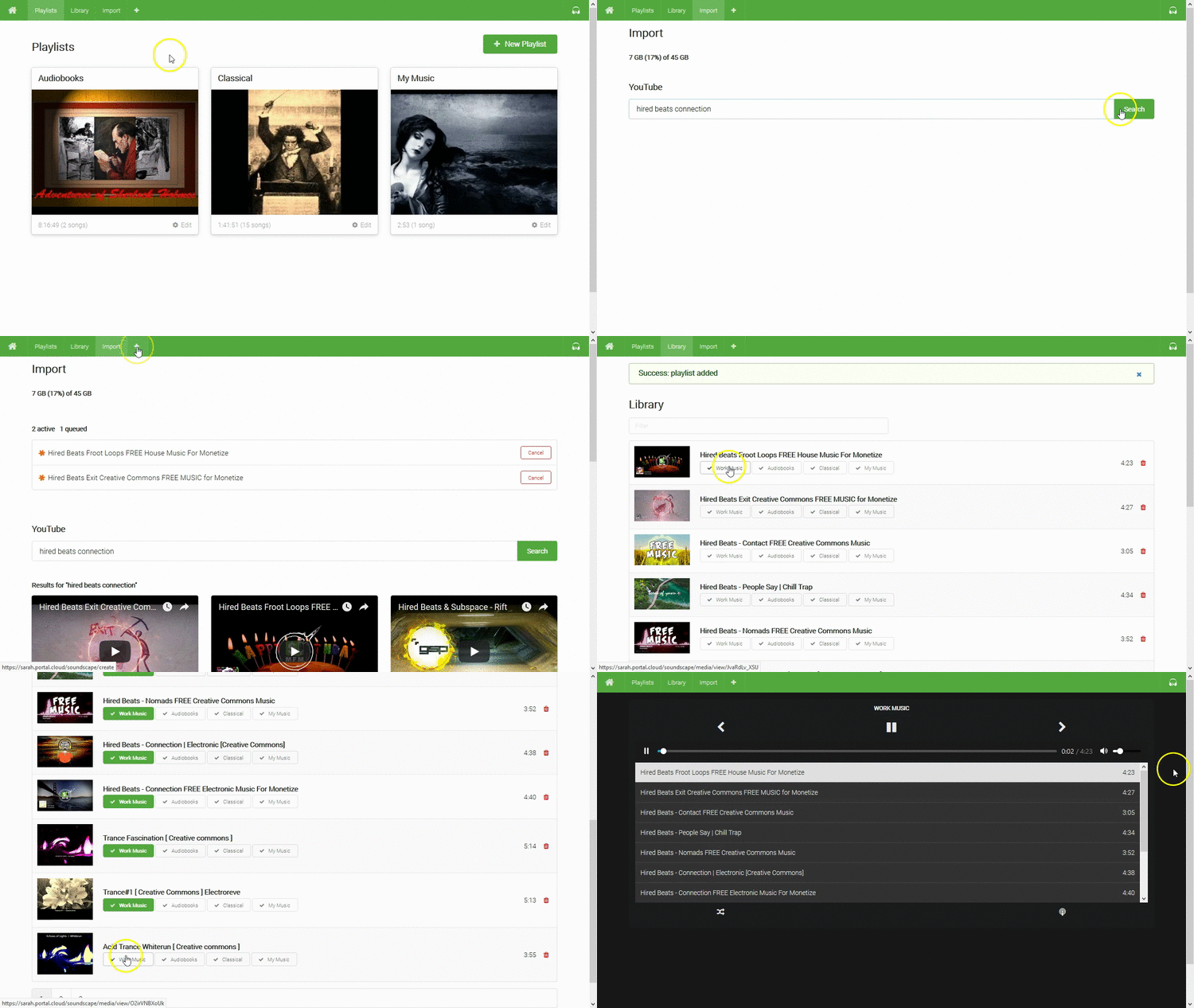
Soundscape is a personal music streaming server you run on your own hardware. It imports audio from YouTube videos into your library, stores thousands of songs, and streams them to any desktop or mobile browser. You can create custom playlists and share them via private URLs. The server is distributed as a standalone Go executable with all assets included, also available as a Docker image. It supports automatic HTTPS via Let's Encrypt, runs behind a reverse proxy with header-based authentication, and provides HTTP basic auth with a configurable username and password. The project has not been updated since 2018.
Should you self-host soundscape?
soundscape scores 45/100 on selfhost.directory (how scoring works) and ranks #32 of 59 in Music Streaming. It has 745 GitHub stars.
There was no stable release in the past 12 months, so check the repository's recent activity before you rely on it.
Setup is moderate: expect some configuration beyond a single command. An official Docker image is available. It is MIT-licensed and written mostly in Go.
Its closest alternative on selfhost.directory is koel (75/100, 17 320 stars). It scores higher overall, so compare the two before you pick. See soundscape vs koel side by side.
Features
- Automatic TLS (Let's Encrypt)
- HTTP Basic Authentication
- Music library management
- Playlist Creation
- Playlist Sharing
- Podcast Feed Generation
- Reverse Proxy Support
- YouTube Import
soundscape README
More in Music Streaming
 spotify-saverSelf-hosted tool to download Spotify tracks, albums, and playlists from YouTube Music with full metadata for Jellyfin libraries, featuring a web UI, CLI, and REST API.
 spotify-to-plexSelf-hosted web app that syncs Spotify playlists to Plex, matching tracks and downloading missing songs via Lidarr, SLSKD, or Tidal. Open-source under Apache-2.0.
 strettoOpen-source, self-hosted web music player that backs your library with YouTube and SoundCloud tracks, imports Spotify playlists, and syncs across machines.
 subplayerSubplayer is a self-hosted, open-source web music player for Subsonic backends like Navidrome, with playback, playlists, search, and dark mode theming.
 Swing Music Swing Music is a beautiful, self-hosted music player for your local audio files. Like a cooler Spotify ... but bring your own music.
 SwingMusicSelf-hosted, open-source music streaming server for your local audio files, with daily mixes, metadata normalization, multi-user support and an Android client.
 SwingsonicSelf-hosted, open-source translation layer letting Subsonic, Jellyfin, and Euterpe music clients connect to a Swing Music server via Docker on port 3000.
 TrackWatchOpen-source self-hosted Spotify release tracker that follows artists and syncs new releases to playlists, with discography builder and ghost track cleaner.
 tunesynctooltunesynctool is a self-hosted, open-source web app that transfers and syncs playlists between Spotify, Deezer, YouTube Music, and Subsonic-compatible servers.
 üWaveüWave Core is the open-source backend for a self-hosted collaborative listening platform where users take turns playing media from YouTube and SoundCloud.
 yoinkSelf-hosted music downloader converting Spotify, Apple Music, and YouTube links to lossless FLAC/ALAC or MP3 with full metadata and lyrics.
 YuE-GPYuEGP is a self-hosted tool for generating full songs from lyrics using YuE models, optimized for consumer GPUs with 10+ GB VRAM.
0 comments