selfhost.directory

The index of self-hostable projects — ranked, categorized and served with live updates.
Own your data and stop giving it to big tech.

SkySend logo

Self-host SkySend

v3.2.0
ReleaseOpen SourceAGPL-3.0
Docker ComposeCompose file & guide
docker compose up -d
Updated13 hours ago
LanguageTypescript
Setup difficultyEasy
Stars
446
Port
3000 (HTTP server)
Docker
skyfay/skysend
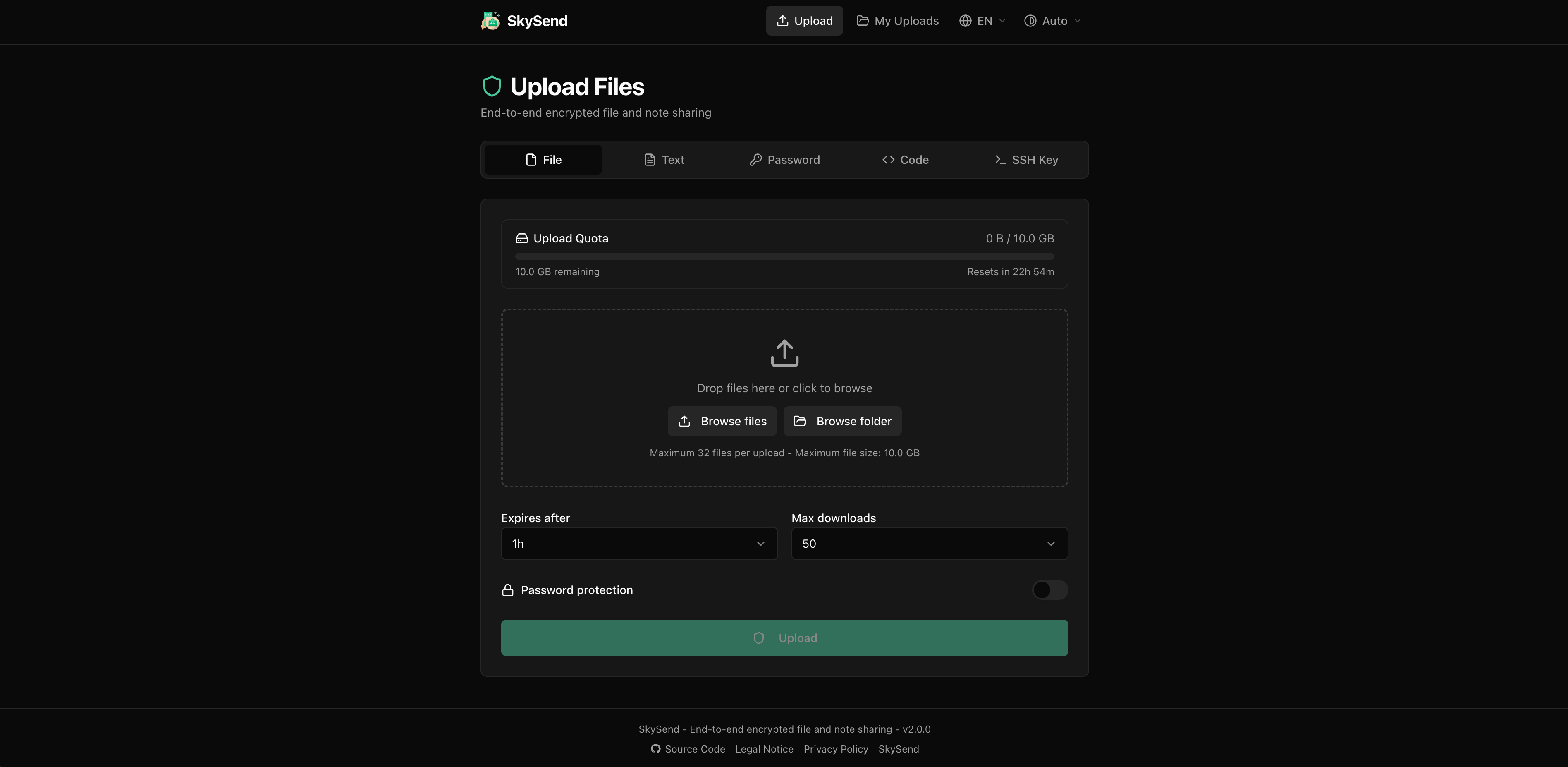
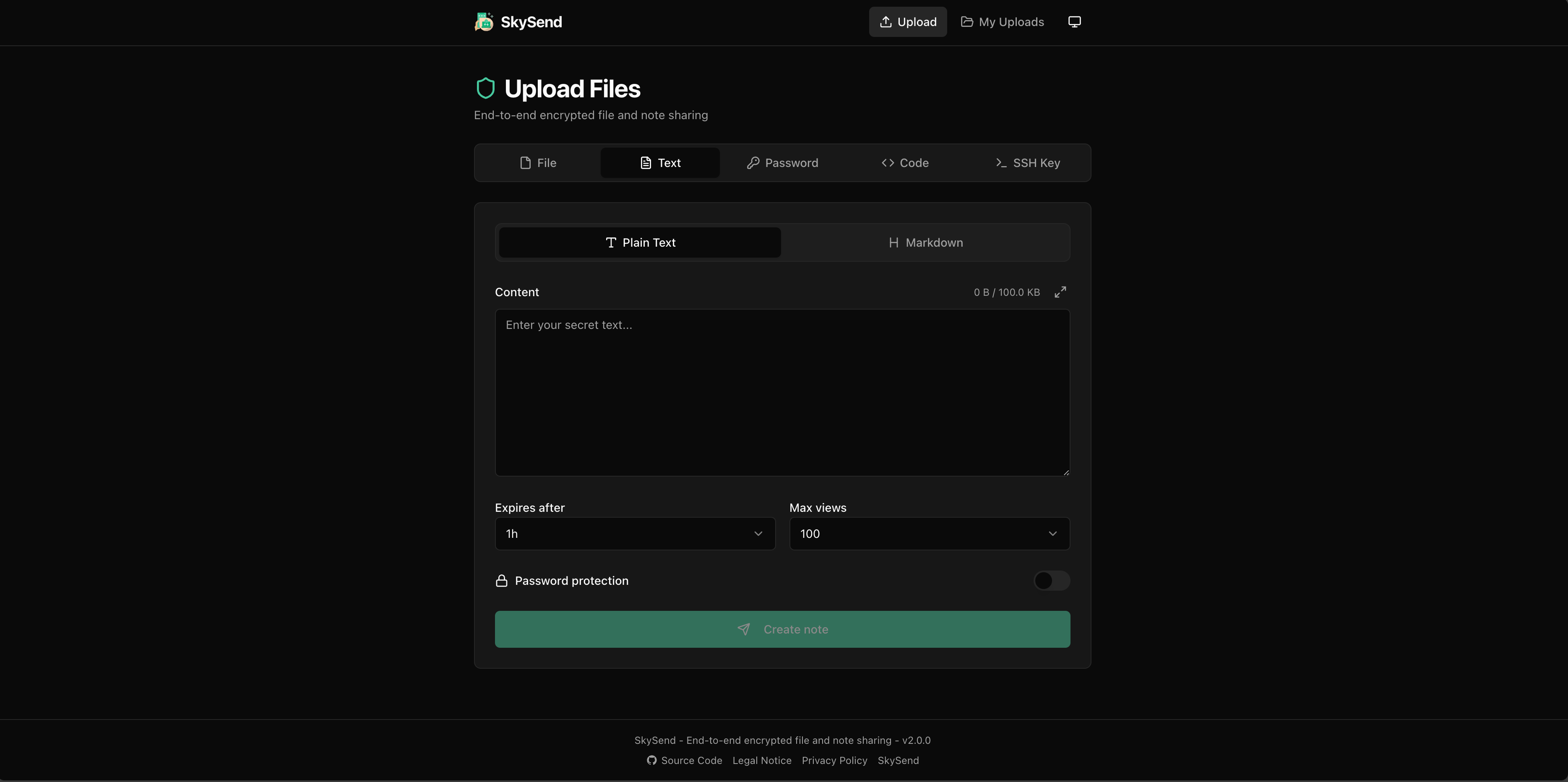
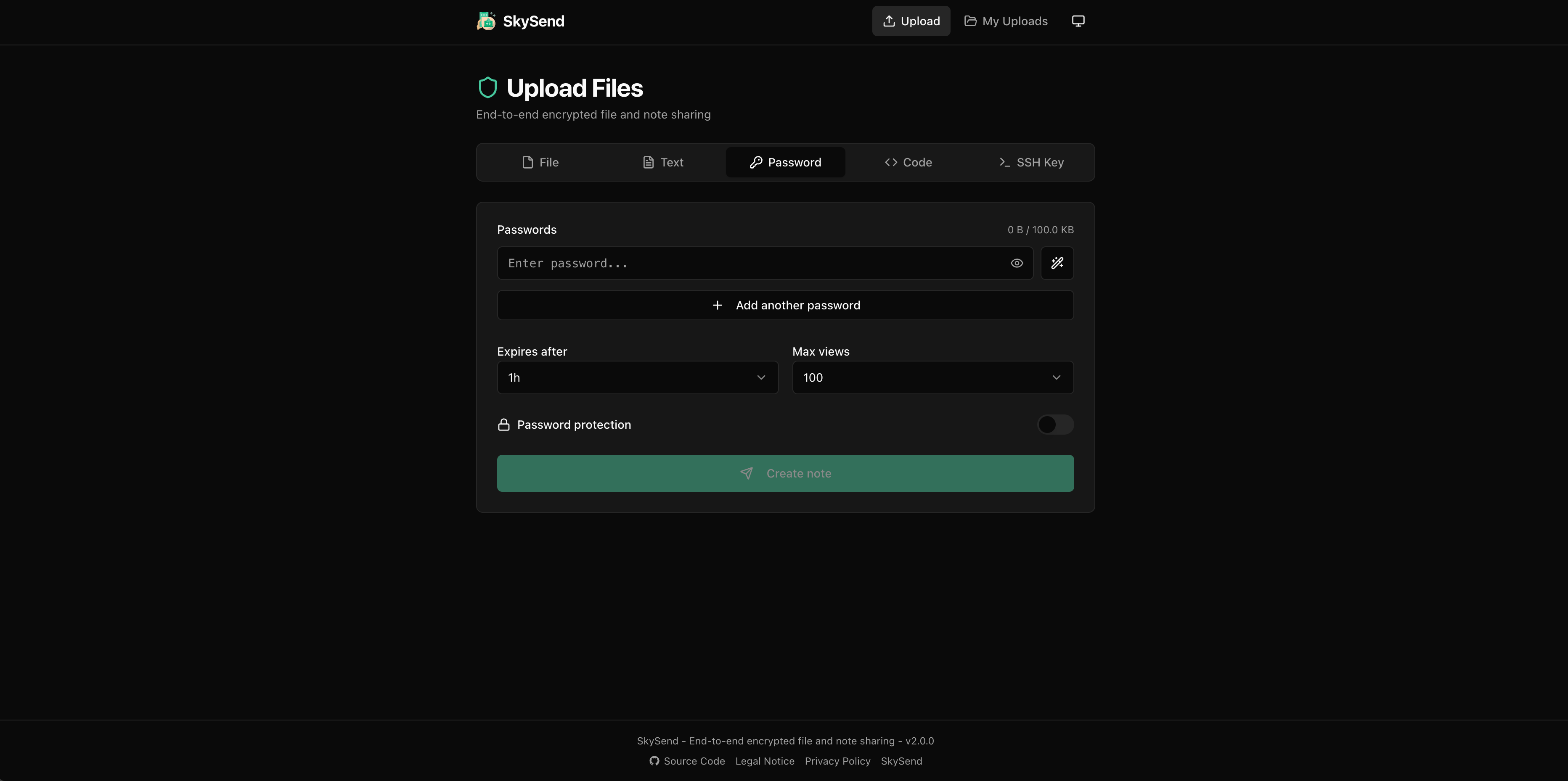
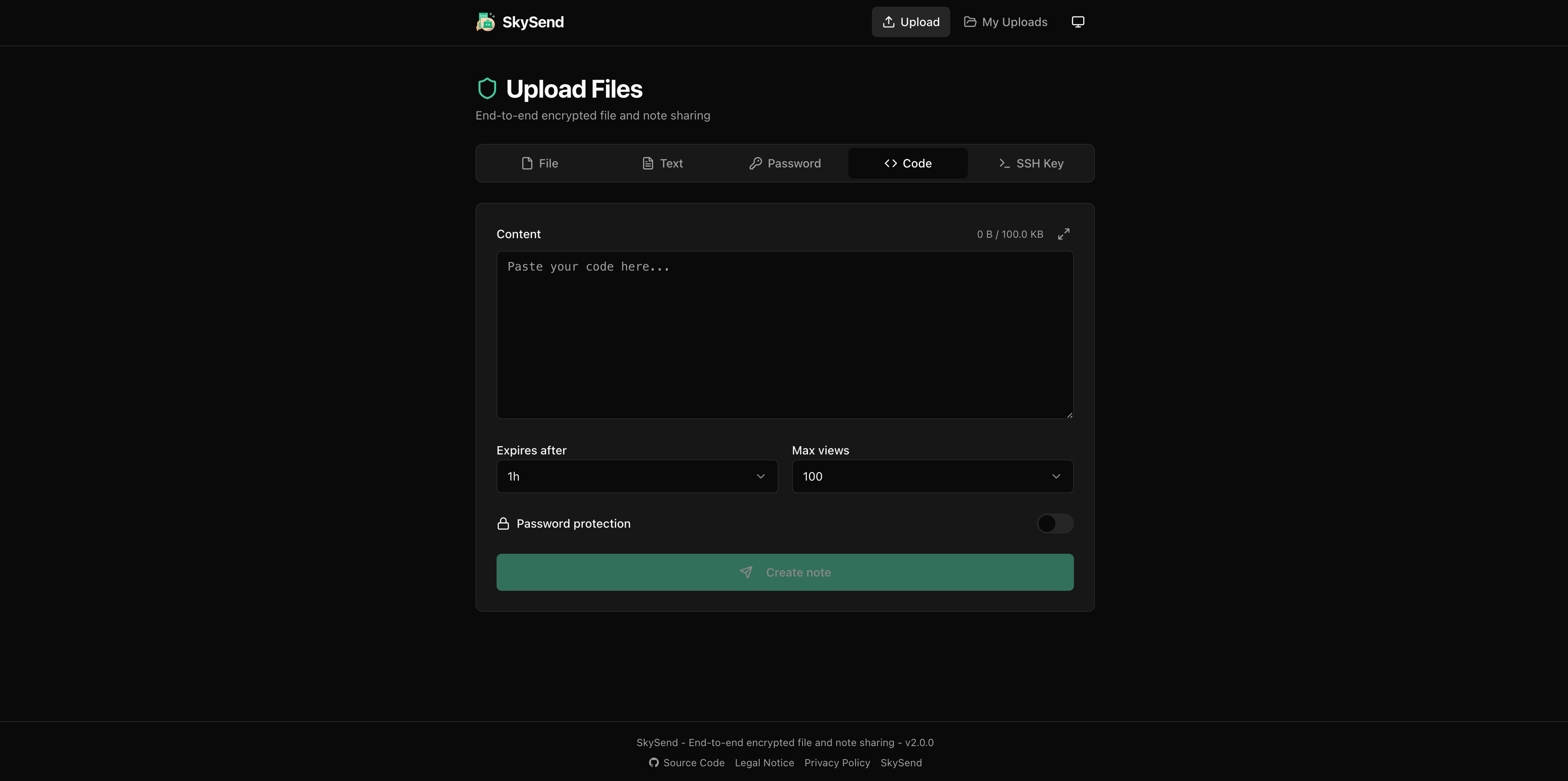
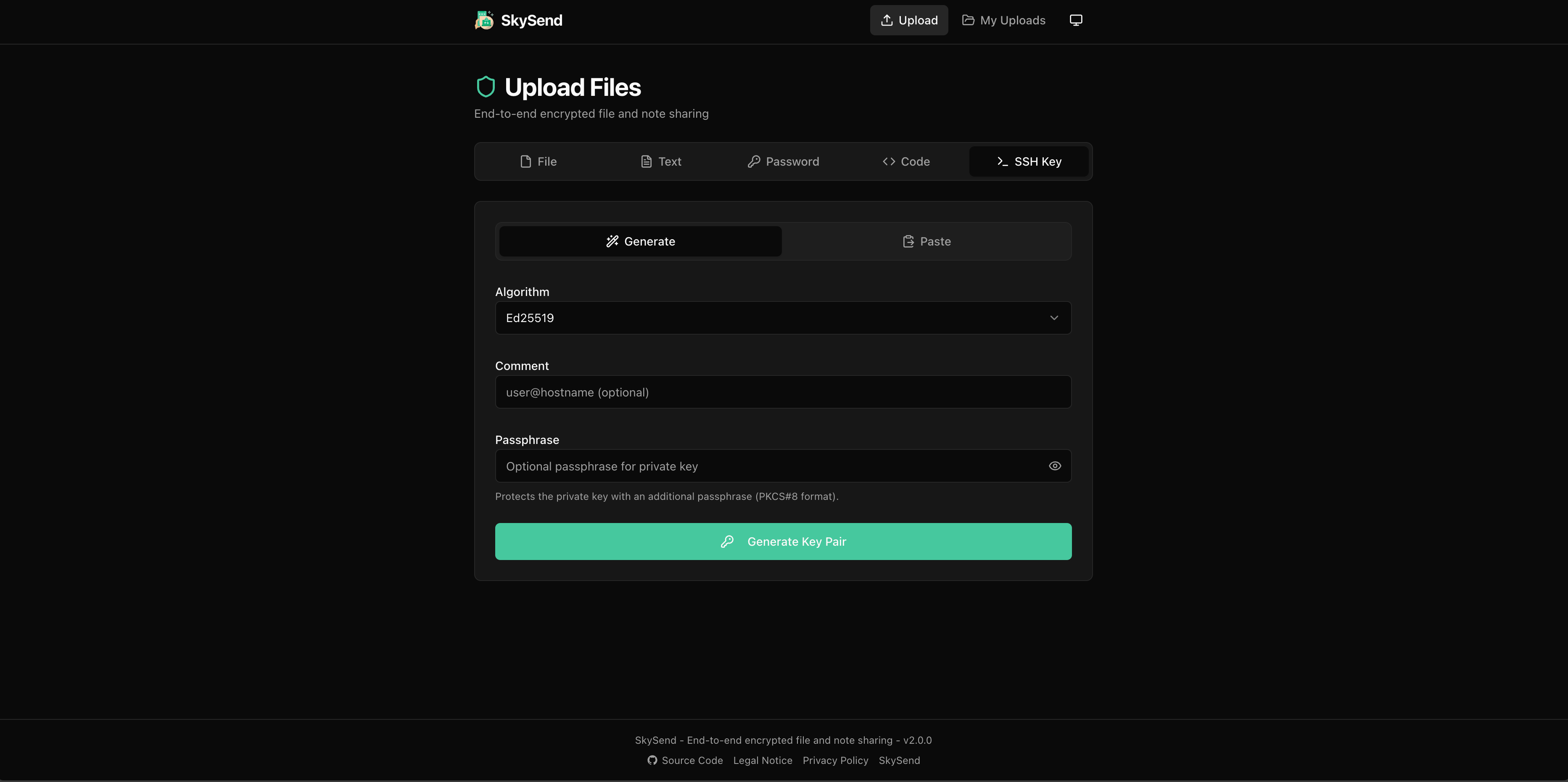
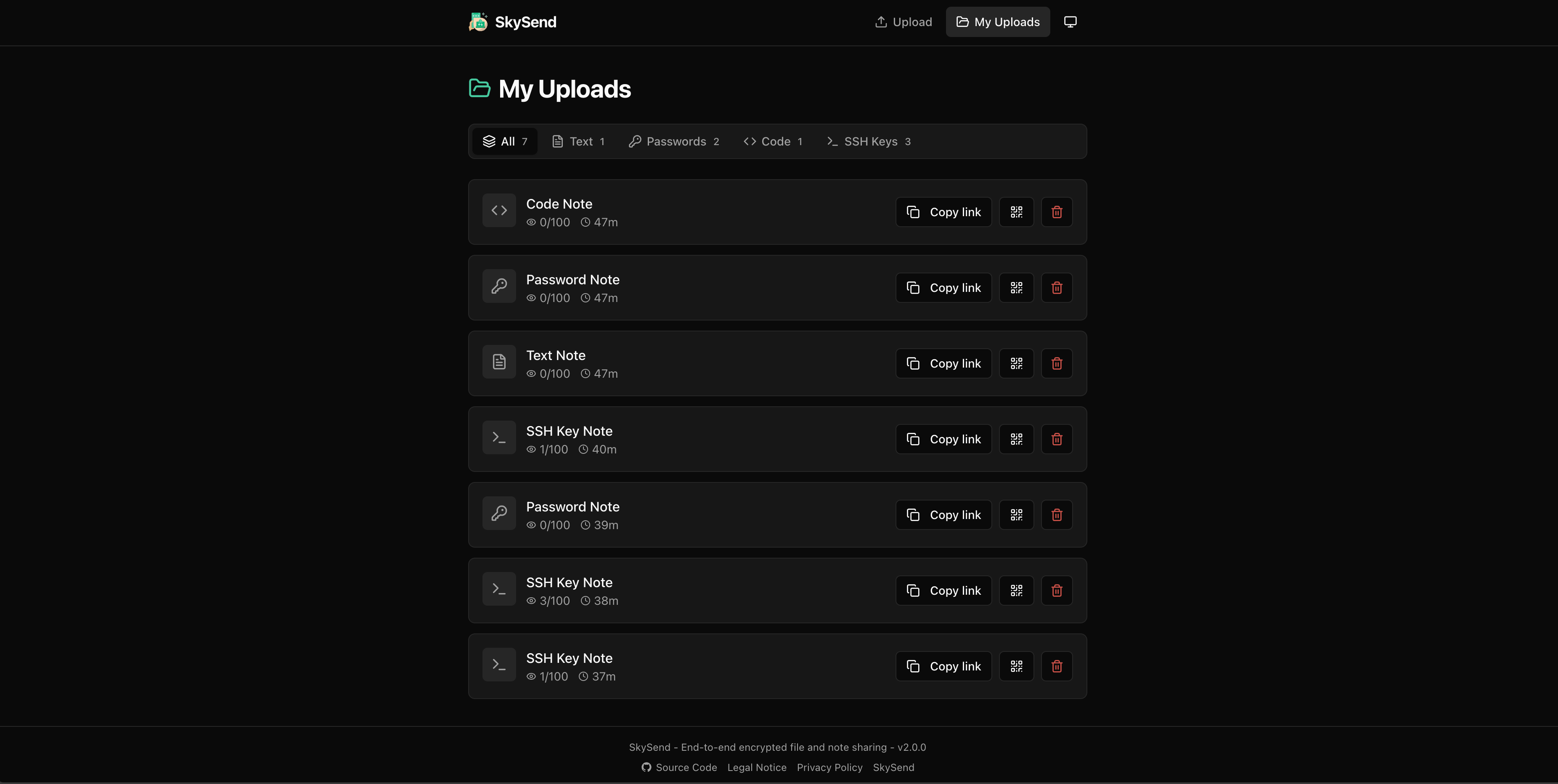
SkySend main page showing dark modeText note editor interfacePassword note with generatorCode block with syntax highlightingSSH key note editorMy Links dashboard showing shared items

What is SkySend?

SkySend is a self-hosted file and note sharing service where everything encrypts in the browser before leaving the device. Only recipients can read shared content since the encryption key travels in the URL fragment, which browsers never send to the server. The server only stores ciphertext. Users can share single files, multiple files, folders (zipped), text notes, generated passwords, code blocks with syntax highlighting, and SSH keys. Each share supports expiry times, download/view limits, burn-after-reading options, and optional password protection using Argon2id derivation. Self-hosted instances can require OIDC sign-in to restrict who may share. Storage works via local disk or any S3-compatible bucket including AWS S3, Cloudflare R2, and MinIO. A CLI client exists for Linux, macOS, and Windows using the same encryption.

Should you self-host SkySend?

SkySend scores 51/100 on selfhost.directory (how scoring works) and ranks #43 of 86 in File Sharing. It has 446 GitHub stars.

It shipped 17 stable releases in the past year. The latest, v3.2.0, came out on 23 October 2026. New versions land roughly every 4 days.

Setup is easy: most people get it running in one sitting. An official Docker image is available. It is AGPL-3.0-licensed and written mostly in Typescript.

Its closest alternative on selfhost.directory is Onetime Secret (61/100, 2 978 stars). It scores higher overall, so compare the two before you pick. See SkySend vs Onetime Secret side by side.

Features

  • Auto-expiry
  • End-to-end encryption
  • File RequestsAdded in v3.0
  • OIDC Authentication
  • Password Protection

SkySend README

How to install SkySend

Install SkySend with Docker Compose

docker-compose.yml

services: skysend: image: skyfay/skysend:latest container_name: skysend restart: always ports: - "3000:3000" volumes: - ./data:/data - ./uploads:/uploads environment: - BASE_URL=http://localhost:3000

docker compose up -d

How to configure SkySend

  • BASE_URLPublic URL of the instance (used for CORS and generated links).

    Public URL of the instance (used for CORS and generated links).

  • BRANDING_DIR{DATA_DIR}/brandingDirectory for your own branding assets. Its contents are served under /branding/. Created automatically on startup.

    Directory for your own branding assets. Its contents are served under /branding/. Created automatically on startup.

  • CLEANUP_INTERVAL60Interval for the automatic cleanup job in seconds.

    Interval for the automatic cleanup job in seconds.

  • CORS_ORIGINS(empty)Additional CORS origins, comma-separated.

    Additional CORS origins, comma-separated.

  • CUSTOM_COLOR(none)Primary brand color as 6-digit hex code (e.g. 46c89d). The # prefix is optional.

    Primary brand color as 6-digit hex code (e.g. 46c89d). The # prefix is optional.

  • CUSTOM_LEGAL(none)URL to your legal notice / impressum page. Shown as a link in the footer if set.

    URL to your legal notice / impressum page. Shown as a link in the footer if set.

  • CUSTOM_LINK_NAME(none)Display text for the custom footer link (max 50 characters).

    Display text for the custom footer link (max 50 characters).

  • CUSTOM_LINK_URL(none)URL for a custom footer link. Must be used together with CUSTOM_LINK_NAME.

    URL for a custom footer link. Must be used together with CUSTOM_LINK_NAME.

  • CUSTOM_LOGO(none)Path to a custom logo. Put the file into BRANDING_DIR and reference it as /branding/logo.svg. An external URL (https://example.com/logo.svg) also works but is not recommended.

    Path to a custom logo. Put the file into BRANDING_DIR and reference it as /branding/logo.svg. An external URL (https://example.com/logo.svg) also works but is not recommended.

  • CUSTOM_OG_IMAGECUSTOM_LOGO or built-in logoImage shown when a link to your instance is shared on messengers and social networks. Same path or URL rules as CUSTOM_LOGO. Use PNG or JPEG, SVG is not rendered in link previews. See Link preview image.

    Image shown when a link to your instance is shared on messengers and social networks. Same path or URL rules as CUSTOM_LOGO. Use PNG or JPEG, SVG is not rendered in link previews. See Link preview image.

  • CUSTOM_OG_IMAGE_STYLElogoHow X and Discord show the preview image. logo for a small square image next to the text, banner for a large image above it.

    How X and Discord show the preview image. logo for a small square image next to the text, banner for a large image above it.

  • CUSTOM_PRIVACY(none)URL to your privacy policy page. Shown as a link in the footer if set.

    URL to your privacy policy page. Shown as a link in the footer if set.

  • CUSTOM_REPORT_URL(none)URL to a report/abuse page. When set, a "Report" link is shown in the footer.

    URL to a report/abuse page. When set, a "Report" link is shown in the footer.

  • CUSTOM_TITLESkySendDisplayed site title in the UI.

    Displayed site title in the UI.

  • DATA_DIR./dataDirectory for the database (DATA_DIR/db/skysend.db).

    Directory for the database (DATA_DIR/db/skysend.db).

  • DEFAULT_COLOR_SCHEMEsystemColor scheme for visitors who have not picked one. One of dark, light, or system. Visitors can still switch in the UI.

    Color scheme for visitors who have not picked one. One of dark, light, or system. Visitors can still switch in the UI.

  • DEFAULT_TABfileTab shown when opening the app. file or note. text, password, code or sshkey open the note tab with that block already added. Falls back to the first available tab if the configured one is not enabled via ENABLED_SERVICES.

    Tab shown when opening the app. file or note. text, password, code or sshkey open the note tab with that block already added. Falls back to the first available tab if the configured one is not enabled via ENABLED_SERVICES.

  • DEFAULT_THEMEgraphiteVisual theme of the web app. One of graphite, aurora, or midnight. Every theme works with CUSTOM_COLOR and with both color schemes. Before v3 this variable held the color scheme, which now lives in DEFAULT_COLOR_SCHEME.

    Visual theme of the web app. One of graphite, aurora, or midnight. Every theme works with CUSTOM_COLOR and with both color schemes. Before v3 this variable held the color scheme, which now lives in DEFAULT_COLOR_SCHEME.

  • ENABLED_SERVICESfile,note,requestComma-separated list of enabled services: file for file sharing, note for notes, request for file requests. Leave one out to turn it off. Disabled services return HTTP 403 and their UI is hidden. An instance that sets this variable explicitly has to add request to offer file requests.

    Comma-separated list of enabled services: file for file sharing, note for notes, request for file requests. Leave one out to turn it off. Disabled services return HTTP 403 and their UI is hidden. An instance that sets this variable explicitly has to add request to offer file requests.

  • FILE_DEFAULT_DOWNLOAD1Default download limit (must be one of FILE_DOWNLOAD_OPTIONS).

    Default download limit (must be one of FILE_DOWNLOAD_OPTIONS).

  • FILE_DEFAULT_EXPIRE_SEC86400Default expiry time (must be one of FILE_EXPIRE_OPTIONS_SEC).

    Default expiry time (must be one of FILE_EXPIRE_OPTIONS_SEC).

  • FILE_DOWNLOAD_OPTIONS1,2,3,4,5,10,20,50,100Comma-separated list of selectable download limits.

    Comma-separated list of selectable download limits.

  • FILE_EXPIRE_OPTIONS_SEC300,3600,86400,604800Comma-separated list of selectable expiry times in seconds.

    Comma-separated list of selectable expiry times in seconds.

  • FILE_MAX_FILES_PER_UPLOAD200Maximum number of files per multi-file upload.

    Maximum number of files per multi-file upload.

  • FILE_MAX_SIZE2GBMaximum file upload size. Supports units: B, KB, MB, GB.

    Maximum file upload size. Supports units: B, KB, MB, GB.

  • FILE_REQUEST_DAILY_LIMIT0New requests per day and person, counted by OIDC user when OIDC_PROTECT_REQUESTS puts creating behind the login, and by IP otherwise. The day starts with the first request. 0, the default, turns the limit off. The count lives in memory and resets on restart. The request form shows how many are left. Behind a reverse proxy, set TRUST_PROXY, or everyone shares the count of the proxy's IP. A public i

    New requests per day and person, counted by OIDC user when OIDC_PROTECT_REQUESTS puts creating behind the login, and by IP otherwise. The day starts with the first request. 0, the default, turns the limit off. The count lives in memory and resets on restart. The request form shows how many are left. Behind a reverse proxy, set TRUST_PROXY, or everyone shares the count of the proxy's IP. A public i

  • FILE_REQUEST_DEFAULT_DOWNLOADS5Default for new requests. Must be one of FILE_REQUEST_DOWNLOAD_OPTIONS.

    Default for new requests. Must be one of FILE_REQUEST_DOWNLOAD_OPTIONS.

  • FILE_REQUEST_DEFAULT_EXPIRE_SEC259200Default for new requests (must be one of FILE_REQUEST_EXPIRE_OPTIONS_SEC).

    Default for new requests (must be one of FILE_REQUEST_EXPIRE_OPTIONS_SEC).

  • FILE_REQUEST_DEFAULT_UPLOADS10Default for new requests. Must be one of FILE_REQUEST_UPLOAD_OPTIONS.

    Default for new requests. Must be one of FILE_REQUEST_UPLOAD_OPTIONS.

  • FILE_REQUEST_DOWNLOAD_OPTIONS1,2,3,5,10,20How often the requester can download each upload, as options chosen per request, each from 1 to 100.

    How often the requester can download each upload, as options chosen per request, each from 1 to 100.

  • FILE_REQUEST_EXPIRE_OPTIONS_SEC86400,259200,604800Comma-separated list of how long a request accepts uploads, in seconds.

    Comma-separated list of how long a request accepts uploads, in seconds.

  • FILE_REQUEST_MAX_SIZEFILE_MAX_SIZEMost bytes one upload into a request may have. The requester picks a size up to this. Supports units: B, KB, MB, GB.

    Most bytes one upload into a request may have. The requester picks a size up to this. Supports units: B, KB, MB, GB.

  • FILE_REQUEST_RETENTION_SEC604800How long an uploaded file stays in the inbox, in seconds.

    How long an uploaded file stays in the inbox, in seconds.

  • FILE_REQUEST_UPLOAD_OPTIONS1,2,3,5,10,20,50,100How many uploads a request takes, as options for the requester, each from 1 to 1000. A request for files and a note counts submissions with them, which take two uploads each. What a request asks for is encrypted and the server does not check it, so any request may take up to twice the largest option.

    How many uploads a request takes, as options for the requester, each from 1 to 1000. A request for files and a note counts submissions with them, which take two uploads each. What a request asks for is encrypted and the server does not check it, so any request may take up to twice the largest option.

  • FILE_UPLOAD_CONCURRENT_CHUNKS3Number of parallel chunk uploads per session (1-20). Increase to improve upload speed in Chromium browsers (Chrome, Edge, Brave) through HTTP/2 reverse proxies.

    Number of parallel chunk uploads per session (1-20). Increase to improve upload speed in Chromium browsers (Chrome, Edge, Brave) through HTTP/2 reverse proxies.

  • FILE_UPLOAD_QUOTA_BYTES0 (unlimited)Maximum file upload volume per user per window. 0 disables the quota. Supports units: B, KB, MB, GB.

    Maximum file upload volume per user per window. 0 disables the quota. Supports units: B, KB, MB, GB.

  • FILE_UPLOAD_QUOTA_WINDOW86400Quota time window in seconds (default: 24 hours).

    Quota time window in seconds (default: 24 hours).

  • FILE_UPLOAD_SPEED_LIMIT0 (unlimited)Maximum upload speed per session in bytes per second. 0 disables the limit. Supports units: B, KB, MB, GB (e.g. 100MB for 100 MB/s).

    Maximum upload speed per session in bytes per second. 0 disables the limit. Supports units: B, KB, MB, GB (e.g. 100MB for 100 MB/s).

  • FILE_UPLOAD_WStrueEnable the WebSocket upload transport. Uploads are streamed over a single persistent connection, bypassing HTTP/2 multiplexing bottlenecks in reverse proxies (Traefik, Nginx) and significantly improving upload speed in Chromium browsers. Clients automatically fall back to HTTP chunked uploads when the WebSocket handshake fails. Set to false in environments where WebSockets are blocked or terminate

    Enable the WebSocket upload transport. Uploads are streamed over a single persistent connection, bypassing HTTP/2 multiplexing bottlenecks in reverse proxies (Traefik, Nginx) and significantly improving upload speed in Chromium browsers. Clients automatically fall back to HTTP chunked uploads when the WebSocket handshake fails. Set to false in environments where WebSockets are blocked or terminate

  • FILE_UPLOAD_WS_MAX_BUFFER16MBMaximum bytes the server may buffer per WebSocket upload session before aborting it. Only relevant when the storage backend cannot keep up with the incoming frame rate. Supports units: B, KB, MB, GB. Minimum 1MB.

    Maximum bytes the server may buffer per WebSocket upload session before aborting it. Only relevant when the storage backend cannot keep up with the incoming frame rate. Supports units: B, KB, MB, GB. Minimum 1MB.

  • FILE_UPLOAD_WS_MEMORY_LIMITa quarter of the memory, at most 256MBMost memory all WebSocket uploads together, those into a file request included, hold in buffers on their way to storage. When it is reached, the uploads that send next wait and slow down, instead of the server running out of memory. The default is a quarter of the memory the server may use, the limit of its container if it runs in one, and at most 256MB. Minimum 1MB.

    Most memory all WebSocket uploads together, those into a file request included, hold in buffers on their way to storage. When it is reached, the uploads that send next wait and slow down, instead of the server running out of memory. The default is a quarter of the memory the server may use, the limit of its container if it runs in one, and at most 256MB. Minimum 1MB.

  • FORCE_FILE_PASSWORDfalseWhen true, all file uploads must be password-protected. The password toggle is hidden and the field is always visible. Enforced on both frontend and server.

    When true, all file uploads must be password-protected. The password toggle is hidden and the field is always visible. Enforced on both frontend and server.

  • FORCE_NOTE_PASSWORDfalseWhen true, all note uploads (text, password, code, SSH key) must be password-protected. Enforced on both frontend and server.

    When true, all note uploads (text, password, code, SSH key) must be password-protected. Enforced on both frontend and server.

  • FORCE_REQUEST_PASSWORDfalseWhen true, the inbox of every file request must be password-protected. The server refuses a request that does not say it has one, and cannot check the password itself, which never reaches it.

    When true, the inbox of every file request must be password-protected. The server refuses a request that does not say it has one, and cannot check the password itself, which never reaches it.

  • HOST0.0.0.0Server bind address.

    Server bind address.

  • NOTE_DEFAULT_EXPIRE_SEC86400Default note expiry time (must be one of NOTE_EXPIRE_OPTIONS_SEC).

    Default note expiry time (must be one of NOTE_EXPIRE_OPTIONS_SEC).

  • NOTE_DEFAULT_VIEWS0Default view limit for notes (must be one of NOTE_VIEW_OPTIONS). 0 means unlimited (the default). 1 means burn-after-reading.

    Default view limit for notes (must be one of NOTE_VIEW_OPTIONS). 0 means unlimited (the default). 1 means burn-after-reading.

  • NOTE_EXPIRE_OPTIONS_SEC300,3600,86400,604800Comma-separated list of selectable expiry times for notes in seconds.

    Comma-separated list of selectable expiry times for notes in seconds.

  • NOTE_MAX_SIZE1MBMaximum note content size. Supports units: B, KB, MB, GB.

    Maximum note content size. Supports units: B, KB, MB, GB.

  • NOTE_VIEW_OPTIONS0,1,2,3,5,10,20,50,100Comma-separated list of selectable view limits for notes. Include 0 for an "Unlimited" option.

    Comma-separated list of selectable view limits for notes. Include 0 for an "Unlimited" option.

  • OIDC_ALLOW_INSECURE_ISSUERfalse(Local testing only) Whether to allow an insecure (non-HTTPS) issuer URL.

    (Local testing only) Whether to allow an insecure (non-HTTPS) issuer URL.

  • OIDC_CLIENT_IDClient ID of the application registered at your provider.

    Client ID of the application registered at your provider.

  • OIDC_CLIENT_SECRETClient secret of the application registered at your provider.

    Client secret of the application registered at your provider.

  • OIDC_ISSUERIssuer URL of your OIDC provider. Required to activate OIDC. All endpoints are discovered automatically from this URL.

    Issuer URL of your OIDC provider. Required to activate OIDC. All endpoints are discovered automatically from this URL.

  • OIDC_PROTECT_FILEStrueRequire login to upload files. Set to false to allow anonymous file uploads while OIDC is active.

    Require login to upload files. Set to false to allow anonymous file uploads while OIDC is active.

  • OIDC_PROTECT_NOTEStrueRequire login to create notes. Set to false to allow anonymous note creation while OIDC is active.

    Require login to create notes. Set to false to allow anonymous note creation while OIDC is active.

  • OIDC_PROTECT_REQUESTSinheritedRequire login to create file requests. Unset, it is true while OIDC_PROTECT_FILES or OIDC_PROTECT_NOTES is, so an instance that keeps either behind the login keeps requests there too. Set it to protect requests apart from files and notes. Uploading into a request and opening its inbox never need a login, the links are enough.

    Require login to create file requests. Unset, it is true while OIDC_PROTECT_FILES or OIDC_PROTECT_NOTES is, so an instance that keeps either behind the login keeps requests there too. Set it to protect requests apart from files and notes. Uploading into a request and opening its inbox never need a login, the links are enough.

  • OIDC_PROVIDERgenericProvider preset. One of generic, pocketid, authentik, keycloak. Controls which token claims are used for the display name.

    Provider preset. One of generic, pocketid, authentik, keycloak. Controls which token claims are used for the display name.

  • OIDC_REDIRECT_URI{BASE_URL}/auth/callbackOverride the OAuth2 redirect/callback URI. Only needed if SkySend is served under a sub-path or behind a proxy that changes the origin.

    Override the OAuth2 redirect/callback URI. Only needed if SkySend is served under a sub-path or behind a proxy that changes the origin.

  • OIDC_SCOPESopenid profile emailSpace-separated list of OIDC scopes to request.

    Space-separated list of OIDC scopes to request.

  • OIDC_SESSION_DURATION86400Session cookie lifetime in seconds (default: 24 hours).

    Session cookie lifetime in seconds (default: 24 hours).

  • OIDC_SESSION_SECRETautoSecret used to sign session JWT cookies. If not set, a random 48-byte secret is generated at startup - sessions will be invalidated on every server restart. Set this to a fixed value (minimum 32 characters, generate with openssl rand -base64 48) to persist sessions across restarts.

    Secret used to sign session JWT cookies. If not set, a random 48-byte secret is generated at startup - sessions will be invalidated on every server restart. Set this to a fixed value (minimum 32 characters, generate with openssl rand -base64 48) to persist sessions across restarts.

  • PASSWORD_LOCKOUT_MS900000Lockout duration in milliseconds (default: 15 minutes).

    Lockout duration in milliseconds (default: 15 minutes).

  • PASSWORD_MAX_ATTEMPTS10Failed password attempts before a specific IP is locked out from a specific upload, note or file request inbox. For an upload, a wrong token at the download counts as well. Failed attempts that led to no lockout are forgotten after PASSWORD_LOCKOUT_MS.

    Failed password attempts before a specific IP is locked out from a specific upload, note or file request inbox. For an upload, a wrong token at the download counts as well. Failed attempts that led to no lockout are forgotten after PASSWORD_LOCKOUT_MS.

  • PGID1001Group ID the container runs as.

    Group ID the container runs as.

  • PORT3000Server port (1-65535).

    Server port (1-65535).

  • PUID1001User ID the container runs as.

    User ID the container runs as.

  • RATE_LIMIT_MAX60Maximum requests per window per IP.

    Maximum requests per window per IP.

  • RATE_LIMIT_WINDOW60000Rate limit window in milliseconds.

    Rate limit window in milliseconds.

  • S3_ACCESS_KEYS3 access key ID. Required when STORAGE_BACKEND=s3.

    S3 access key ID. Required when STORAGE_BACKEND=s3.

  • S3_BUCKETS3 bucket name. Required when STORAGE_BACKEND=s3.

    S3 bucket name. Required when STORAGE_BACKEND=s3.

  • S3_CONCURRENCY8Number of S3 parts uploaded in parallel per upload. Higher values improve throughput but use more memory and bandwidth. Range: 1-16.

    Number of S3 parts uploaded in parallel per upload. Higher values improve throughput but use more memory and bandwidth. Range: 1-16.

  • S3_ENDPOINT(none)Custom S3 endpoint URL. Required for non-AWS providers (R2, Hetzner, MinIO, etc.). Leave empty for AWS S3.

    Custom S3 endpoint URL. Required for non-AWS providers (R2, Hetzner, MinIO, etc.). Leave empty for AWS S3.

  • S3_FORCE_PATH_STYLEfalseUse path-style URLs instead of virtual-hosted-style. Required for MinIO, Garage, and some self-hosted providers.

    Use path-style URLs instead of virtual-hosted-style. Required for MinIO, Garage, and some self-hosted providers.

  • S3_MEMORY_LIMITa quarter of the memory, at most 256MBMost memory all uploads to S3 together hold in parts on their way to the bucket. When it is reached, the next part waits and the senders slow down, instead of the server running out of memory. Parts that are still filling up may hold half of it again, beyond that they wait on disk in DATA_DIR. For many uploads at once on a server with one core, see Many Simultaneous Uploads. The default is a quart

    Most memory all uploads to S3 together hold in parts on their way to the bucket. When it is reached, the next part waits and the senders slow down, instead of the server running out of memory. Parts that are still filling up may hold half of it again, beyond that they wait on disk in DATA_DIR. For many uploads at once on a server with one core, see Many Simultaneous Uploads. The default is a quart

  • S3_PART_SIZE8MBSize of each S3 multipart upload part. Smaller parts keep uploads steadier and use less memory, larger ones take fewer requests. An upload that would need more than 10,000 parts uses larger ones on its own. Minimum is 5MB (S3 requirement).

    Size of each S3 multipart upload part. Smaller parts keep uploads steadier and use less memory, larger ones take fewer requests. An upload that would need more than 10,000 parts uses larger ones on its own. Minimum is 5MB (S3 requirement).

  • S3_PRESIGNED_EXPIRY300Presigned download URL expiry in seconds.

    Presigned download URL expiry in seconds.

  • S3_REGIONS3 region (e.g. eu-central-1). Required when STORAGE_BACKEND=s3.

    S3 region (e.g. eu-central-1). Required when STORAGE_BACKEND=s3.

  • S3_SECRET_KEYS3 secret access key. Required when STORAGE_BACKEND=s3.

    S3 secret access key. Required when STORAGE_BACKEND=s3.

  • SKIP_CHOWNfalseSkip chown of /data and /uploads on startup. Required for NFS mounts or read-only filesystems where chown is not permitted. You must ensure correct permissions yourself.

    Skip chown of /data and /uploads on startup. Required for NFS mounts or read-only filesystems where chown is not permitted. You must ensure correct permissions yourself.

  • STORAGE_BACKENDfilesystemStorage backend to use. filesystem stores files locally, s3 uses S3-compatible object storage.

    Storage backend to use. filesystem stores files locally, s3 uses S3-compatible object storage.

  • TRUST_PROXYfalseTrust X-Forwarded-For and X-Real-IP headers. Enable when behind a reverse proxy.

    Trust X-Forwarded-For and X-Real-IP headers. Enable when behind a reverse proxy.

  • UPLOADS_DIR{DATA_DIR}/uploadsDirectory for encrypted upload files. In Docker, defaults to /uploads.

    Directory for encrypted upload files. In Docker, defaults to /uploads.

SkySend releases & version history

FAQ

What can I share besides files?

Notes made of blocks: text, Markdown, passwords, code, SSH keys combined together. File requests let others send you encrypted files or notes.

Is there a hosted version?

SkySend is designed for self-hosting as one Docker image. Without a server, use public instances running the same open code.

What happens when a share expires?

The server deletes the encrypted blob once time runs out or download limit is used up. Notes set to burn after reading are gone after first view.

Do I need an account?

No. Open an instance and share without accounts. My Links stores shares in your browser. Self-hosted instances can require OIDC sign-in.

Can the server read my files or notes?

No. Everything encrypts in your browser with AES-256-GCM before upload. The key lives in the URL fragment after #, which browsers never send to servers.

More in File Sharing

Rate this project

Click to rate — no account needed.

0 comments

Posting as guest
Loading comments…