
Self-host signetai
v0.145.10Local-first memory layer for AI agents
- Stars
- 314
- Port
- 3850 (daemon HTTP API)
What is signetai?
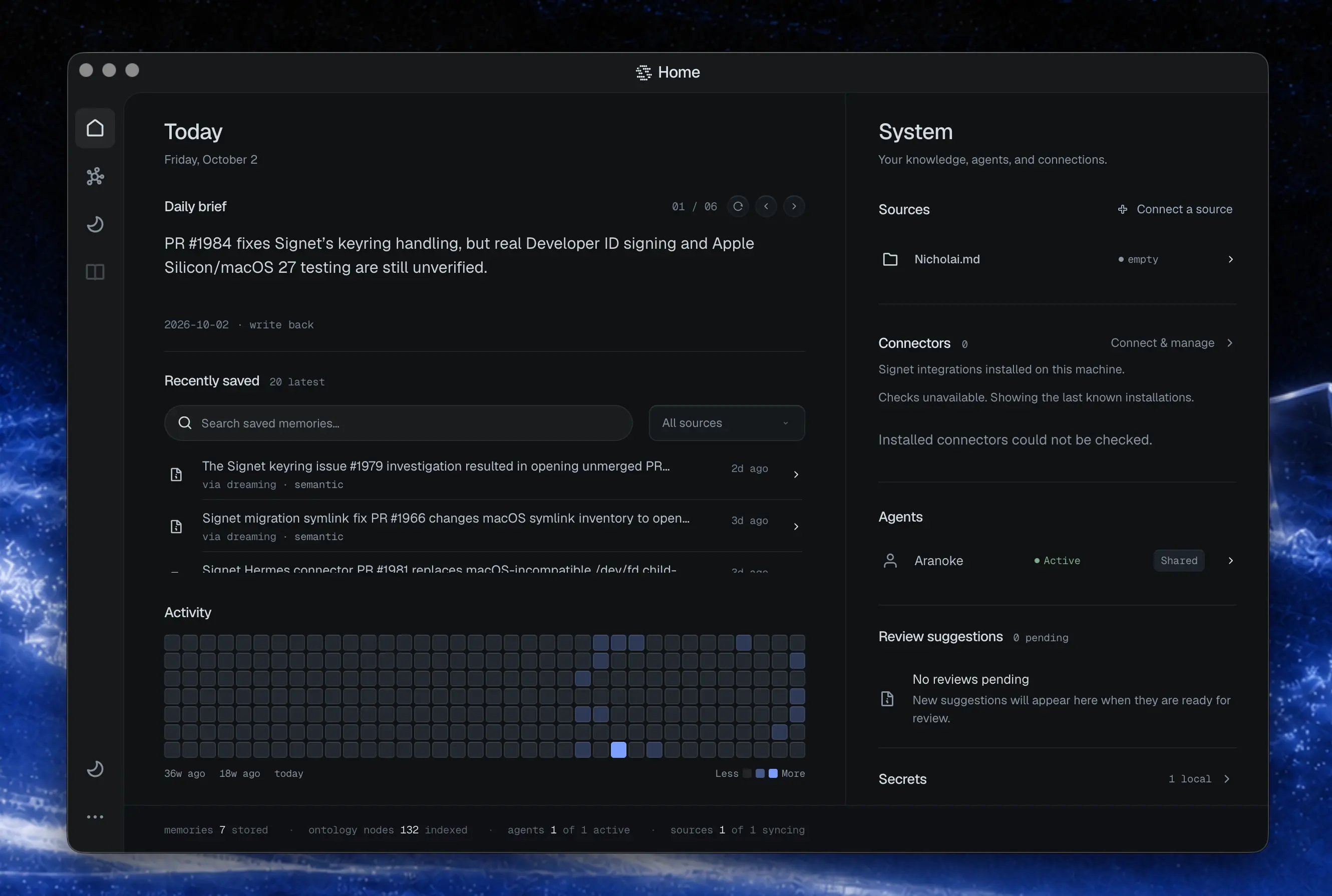
Signet AI provides a local-first memory and secrets layer for AI agents. It runs as a daemon on your machine or server, capturing session transcripts from connected harnesses like Claude Code, Codex, OpenCode, OpenClaw, Hermes Agent, Gemini CLI, and Pi. It imports documents from sources such as Obsidian, Notion, GitHub, and Discord, and continuously builds a structured knowledge graph through a background process called Dreaming. Every memory cites its source evidence, and secrets are encrypted with the master key kept in your OS keyring. The dashboard offers a visual interface for browsing memories, connecting sources, and chatting with your memory. Installation options include a native binary via curl, npm and Bun packages, a Windows PowerShell installer, and a Docker Compose stack with Caddy reverse proxy for team deployments. The project is Apache-2.0 licensed with all releases currently marked as pre-release.
Should you self-host signetai?
signetai scores 49/100 on selfhost.directory (how scoring works) and ranks #47 of 120 in AI Assistant. It has 314 GitHub stars.
It shipped 30 stable releases in the past year. The latest, v0.238.0, came out on 26 October 2026.
Setup is moderate: expect some configuration beyond a single command. It is Other-licensed and written mostly in Typescript.
Its closest alternative on selfhost.directory is hermes-agent (89/100, 257 885 stars). It scores higher overall, so compare the two before you pick. See signetai vs hermes-agent side by side.
Features
- Agent isolation
- Dashboard UI
- Data portability
- Desktop App
- Dreaming (knowledge graph construction)
- Encrypted secrets storage
- Hostile content filtering
- MCP Support
- Multi-harness support
- Provenance and citations
- REST API
- Shared agent memory
- Source integrations
- Team mode with API keys
- Telemetry controls
signetai README
More in AI Assistant
 SillyTavernSelf-hosted open-source LLM frontend with unified API interface, character management, chat history, image generation, TTS, and plugin extensibility.
 SiloSilo is a self-hosted, open-source pure front-end app for multi-model AI chat and text-to-image generation with PWA and browser extension.
 silosSelf-hosted dashboard for OpenClaw AI agents with real-time monitoring, chat, skills, and omnichannel messaging via WhatsApp, Telegram, Discord, Slack.
 SkalesSelf-hosted AI agent harness: background goals, coding, voice and browser automation on desktop plus native phone apps, with 27 providers or fully local inference.
 SourceWeftOpen-source, self-hostable AI workstation with multi-agent collaboration, skill library, MCP integrations, and cited knowledge — an alternative to ChatGPT and NotebookLM.
 Sovereign AI WorkstationSelf-hosted AI workstation for macOS running 100% locally with voice, vision, and autonomous agents. Controls apps, writes code, manages Google Workspace.
 SparkyFitnessSelf-hosted, privacy-first fitness tracking platform with nutrition, exercise, sleep, and cycle tracking plus AI coaching. Alternative to MyFitnessPal.
 StellaClawSelf-hosted Rust framework for durable AI agent conversations across Telegram, desktop, and Web API with isolated execution and SSH remote workspaces.
 surfsenseSelf-hosted, open-source NotebookLM alternative: an air-gapped desktop AI agent that researches, edits and transforms your documents with any local or hosted model.
 sutandoSutando is a self-hosted, open-source AI agent for macOS using Claude Code or Codex CLI. Handles voice, calls, meetings, screen interaction, and self-improvement locally.
 Synapse-OSSSynapse is a self-hosted, open-source personal AI assistant with hybrid RAG memory, evolving behavioral profile (SBS), and multi-channel support.
 TailOpsMCPSelf-hosted MCP gateway centralizing infrastructure management via AI assistants with Tailscale security and capability-based authorization.
0 comments