
Self-host scm-manager
3.12.2Git, Mercurial and Subversion repository manager
- Stars
- 184
- Ports
- 8080 (HTTP web interface and REST API), 2222 (SSH plugin (optional))
scmmanager/scm-manager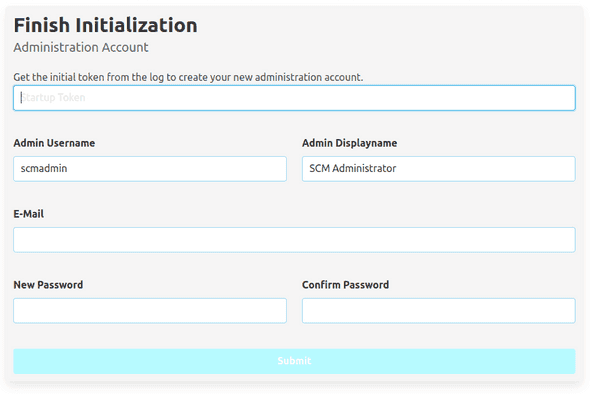

What is scm-manager?
SCM-Manager is a self-hosted source code management platform that provides a unified web interface for managing Git, Mercurial, and Subversion repositories. It features a rich web UI, full REST API, plugin system, centralized user/group/permission management, and requires no external database or web server. It can be installed via Docker, Helm, native packages (Debian, RPM, Windows), or generic Unix tarball.
Should you self-host scm-manager?
scm-manager scores 53/100 on selfhost.directory (how scoring works) and ranks #10 of 14 in Code Hosting. It has 184 GitHub stars.
It shipped 3 stable releases in the past year. The latest, 3.11.4, came out on 11 February 2026. New versions land roughly every 2 weeks.
Setup is moderate: expect some configuration beyond a single command. An official Docker image is available. It is AGPL-3.0-licensed and written mostly in Java.
Its closest alternative on selfhost.directory is Gitea (89/100, 58 745 stars). It scores higher overall, so compare the two before you pick. See scm-manager vs Gitea side by side.
Features
- CLI Client
- Multi-repository hosting
- No external dependencies
- Plugin System
- REST API
- User and permission management
- Web-based configuration
- Web-based user interface
scm-manager README
FAQ
How do I install plugins?
Find the desired plugin on the plugins page and follow the installation instructions on the plugin's install page.
How do I enable trace logging?
Change the logger level for 'sonia.scm' from INFO to TRACE in logging.xml and restart SCM-Manager.
Where does SCM-Manager store its log files?
Log file location depends on the operating system and installation type, documented in the administration guide.
How can I change the SCM-Manager home directory?
There are several ways to change the base directory location, documented in the administration guide.
Where does SCM-Manager store its configuration, data and repositories?
All data is stored in the SCM-Manager base directory, whose location depends on the installation type.
More in Version Control
 sturdySturdy is an open-source, self-hosted version control platform for real-time code collaboration, letting teams discover work-in-progress code instantly.
 agentverOpen-source, self-hosted platform for managing AI coding assistant skills across teams with version control, security scanning, and access controls.
- CgitA hyperfast web frontend for Git repositories written in C.
 DumboDBDumboDB is a self-hosted, open-source document database with MongoDB 8.0 wire protocol and Git-style version control for data. Runs via Docker or binary.
- FossilFossil SCM is a simple, high-reliability, distributed version control system with built-in wiki, bug tracking, forum, chat, and project management. It is a single self-contained executable, easy to install and self-host.
 GerritOpen-source, self-hosted code review and Git repository management server: patchset reviews, fine-grained permissions, plugins, REST API and webhooks.
- Git Annexgit-annex allows managing large files with git, without storing the file contents in git. It supports syncing, backing up, and archiving data across multiple devices, with checksums and encryption for security.
 gitbucketA self-hosted, open-source Git platform in Scala: run one war file on Java 17 for repos, issues, pull requests, wiki, LDAP/OIDC logins and GitHub-compatible APIs.
 gitlistSelf-hosted, open-source web front-end for browsing multiple git repositories: files at any revision, blame and diffs, commit history, RSS/Atom feeds, repo statistics.
 GogsA lightweight, open-source, self-hosted Git service written in Go: repos, issues, pull requests, wikis and LDAP login, run from one binary or a Docker image.
 legitOpen-source, self-hosted browsing UI for Git repos, built in Go: serves bare repositories from a folder with custom templates, README rendering and HTTP cloning.
- RhodeCodeRhodeCode is an open-source, self-hosted platform for unified repository management, supporting Git, Mercurial, and Subversion. It provides enterprise-grade security, code review, workflow automation, and permission management for teams.
0 comments