
Self-host quackback
v0.14.1Open-source feedback platform with boards, roadmap, support
- Stars
- 331
- CPU
- 1 core
- RAM
- 1 GB
- Storage
- 10 GB
- Port
- 3000 (Application HTTP server)
- Requires
- Pg_trgm, pgvector, S3-compatible Object Storage
ghcr.io/quackbackio/quackback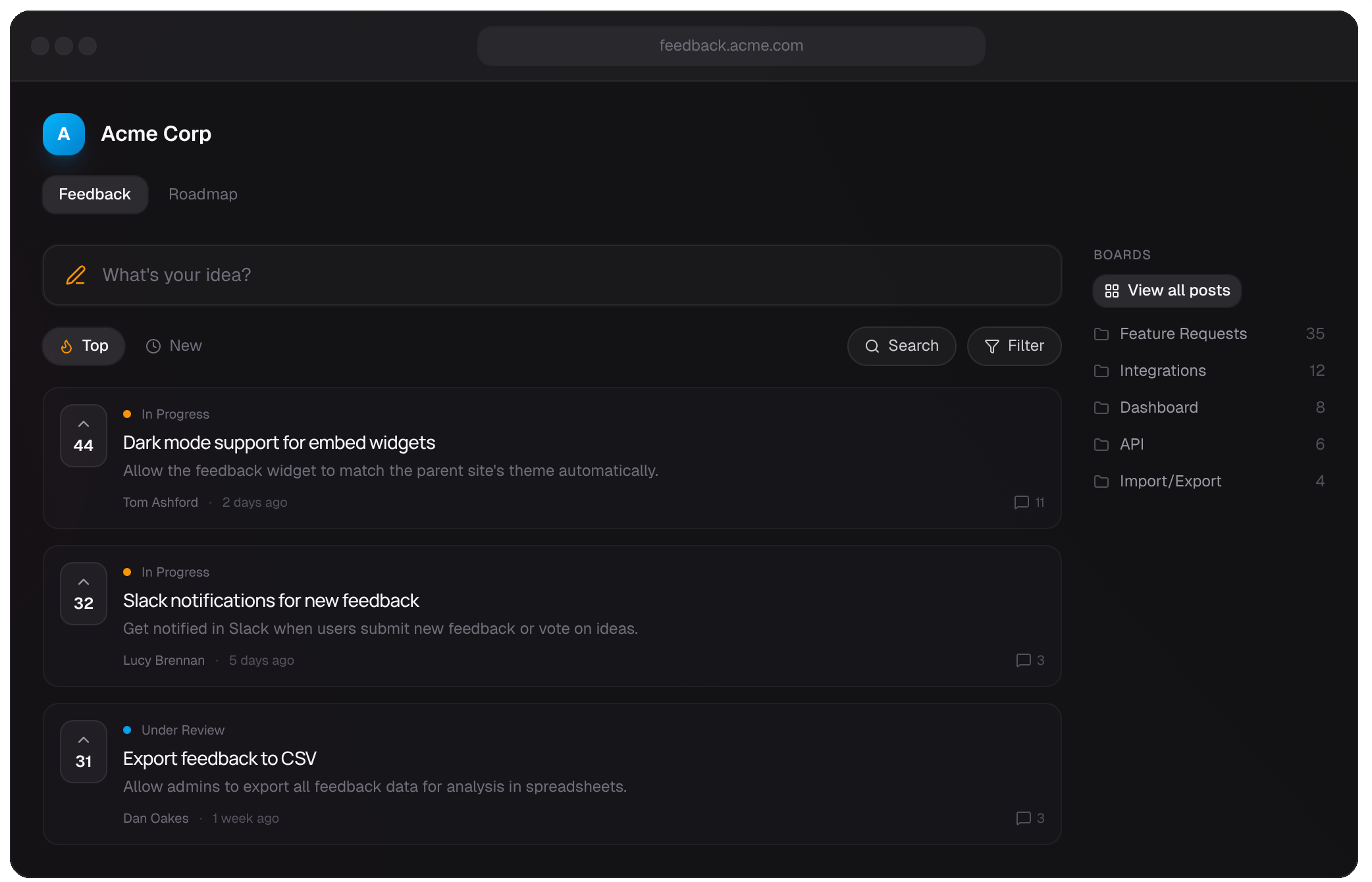
What is quackback?
Quackback is an open-source platform for product teams to collect and act on customer feedback. It combines feedback boards with voting, a public roadmap linked to issue trackers, a changelog that notifies voters, a shared inbox for chat and tickets, a searchable knowledge base, and a status page. The platform includes AI agents for customer responses, an embeddable widget, a REST API with OpenAPI spec, and an MCP server for AI tools. It runs on PostgreSQL with pgvector and pg_trgm, uses S3-compatible storage, and deploys via Docker Compose or docker run. Self-hosted installs get all features with unlimited seats. The project is AGPL-3.0 licensed.
Should you self-host quackback?
quackback scores 50/100 on selfhost.directory (how scoring works) and ranks #9 of 14 in Customer Support. It has 331 GitHub stars.
It shipped 15 stable releases in the past year. The latest, v0.14.1, came out on 7 October 2026. New versions land roughly every 3 days.
Setup is moderate: expect some configuration beyond a single command. An official Docker image is available. It is AGPL-3.0-licensed and written mostly in Typescript.
Its closest alternative on selfhost.directory is logchimp (53/100, 1 133 stars). It scores higher overall, so compare the two before you pick. See quackback vs logchimp side by side.
Features
- Audit Log
- Changelog
- Custom roles
- Embeddable Widget
- Feedback Boards
- Help Center
- MCP Server
- Multi-language Support
- Public Roadmap
- Quackback AI
- REST API
- Single Sign-On (SSO)
- Status Page
- Support inbox
quackback README

More in Product Management
 ShipShipShipShipShipShip is an open-source, self-hosted changelog and roadmap platform for teams. Built with SvelteKit and Go, it includes a Kanban board, emoji reactions, voting.
 unopimSelf-hosted, open-source PIM and DAM built on Laravel to centralize and enrich product catalogs beyond 10 million products, with AI agent chat and CSV/XLSX import.
 ClearFlaskOpen-source feedback management tool pitched as a Canny/UserVoice alternative for ideas, roadmaps and announcements, self-hosted via Docker Compose or Helm.
 Discount BanditSelf-hosted, open-source price tracker for 30+ stores (Amazon, AliExpress, eBay, Walmart) with Ntfy/Telegram/Gotify alerts when prices drop.
 FiderSelf-hosted, open-source feedback portal where users post feature requests, discuss and vote. Runs as a Docker image with PostgreSQL, configured via env vars.
 logchimpSelf-hosted, open-source alternative to Canny and ProductBoard for tracking customer feedback with boards, roadmaps, and comments.
 Ploi RoadmapSelf-hosted open-source roadmapping software for collecting and prioritizing feature requests, with upvoting, comments, GitHub integration, and OAuth SSO.
0 comments