
Self-host pt-tools
v0.48.0PT site automation for RSS, cross-seeding, and media library
- Stars
- 170
- Ports
- 8080 (Web UI), 8081 (qBittorrent-compatible API (optional))
sunerpy/pt-tools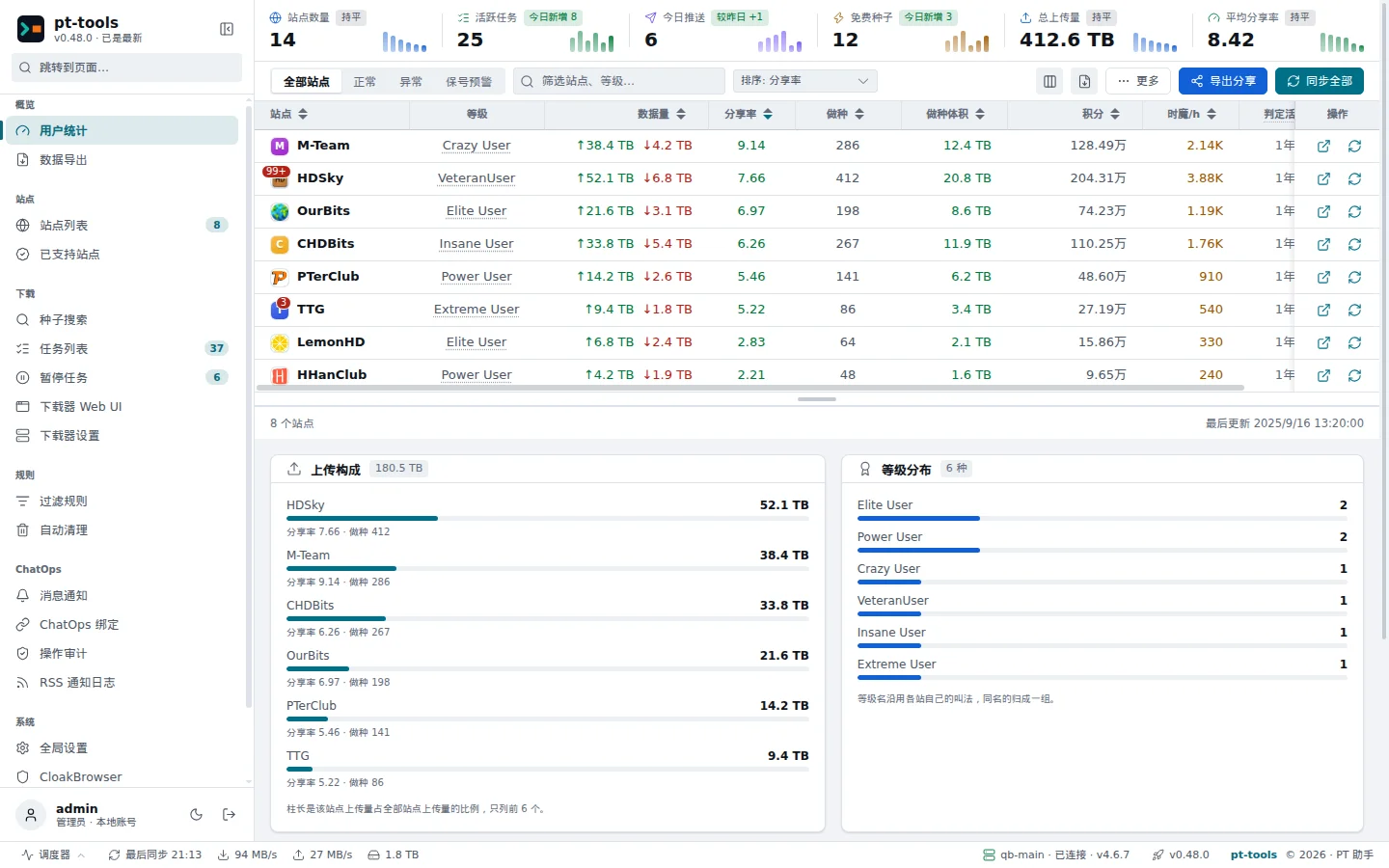
What is pt-tools?
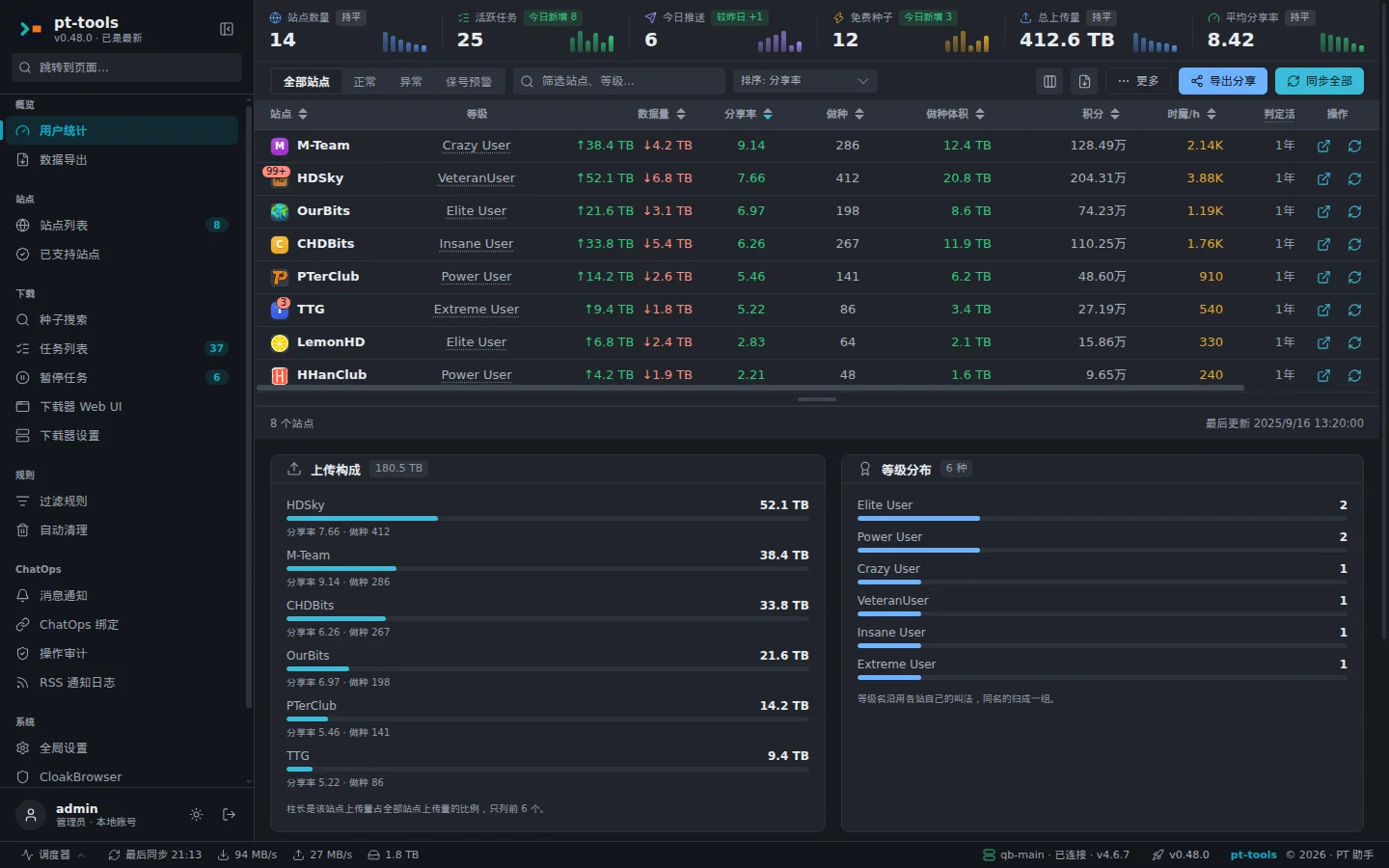
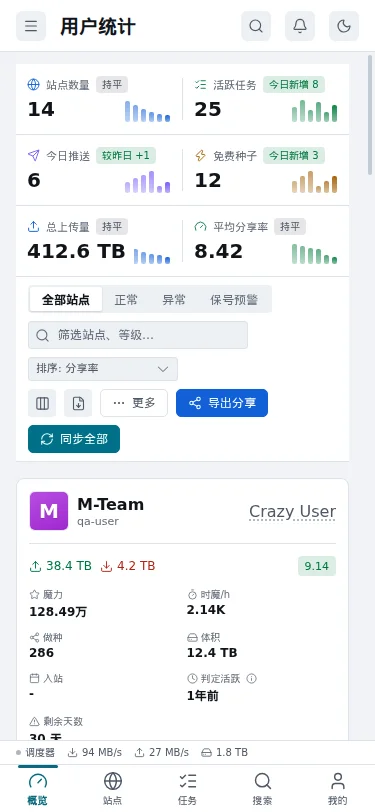
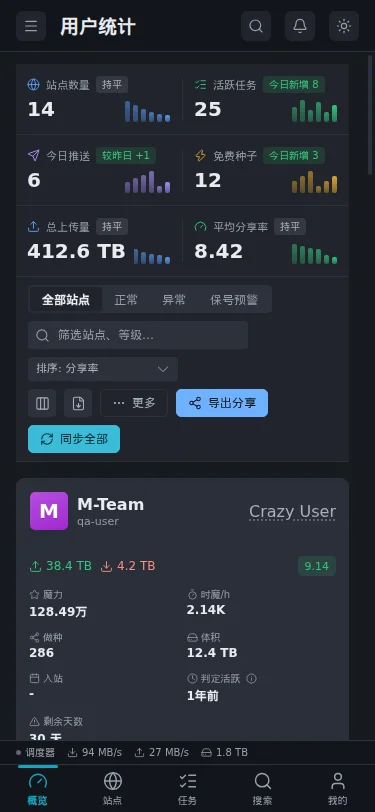
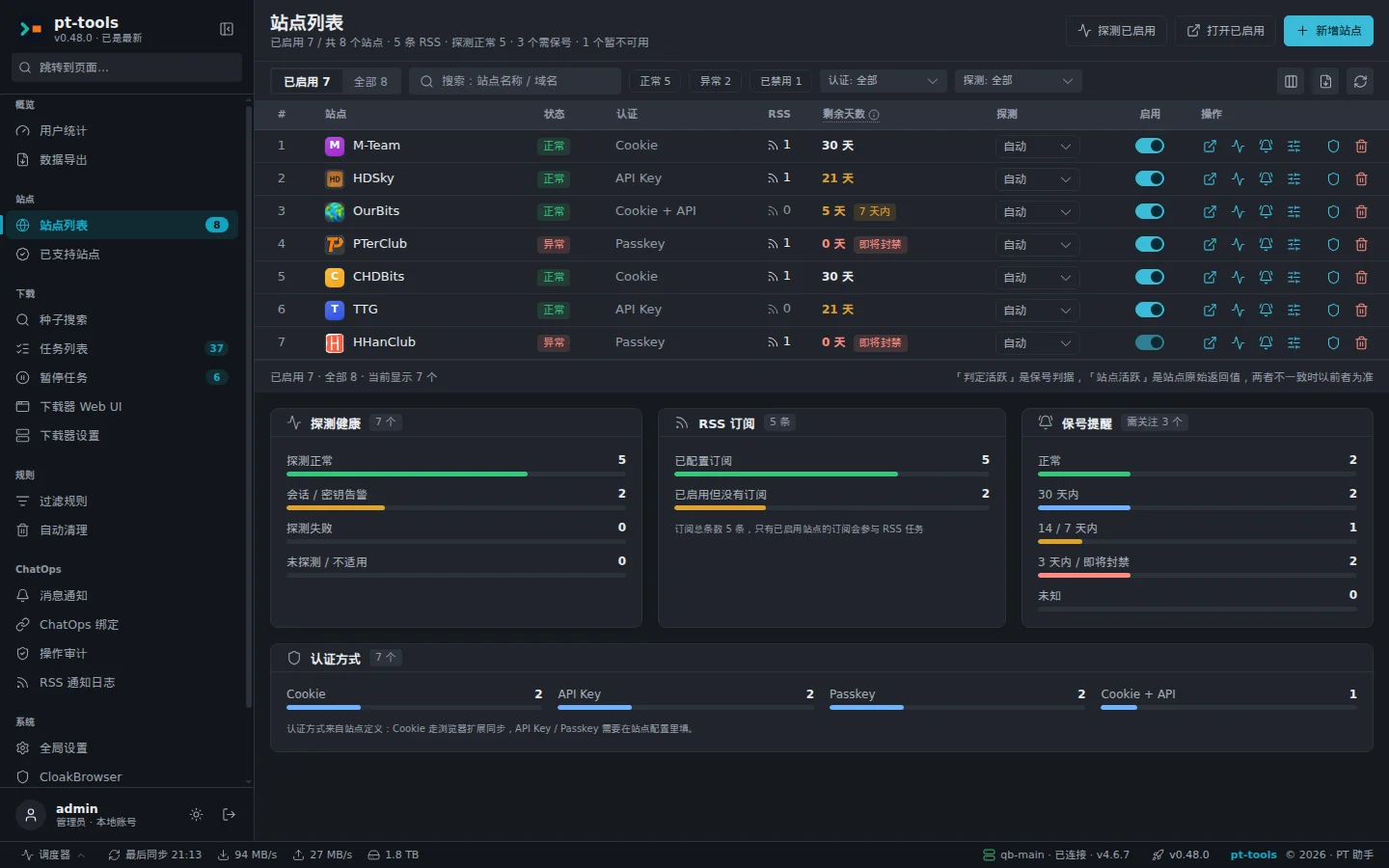
pt-tools is a self-hosted automation tool for private tracker (PT) sites. It manages 66 built-in sites with Cookie, API Key, and Passkey authentication, providing a unified dashboard for upload/download stats, share ratios, seeding counts, and bonus points. Core features include RSS auto-download with keyword/wildcard/regex filtering and free-leech handling, unified management of multiple qBittorrent and Transmission instances with disk space checks and automatic cleanup based on seeding time/ratio while protecting H&R torrents, cross-site search with direct push to downloaders, IYUU cross-seeding to find matching torrents on other sites, media library organization that hard-links completed downloads, generates NFO/posters, and notifies Emby/Jellyfin/Plex to scan. It monitors site login status with sign-in reminders and daily auto sign-in, and offers ChatOps via QQ (OneBot/NapCat) and Telegram for status checks, torrent control, and RSS subscription management. A native Android app provides remote access via encrypted relay (no public port required). The stack runs via Docker (amd64/arm64), Linux/Windows binaries, or install scripts, stores data in SQLite with credentials encrypted by a local secret.key, and supports HTTP/HTTPS/SOCKS5 proxies. Licensed under MIT.
Should you self-host pt-tools?
pt-tools scores 50/100 on selfhost.directory (how scoring works) and ranks #8 of 12 in Bittorrent. It has 170 GitHub stars.
There was no stable release in the past 12 months, so check the repository's recent activity before you rely on it.
Setup is moderate: expect some configuration beyond a single command. An official Docker image is available. It is MIT-licensed and written mostly in Go.
Its closest alternative on selfhost.directory is qBittorrent (84/100, 41 180 stars). It scores higher overall, so compare the two before you pick. See pt-tools vs qBittorrent side by side.
Features
- AI AssistantPreview feature in 1.0.0-rc
- API Tokens & App APIPreview feature in 1.0.0-rc
- Browser Extension (PT Tools Helper)
- ChatOps (QQ/Telegram)
- Cross-Site Search
- IYUU Cross-SeedingPreview feature in 1.0.0-rc
- MCP IntegrationPreview feature in 1.0.0-rc
- Media library organizationPreview feature in 1.0.0-rc
- Multi-Downloader Management
- Native Android appPreview feature in 1.0.0-rc; iOS not available
- Proxy Support
- Remote Access via Encrypted RelayPreview feature in 1.0.0-rc
- RSS auto-download
- RSS Notifications
- Site Login MonitoringDaily sign-in is preview in 1.0.0-rc
pt-tools README
FAQ
移动端提示「主机的 App API 级别是 …,请升级」怎么办?
pt-tools server upgraded with incompatible App API. Install the new version of the Android app from GitHub Releases.
移动端一直显示「正在连接」怎么办?
Phone cannot reach direct address or relay. Check in web UI 'System → Remote Access' if relay shows 'Connected'. For external access, direct address must be reachable from outside or configure a relay.
移动端配对提示「主机现在没有打开配对窗口」怎么办?
The QR code has expired or was already used. In the web UI, generate a new pairing QR code via 'Add Device'.
如何重置管理员密码?
Set PT_ADMIN_RESET=1, PT_ADMIN_USER=admin, PT_ADMIN_PASS=new_password via environment variables, restart container, then remove PT_ADMIN_RESET and restart again.
如何配置代理环境变量?
Set HTTP_PROXY, HTTPS_PROXY, ALL_PROXY, NO_PROXY (case-insensitive). ALL_PROXY is used for site access and downloader connections; RSS fetching and Telegram need HTTP_PROXY/HTTPS_PROXY. Restart service after changes.
种子刚下载就被暂停怎么办?
The free-leech remaining time is too short to complete download. Set 'Minimum Free Time' in Global Settings → Download Strategy & Limits (default 30 minutes) to skip torrents with less free time remaining. Also enable 'Download Speed Estimation' with actual speed.
免费结束暂停功能不生效怎么办?
Ensure the 'free-leech end pause' toggle is enabled in the RSS subscription, confirm the torrent is a free-leech one, verify downloader connectivity, check if the site provides free-end time, and review logs for [推送门禁] and [FreeEndMonitor] entries.
RSS 无法获取免费种子怎么办?
Confirm the site actually has free-leech torrents, increase the RSS rows parameter (e.g., rows=50), and temporarily disable all filter rules to test if they are too strict.
RSS 订阅无法解析怎么办?
Open the RSS URL directly in a browser to confirm it returns XML, verify authentication (Cookie/API Key/passkey) is still valid, check network connectivity and proxy needs, and examine pt-tools logs for detailed errors.
API Key 无法使用怎么办?
Check if the API key was revoked in the site backend, verify key permissions are sufficient, and if needed, delete the old key and generate a new one in the site backend, then update pt-tools configuration.
Cookie 失效怎么办?
Re-acquire Cookie by logging into the site and copying the full Cookie from browser dev tools (without 'Cookie:' prefix, no extra spaces/newlines), verify account isn't banned or forced offline, and enable 'remember me' on login to extend Cookie lifetime.
种子推送失败怎么办?
Check downloader connection status via the connectivity test, confirm download directory exists and downloader has write permission, verify disk space, and check downloader logs for errors.
下载器连接失败怎么办?
Check URL format (include http:// or https:// and correct port), verify username/password, ensure downloader WebUI is enabled, check firewall/security groups, and in Docker use host IP or host.docker.internal instead of localhost.
More in Bittorrent
 qBittorrentqBittorrent is an open-source, cross-platform BitTorrent client with a WebUI for remote management, aiming to be a free alternative to µTorrent.
 quiOpen-source, self-hosted web UI for qBittorrent: one binary manages many instances, with cross-seed, automation rules, backups, OIDC and a proxy endpoint for Sonarr.
 rfloodSelf-hosted web interface for rTorrent using the Flood UI, packaged as a Docker image with built-in WireGuard VPN support and XML-RPC/JSON-RPC endpoints.
 rustatioRustatio is an open-source BitTorrent ratio tool that mimics popular clients. It runs as a desktop program or a containerized server with a browser interface.
 ruTorrentSelf-hosted, open-source web UI for the rTorrent BitTorrent client, with a bundled plugin system for RSS, search, ratio groups and multi-user setups.
 rutorrent-crazymaxSelf-hosted open-source Docker image bundling rTorrent with ruTorrent web UI, featuring multi-platform builds and optional basic auth.
 speedrrSelf-hosted Python tool that dynamically adjusts qBittorrent/Transmission speeds based on Plex/Jellyfin/Emby streams and time schedules.
 torrentinimSelf-hosted, open-source torrent search engine and crawler with a JSON API, designed for Sonarr and Radarr integration, using ~24 MB RAM.
 TransmissionSelf-hosted, open-source BitTorrent client: native macOS, Windows and Linux GUIs plus a lightweight headless daemon with a web UI and JSON-RPC API for remote control.
 Transmission_VPNA self-hosted, open-source Docker container that runs Transmission and its web UI only while an OpenVPN tunnel is active, with presets for many VPN providers.
 AriaNgA self-hosted, open-source web UI for the aria2 download daemon: pure HTML and JS files you serve yourself, with task sorting, dark theme and multi-RPC-host support.
 BitPlayBitPlay is a self-hosted Go web app that streams video torrents in your browser, with Prowlarr and Jackett search integration.
0 comments