
Self-host PrivyDrop
v1.3.0P2P file and text sharing over WebRTC with E2E encryption
- Stars
- 145
- CPU
- 1 core
- RAM
- 512MB
- Storage
- 2GB available space
- Ports
- 3001 (Backend API and Socket.IO signaling), 3002 (Frontend web application), 80 (Nginx HTTP reverse proxy), 443 (Nginx HTTPS reverse proxy (full mode)), 3478 (Coturn TURN/STUN server (TCP/UDP)), 5349 (Coturn TURN over TLS), 49152 (Coturn UDP relay port range start (default 49152-49252))
- Requires
- Redis
What is PrivyDrop?
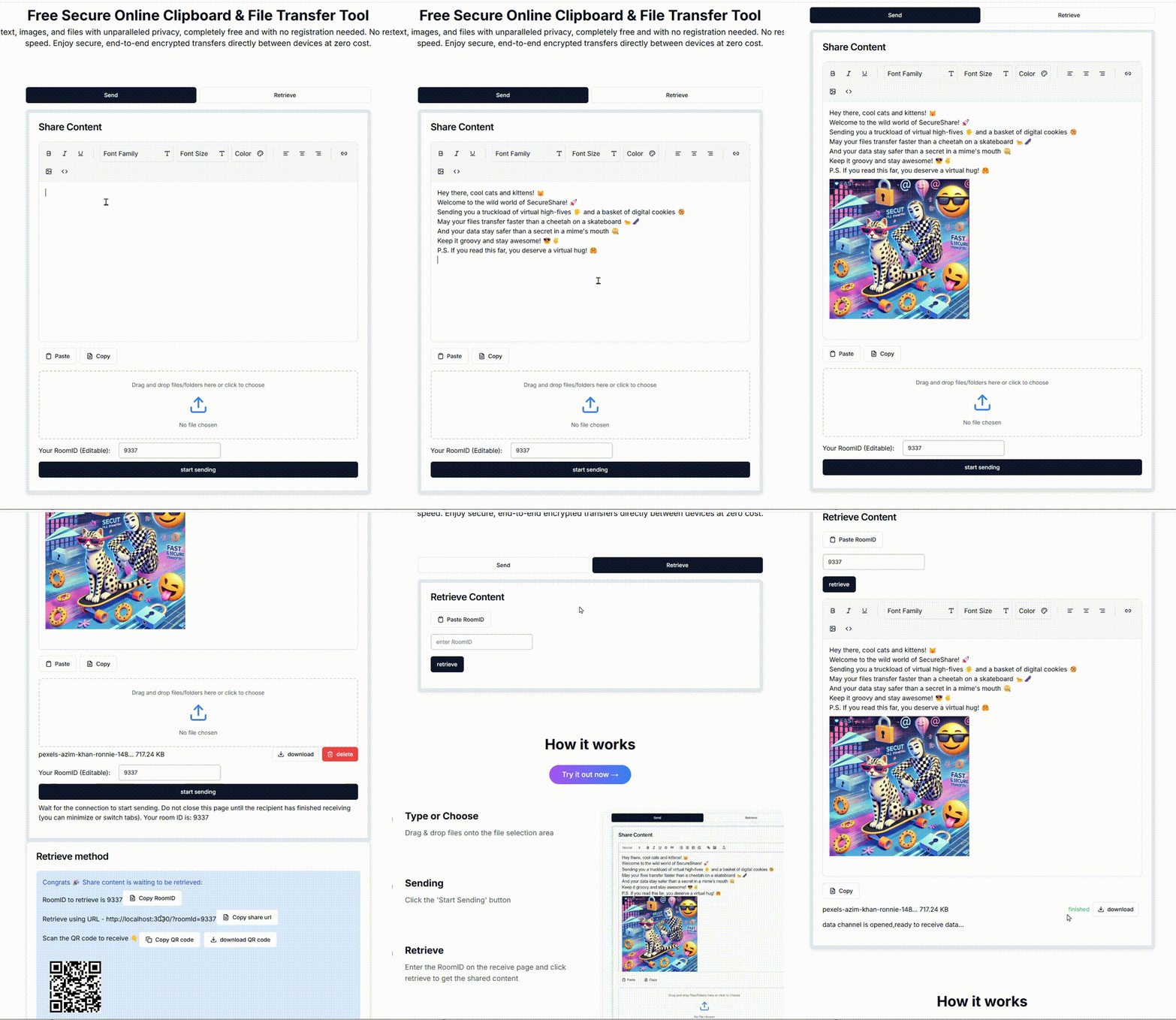
PrivyDrop is a privacy-focused, peer-to-peer file and text sharing web application built on WebRTC. It enables direct browser-to-browser transfers with end-to-end encryption, meaning files never touch a central server. Key capabilities include unlimited file sizes via Chrome's direct-to-disk streaming, simultaneous multi-receiver downloads, folder transfers, resumable transfers with pause/resume, real-time progress and speed display, rich text clipboard sharing, and room-based connections via links or QR codes. The responsive UI works on desktop and mobile browsers with support for English, Chinese, Spanish, Japanese, German, French, and Korean. Self-hosting is done via Docker Compose with a one-click deploy script supporting LAN-only, public IP, and full domain (Let's Encrypt HTTPS) modes. A built-in TURN server (coturn) handles NAT traversal. The stack uses Next.js/React frontend, Node.js/Express backend, Socket.IO for signaling, and Redis for room state. No user accounts or authentication are required — anyone with the room link can join.
Should you self-host PrivyDrop?
PrivyDrop scores 46/100 on selfhost.directory (how scoring works) and ranks #59 of 86 in File Sharing. It has 145 GitHub stars.
It shipped 3 stable releases in the past year. The latest, v1.3.0, came out on 8 June 2026. New versions land roughly every 3 months.
Setup is moderate: expect some configuration beyond a single command. It is MIT-licensed and written mostly in Typescript.
Its closest alternative on selfhost.directory is Local Content Share (51/100, 493 stars). It scores higher overall, so compare the two before you pick. See PrivyDrop vs Local Content Share side by side.
Features
- End-to-end encryption
- File and folder transfer
- In-app navigation persistence
- Internationalization
- Multi-receiver Support
- No Account Required
- QR code and link sharing
- Real-time progress and speed
- Resume TransferIf interrupted, currently need to refresh both sender and receiver web pages to restart the transfer.
- Rich Text Clipboard
- Unlimited File Transfer
PrivyDrop README
More in File Transfer & Sync
 PsiTransferOpen-source, self-hosted file sharing: send big files with resumable uploads, no accounts, one-time links and password-protected download lists.
 seedsyncSelf-hosted tool to sync files from remote seedboxes using LFTP, with web UI, auto-queue, and archive extraction.
 SharrySelf-hosted, open-source file sharing app: upload files and get a link back, protect shares with password and expiry, or receive uploads via alias pages.
 SimpleXSimpleXMQ is an open-source, self-hosted message broker implementing the SimpleX Messaging Protocol for private communication without user IDs.
 SnapdropOpen-source, self-hostable progressive web app for instant peer-to-peer file transfers between devices on your local network over WebRTC, no setup or signup.
 transfer.shA self-hosted, open-source file sharing server: upload with curl or a web front end, share expiring links, store on local disk, S3, Storj or Google Drive.
 tunesynctooltunesynctool is a self-hosted, open-source web app that transfers and syncs playlists between Spotify, Deezer, YouTube Music, and Subsonic-compatible servers.
 UnisonSelf-hosted, open-source two-way file synchronizer for Linux, BSD, macOS and Windows replicas, with conflict detection, profiles, backups and a continuous watch mode.
 YouTransferA self-hosted file transfer and sharing server you run behind your own firewall, shipped as a Docker image or NodeJS app, pitched against Dropbox and WeTransfer.
 any-sync-dockercomposeDeploy your own any-sync network with Docker Compose - self-host Anytype backend
 bashuploadSelf-hosted PHP file upload service for sharing files between servers, desktops and mobiles via command line or browser with automatic expiration.
 ClipCascadeOpen-source clipboard sync for Windows, macOS, Linux and Android: text, images and files relayed by a self-hosted server or peer-to-peer, end-to-end encrypted.
0 comments