
Self-host poeticmetric
v2.0.0-beta.8Privacy-first open-source web analytics alternative
- Stars
- 269
- CPU
- x86-64 or arm64
- RAM
- 2GB minimum, 4GB recommended
- Ports
- 8000 (Frontend (NGINX serving static Next.js build)), 8001 (REST API (Go backend))
- Requires
- ClickHouse, PostgreSQL, RabbitMQ, Redis, SMTP server
What is poeticmetric?
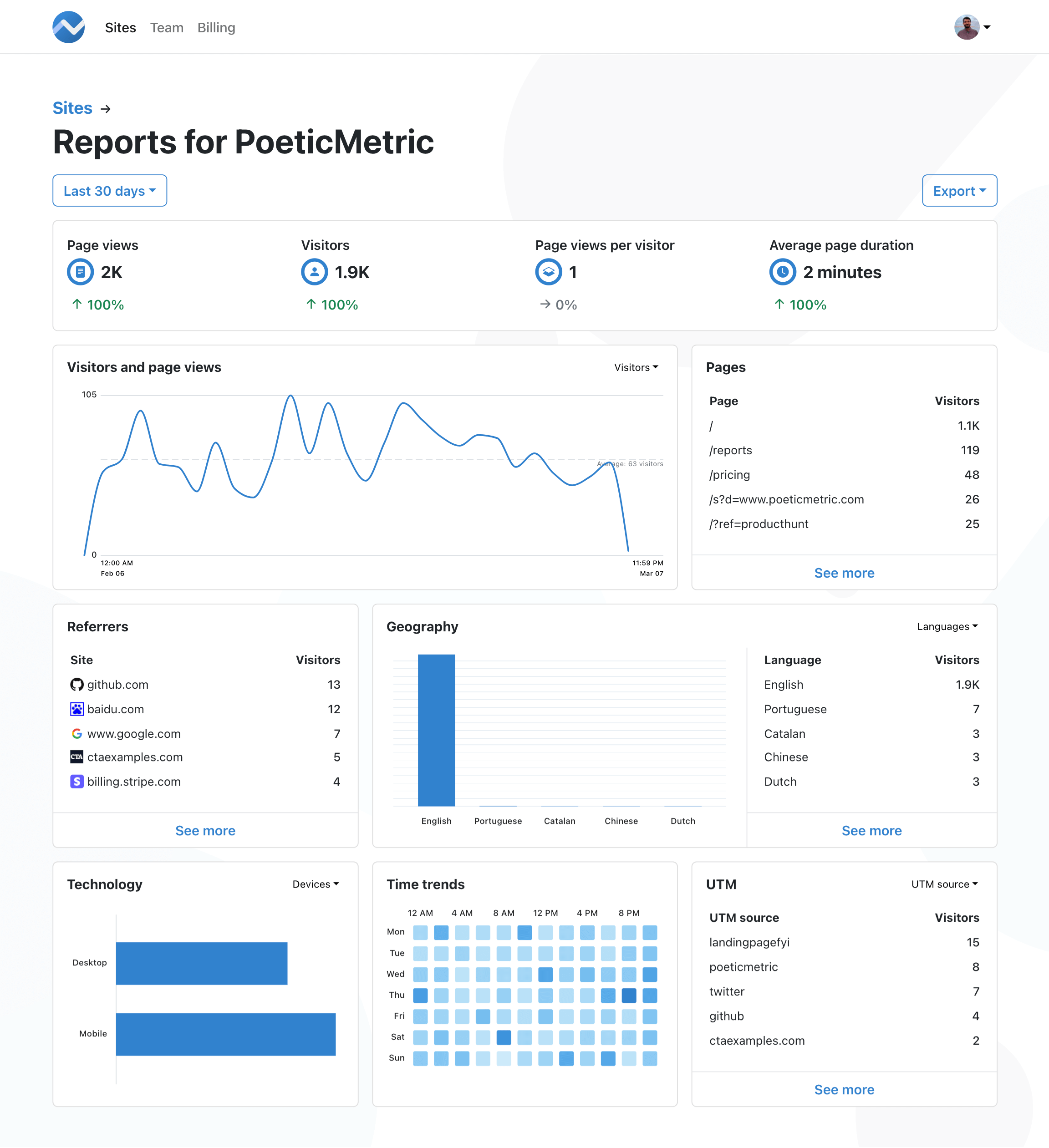
PoeticMetric is a privacy-focused, open-source web analytics tool that serves as a Google Analytics alternative. It collects no personal data, uses no cookies, and is fully compliant with major privacy regulations including GDPR, CCPA, PECR, and KVKK. The platform provides clear, clutter-free reports with team collaboration features, a REST API for integrations, and lightning-fast performance powered by ClickHouse. It is self-hosted via Docker Compose with pre-built images for linux/amd64 and linux/arm64 architectures. The architecture consists of a Next.js frontend served by NGINX, a Go backend with REST API, worker, and scheduler components, backed by PostgreSQL (primary database), ClickHouse (analytics OLAP), RabbitMQ (message broker), and Redis (ephemeral storage). A managed cloud service is also available at poeticmetric.com with free and paid tiers.
Should you self-host poeticmetric?
poeticmetric scores 50/100 on selfhost.directory (how scoring works) and ranks #17 of 21 in Web analytics. It has 269 GitHub stars.
There was no stable release in the past 12 months, so check the repository's recent activity before you rely on it.
Setup is moderate: expect some configuration beyond a single command. It is AGPL-3.0-licensed and written mostly in Typescript.
Its closest alternative on selfhost.directory is Plausible Analytics (81/100, 29 704 stars). It scores higher overall, so compare the two before you pick. See poeticmetric vs Plausible Analytics side by side.
Features
- Email notifications
- Google Search Console integration
- Open source (AGPL-3.0)
- Privacy-first analytics
- Real-Time Analytics
- REST API
- Team Collaboration
poeticmetric README
More in Web analytics
 PostHogOpen-source product toolkit - analytics, session replay, feature flags, error tracking - with a one-line self-hosted hobby deploy using Docker Compose.
 rightanaRightAna is a self-hosted, open-source web analytics platform tracking sessions with GDPR compliance, running as a single Go binary with embedded BoltDB.
 RybbitOpen-source cookieless web & product analytics replacing Google Analytics: session replays, funnels, retention, self-hosted with Docker, Postgres and ClickHouse.
 shynetSelf-hosted, open-source web analytics that watches visitors with no cookies and no required JavaScript, giving sessions, referrers, bounce rate and location data.
 sinkOpen-source, self-hosted URL shortener with visit analytics, custom slugs, QR codes and Cloudflare Access support, deployed serverlessly on Cloudflare Workers.
 stack-authSelf-hosted open-source user platform for SaaS apps: auth with passkeys, teams and RBAC, API keys, payments, emails, webhooks, and product analytics with replays.
 swetrixOpen-source, cookieless Google Analytics alternative: privacy-first traffic stats plus error tracking, performance monitoring and self-hosted session replays.
 UmamiOpen-source, self-hosted web and product analytics: traffic, events, funnels, replays and heatmaps without cookies, backed by PostgreSQL and shipped as a Docker image.
 VinceSelf-hosted, open-source web analytics server pitched as a privacy-friendly alternative to Google Analytics and Plausible, shipped as a single zero-dependency binary.
 ackeeSelf-hosted, open-source web analytics with cookie-free anonymized tracking, a minimal dashboard and a GraphQL API. Runs on Node.js and MongoDB.
 AptabaseOpen-source, privacy-first app analytics alternative to Firebase and Google Analytics, self-hosted with Docker Compose; it tracks sessions, not user IDs.
 CounterCounter is a self-hosted, open-source web analytics tool tracking daily unique visitors, referrers, and locations without cookies or IP fingerprinting.
0 comments