
Self-host OTOBO
rel-11_1_1Web-based ticketing for IT service management
- Stars
- 338
- CPU
- small CPU (test) / 3 GHz Xeon or comparable (production)
- RAM
- 4 GB (test) / 8 GB (production, 16 GB recommended)
- Storage
- 10 GB (test) / 40 GB (production)
- Ports
- 80 (HTTP web interface (redirects to HTTPS when enabled)), 5000 (Internal Gazelle Perl webserver port)
- Requires
- MariaDB, Nginx, Perl
rotheross/otobo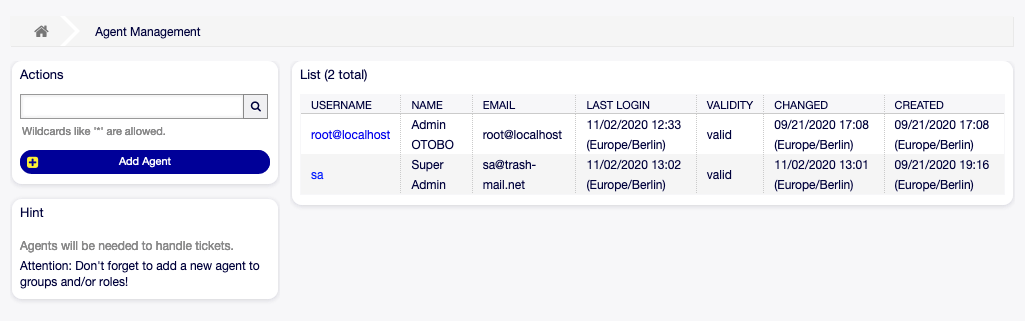
What is OTOBO?
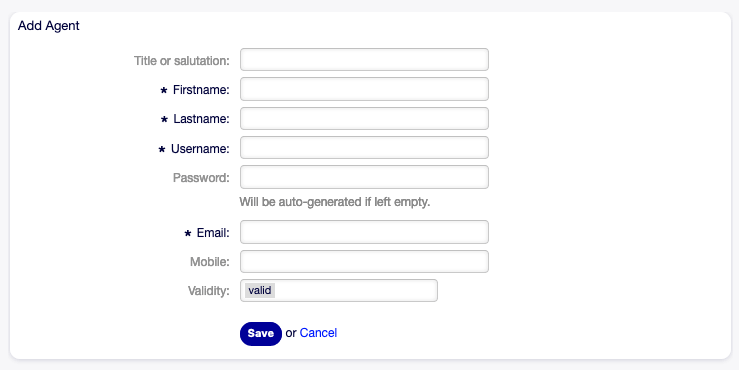
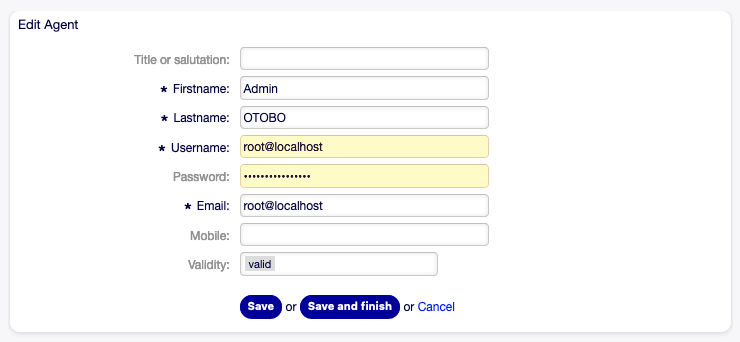
OTOBO is a web-based open-source ticketing system forked from OTRS Community Edition in 2019. It serves IT helpdesks, customer service centers, and call centers with classical ticketing, a knowledge base with internal and external interfaces, process automation, and an ITSM extension with a configuration management database (CMDB) for tracking IT assets. The software runs on Linux and Unix systems (Windows not supported) and can be deployed via Docker Compose (recommended) or native installation on Ubuntu and RHEL. The Docker stack includes MariaDB, Elasticsearch for fast search, Redis for caching, Gazelle Perl webserver, and optional Nginx reverse proxy for HTTPS. Authentication supports built-in users, LDAP/Active Directory, and Kerberos single sign-on. The platform offers a modern agent interface and a whitelabel self-service portal for customers and employees. Professional services including consulting, training, support, and managed hosting are available from Rother OSS GmbH.
Should you self-host OTOBO?
OTOBO scores 54/100 on selfhost.directory (how scoring works) and ranks #5 of 9 in Helpdesk. It has 338 GitHub stars.
It shipped 2 stable releases in the past year. The latest, rel-11_0_15, came out on 4 February 2026. New versions land roughly every 2 months.
Setup is advanced: plan for several services and some ongoing maintenance. An official Docker image is available. It is GPL-3.0-licensed and written mostly in Perl.
Its closest alternative on selfhost.directory is Zammad (70/100, 6 044 stars). It scores higher overall, so compare the two before you pick. See OTOBO vs Zammad side by side.
Features
- Customer Satisfaction Surveys (CSAT/NPS)
- Draft Mode for Emails and Notes
- Email Filtering (Postmaster)
- Internal and External Notes
- ITSM with CMDB
- Knowledge Base / FAQ
- Multi-channel Communication
- Process Automation
- REST & SOAP API (Generic Interface)
- Role-based Access Control (ACLs)
- Self-service portal
- Team Calendars & Automatic Scheduling
- Ticket Management
OTOBO README
More in Ticketing System
 PretixSelf-hosted, open-source ticket shop for conferences, festivals and museums: sell tickets online with flexible products, payments, check-in lists and full API access.
 Request TrackerRequest Tracker (RT) is a self-hosted, open-source ticket tracking system for teams with email integration, workflows, scrips automation, dashboards, assets, and REST API
 TrudeskTrudesk is a self-hosted, open-source help desk with real-time tickets, chat, email-to-ticket, and a REST API.
 UVdesk HelpdeskOpen-source service desk for support teams: email-to-ticket mailboxes, workflows, saved replies, knowledgebase. Self-hosted via Composer, Docker or an AWS image.
 ZammadZammad is a self-hosted, open-source ticketing system that consolidates customer support across email, chat, phone, and social media into one web-based platform.
 Frappe HelpdeskSelf-hosted open-source helpdesk with tickets, SLAs, knowledge base, and email integration. Unlimited agents, AGPL-3.0.
 FreeScoutA self-hosted, open-source help desk & shared mailbox — Zendesk / Help Scout alternative on PHP & MySQL, with unlimited agents and tickets.
 Hi.EventsOpen-source, self-hosted event ticketing platform built with Laravel and React. Sell paid, free and donation tickets with QR check-in, promo codes and Stripe payouts.
 ITFlowITFlow is a self-hosted, open-source PSA for small MSPs unifying client documentation, ticketing, and invoicing with Stripe, AI assistance, and a client portal.
 iTopiTop is a self-hosted, open-source ITSM platform with configurable CMDB, helpdesk, change management, and ITIL processes. Runs on PHP/MariaDB.
 LoonflowSelf-hosted, open-source ticket and process automation system with drag-and-drop workflow and form designers, plus an MCP ticket server for AI clients.
 osTicketA self-hosted, open-source help desk that turns email, web-form and API enquiries into tickets with filter routing, SLA plans, custom fields and a customer portal.
0 comments