
Self-host OpenScribe
v0.1.1Open-source AI medical scribe for clinical documentation
- Stars
- 223
- RAM
- 8GB
- Storage
- 20GB free disk
- Ports
- 3001 (web application), 8002 (local Whisper transcription service)
- Requires
- Whisper (local transcription)
What is OpenScribe?
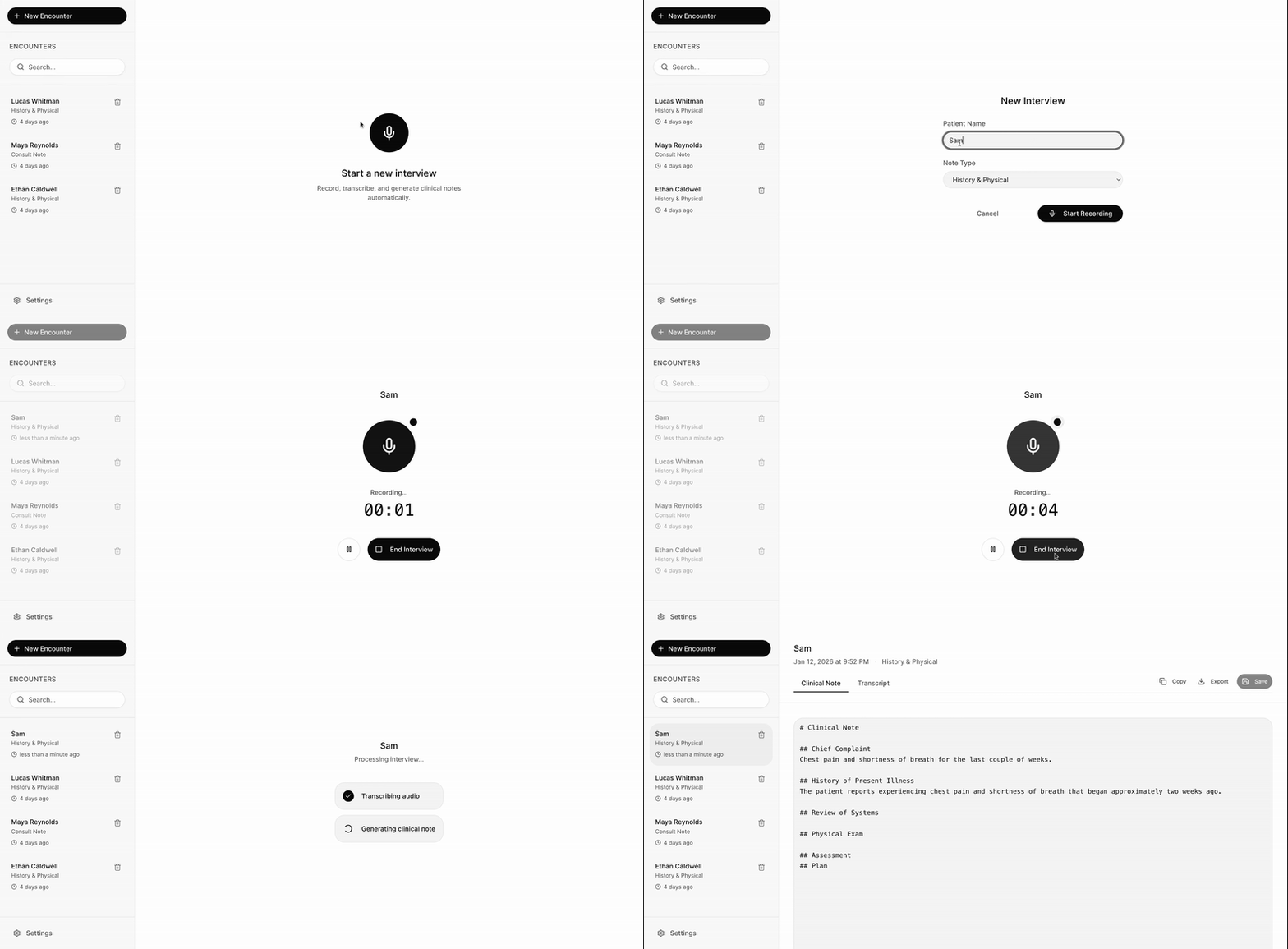
OpenScribe is a free, MIT-licensed AI medical scribe built for clinicians. It records patient visits, transcribes the audio, and produces structured draft clinical notes. Three runtime modes are available: a default mixed web mode that keeps transcription local via Whisper while sending text to Anthropic Claude for note creation; a fully local desktop mode (Electron) that runs Whisper and Ollama models entirely on-device with no cloud calls; and a cloud fallback that uses OpenAI Whisper API plus hosted LLMs. The web front end is a Next.js application that keeps encounter data in the browser using AES-GCM encrypted localStorage; audio is handled in memory and never written to disk. The desktop installer includes a first-run wizard that downloads the required models. Note templates cover Default (History and Physical), SOAP, and a custom markdown option. The project is not yet HIPAA compliant but ships foundational privacy controls. You can deploy it via Docker Compose (SAM), grab packaged installers for macOS, Windows, or Linux, or run the pnpm development stack.
Should you self-host OpenScribe?
OpenScribe scores 44/100 on selfhost.directory (how scoring works) and ranks #4 of 5 in Healthcare. It has 223 GitHub stars.
It shipped 2 stable releases in the past year. The latest, v0.1.1, came out on 12 March 2026. New versions land roughly every 2 months.
Setup is moderate: expect some configuration beyond a single command. It is MIT-licensed and written mostly in Typescript.
Its closest alternative on selfhost.directory is OpenEMR (72/100, 5 555 stars). It scores higher overall, so compare the two before you pick. See OpenScribe vs OpenEMR side by side.
Features
- AI Medical Scribe
- Clinical Note Generation
- Desktop application
- Docker Compose Deployment
- Encrypted Local Storage
- Local Audio Transcription
- MedGemma Local ScribeText-only, no audio ingestion
- Multilingual Transcription
- Multiple Runtime Modes
- Note templates
- OpenClaw IntegrationDesktop app path only
OpenScribe README
FAQ
Are generated notes ready for clinical use?
AI-generated notes are drafts requiring human review. The project does not currently claim HIPAA compliance.
Does my data stay on my device?
The local-only desktop workflow uses local transcription and note models. The default mixed web workflow uses local Whisper transcription and sends transcript content to a hosted model for note generation. Choose and configure your workflow before recording.
How do I try it?
Start with the setup guide on GitHub. The latest desktop release includes a macOS Apple Silicon installer; the repository also documents self-hosted web and local desktop workflows.
Is OpenScribe free?
Yes, OpenScribe is free, open-source software under the MIT license. Hosted model providers may charge for inference when you choose a cloud-backed workflow.
More in Healthcare
 MirobodyOpen-source, self-hosted AI health data engine: standardizes lab reports, wearables and genetics, answers with source citations, and can run models locally via llama.cpp.
 oncodashSelf-hosted open-source decision support for tumor boards targeting ovarian cancer, with Vue.js frontend and Django backend using Neo4j.
 Open Data CaptureOpen Data Capture is a self-hosted, open-source web platform for clinical questionnaires and interactive tasks, with hash-based patient IDs and multilingual support.
 OpenELIS GlobalSelf-hosted, open-source LIS/LIMS used in 26+ countries. FHIR R4 native with analyzer integration, pathology, sample storage, and One Health surveillance.
 OpenEMRSelf-hosted, open-source EHR and clinic management suite with scheduling, e-billing, prescriptions, FHIR APIs and a patient portal; runs on Docker or a LAMP stack.
0 comments