
Self-host OpenClaw Setup
v5.16.5Web UI to deploy self-hosted AI bots on chat platforms
- Stars
- 213
- Port
- 51789 (Setup Web UI)
- Requires
- Git, Node.js
What is OpenClaw Setup?
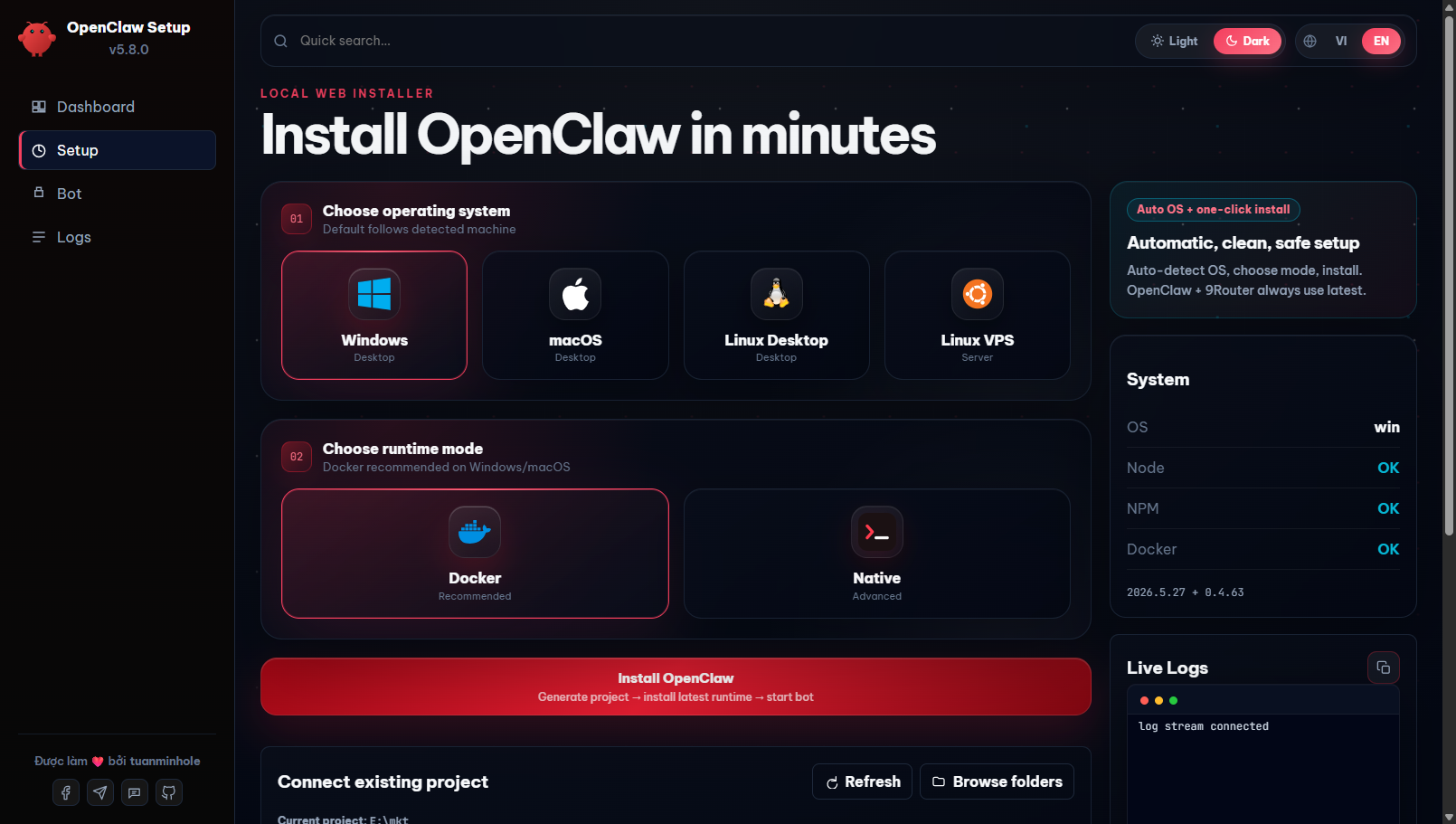
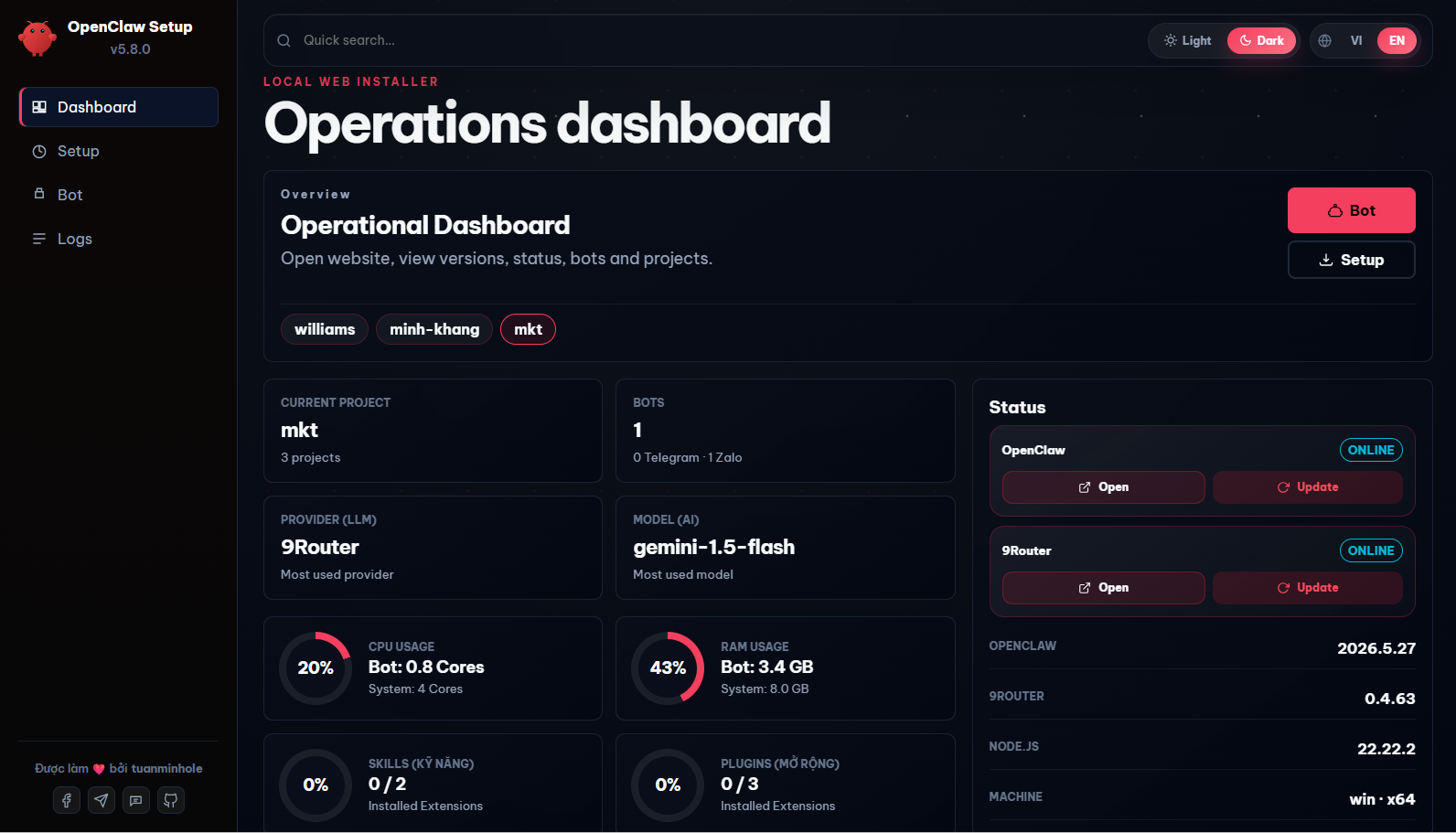
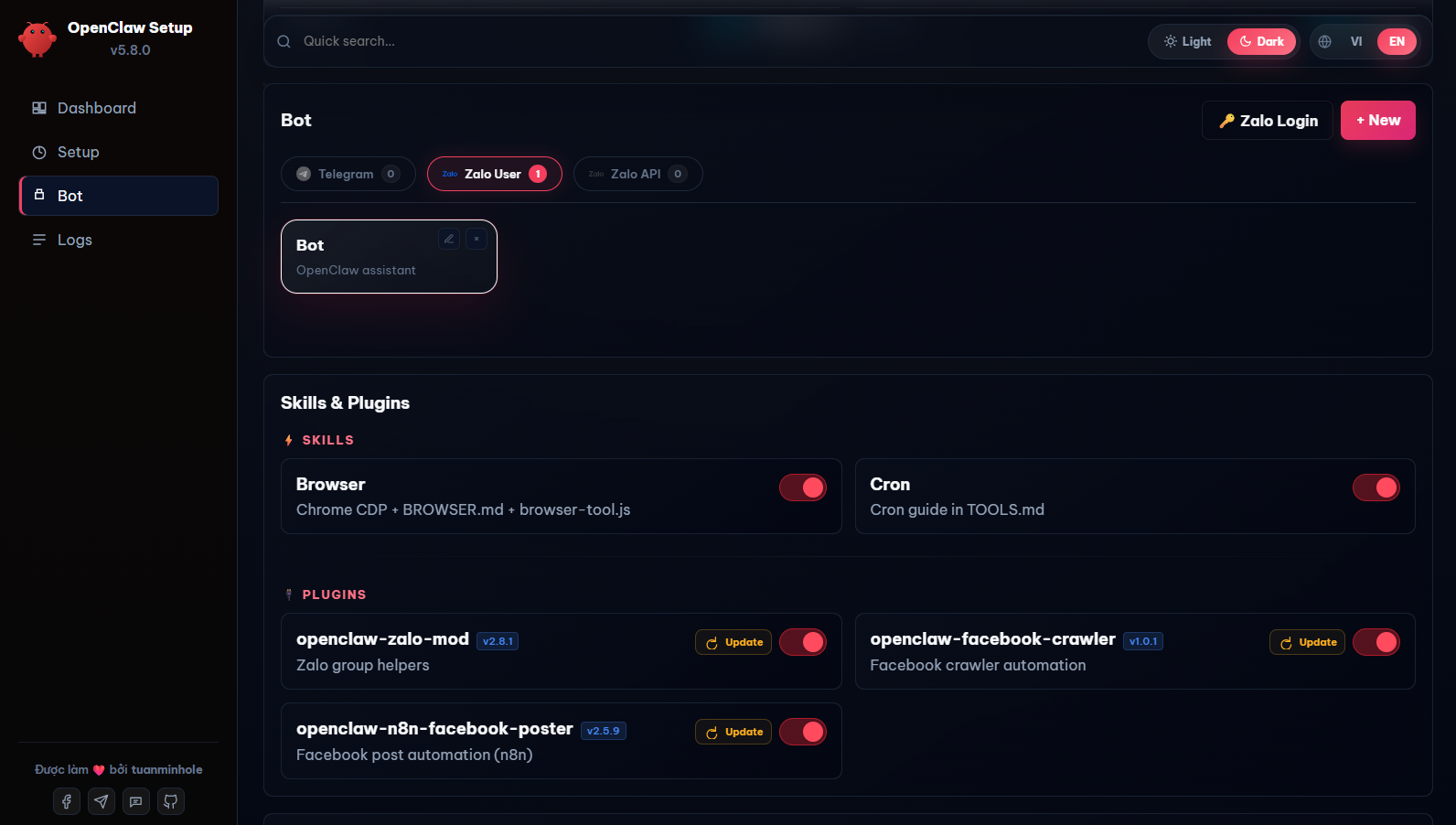
OpenClaw Setup is a self-hosted management dashboard that simplifies deploying and running AI assistants on popular chat platforms. It provides a web UI to scaffold, configure, and control multiple bots across Telegram, Zalo (both Bot API and personal accounts), and Facebook Messenger without writing code. The tool uses 9Router, an open-source OAuth-based AI proxy, to route messages to various providers including local Ollama models without requiring individual API keys. It includes built-in skills for web search, browser automation via Chrome CDP, and cron scheduling. Users can install additional plugins from the integrated marketplace with one click. The setup runs via a single npx command, Docker, or manual clone, and stores all configurations and API keys locally on the user's machine. The project is actively maintained with frequent releases and supports Windows, macOS, Linux, and VPS deployments.
Should you self-host OpenClaw Setup?
OpenClaw Setup scores 50/100 on selfhost.directory (how scoring works) and ranks #5 of 6 in Chatbot. It has 213 GitHub stars.
There was no stable release in the past 12 months, so check the repository's recent activity before you rely on it.
Setup is moderate: expect some configuration beyond a single command. It is MIT-licensed and written mostly in JavaScript.
Its closest alternative on selfhost.directory is OpenWork (74/100, 24 303 stars). It scores higher overall, so compare the two before you pick. See OpenClaw Setup vs OpenWork side by side.
Features
- Automatic conversation summarization
- Bot lifecycle management
- Built-in skills
- Computer control (Control PC)Off by default, only on machines with a screen
- Dark/light theme toggle
- Docker and native install modes
- File editor in web UI
- In-app update mechanism
- Local configuration storage
- Multi-bot team management
- Multi-channel bot deployment
- Plugin Marketplace
- Unified AI routing via 9Router
- Web-based setup wizard
OpenClaw Setup README
FAQ
Can I change the AI model configuration later?
Yes, edit the config JSON via the integrated File Editor in the Web UI or re-run the setup script pointing to your existing project folder.
Where do I edit the bot's persona and instructions?
Edit files like SOUL.md or AGENTS.md directly in the Bot tab's file tree in the web UI and click Save.
How do I start or stop the bot?
Use the Start / Stop / Recreate buttons in the Bot tab of the Setup Web UI; no terminal commands needed.
More in Chatbot
 OwlySelf-hosted AI support agent unifying WhatsApp, Email, and Phone with cross-channel identity, knowledge base, automation, and tickets.
 PocketRisuPocketRisu is a self-hosted, open-source AI roleplay chat platform that runs on your hardware and connects to multiple LLM providers via a web browser.
 Red-DiscordBotSelf-hosted open-source Discord bot where every feature is a loadable cog: moderation, music, trivia, stream alerts, plus community cogs installed straight from Discord.
 ReMindSelf-hosted AI chat app with streaming, sessions, share links, file uploads, and privacy controls for users.
 sapphireSapphire Blue AI is a self-hosted, open-source AI companion with voice, memory, personas, and plugins. Runs locally with optional cloud LLMs.
 Synapse-OSSSynapse is a self-hosted, open-source personal AI assistant with hybrid RAG memory, evolving behavioral profile (SBS), and multi-channel support.
 TypebotSelf-hosted, fair-source chatbot builder with a visual block editor, web and WhatsApp delivery, webhooks, result analytics, and Docker images for builder and viewer.
 webwhizSelf-hosted, open-source AI chatbot that trains on your website data to provide instant customer support with 100+ language support and GDPR compliance.
 小女仆机器人Self-hosted Rust AI agent bot for QQ, OneBot 11, WeChat with memory, RAG, todos, RSS, web search, tool calling, dice, multi-model routing — ~25 MiB, SQLite.
 AstrBotAstrBot is a self-hosted, open-source AI agent platform connecting to QQ, Telegram, Discord, Slack, and 15+ messaging apps with LLM support, plugins, and agent sandbox.
 chat-uiA self-hosted, open-source chat interface for LLMs that talks to any OpenAI-compatible API (Ollama, llama.cpp, OpenRouter) with MCP tool calling and model routing.
 hexabotHexabot is a self-hosted AI workflow automation platform for building agentic workflows across channels with a visual editor, YAML, memory, RAG, and RBAC.
0 comments