
Self-host nextjs-vllm-ui
0.1.0Web UI for vLLM and Ollama LLMs
- Stars
- 185
- Port
- 3000 (HTTP web interface)
- Requires
- Node.js
ghcr.io/yoziru/nextjs-vllm-ui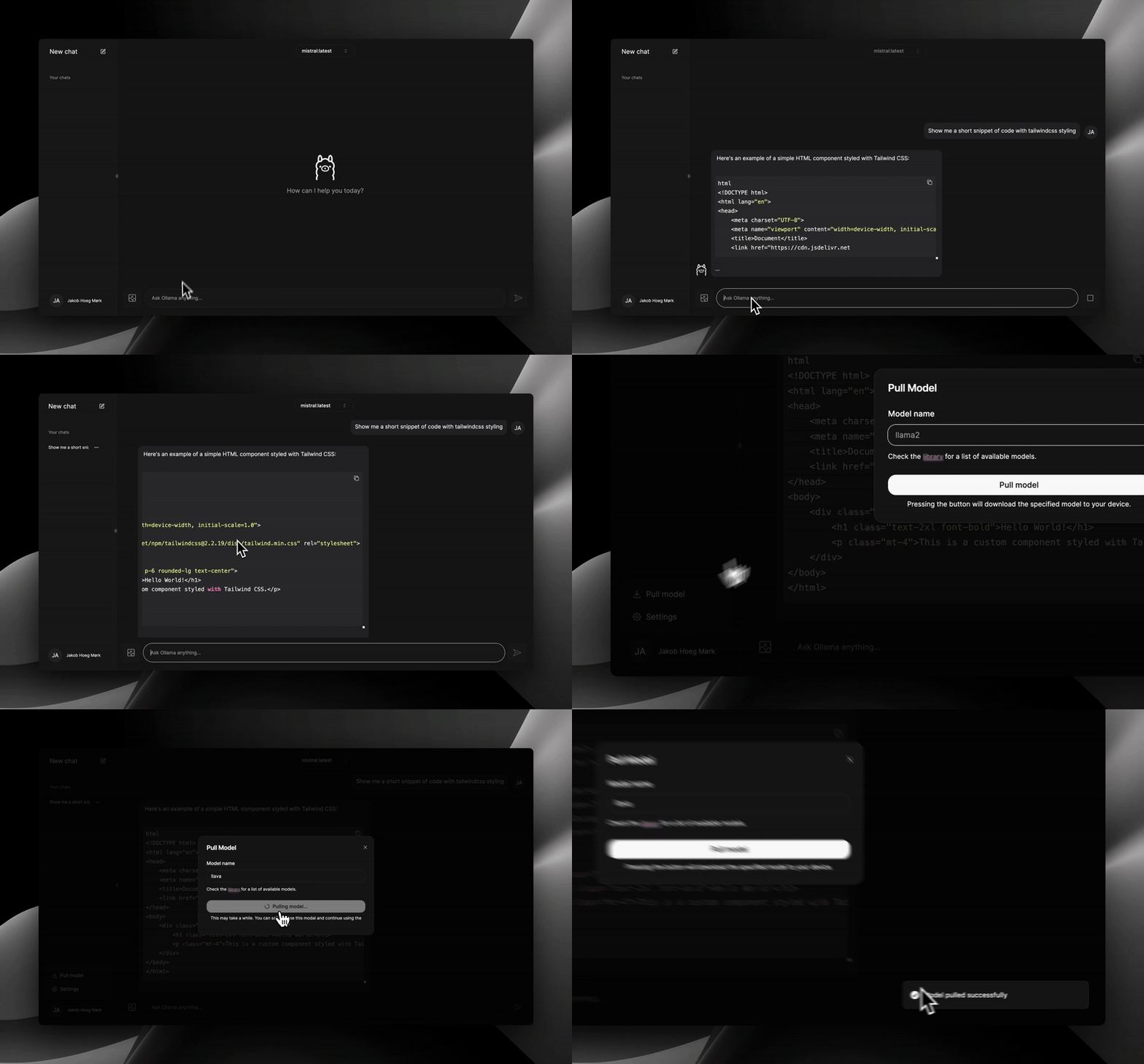
What is nextjs-vllm-ui?
nextjs-vllm-ui is a self-hosted web interface for interacting with large language models served by vLLM or Ollama. Built with Next.js, Tailwind CSS, and shadcn/ui, it offers a ChatGPT-inspired UI with features like code syntax highlighting, copy-to-clipboard for code blocks, chat history stored in localStorage, and light/dark mode switching. The project requires a running vLLM or Ollama instance and can be deployed via Docker (ghcr.io/yoziru/nextjs-vllm-ui) or run locally with Node.js 18+ and the Aube package manager. No database is needed as chats are stored in the browser's localStorage. The project is a fork of nextjs-ollama-llm-ui and is licensed under MIT.
Should you self-host nextjs-vllm-ui?
nextjs-vllm-ui scores 41/100 on selfhost.directory (how scoring works) and ranks #53 of 69 in AI Chat. It has 185 GitHub stars.
There was no stable release in the past 12 months, so check the repository's recent activity before you rely on it.
Setup is moderate: expect some configuration beyond a single command. An official Docker image is available. It is MIT-licensed and written mostly in Typescript.
Its closest alternative on selfhost.directory is LibreChat (85/100, 46 421 stars). It scores higher overall, so compare the two before you pick. See nextjs-vllm-ui vs LibreChat side by side.
Features
- Chat History
- Chat Interface
- Code syntax highlighting
- Copy code blocks
- Local Storage
nextjs-vllm-ui README
More in LLM Integration
 nexus-gatewaySelf-hosted open-source AI gateway intercepting LLM traffic at SDK, network, and OS layers with compliance, routing across 20+ providers, caching, quotas, and audit.
 NoteDiscoverySelf-hosted, open-source Markdown knowledge base: wikilinks, backlinks, graph view, tags, templates, LaTeX, Mermaid, drawing editor, MCP AI access. One Docker container.
 OllamaUIOllama UI is a self-hosted, open-source web interface for exploring, pulling, and managing Ollama models with chat, tool calling, and Telegram bridge.
 Onyx Community EditionOpen-source, self-hosted AI enterprise search and chat: connectors index 50+ apps with permissions, then RAG search, custom agents and LLM chat run on any provider.
 open-assistant-apiOpen-source, self-hosted AI assistant API compatible with OpenAI Assistants API. Supports RAG, web search, tools, multimodal, streaming — deployable via Docker Compose.
 OpenGateLLMSelf-hosted open-source API gateway unifying generative AI models with OpenAI-compatible endpoints, access control, rate limiting, and usage tracking.
 OpenKnowledgeOpen-source, self-hosted WYSIWYG markdown editor and LLM wiki with MCP agent editing, git-backed sync and team sharing.
 open-notebookSelf-hosted, open-source Notebook LM alternative: research notebooks with cited AI chat, full-text and vector search, transformations, podcasts and 20+ AI providers.
 Open ResponsesA self-hosted, open-source server implementing the OpenAI Responses API specification with support for multiple LLM providers and the Agents SDK.
 OpenVikingOpenViking gives AI agents one self-hosted, browsable viking:// filesystem for memory, knowledge RAG and skills; open-source (AGPL-3.0), deployed via Docker or pip.
 Open-WebUIOpen WebUI is a self-hosted AI platform connecting to Ollama and OpenAI-compatible APIs with RAG, plugins, voice/video calls, and enterprise auth on your hardware.
 OpenWorkSelf-hosted and open-source, this Electron workspace puts AI agents to work on local files; over 50 providers, Ollama support, and a self-hosted Den control plane.
0 comments