
Self-host MySigMail
v2.0.0Email signature generator with 102 free templates for Gmail
- Stars
- 1 555
- Requires
- Bun



What is MySigMail?
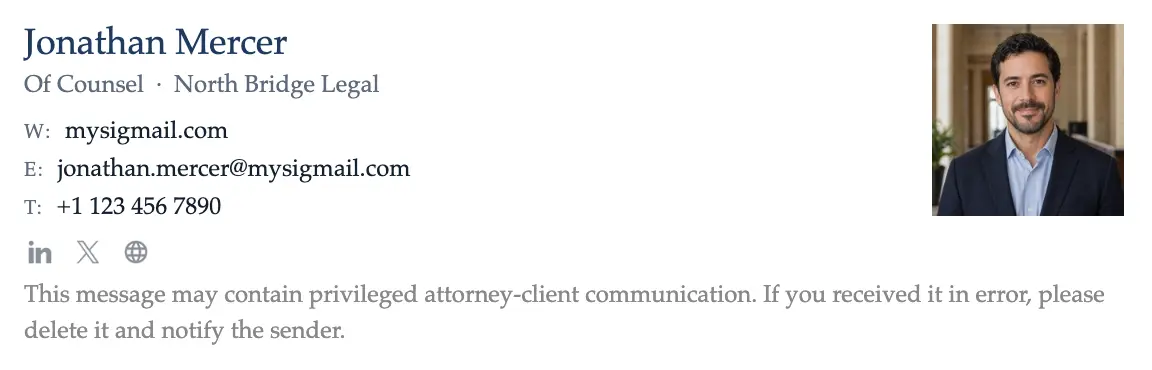
MySigMail is an open-source email signature generator built with Vue and Vite that helps individuals and teams create professional HTML email signatures without design skills. It offers 102 free templates covering various professions, with options to adjust typography, color schemes, avatar styles, social media icons, and custom fields. Add-ons include disclaimers, call-to-action buttons, and banners. The self-hosted version can be deployed on your own infrastructure for full data control, customization, and integration with internal systems like CRM/ERP and SSO. The project uses Bun for development and building, with optional AWS S3 configuration for image upload functionality. A hosted SaaS version at mysigmail.com provides additional features like multiple signature management, analytics, shared signatures, and image hosting on paid plans.
Should you self-host MySigMail?
MySigMail scores 56/100 on selfhost.directory (how scoring works) and ranks #16 of 33 in Communication. It has 1 555 GitHub stars.
There was no stable release in the past 12 months, so check the repository's recent activity before you rely on it.
Setup is moderate: expect some configuration beyond a single command. It is AGPL-3.0-licensed and written mostly in Vue.
Its closest alternative on selfhost.directory is Mautic (76/100, 10 856 stars). It scores higher overall, so compare the two before you pick. See MySigMail vs Mautic side by side.
Features
- Add-ons
- Banner MakerMarked as coming soon in the README
- CRM/ERP integrationSelf-hosted version feature
- Customization
- Email signature generation
- Handwritten signature generator
- SSO and corporate authentication integrationSelf-hosted version feature
- Template library
- URL Builder with UTM tracking
MySigMail README
FAQ
How to install the email signature for Apple Mail?
Copy the signature from MySigMail (use Chrome, not Safari), open Apple Mail Settings > Signatures, create a new signature, paste, and configure as default.
How to install the email signature for Outlook (web)?
Copy the signature from MySigMail, open Outlook web Settings > View All Outlook Settings > Mail > Compose and Reply, paste into the editor, and save.
How to install the email signature for Outlook?
Copy the signature from MySigMail, open Outlook File > Options > Mail > Signatures, create a new signature, paste, and save.
How to install the email signature for Gmail?
Copy the signature from MySigMail, open Gmail Settings, paste into the Signature section, and save changes.
How to design a professional email signature?
A good email signature should be clean, consistent, and informative. It usually includes your name, job title, company, and contact details, plus optional extras like a logo, social media links, or a call-to-action.
What is an email signature generator and how does it work?
An email signature generator is an online tool that helps you quickly create a professional email signature without design or coding skills. With MySigMail, you can customize templates, add your logo, links, and even banners or GIFs.
What is an email signature and why do you need it?
An email signature is a personalized block of information at the bottom of your emails that shows who you are and how to contact you. It helps build trust, makes your messages look professional, and can drive traffic to your website or social media.
More in Productivity
 NautiloNautilo is a self-hosted, open-source workspace where people and AI agents collaborate in shared Rooms. Run it on your own infrastructure with Docker.
 NextcloudNextcloud Server is a self-hosted, open-source platform replacing Google Workspace or Microsoft 365 with file sync, calendar, mail, video calls, and office editing.
 Nextcloud Mail💌 Mail app for Nextcloud
 nextcloud-mcp-serverA self-hosted, open-source MCP server that lets AI assistants interact with your Nextcloud instance — managing notes, calendars, contacts, files, and more.
 Nextcloud Notes✎ Distraction-free notes and writing
 Nextcloud Office📑 Collabora Online for Nextcloud
 Nextcloud Tasks:white_check_mark: Tasks app for Nextcloud
 ObsidianSelf-hosted Obsidian desktop application delivered via web browser using LinuxServer.io's Selkies platform for note creation, linking and organization.
 OmniToolsA self-hosted, open-source browser toolbox of image, PDF, video, audio, text, list and data tools where every file is processed on your own device.
 Onit SideKickOnit SideKick is a self-hosted AI chat sidebar for macOS that docks to any app, letting you highlight text or load windows as context for local or remote LLMs.
 OpenBotEnterprise AI agent platform on your infrastructure. Any AG-UI agent as coworker with company knowledge and computer use. Data in PostgreSQL; models yours to choose.
 OpenBriefFree open-source desktop app for macOS, Windows, Linux that imports video/audio, extracts transcripts locally, generates grounded summaries, and lets you chat.
0 comments