
Self-host Mechon
v1.0.0Discord bot hosting control panel with per-bot sandboxing
- Stars
- 290
- CPU
- Linux server (amd64 or arm64) with systemd
- Requires
- Docker Engine, PostgreSQL
What is Mechon?
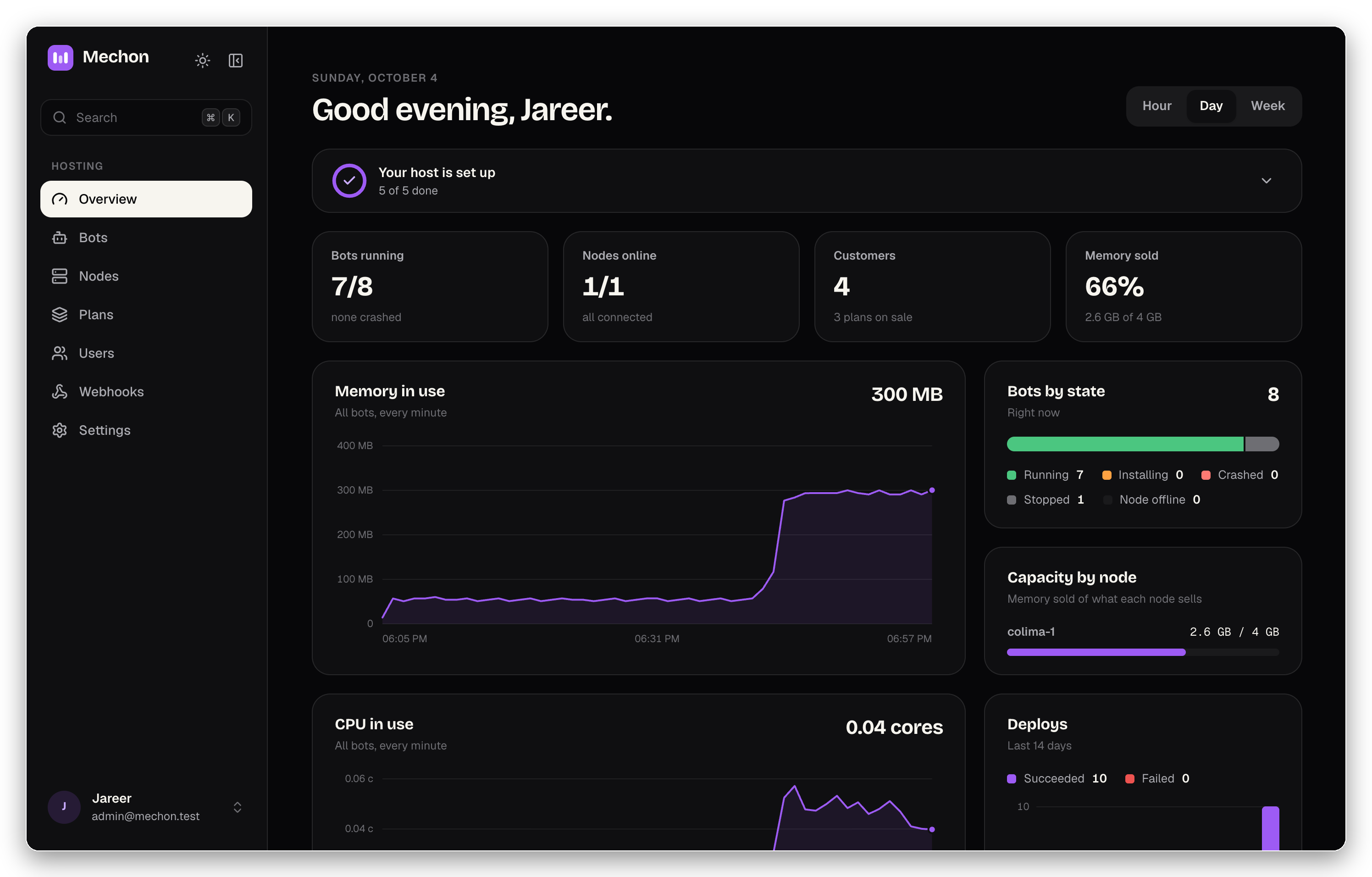
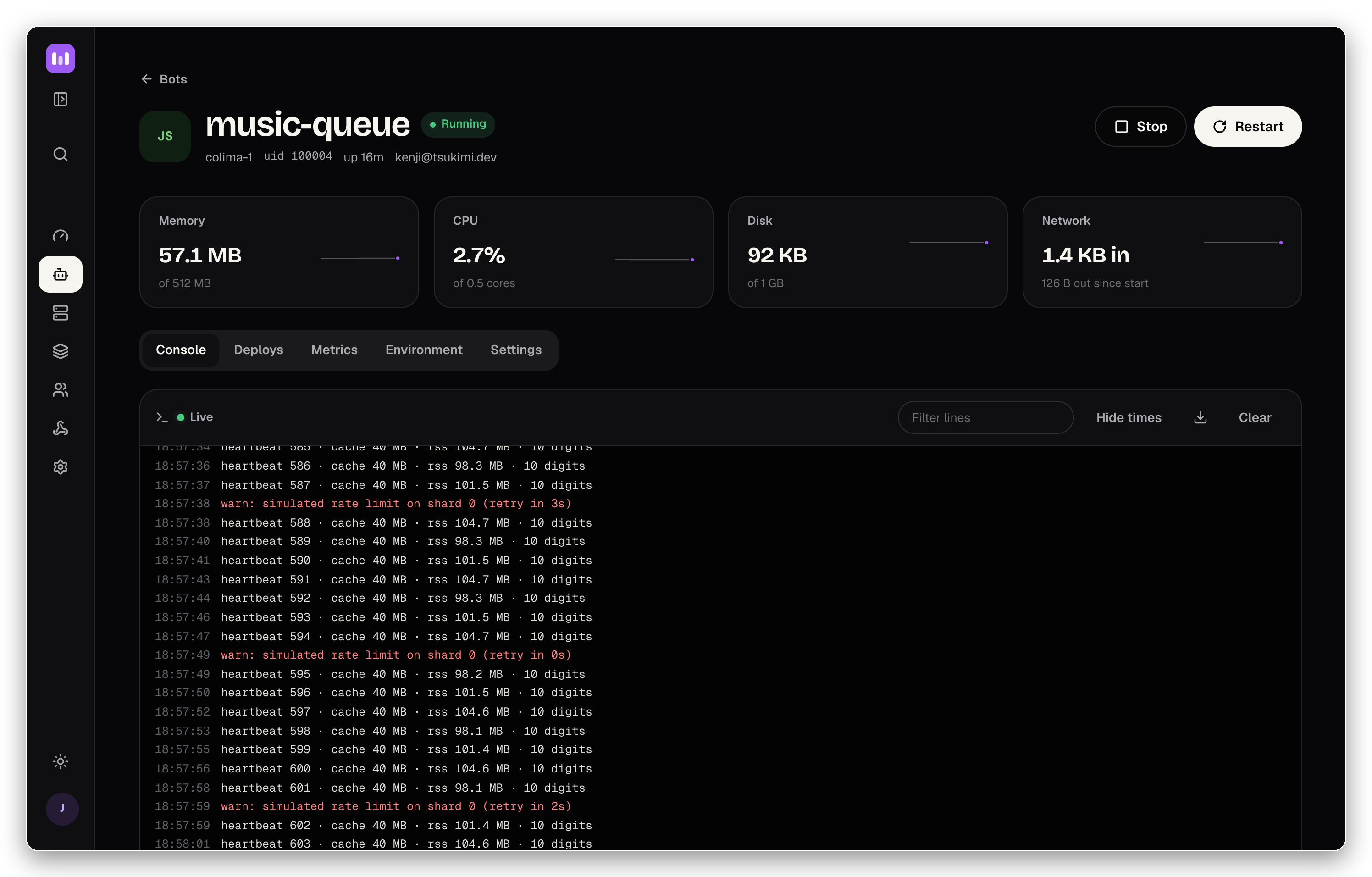
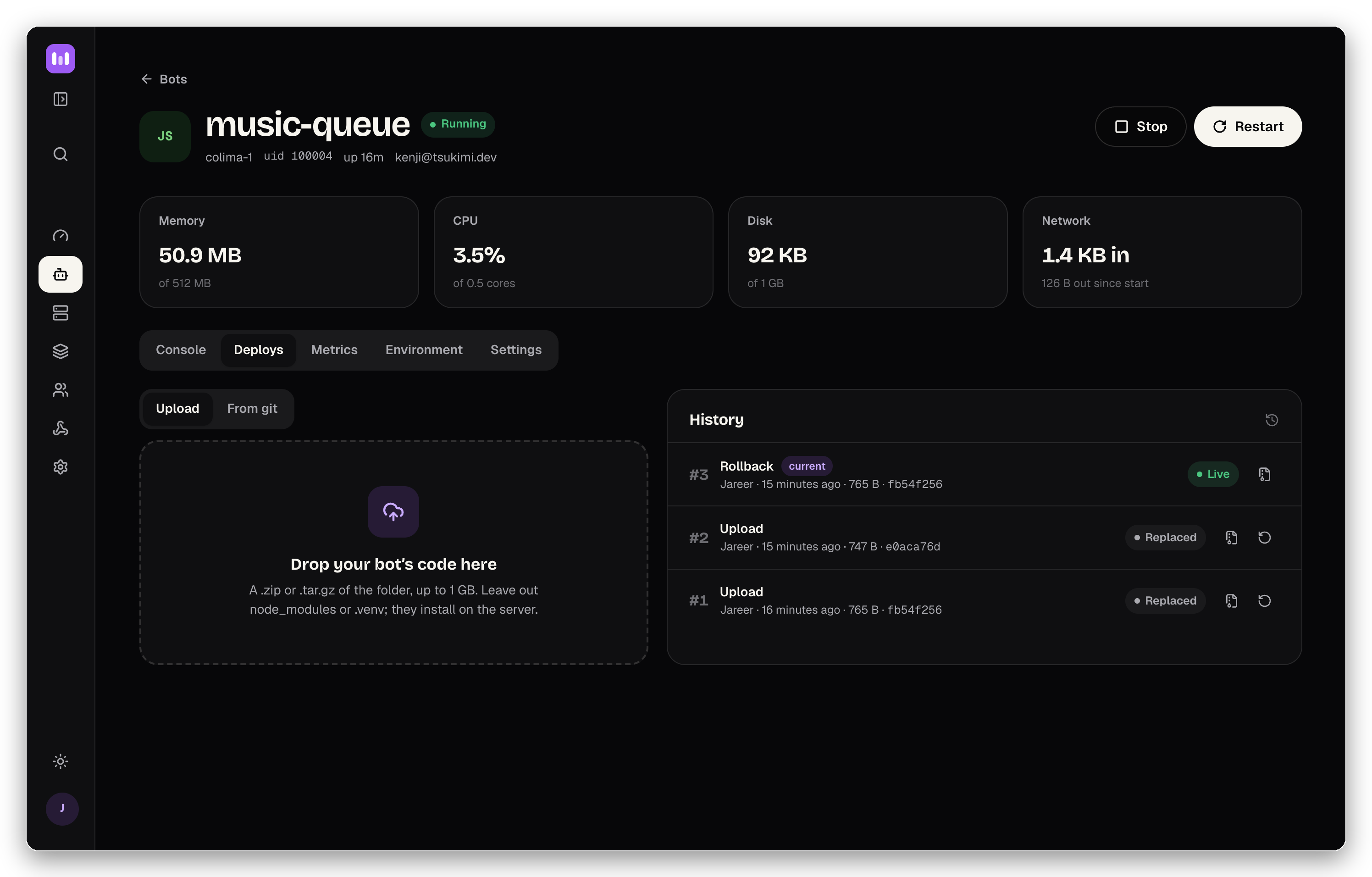
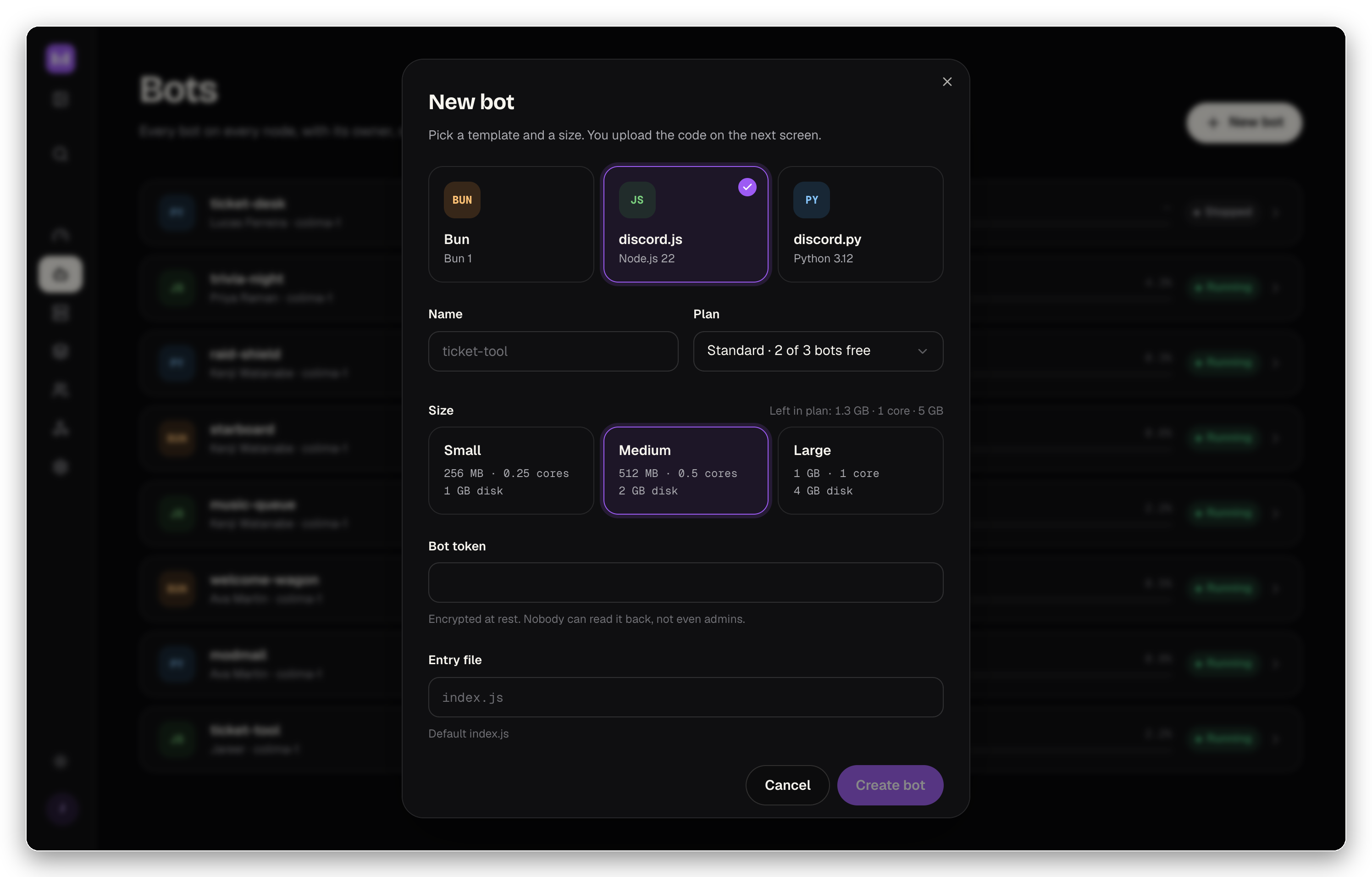
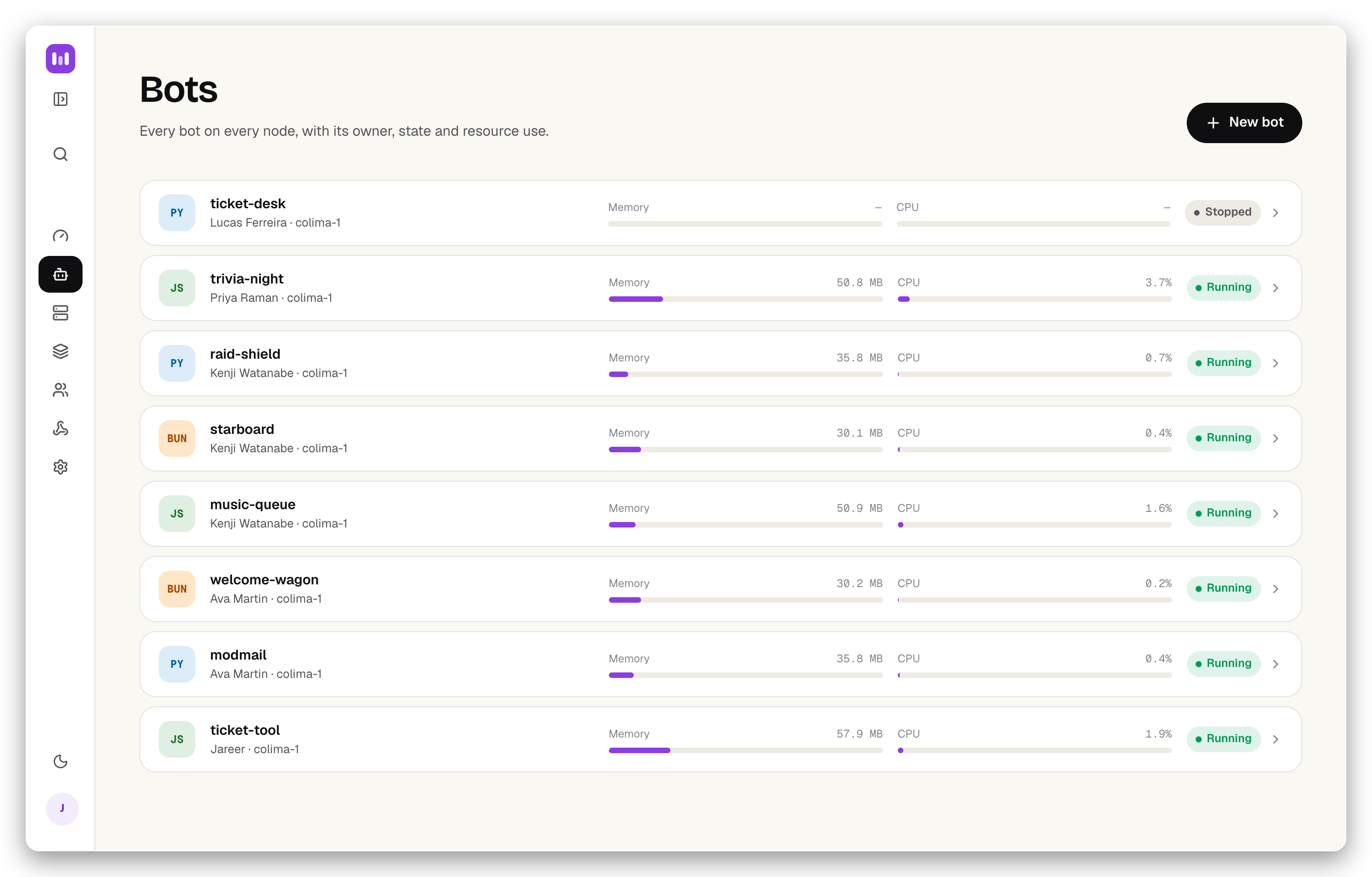
Mechon lets you run a Discord bot hosting business on your own servers. Two Go binaries: a panel (API + React UI) on PostgreSQL, and agents that run each customer's bot in a locked-down Docker container with its own Linux user and kernel-enforced memory, CPU, and disk limits. Operators set resource plans; customers deploy from templates (Node.js, Python, Bun) by upload, git, or CI, then get a live console, metrics, and rollback. The panel connects to billing systems like Paymenter, WHMCS, and Stripe through an API and signed webhooks. Agents dial out to the panel, so no inbound ports needed. Currently in preview with isolation testing done but no production use yet.
Should you self-host Mechon?
Mechon scores 45/100 on selfhost.directory (how scoring works) and ranks #10 of 10 in Control Panel. It has 290 GitHub stars.
There was no stable release in the past 12 months, so check the repository's recent activity before you rely on it.
Setup is advanced: plan for several services and some ongoing maintenance. It is MIT-licensed and written mostly in Rust.
Its closest alternative on selfhost.directory is Pelican Panel (64/100, 2 412 stars). It scores higher overall, so compare the two before you pick. See Mechon vs Pelican Panel side by side.
Features
- API keys for automation
- Audit Logging
- Billing system integration
- Built-in runtime templates
- Dark/light theme toggle
- Deploy history with rollback
- Encrypted bot secrets
- gVisor hardened runtime optionWired in as a per-plan flag; gVisor not enabled by default in v0
- Live console and metrics
- Multiple deployment methods
- Node capacity monitoring
- Per-bot sandbox isolation
- Resource plans and quotas
- Two-binary architecture
- Webhook event system
Mechon README
More in Control Panel
- NirvatiSelf-hosted Rust backend for the n5i/Nirvati Kubernetes server-management stack: GraphQL API, node and app agents, plugins; this fork adds Tailscale and Longhorn.
 openpanel-coOpenPanel is a self-hosted web hosting panel using rootless Podman for per-user isolation — an alternative to cPanel and Plesk.
 osInfinite OS is a self-hosted, open-source hosting environment that runs in a single container with a cPanel-like dashboard to deploy apps without Dockerfiles.
 Pelican PanelFree, open source game server management panel built on Laravel and Docker.
 PufferPanelSelf-hosted, open-source game server management panel supporting Minecraft, Source, and other game servers with web UI and SFTP access.
 sentora-coreSelf-hosted control panel for Linux managing web services, databases, email and DNS on Ubuntu or Debian systems.
 VoxelSwarmSelf-hosted deployment layer turning VoxelSite into a multi-tenant platform with isolated accounts and per-client AI API keys. PHP 8.2+, SQLite, control panel adapters.
 Websoft9Self-hosted PaaS panel in a single Docker container that one-click deploys hundreds of open-source web apps, with domains, SSL, backups and monitoring. Open-source.
 1panelSelf-hosted, open-source web panel for administering Linux servers: Docker, websites, databases, SSL, WAF and cloud backups, plus AI agent management.
 ajentiSelf-hosted, open-source server admin panel for Linux and BSD: configure the system, services, packages, files and Docker from a web UI.
 Bitfocus CompanionBitfocus Companion is a self-hosted, open-source app that turns Elgato Stream Decks into pro control surfaces for 800+ broadcast, AV, and home automation devices.
 CalagopusSelf-hosted Rust game server panel for Minecraft, Rust, and more with high performance and modern UI.
0 comments