
Self-host Ibis
0.3.4Federated encyclopedia using ActivityPub
- Stars
- 314
- Requires
- PostgreSQL
nutomic/ibis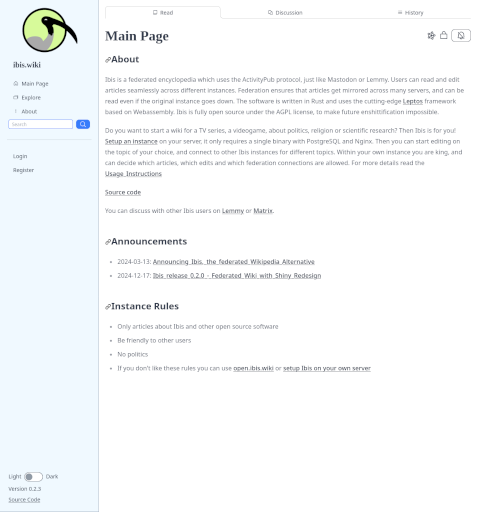
What is Ibis?
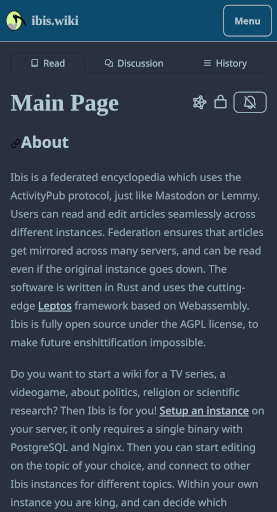
Ibis is a federated encyclopedia built on the ActivityPub protocol for decentralized wiki hosting. Users can create, browse, and edit articles with full edit history, discussion pages with nested comments, and conflict handling for concurrent edits. The software supports markdown with extensions such as LaTeX, table of contents, footnotes, and spoilers. It features a snappy editor with live preview, dark mode, an explore page for discovering articles, and a notification system. Ibis can be self-hosted via a standalone executable or container image with a PostgreSQL database. Federation keeps articles mirrored across instances so they stay readable even when the origin goes offline. The project is licensed under AGPL-3.0.
Should you self-host Ibis?
Ibis scores 45/100 on selfhost.directory (how scoring works) and ranks #25 of 31 in Wikis. It has 314 GitHub stars.
It shipped 2 stable releases in the past year. The latest, 0.3.4, came out on 1 October 2026. New versions land roughly every 5 months.
Setup is moderate: expect some configuration beyond a single command. An official Docker image is available. It is AGPL-3.0-licensed and written mostly in Rust.
Its closest alternative on selfhost.directory is tracim (49/100, 274 stars). It scores higher overall, so compare the two before you pick. See Ibis vs tracim side by side.
Features
- Article creation, reading, editing and edit history
- Conflict handling for concurrent edits
- Discussion pages with nested comments
- Explore page
- Federated wiki via ActivityPub
- Markdown editor with live preview
- Markdown extensions (LaTeX, TOC, footnotes, spoilers)
- Notification system
- OAuth and email support
- Wikipedia import
Ibis README
More in Fediverse
 idnoIdno is a self-hosted, open-source social publishing platform for the fediverse via ActivityPub, Webmentions, and IndieWeb. Runs on PHP with MySQL or MongoDB.
 KtistecKtistec is a self-hosted, open-source ActivityPub server for individuals and small groups, written in Crystal with SQLite storage and a rich web UI.
 MastodonOpen-source self-hosted microblogging server that federates over ActivityPub, with chronological timelines, media posts, moderation tools and an OAuth2 REST API.
 MisskeyOpen-source ActivityPub software for running your own social network: self-hosted servers with notes, reactions, custom emojis, and roles.
 omnomOmnom is a self-hosted, open-source web content preservation service with full-page snapshots, RSS feeds, and ActivityPub Fediverse integration.
 OwncastOpen-source, self-hosted live streaming server: RTMP ingest, built-in chat with moderation, transcoding, Fediverse federation, plugins, webhooks and an admin dashboard.
 PeerTubeOpen-source, ActivityPub-federated video platform for self-hosted instances: WebRTC P2P streaming, live broadcasts, playlists and moderation tools.
 PhanpyPhanpy is a self-hosted, open-source Mastodon web client with a minimalistic design, multi-account support, nested threads, and multi-column layouts.
 PixelFedA self-hosted, open-source photo and video social network that federates over ActivityPub with albums, stories, direct messages and chronological feeds.
 PleromaPleroma is a lightweight fediverse server compatible with other Fediverse software such as Mastodon, Misskey, and Pixelfed.
 rss-to-activitypubSelf-hosted Node.js server that converts any RSS feed into an ActivityPub actor followable from Mastodon and other federated platforms, with OAuth-gated feed creation.
 servusSelf-hosted, open-source social media server with flat-file CMS, Nostr relay, and Blossom storage in a single Rust binary — no database or Docker needed.
0 comments