
Self-host go-ssb-room
v2.0.6Go implementation of Secure Scuttlebutt room server
- Stars
- 200
- Ports
- 3000 (HTTP server for web dashboard and admin UI), 8008 (Secret-handshake + muxrpc for SSB client connections), 6078 (Metrics and pprof HTTP server)
- Requires
- SQLite
What is go-ssb-room?
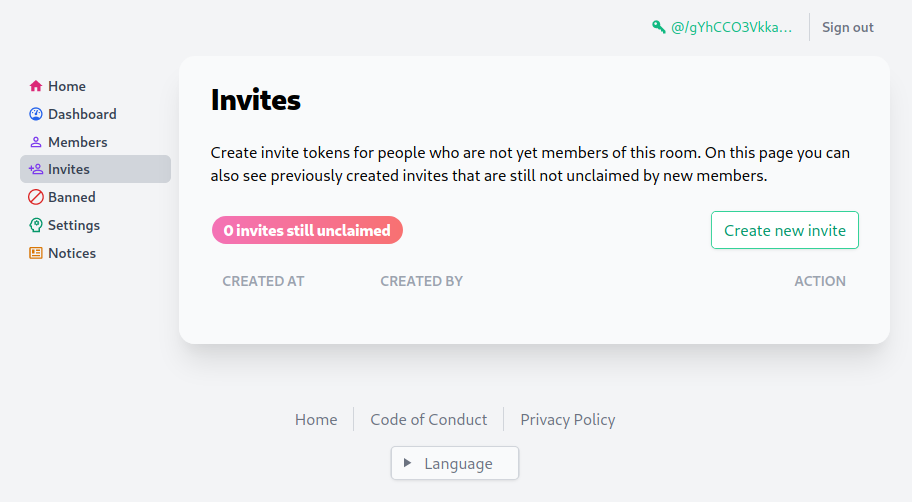
go-ssb-room is a Go implementation of the Secure Scuttlebutt (SSB) Room server specification (v1 and v2). It enables SSB peers to discover and connect with each other by providing a publicly reachable server that handles tunneling connections via secret-handshake+boxstream transport and muxrpc. The server includes an embedded HTTP server with an HTML frontend for administration, supporting user management with allow/deny lists, moderator and administrator roles, multiple privacy modes (open, community, restricted), sign-in with SSB, HTTP invites, and alias management. It can be deployed via Docker Compose, Debian packages, or built from source. The server uses SQLite for data storage and requires a reverse proxy (like nginx) for TLS termination. Configuration is done via environment variables including HTTPS_DOMAIN, ALIASES_AS_SUBDOMAINS, and REPO path.
Should you self-host go-ssb-room?
go-ssb-room scores 47/100 on selfhost.directory (how scoring works) and ranks #3 of 3 in Peer-to-Peer. It has 200 GitHub stars.
There was no stable release in the past 12 months, so check the repository's recent activity before you rely on it.
Setup is advanced: plan for several services and some ongoing maintenance. It is MIT-licensed and written mostly in Go.
Its closest alternative on selfhost.directory is ZeroNet (63/100, 18 786 stars). It scores higher overall, so compare the two before you pick. See go-ssb-room vs ZeroNet side by side.
Features
- Alias Management
- HTTP Invites
- MuxRPC tunneling
- Privacy Modes
- Secret-handshake transport
- Sign-in with SSB
- SSB Room v1/v2 protocol support
- User management with roles
- Web Administration Dashboard
go-ssb-room README
More in Peer-to-Peer
 HyphanetFred, the open-source Hyphanet/Freenet reference node, is a self-hosted encrypted P2P network for anonymous freesites, forums, microblogging and file sharing.
 privtrackerPrivTracker is a self-hosted private BitTorrent tracker. Open-source AGPL-3.0 software enabling isolated peer groups with custom announce URLs for secure file sharing.
 UrbitUrbit is a self-hosted, open-source personal server stack with decentralized identity (Azimuth), VM (Vere), and OS (Arvo) for P2P computing and self-sovereign identity.
 YacyYaCy is open-source, self-hosted search engine software — crawler, index and web front-end in one Java server, with a peer-to-peer network or an intranet search portal.
 ZeroNetP2P platform for hosting websites without central servers, leveraging Bitcoin-based crypto for authorization and BitTorrent for content delivery. Access offline.
 chatChat is a self-hosted, open-source decentralized messaging app that runs in the browser with end-to-end encryption, P2P file sharing, and voice/video calls.
 ChitchatterChitchatter is a self-hosted, open-source peer-to-peer chat app with end-to-end encrypted messaging, video calls, and file sharing — no central server required.
0 comments