
Self-host EmDash
@emdash-cms/plugin-test@0.2.10TypeScript Astro CMS with sandboxed plugins and MCP
docker run -p 4321:4321 -v emdash-data:/app/data my-emdash-site- Stars
- 14 026
- Port
- 4321 (Default HTTP port of the built Astro/EmDash Node.js server (HOST/PORT env vars in the docs' Dockerfile))
What is EmDash?
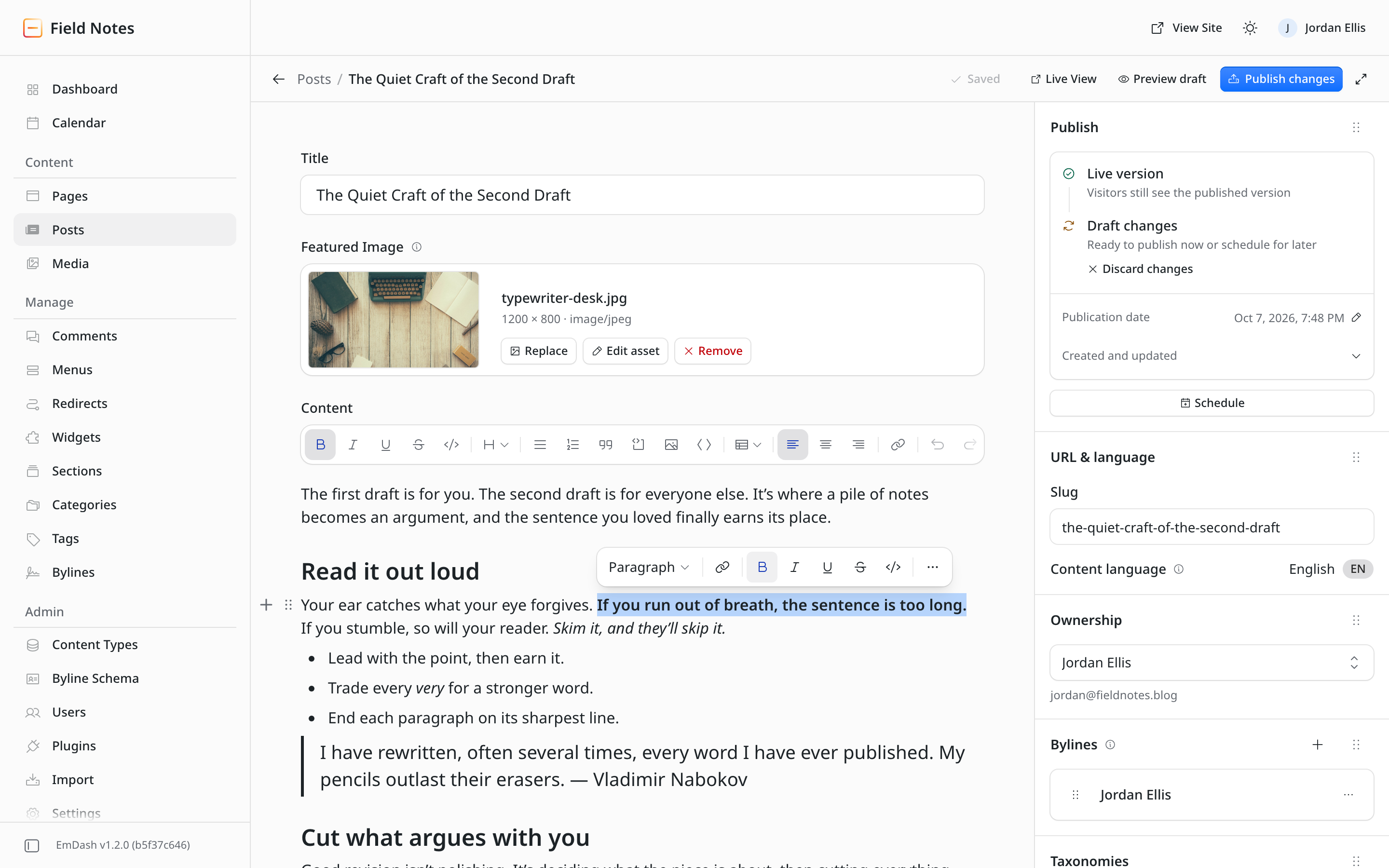
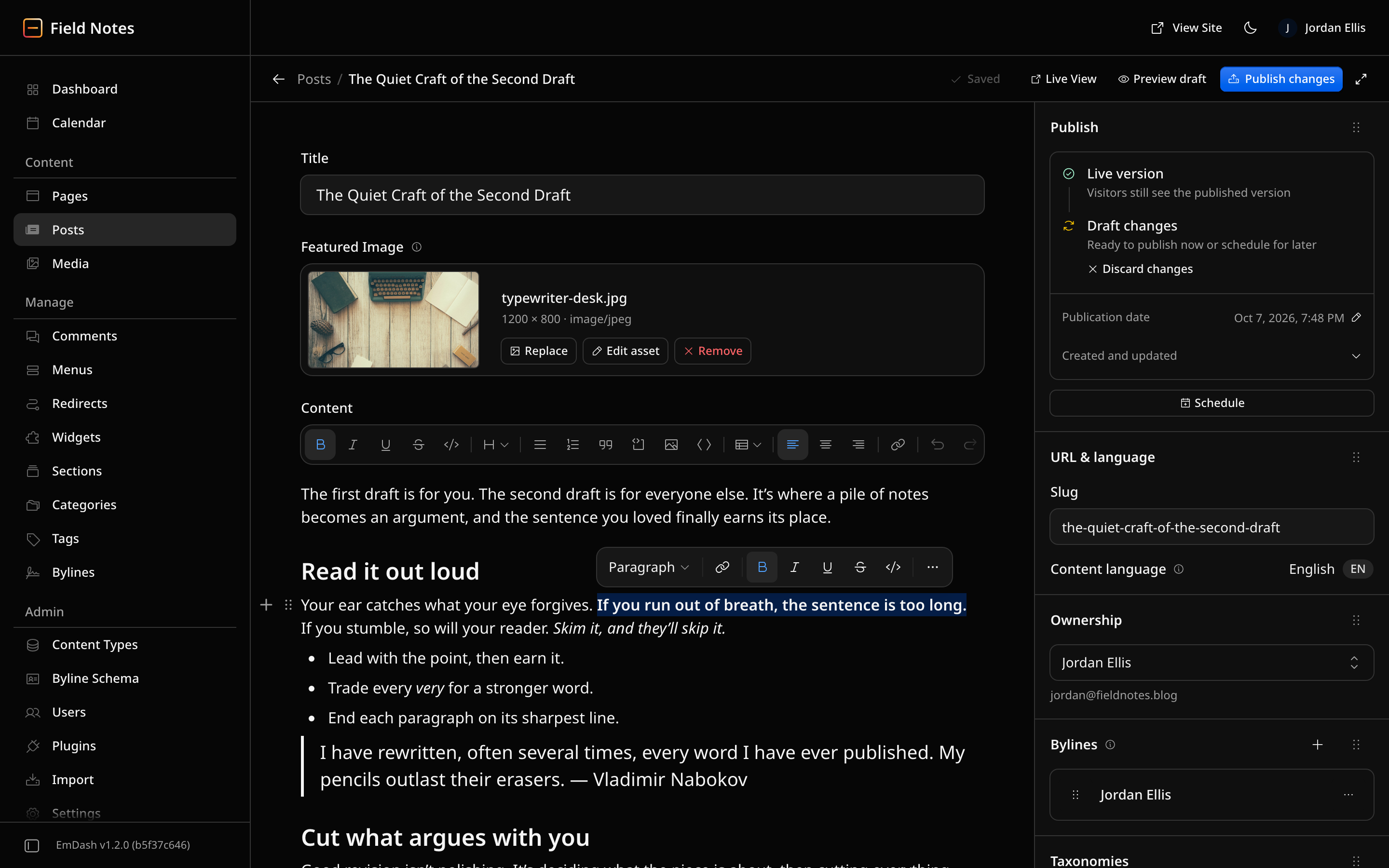
EmDash is a content management system that attaches to Astro as an integration, so your frontend and your CMS end up in one TypeScript codebase with an admin screen, an HTTP API, logins, file uploads and an extension layer included. Editors and site owners design collections in a visual schema builder instead of writing code; every collection maps onto a genuine SQL table with its own typed fields, a CLI command emits TypeScript definitions taken from the live schema, and templates query entries while the page renders, so there is no rebuild step. The writing experience is a TipTap-based rich text surface storing structured Portable Text JSON, which keeps content independent of any single presentation target, and the workflow covers drafts, saved revisions, timed publication, preview links, SQLite full-text search and editing straight on the public page. Everyday CMS furniture is present too: a media library with direct browser uploads, menus, widget areas, categories and tags, page layouts, four permission levels for staff, and a guided importer that brings a WordPress site's articles, files and terms across. Plugins are authored in TypeScript through a define-style API with lifecycle hooks, settings, custom blocks, admin pages and routes; untrusted packages run quarantined, either as Worker isolates on Cloudflare or through a workerd child process on Node, and they are granted only the access they ask for once you sign off on it. Each install also serves a Model Context Protocol endpoint plus the same API and command line, so coding assistants can act with the access rights your human editors already have. Self-hosting means scaffolding a project, choosing SQLite, libSQL, Turso or Postgres to hold the model and content, local disk or any S3 bucket for media, and then running the built Astro server on port 4321 by default behind your proxy, inside a container you build from the documented Dockerfile, or on Cloudflare's platform, which remains the best-supported choice. Caveats: no ready-made EmDash image is published, the bundled plugins and plugin tooling have not reached 1.0 versioning, and the dashboard talks to public services for update notices and plugin discovery unless you switch those off.
Should you self-host EmDash?
EmDash scores 67/100 on selfhost.directory (how scoring works) and ranks #1 of 18 in Content Management. It has 14 026 GitHub stars.
It shipped 10 stable releases in the past year. The latest, @emdash-cms/plugin-test@0.2.10, came out on 18 October 2026.
Setup is moderate: expect some configuration beyond a single command. It is MIT-licensed and written mostly in Typescript.
Its closest alternative on selfhost.directory is Ghost (83/100, 55 626 stars). It scores higher overall, so compare the two before you pick. See EmDash vs Ghost side by side.
Features
- Built-In MCP Server
- CLI for site and content management
- Drafts, revisions and scheduled publishing
- Full-Text Search
- Inline front-end editing
- Media Library
- Navigation menus and widgets
- Plugin registry
- REST API
- Rich text editor (Portable Text)
- Role-based Access Control
- Sandboxed plugin system
- SEO tooling
- Visual content-type builder
- WordPress content import
EmDash README
FAQ
Where can I ask questions?
Join the Discord, open an issue on GitHub, or read the docs, which cover setup, architecture and the API reference.
How do I get started?
Open the playground for an instant sandbox, or run npm create emdash to scaffold a new project locally ready for deployment.
Do I need to use AI to use EmDash?
No. Agents are optional; EmDash ships an MCP server exposing content, schema, media, taxonomies, menus and revisions that works with Claude, OpenCode or any MCP-aware tool.
What is EmDash?
An open-source CMS built on Astro and Cloudflare that gives you a typed schema, an admin panel and an MCP server, so people and AI agents can both manage content.
More in Website Builder
 frappe-builderOpen-source low-code website builder replacing complex CMS platforms with a Figma-like editor and AI agent Bob for creating responsive websites.
 GravSelf-hosted, open-source flat-file CMS: Markdown content in files, no database, with an Admin 2.0 SPA, a first-party REST API and a built-in MCP server.
 hotglue2Hotglue is a self-hosted, open-source web page builder with drag-and-drop editing and flat-file storage — no database needed, runs on PHP 8.
 Joomla!Self-hosted, open-source CMS for building multilingual, SEO-ready business and community websites on PHP with MySQL, MariaDB or PostgreSQL.
 MicroweberSelf-hosted drag-and-drop website builder and CMS based on Laravel with built-in e-commerce, blog, and content management features.
 octoberSelf-hosted, source-available PHP CMS built on Laravel for developers and agencies: one-file pages, Twig templates, plugins, themes and Tailor content types.
 QloAppsSelf-hosted, open-source hotel PMS with a direct booking engine and responsive hotel website for multi-property, multilingual hotels.
 silexSelf-hosted, open-source visual website builder (AGPL) that exports clean HTML/CSS, plugs into headless CMSs, and runs via Docker, Node.js, CapRover or a desktop app.
 smartsites-editor-platformSelf-hosted open-source website builder with drag-and-drop CMS and visitor analytics, built on Django and React.
 TYPO3 CMSSelf-hosted, open-source PHP CMS for enterprise sites: multisite and multilingual content, versioning, granular permissions, extensions, Composer install.
 Vvveb CMSSelf-hosted open-source PHP CMS with a visual drag-and-drop builder, multi-site and multi-language support, headless GraphQL/REST APIs and built-in ecommerce.
 webinyAn open-source, self-hosted headless CMS that runs serverless in your own AWS account, with a GraphQL API, drag-and-drop page builder, file manager and multi-tenancy.
0 comments