80 (HTTP proxy), 443 (HTTPS proxy (SSL)), 8080 (Internal proxy port for certificate distribution)
Docker
dockerflow/docker-flow-proxy
What is docker-flow-proxy?
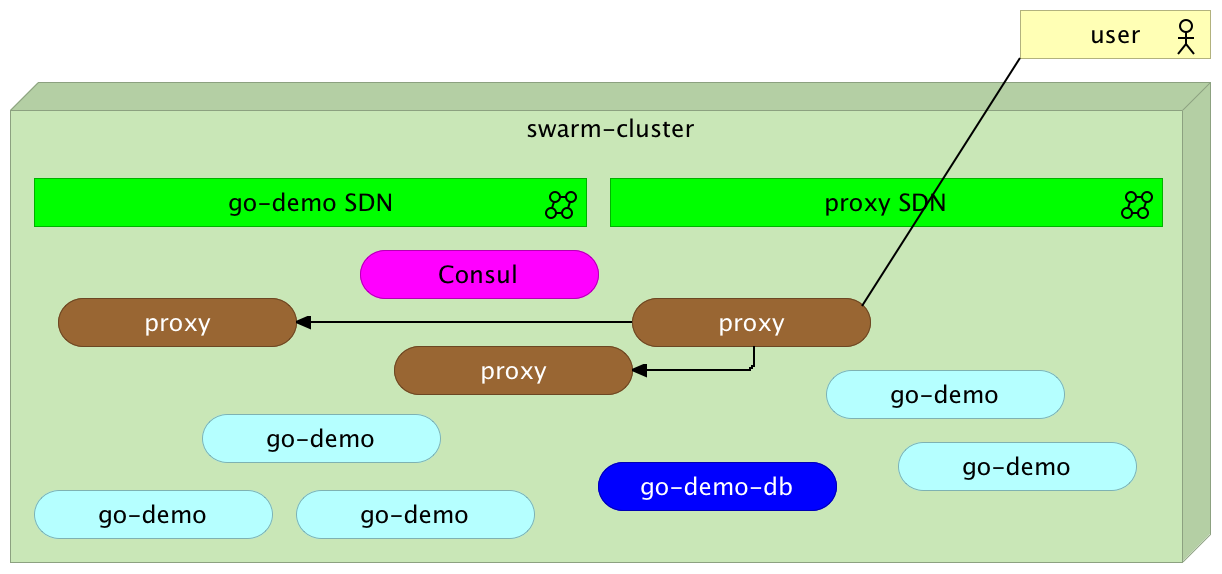
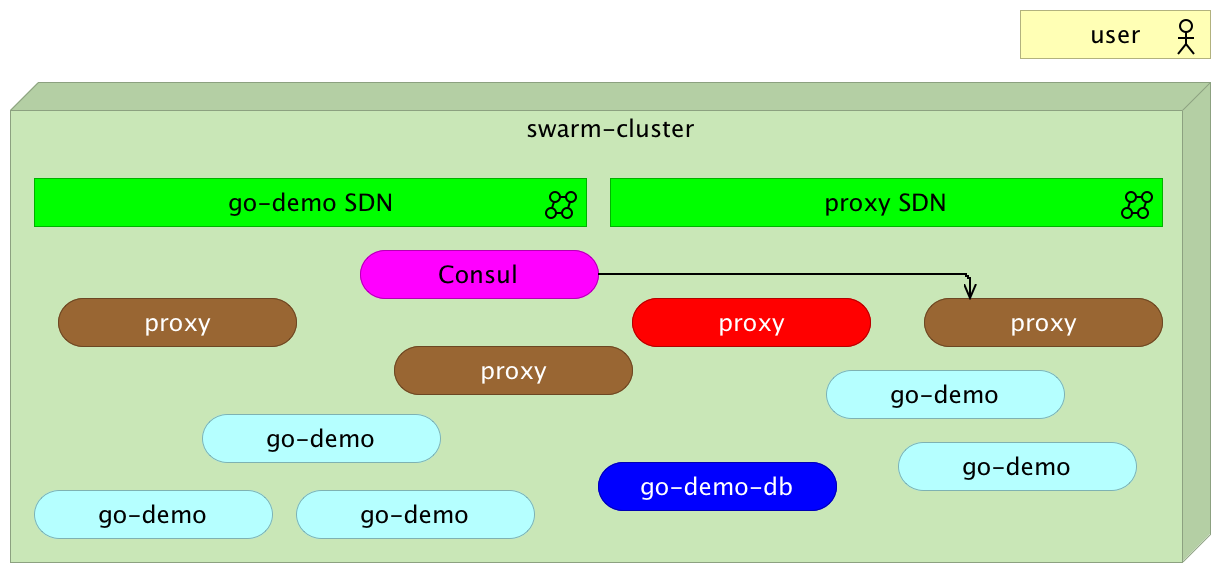
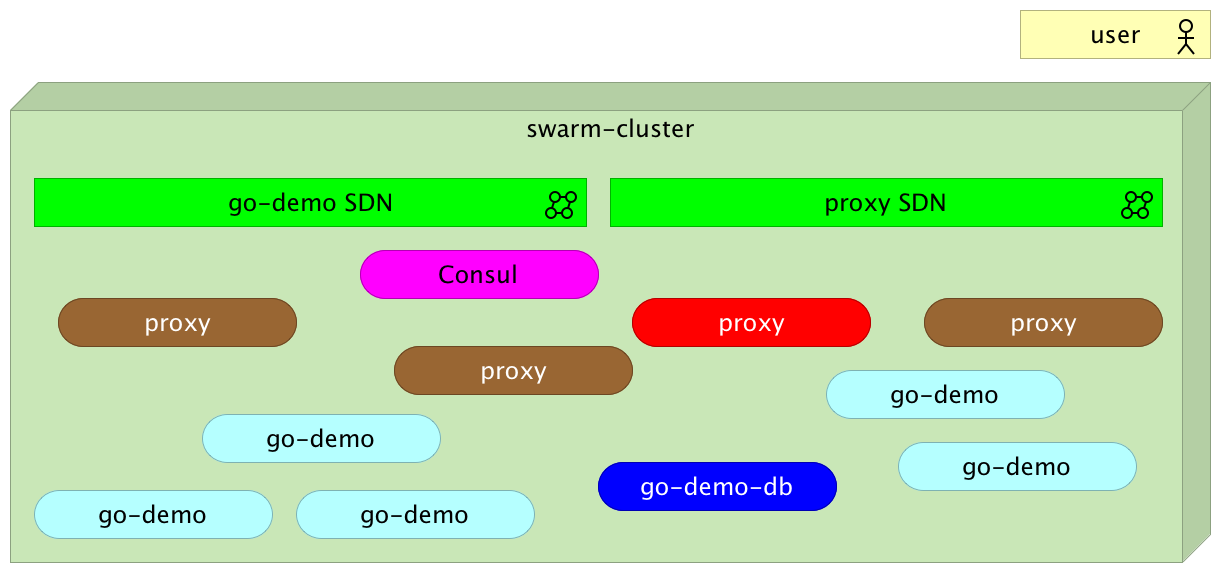
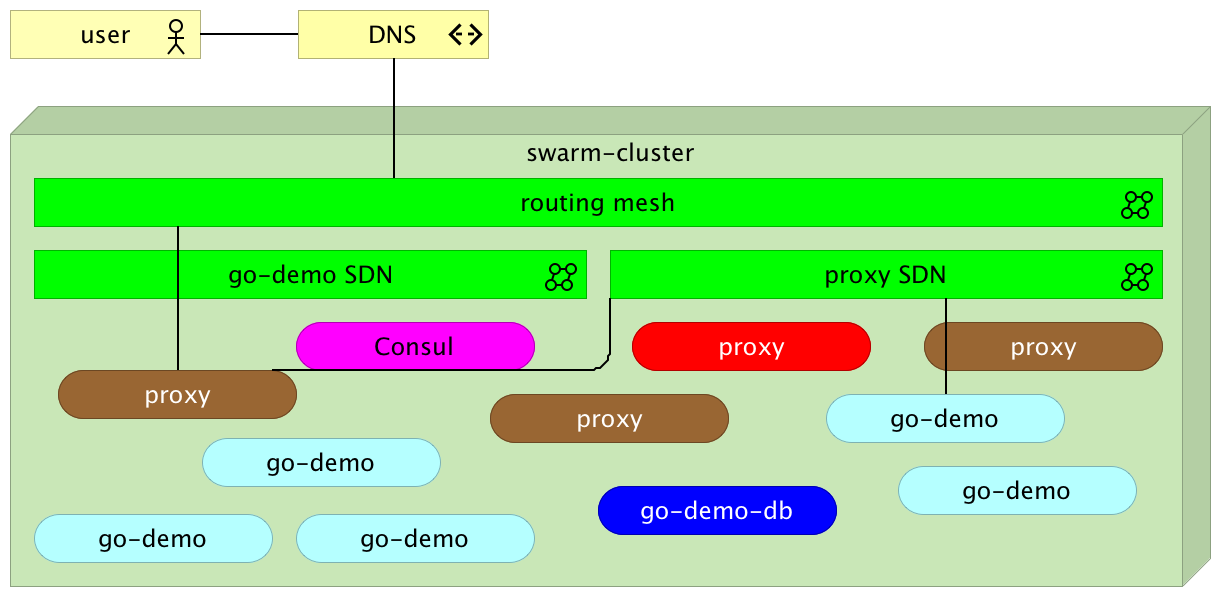
Docker Flow Proxy wraps HAProxy to provide a dynamically reconfigurable reverse proxy for Docker Swarm clusters. It exposes a REST API and integrates with Docker Flow Swarm Listener to automatically update routing rules when services are deployed, scaled, or removed. The proxy supports HTTP and TCP modes, SSL termination, path-based routing, and can be configured via environment variables. It runs as a Docker image (dockerflow/docker-flow-proxy or vfarcic/docker-flow-proxy) on linux-amd64 and linux-arm architectures. The project is licensed under MIT and maintained by the docker-flow organization.
Should you self-host docker-flow-proxy?
docker-flow-proxy scores 48/100 on selfhost.directory (how scoring works) and ranks #17 of 24 in Reverse Proxy. It has 316 GitHub stars.
There was no stable release in the past 12 months, so check the repository's recent activity before you rely on it.
Setup is moderate: expect some configuration beyond a single command. An official Docker image is available. It is MIT-licensed and written mostly in Go.
BIND_PORTSPorts to bind in addition to 80 and 443. Multiple values can be separated with comma. If a port is specified with the srcPort reconfigure parameter, it is not required to specify it in this environment variable for tcp and sni mode. In http mode, this environment variable is required. Those values will be used as default ports used for services that do not specify srcPort. Please note that all bin
Ports to bind in addition to 80 and 443. Multiple values can be separated with comma. If a port is specified with the srcPort reconfigure parameter, it is not required to specify it in this environment variable for tcp and sni mode. In http mode, this environment variable is required. Those values will be used as default ports used for services that do not specify srcPort. Please note that all bin
CA_FILEPath to a PEM file from which to load CA certificates that will be used to verify client’s certificate. Preferably, the file should be provided as a Docker secret. Example: /run/secrets/ca-file
Path to a PEM file from which to load CA certificates that will be used to verify client’s certificate. Preferably, the file should be provided as a Docker secret. Example: /run/secrets/ca-file
CAPTURE_REQUEST_HEADERAllows capturing specific request headers. This feature is useful if debugging is enabled (e.g. DEBUG=true) and the format is customized with DEBUG_HTTP_FORMAT or DEBUG_TCP_FORMAT to output headers. Header name and lenght in bytes must be separated with colon (e.g. Host:15). Multiple headers should be separated with colon (e.g. Host:15,X-Forwarded-For:20). Example: Host:15,X-Forwarded-For:20,Refer
Allows capturing specific request headers. This feature is useful if debugging is enabled (e.g. DEBUG=true) and the format is customized with DEBUG_HTTP_FORMAT or DEBUG_TCP_FORMAT to output headers. Header name and lenght in bytes must be separated with colon (e.g. Host:15). Multiple headers should be separated with colon (e.g. Host:15,X-Forwarded-For:20). Example: Host:15,X-Forwarded-For:20,Refer
CERTSThis parameter is deprecated as of February 2017. All the certificates from the /certs/ directory are now loaded automatically.
This parameter is deprecated as of February 2017. All the certificates from the /certs/ directory are now loaded automatically.
CFG_TEMPLATE_PATHPath to the configuration template. The path can be absolute (starting with /) or relative to /cfg/tmpl. Default value: /cfg/tmpl/haproxy.tmpl
Path to the configuration template. The path can be absolute (starting with /) or relative to /cfg/tmpl. Default value: /cfg/tmpl/haproxy.tmpl
CHECK_RESOLVERSEnable resolvers. Provides higher reliability at the cost of backend initialization time. If enabled, it might take a few seconds until a backend is resolved and operational. Resolvers can be customized through the environment variable RESOLVERS. Default value: false
Enable resolvers. Provides higher reliability at the cost of backend initialization time. If enabled, it might take a few seconds until a backend is resolved and operational. Resolvers can be customized through the environment variable RESOLVERS. Default value: false
COMPRESSION_ALGOEnable HTTP compression. The currently supported algorithms are: identity: this is mostly for debugging. gzip: applies gzip compression. This setting is only available when support for zlib or libslz was built in. deflate: same as gzip, but with deflate algorithm and zlib format. Note that this algorithm has ambiguous support on many browsers and no support at all from recent ones. It is strongly
Enable HTTP compression. The currently supported algorithms are: identity: this is mostly for debugging. gzip: applies gzip compression. This setting is only available when support for zlib or libslz was built in. deflate: same as gzip, but with deflate algorithm and zlib format. Note that this algorithm has ambiguous support on many browsers and no support at all from recent ones. It is strongly
COMPRESSION_TYPEThe type of files that will be compressed. Example: text/css text/html text/javascript application/javascript text/plain text/xml application/json
The type of files that will be compressed. Example: text/css text/html text/javascript application/javascript text/plain text/xml application/json
CONNECTION_MODEHAProxy supports 5 connection modes. http-keep-alive: all requests and responses are processed. http-tunnel: only the first request and response are processed, everything else is forwarded with no analysis. httpclose: tunnel with “Connection: close” added in both directions. http-server-close: the server-facing connection is closed after the response. forceclose: the connection is actively closed
HAProxy supports 5 connection modes. http-keep-alive: all requests and responses are processed. http-tunnel: only the first request and response are processed, everything else is forwarded with no analysis. httpclose: tunnel with “Connection: close” added in both directions. http-server-close: the server-facing connection is closed after the response. forceclose: the connection is actively closed
CRT_LIST_PATHWhen defined, DFP will not generated crt-list.txt file to be used by ssl. CRT_LIST_PATH will be used in HAProxy’s ssl crt-list configuration.
When defined, DFP will not generated crt-list.txt file to be used by ssl. CRT_LIST_PATH will be used in HAProxy’s ssl crt-list configuration.
DEBUGEnables logging of each request sent through the proxy. Please consult Debug Format for info about the log entries. This feature should be used with caution. Do not enable debugging in production unless necessary. Example: true Default value: false
Enables logging of each request sent through the proxy. Please consult Debug Format for info about the log entries. This feature should be used with caution. Do not enable debugging in production unless necessary. Example: true Default value: false
DEBUG_ERRORS_ONLYIf set to true, only requests that resulted in an error, timeout, retry, and redispatch will be logged. If a request is HTTP, responses with a status 5xx will be logged too. This variable will take effect only if DEBUG is set to true. Example: true Default value: false
If set to true, only requests that resulted in an error, timeout, retry, and redispatch will be logged. If a request is HTTP, responses with a status 5xx will be logged too. This variable will take effect only if DEBUG is set to true. Example: true Default value: false
DEBUG_HTTP_FORMATLogging format that will be used with HTTP requests. Please consult Custom log format for more info about the available options.
Logging format that will be used with HTTP requests. Please consult Custom log format for more info about the available options.
DEBUG_TCP_FORMATLogging format that will be used with TCP requests. Please consult Custom log format for more info about the available options.
Logging format that will be used with TCP requests. Please consult Custom log format for more info about the available options.
DEFAULT_PORTSThe default ports used by the proxy. Multiple values can be separated with comma (,). If a port should be for SSL connections, append it with :ssl. Additional binding options can be added after a port. For example, 80 accept-proxy,443 accept-proxy:ssl adds accept-proxy to the defalt binding options. Default value: 80,443:ssl
The default ports used by the proxy. Multiple values can be separated with comma (,). If a port should be for SSL connections, append it with :ssl. Additional binding options can be added after a port. For example, 80 accept-proxy,443 accept-proxy:ssl adds accept-proxy to the defalt binding options. Default value: 80,443:ssl
DEFAULT_REQ_MODEThe default request mode used by the proxy. Default value: http
The default request mode used by the proxy. Default value: http
DO_NOT_RESOLVE_ADDRWhether not to resolve addresses. If set to true, the proxy will NOT fail if the service is not available. Default value: false
Whether not to resolve addresses. If set to true, the proxy will NOT fail if the service is not available. Default value: false
ENABLE_H2Whether to enable http/2 Example: false Default: true
Whether to enable http/2 Example: false Default: true
EXTRA_FRONTENDValue will be added to the default frontend configuration. Multiple lines should be separated with comma (,). If you are setting maxconn, be sure to add maxcoon to EXTRA_GLOBAL as well.
Value will be added to the default frontend configuration. Multiple lines should be separated with comma (,). If you are setting maxconn, be sure to add maxcoon to EXTRA_GLOBAL as well.
EXTRA_GLOBALValue will be added to the default global configuration. Multiple lines should be separated with comma (,). If you are setting maxconn, be sure to add maxcoon to EXTRA_FRONTEND as well.
Value will be added to the default global configuration. Multiple lines should be separated with comma (,). If you are setting maxconn, be sure to add maxcoon to EXTRA_FRONTEND as well.
FILTER_PROXY_INSTANCE_NAMEIf set to true, only services with com.df.proxyInstanceName equal to env variable PROXY_INSTANCE_NAME will be processed by the proxy. Default: false
If set to true, only services with com.df.proxyInstanceName equal to env variable PROXY_INSTANCE_NAME will be processed by the proxy. Default: false
HTTPS_ONLYIf set to true, all requests to all services will be redirected to HTTPS. Example: true Default Value: false
If set to true, all requests to all services will be redirected to HTTPS. Example: true Default Value: false
LISTENER_ADDRESSThe address of the Docker Flow: Swarm Listener used for automatic proxy configuration. Multiple values can be separated with comma (,). When set to multiple values, the proxy will query each address in order. Example: swarm-listener
The address of the Docker Flow: Swarm Listener used for automatic proxy configuration. Multiple values can be separated with comma (,). When set to multiple values, the proxy will query each address in order. Example: swarm-listener
PREFERRED_CERTIFICATEA comma separated list of preferred certificates when creating the crt-list.txt file used for ssl. The certificates strings supports the * glob pattern to match files. Example: dev01.*,dev03.domain.com
A comma separated list of preferred certificates when creating the crt-list.txt file used for ssl. The certificates strings supports the * glob pattern to match files. Example: dev01.*,dev03.domain.com
PROXY_INSTANCE_NAMEThe name of the proxy instance. Useful if multiple proxies ar running inside a cluster. Default value: docker-flow
The name of the proxy instance. Useful if multiple proxies ar running inside a cluster. Default value: docker-flow
RECONFIGURE_ATTEMPTSThe number of attempts the proxy will try to reconfigure itself before giving up and removing the offending service. The period between reconfigure attempts is 1 second. Example: 15 Default value: 20
The number of attempts the proxy will try to reconfigure itself before giving up and removing the offending service. The period between reconfigure attempts is 1 second. Example: 15 Default value: 20
RELOAD_ATTEMPTSThe number of attempts the proxy will query a listener addresss during startup. Only used when LISTENER_ADDRESS is a comma seperated list of addresses. Default value: 5
The number of attempts the proxy will query a listener addresss during startup. Only used when LISTENER_ADDRESS is a comma seperated list of addresses. Default value: 5
RELOAD_INTERVALDefines the frequency (in milliseconds) between automatic config reloads from Swarm Listener. Default value: 5000
Defines the frequency (in milliseconds) between automatic config reloads from Swarm Listener. Default value: 5000
REPEAT_RELOADIf set to true, the proxy will periodically reload the config, using RELOAD_INTERVAL as pause between iterations. Example: true Default value: false
If set to true, the proxy will periodically reload the config, using RELOAD_INTERVAL as pause between iterations. Example: true Default value: false
RESOLVERSThe list of resolvers separated with comma (,). The CHECK_RESOLVERS environment variable must be set to true. Example: nameserver dns-0 4.4.2.1:53,nameserver dns-1 8.8.8.8:53
The list of resolvers separated with comma (,). The CHECK_RESOLVERS environment variable must be set to true. Example: nameserver dns-0 4.4.2.1:53,nameserver dns-1 8.8.8.8:53
SEPARATORThe character used to separate multiple values. Default value: , (comma)
The character used to separate multiple values. Default value: , (comma)
SERVICE_DOMAIN_ALGOThe default algorithm applied to domain ACLs. It can be overwritten for a service through the serviceDomainAlgo parameter. Examples: hdr(host): matches only if domain is the same as serviceDomain hdr_dom(host): matches the specified serviceDomain and any subdomain (a string either isolated or delimited by dots). req.ssl_sni: matches Server Name TLS extension Default Value: hdr_beg(host)
The default algorithm applied to domain ACLs. It can be overwritten for a service through the serviceDomainAlgo parameter. Examples: hdr(host): matches only if domain is the same as serviceDomain hdr_dom(host): matches the specified serviceDomain and any subdomain (a string either isolated or delimited by dots). req.ssl_sni: matches Server Name TLS extension Default Value: hdr_beg(host)
SERVICE_NAMEThe name of the service. It must be the same as the value of the --name argument used to create the proxy service. Used only in the swarm mode. Example: my-proxy Default value: proxy
The name of the service. It must be the same as the value of the --name argument used to create the proxy service. Used only in the swarm mode. Example: my-proxy Default value: proxy
SKIP_ADDRESS_VALIDATIONWhether to skip validating service address before reconfiguring the proxy. Example: false Default value: true
Whether to skip validating service address before reconfiguring the proxy. Example: false Default value: true
SSL_BIND_CIPHERSSets the default string describing the list of cipher algorithms (“cipher suite”) that are negotiated during the SSL/TLS handshake for all “bind” lines which do not explicitly define theirs. The format of the string is defined in “man 1 ciphers” from OpenSSL man pages, and can be for instance a string such as EECDH+AESGCM:EDH+AESGCM. Default value: see Dockerfile
Sets the default string describing the list of cipher algorithms (“cipher suite”) that are negotiated during the SSL/TLS handshake for all “bind” lines which do not explicitly define theirs. The format of the string is defined in “man 1 ciphers” from OpenSSL man pages, and can be for instance a string such as EECDH+AESGCM:EDH+AESGCM. Default value: see Dockerfile
SSL_BIND_OPTIONSSets default ssl-options to force on all “bind” lines. Default value: ssl-min-ver TLSv1.2 no-tls-tickets
Sets default ssl-options to force on all “bind” lines. Default value: ssl-min-ver TLSv1.2 no-tls-tickets
STATS_PASSPassword for the statistics page. If not set, stats will not be available. If both STATS_USER and STATS_PASS are set to none, statistics will be available without authentication. Example: my-pass Default value: admin
Password for the statistics page. If not set, stats will not be available. If both STATS_USER and STATS_PASS are set to none, statistics will be available without authentication. Example: my-pass Default value: admin
STATS_PASS_ENVThe name of the environment variable that holds the password for the statistics page. Example: MY_PASS
The name of the environment variable that holds the password for the statistics page. Example: MY_PASS
STATS_PORTThe port for the statistics page. Example: 81 Default value: 80
The port for the statistics page. Example: 81 Default value: 80
STATS_URIURI for the statistics page. Example: /proxyStats Default value: /admin?stats
URI for the statistics page. Example: /proxyStats Default value: /admin?stats
STATS_URI_ENVThe name of the environment variable that holds the URI for the statistics page. Example: MY_URI Default value: STATS_URI
The name of the environment variable that holds the URI for the statistics page. Example: MY_URI Default value: STATS_URI
STATS_USERUsername for the statistics page. If not set, stats will not be available. If both STATS_USER and STATS_PASS are set to none, statistics will be available without authentication. Example: my-user Default value: admin
Username for the statistics page. If not set, stats will not be available. If both STATS_USER and STATS_PASS are set to none, statistics will be available without authentication. Example: my-user Default value: admin
STATS_USER_ENVThe name of the environment variable that holds the username for the statistics page. Example: MY_USER Default value: STATS_USER
The name of the environment variable that holds the username for the statistics page. Example: MY_USER Default value: STATS_USER
TERMINATE_ON_RELOADWhether to terminate the proxy process every time a reload request is received. If set to false, a new process will spawn and all the existing requests will terminate through the old process. The downside of this approach is that the system might end up with zombie processes. If set to true, zombie processes will be removed but the existing requests to the proxy might be cut. Example: true Default
Whether to terminate the proxy process every time a reload request is received. If set to false, a new process will spawn and all the existing requests will terminate through the old process. The downside of this approach is that the system might end up with zombie processes. If set to true, zombie processes will be removed but the existing requests to the proxy might be cut. Example: true Default
TIMEOUT_CLIENTThe client timeout in seconds. Example: 5 Default value: 20
The client timeout in seconds. Example: 5 Default value: 20
TIMEOUT_CONNECTThe connect timeout in seconds. Example: 3 Default value: 5
The connect timeout in seconds. Example: 3 Default value: 5
The HTTP request timeout in seconds. Example: 3 Default value: 5
TIMEOUT_QUEUEThe queue timeout in seconds. Example: 10 Default value: 30
The queue timeout in seconds. Example: 10 Default value: 30
TIMEOUT_SERVERThe server timeout in seconds. Example: 15 Default value: 20
The server timeout in seconds. Example: 15 Default value: 20
TIMEOUT_TUNNELThe tunnel timeout in seconds. Example: 1800 Default value: 3600
The tunnel timeout in seconds. Example: 1800 Default value: 3600
USERSA colon-separated list of credentials(<user>:<pass>) for HTTP basic auth, which applies to all the backend routes. Presence of dfp_users Docker secret (/run/secrets/dfp_users file) overrides this setting. When present, credentials are read from it. Example: user1:pass1, user2:pass2
A colon-separated list of credentials(<user>:<pass>) for HTTP basic auth, which applies to all the backend routes. Presence of dfp_users Docker secret (/run/secrets/dfp_users file) overrides this setting. When present, credentials are read from it. Example: user1:pass1, user2:pass2
USERS_PASS_ENCRYPTEDIndicates if passwords provided through USERS or Docker secret dfp_users (/run/secrets/dfp_users file) are encrypted. Passwords can be encrypted with the mkpasswd -m sha-512 my-password command. Example: true Default value: false
Indicates if passwords provided through USERS or Docker secret dfp_users (/run/secrets/dfp_users file) are encrypted. Passwords can be encrypted with the mkpasswd -m sha-512 my-password command. Example: true Default value: false

 FerronOpen-source, self-hosted Rust web server for static sites, PHP and reverse-proxied apps, with automatic TLS, Prometheus/OTLP metrics, and trace IDs in every log line.
 HAProxyHAProxy is a free, very fast and reliable reverse-proxy offering high availability, load balancing, and proxying for TCP and HTTP-based applications.
 NGINXNGINX is a self-hosted, open-source web server that also functions as a reverse proxy, load balancer, content cache, and mail proxy.
 nginx-loveSelf-hosted open-source platform for managing Nginx reverse proxies with ModSecurity WAF, Let's Encrypt SSL, load balancing, JA4 bot detection, and multi-user RBAC.
 nginx-proxySelf-hosted Nginx reverse proxy for Docker: this open-source container writes vhost configs from running containers and reloads them, with HTTPS and load balancing.
 PgDogSelf-hosted, open-source PostgreSQL proxy written in Rust: transaction-mode connection pooling, read/write load balancing with health checks, and automatic sharding.
 production-stackSelf-hosted, open-source Helm stack that scales vLLM across a Kubernetes cluster, with KV-cache-aware request routing and a Prometheus/Grafana monitoring dashboard.
 TraefikTraefik is a self-hosted, open-source reverse proxy that auto-discovers services from Docker, Kubernetes, and other orchestrators to route traffic without manual config.
 CaddyFast and extensible multi-platform HTTP/1-2-3 web server with automatic HTTPS
0 comments