
Self-host Cloud in a Bottle
v0.3.0Personal PaaS for apps you own end to end
- Stars
- 1 235
- CPU
- at least 1 vCPU
- RAM
- 2 GB RAM
- Storage
- disk min 20GB
- Ports
- 8080 (the router: dashboard, API and app proxying; on public deployments Caddy sits in front on 80/443), 443 (Caddy terminates TLS and reverse-proxies to the router (standard public deployment)), 80 (Caddy permanently redirects HTTP to HTTPS), 53 (CoreDNS, the instance's authoritative nameserver for the delegated zone (TCP+UDP))
- Requires
- rootless Podman, Ubuntu
What is Cloud in a Bottle?
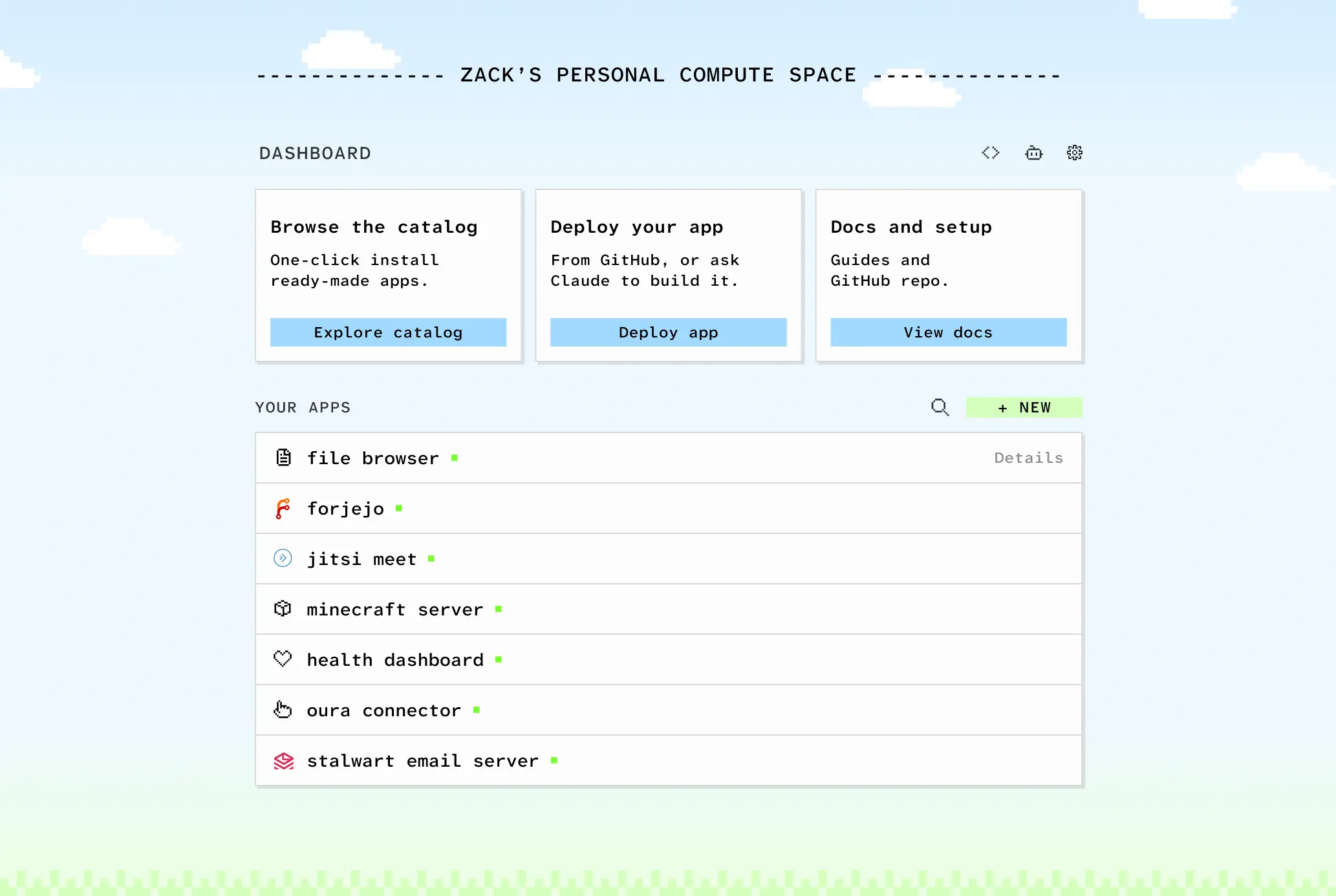
Cloud in a Bottle packages an open-source personal-cloud operating system you install on hardware you own, so installing web apps feels like using an app store while the data never leaves your machine. Its control plane, the router, is a Python service offering a dashboard plus APIs; it clones app repositories, interprets their cloudinabottle.toml manifests, produces container images via rootless Podman, and forwards HTTP and WebSocket traffic to whichever app a request's subdomain names. Everything sits behind the owner's session by default, though a manifest can expose chosen path prefixes. Public deployments put Caddy in front for TLS and run CoreDNS as the zone's authoritative server, so wildcard resolution and wildcard certificates need no per-app work. Manifests govern ports, memory and CPU ceilings, extra host port mappings, storage tiers (permanent, temporary, and an archive on local disk or S3-compatible buckets), provisioned SQLite files, and permissioned cross-app services that the router brokers between containers. Every instance arrives with helper apps already installed: a curated catalog, an encrypted restic backup tool with a migration tab, a file browser, secrets storage, an OAuth token holder, and a Matrix chat server. The same actions are available from the terminal through the bottle CLI, which scripting and coding agents can drive. Self-hosting means running the project's provisioning script on a fresh Ubuntu 24.04 server or home machine, or booting its prebuilt VM image under QEMU or VirtualBox; Imbue also sells managed instances from $5 per month. It remains early (v0.2.0, AGPL-3.0): named per-person logins are roadmap only, and app updates stay manual for now.
Should you self-host Cloud in a Bottle?
Cloud in a Bottle scores 51/100 on selfhost.directory (how scoring works) and ranks #9 of 10 in PaaS. It has 1 235 GitHub stars.
It shipped 7 stable releases in the past year. The latest, v0.3.0, came out on 26 October 2026. New versions land roughly every 3 weeks.
Setup is advanced: plan for several services and some ongoing maintenance. It is AGPL-3.0-licensed and written mostly in Python.
Its closest alternative on selfhost.directory is Openship (67/100, 14 966 stars). It scores higher overall, so compare the two before you pick. See Cloud in a Bottle vs Openship side by side.
Features
- Automatic HTTPS certificates
- Browser Terminal
- Built for AI agents
- CLI Client
- Cross-app service APIs
- Deploy apps from Git repositories
- Encrypted backupsmust be configured before it creates snapshots; archive data is excluded
- Migration between instancestemporary and archive data are not migrated
- One-click app catalog
- Owner-only access with public pathsper-person logins are not available yet
- Rootless container sandboxing
- Self-updating instances
- Subdomain routing per app
- Tiered app storage
- Web dashboard for app management
Cloud in a Bottle README
More in PaaS
 InstaCloud OSSInstaCloud OSS is a self-hosted PaaS giving you a serverless cloud on one machine with Postgres, S3, Redis, MySQL, MongoDB, git push-to-deploy, and instant branching.
 KuberoOpen-source, self-hosted PaaS for Kubernetes: deploy containers or source with 160+ app templates, CI/CD pipelines and GitOps review apps, run by a UI plus operator.
 octeliumOpen-source self-hosted zero trust access platform replacing VPNs, tunnels and gateways, with WireGuard/QUIC clients, clientless access and policy-as-code.
 OpenshipSelf-hosted open-source PaaS: hand it a repo, a folder or an artifact and it detects your stack, builds it, then serves it on your domain with free certificates.
 QuickStackA free, open-source platform you host yourself that replaces Vercel or Heroku — deploy apps and databases on your own hardware with automatic HTTPS and backups.
 rackOpen-source, self-hosted PaaS that runs your apps on a Kubernetes cluster inside your cloud account, adding autoscaling, instant rollbacks, and a Heroku-like CLI.
 RainbondRainbond is a self-hosted, open-source container platform for deploying apps on Kubernetes without K8s expertise, with an app marketplace and offline delivery.
 sandboxdSelf-hosted AI app builder with isolated sandboxes and live previews. Build apps from prompts or run 80+ curated apps. MIT licensed, one-command Docker install.
 SandstormAn open-source, self-hosted platform for running web apps: each document or chat room gets its own sandboxed container, with one-click installs and unified sharing.
 Websoft9Self-hosted PaaS panel in a single Docker container that one-click deploys hundreds of open-source web apps, with domains, SSL, backups and monitoring. Open-source.
 zane-opsOpen-source, self-hosted PaaS to deploy web apps, databases, services and static sites on Docker Swarm with Caddy, as a free alternative to Heroku, Railway or Render.
 CanineOpen-source, self-hosted PaaS that runs on your own Kubernetes cluster: git-push deploys, Let's Encrypt SSL, rollbacks, workers and cron jobs, team access control.
0 comments