
Self-host autoxpose
v0.6.0Automatic DNS and reverse proxy for Docker containers
- Stars
- 149
- Port
- 3000 (Web UI)
mostafawahied/autoxpose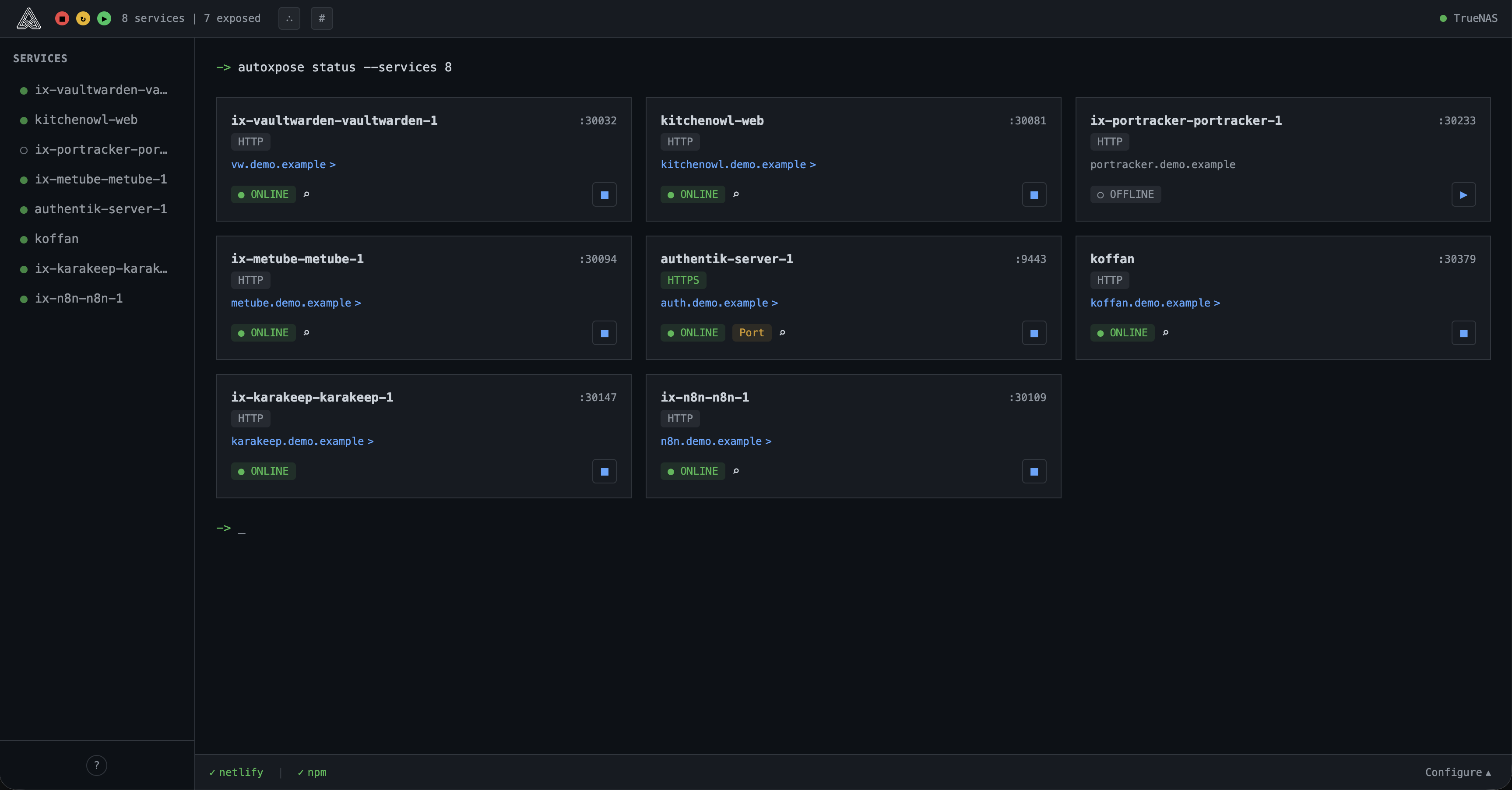
What is autoxpose?
autoxpose is a self-hosted application that automates DNS and reverse proxy setup for Docker containers. Users label their containers, and the tool discovers them, creates DNS records with providers like Cloudflare, Netlify, DigitalOcean, Porkbun, Aliyun, and Tencent Cloud DNSPod, and configures reverse proxy hosts in Nginx Proxy Manager or Caddy with automatic SSL. It includes automatic service discovery, an auto-expose mode, service tagging with colored badges, orphaned resource cleanup, and runs as a single container with an embedded SQLite database. The web UI runs on port 3000 (mapped to 4949 by default) and is configured via SERVER_IP and LAN_IP environment variables. No external dependencies are needed beyond Docker and the chosen DNS/proxy providers.
Should you self-host autoxpose?
autoxpose scores 43/100 on selfhost.directory (how scoring works) and ranks #25 of 34 in Network Management. It has 149 GitHub stars.
It shipped 9 stable releases in the past year. The latest, v0.6.0, came out on 8 October 2026. New versions land roughly every 5 weeks.
Setup is moderate: expect some configuration beyond a single command. An official Docker image is available. It is MIT-licensed and written mostly in Typescript.
Its closest alternative on selfhost.directory is 3x-ui (84/100, 48 772 stars). It scores higher overall, so compare the two before you pick. See autoxpose vs 3x-ui side by side.
Features
- Auto-expose mode
- Automatic container discovery
- Automatic SSL Certificate Management
- Caddy Integration
- DNS record management
- Docker socket proxy support
- Embedded SQLite database
- Nginx Proxy Manager integration
- Orphaned Resource Cleanup
- Portainer stack deployment
- Service tagging
- TrueNAS Scale support
autoxpose README
More in DNS
 blockyFast and lightweight DNS proxy as ad-blocker for local network with many features
 blocky-lists-updaterSelf-hosted companion for blocky DNS that downloads, merges, and serves blocklists via static file server, then triggers blocky to refresh without restart.
 cloudflare-ddnsSelf-hosted Dynamic DNS client that updates Cloudflare DNS records with your public IP for custom domain access without a static IP.
 cloudflare-dns-failoverSelf-hosted Go daemon that monitors server health and updates Cloudflare DNS A records to the first responsive IP for high availability.
 cloudflare-verified-ddnsSelf-hosted Cloudflare DDNS updater verifying DNS via DoH, adaptive polling, detailed telemetry. Python 3.13+, minimal Docker image.
 cobblerCobbler is an open-source, self-hosted Linux provisioning server for PXE network installs that can also manage DHCP, DNS, TFTP boot files and yum repo mirroring.
 corednsSelf-hosted, open-source DNS server and forwarder built from chained plugins: DoT/DoH/DoQ, DNSSEC, caching, and Kubernetes or etcd service discovery.
 d2c.shd2c.sh is a self-hosted, open-source Bash script that keeps Cloudflare A and AAAA records in sync with your public IP, with optional Gotify and Telegram notifications.
 ddnsSelf-hosted, open-source DDNS client that automatically updates DNS records on DigitalOcean, replacing services like DynDNS or No-IP with a free personal solution.
 ddns-goOpen-source self-hosted DDNS tool that detects your public IPv4/IPv6 and updates Cloudflare, Dnspod, Aliyun and more via API, with a web UI, webhooks and Docker images.
 ddns-updaterOpen-source self-hosted DDNS client that keeps A and AAAA records current for many DNS providers, with a web UI, Shoutrrr notifications and a 12MB Docker image.
 DesignateDesignate is a self-hosted, open-source DNSaaS for OpenStack with REST API, CLI, and Horizon dashboard for DNS zone management.
0 comments