
Self-host Uptime-Kuma-Web-API
v1.2.2FastAPI wrapper adding REST API to Uptime Kuma
- Stars
- 282
- Port
- 8000 (REST API server)
- Requires
- Uptime Kuma
medaziz11/uptimekuma_restapi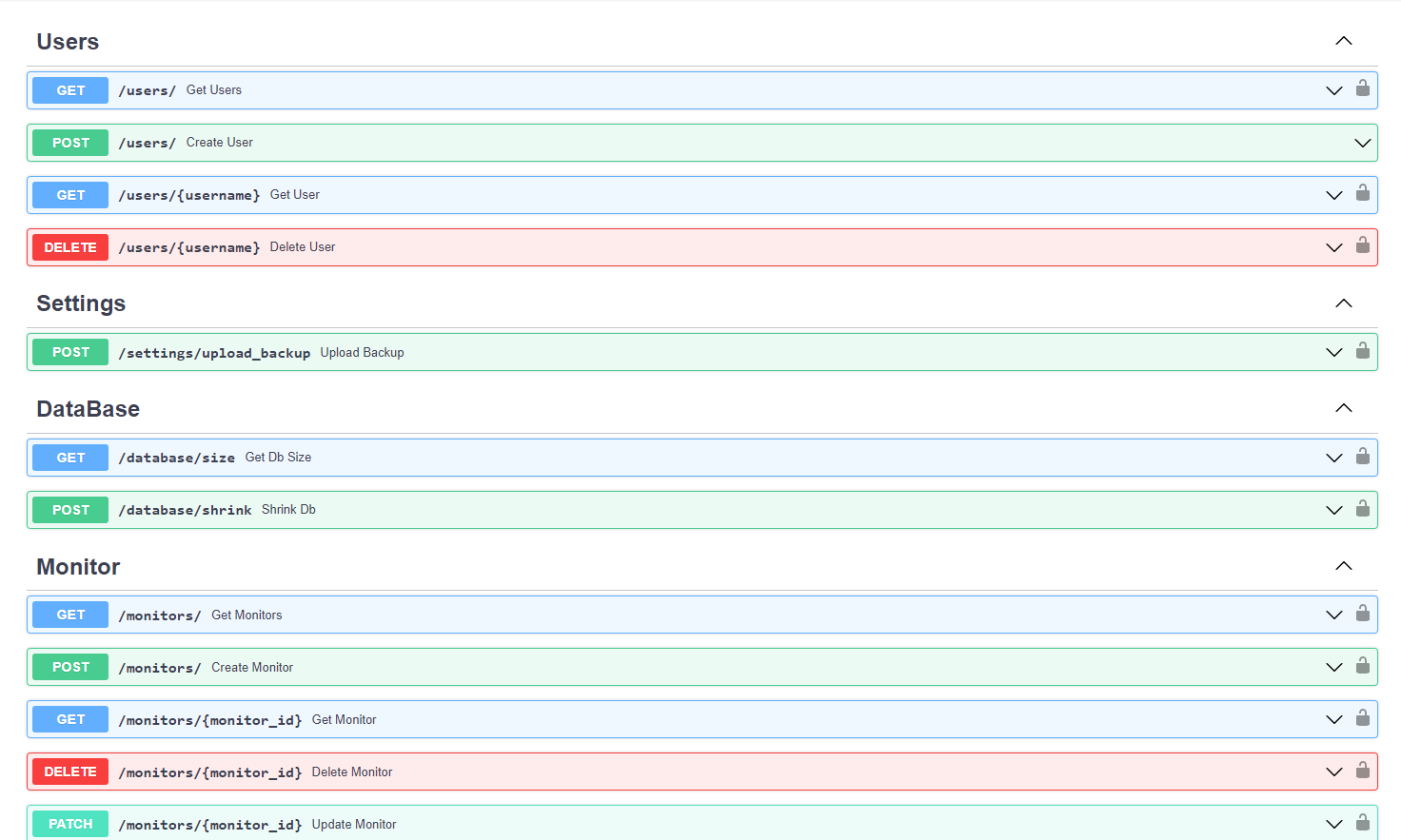
What is Uptime-Kuma-Web-API?
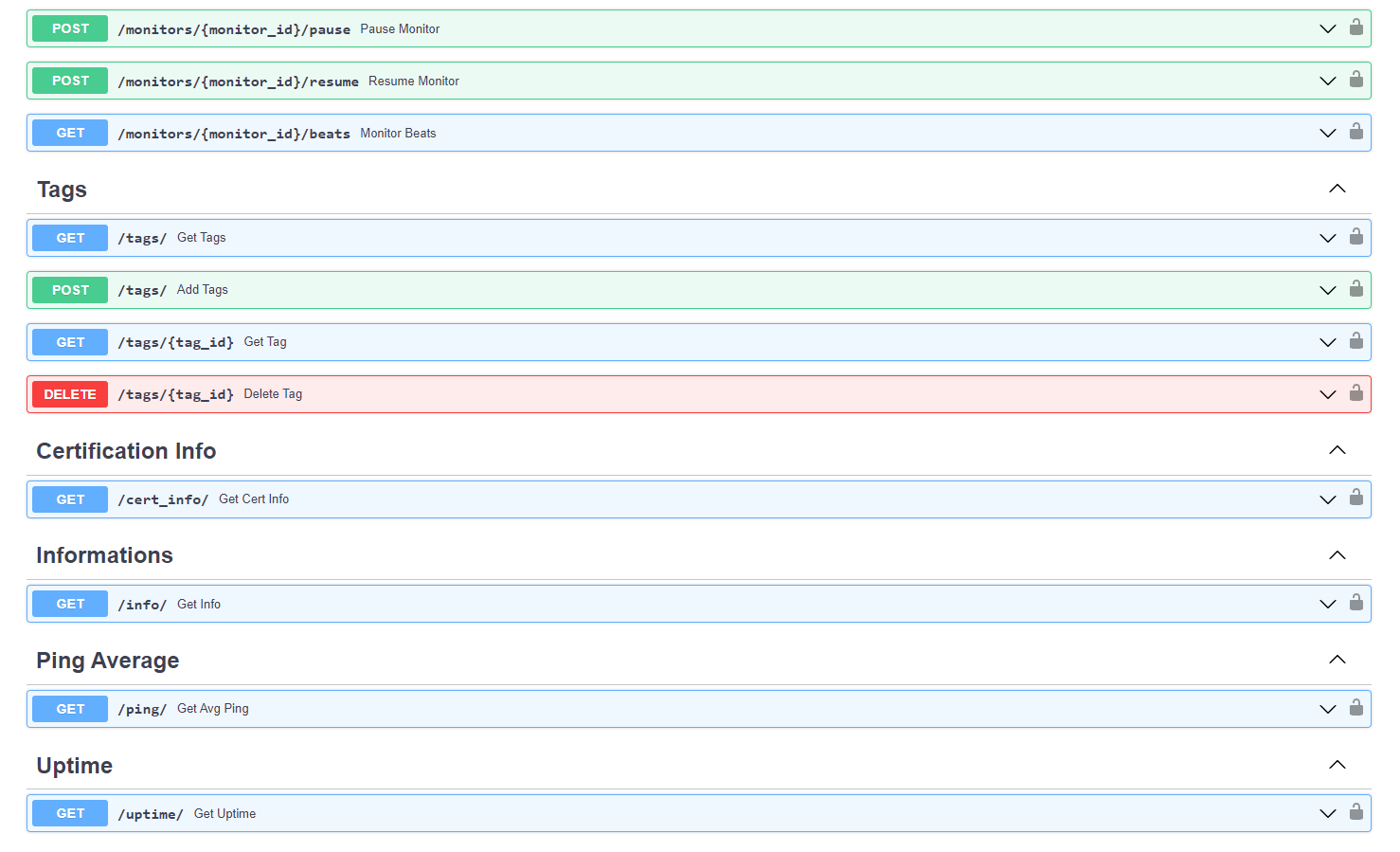
Uptime-Kuma-Web-API is a Python FastAPI wrapper that exposes a REST API for Uptime Kuma, the popular self-hosted monitoring tool. It adds JWT-based authentication with an admin user, Swagger/OpenAPI documentation, and a SQLite database for multi-user support (though privileges are not yet implemented). The project is distributed as a multi-architecture Docker image (amd64, arm64) and runs on port 8000. It requires an existing Uptime Kuma instance to connect to via environment variables. The latest release is v1.2.2 from August 2023, with the repository last pushed in May 2025. No license is explicitly stated in the repository.
Should you self-host Uptime-Kuma-Web-API?
Uptime-Kuma-Web-API scores 39/100 on selfhost.directory (how scoring works) and ranks #12 of 13 in API. It has 282 GitHub stars.
There was no stable release in the past 12 months, so check the repository's recent activity before you rely on it.
Setup is moderate: expect some configuration beyond a single command. An official Docker image is available. It is written mostly in Python.
Its closest alternative on selfhost.directory is Hoppscotch Community Edition (83/100, 80 706 stars). It scores higher overall, so compare the two before you pick. See Uptime-Kuma-Web-API vs Hoppscotch Community Edition side by side.
Features
- Multi-user supportPrivileges not yet implemented
- REST API
- Swagger/OpenAPI documentation
Uptime-Kuma-Web-API README
More in API
 VendureOpen-source headless commerce platform built with TypeScript, NestJS, React, and GraphQL
 VeridropSelf-hosted, open-source tool that probes Claude, OpenAI and Gemini API relay endpoints to expose swapped models, stripped features and bogus token billing.
 WAHASelf-hosted, open-source WhatsApp REST API: pair a number with a QR scan, then send and receive messages, groups, channels and status via webhooks.
 Webhook.siteWebhook.site is a self-hosted, open-source tool for instantly generating unique URLs and emails to test, inspect, and debug HTTP webhooks and requests.
 whisper-asr-webserviceSelf-hosted, open-source speech-to-text webservice wrapping OpenAI Whisper, Faster Whisper and WhisperX behind a REST API with Swagger docs.
 WindsurfAPITurn Windsurf / Devin Desktop's 100+ AI models (Claude, GPT, Gemini, DeepSeek, Kimi, GLM, SWE) into OpenAI-, Anthropic- & Gemini-compatible APIs. Zero-dependency self-hosted reverse proxy for Claude Code, Cline & Cursor. 把 Windsurf/Devin 云端 100+ 模型变成三套兼容 API。
 WuzAPISelf-hosted open-source RESTful API for WhatsApp using Whatsmeow, supporting multi-device sessions, webhooks, and a web dashboard.
 YaadeOpen-source, self-hosted Postman alternative for teams: shared API collections, environments, scripts, OAuth2/OIDC login, and code export, run via Docker.
 YALSYALS is a self-hosted, open-source OpenAI-compatible API server for GGUF models via llama.cpp, with continuous batching and JSON schema support.
 actual-mcp-serverOpen-source MCP server connecting AI assistants to self-hosted Actual Budget with 84 tools for transactions, budgets, and bank sync. Runs via Docker, npm, or stdio.
 ADAMANT IPFS NodeSelf-hosted IPFS file storage for apps with bounded disk, deterministic replication, repair, health checks, and REST API.
 aphrodite-engineOpen-source, self-hosted LLM inference engine for Hugging Face models: continuous batching, paged KV cache, quantization, speculative decoding, OpenAI-compatible serving.
0 comments