
Self-host Traffic Source
Open-source analytics tracking visits and revenue
- Stars
- 679
- Port
- 3000 (HTTP web server)
- Requires
- Node.js
What is Traffic Source?
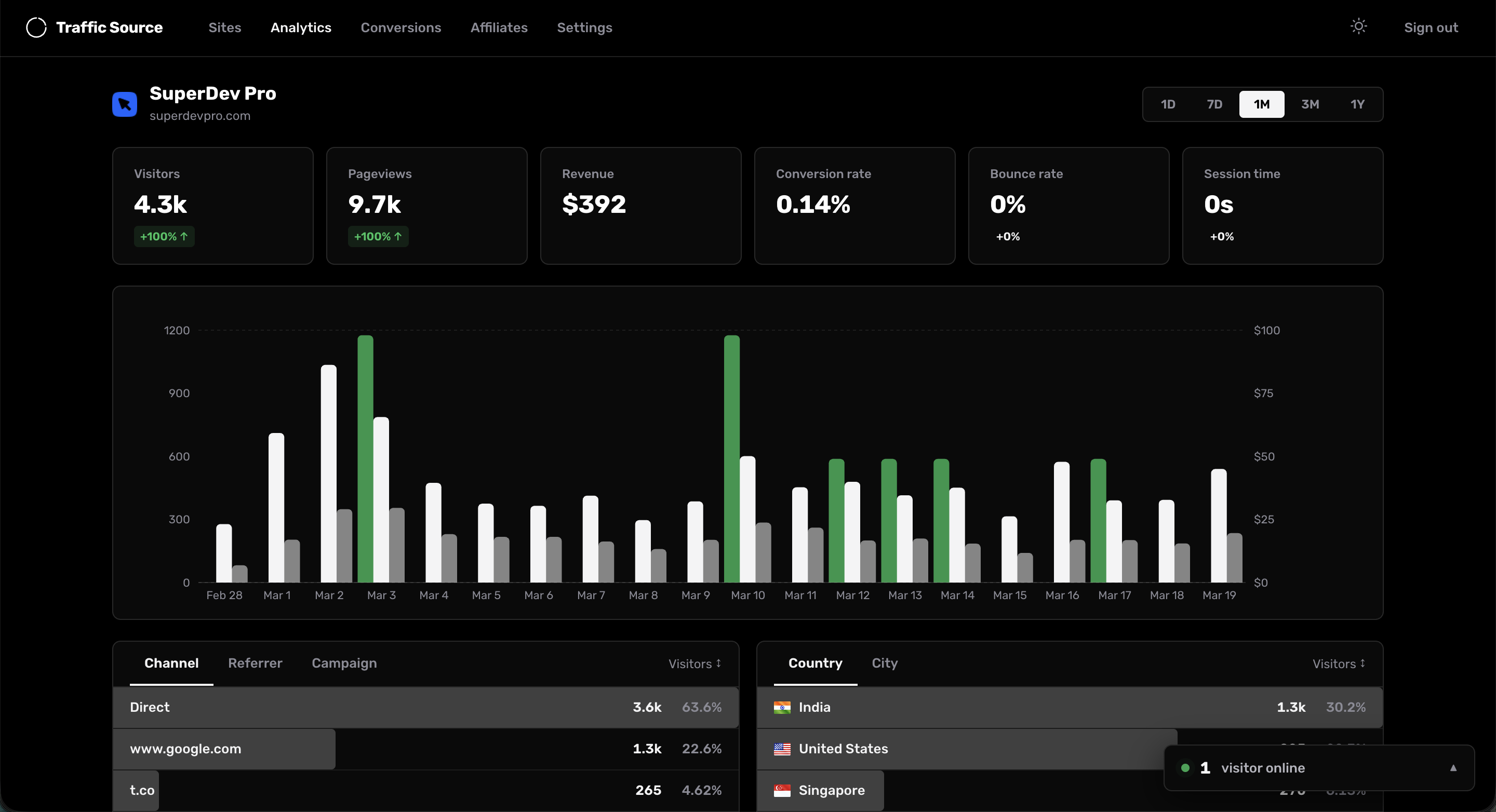
Traffic Source is a self-hosted web analytics platform built with Next.js 16 and React 19 that tracks visitor traffic, referrers, UTM parameters, and conversions. It uses SQLite as a zero-config database with WAL mode, requiring no external database server. Key capabilities include real-time analytics with live visitor counts, traffic source breakdowns with UTM parameters, geo tracking via Cloudflare proxy headers, device and browser analytics, Google Search Console integration for keyword data, Stripe conversion tracking that polls payments every 60 seconds without webhooks, an affiliate system with custom commission rates and public dashboards, visitor journey session replays, and multi-site tracking from a single dashboard. The tracking script is ~3KB with SPA support. Deployment options include a one-click Railway deploy or manual VPS setup with Node.js 20+, PM2 for process management, and Nginx reverse proxy. The cloud version at piqo.app offers a managed alternative with pricing tiers. The project is MIT licensed.
Should you self-host Traffic Source?
Traffic Source scores 51/100 on selfhost.directory (how scoring works) and ranks #10 of 27 in Analytics. It has 679 GitHub stars.
There was no stable release in the past 12 months, so check the repository's recent activity before you rely on it.
Setup is moderate: expect some configuration beyond a single command. It is MIT-licensed and written mostly in JavaScript.
Its closest alternative on selfhost.directory is PostHog (81/100, 40 487 stars). It scores higher overall, so compare the two before you pick. See Traffic Source vs PostHog side by side.
Features
- Affiliate System
- Automatic database migrations
- Device and browser analytics
- Geo Tracking
- Google Search Console integration
- Lightweight tracking script
- Multi-site tracking
- One-click Railway deploy
- Privacy-first tracking
- Real-Time Analytics
- SQLite Database
- Stripe conversion tracking
- Traffic source tracking
- Visitor journey replay
- Zero-Downtime Deployments
Traffic Source README
More in Marketing Automation
 TypebotSelf-hosted, fair-source chatbot builder with a visual block editor, web and WhatsApp delivery, webhooks, result analytics, and Docker images for builder and viewer.
 usesendOpen-source email platform for transactional and marketing sends on Amazon SES, with dashboard, REST API, SMTP relay and self-hosted Docker or Railway deploy.
 X HarnessSelf-hosted X/Twitter marketing automation on Cloudflare Workers/D1 with scheduling, DM, engagement gates, MCP server, and TypeScript SDK — zero software cost.
 billion-mailSelf-hosted open-source mail server and email marketing platform: Postfix, Dovecot and Rspamd with web admin, campaigns, analytics and Roundcube webmail.
 ChatbotXSelf-hosted, open-source ManyChat alternative for WhatsApp, Messenger, Instagram, TikTok and webchat: visual flow builder, AI agents, live inbox, CRM and broadcasts.
 DittofeedOpen-source, self-hosted customer engagement platform: automated email, SMS and push journeys, user segmentation, MJML templates and broadcasts.
 Django-CRMSelf-hosted open-source CRM on Django Admin: leads and deals, tasks and projects, SMTP/IMAP email campaigns, analytics reports, interface in 20+ languages.
 fictionAgentic Digital Self Platform
 GhostGhost is a self-hosted, open-source Node.js CMS for professional publishing with built-in newsletters, memberships, and paid subscriptions.
 HiveMtkSelf-hosted AI marketing SCRM unifying 10+ channels with ReAct agents (45 tools) and local LLM inference. Zero data egress, AGPL-3.0 licensed.
 InstaAutoSelf-hosted Instagram automation on Vercel/Supabase — DM replies, comment-to-DM funnels, story interactions, AI fallbacks. No monthly fees.
 instagram-comment-to-dmSelf-hosted open-source Instagram comment-to-DM automation turning comments into private replies via Meta Graph API, with keyword campaigns and Stripe subscriptions.
0 comments