
Self-host JunimoServer
sdvd-server-v1.4.0Docker-based Stardew Valley server with SMAPI mod support
- Stars
- 375
- Ports
- 24642 (UDP game port for multiplayer connections), 27015 (UDP Steam query port), 5800 (TCP VNC web interface), 8080 (TCP HTTP REST API)
sdvd/server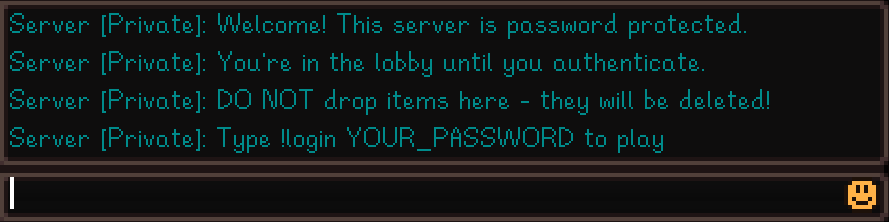
What is JunimoServer?
JunimoServer runs a Stardew Valley dedicated server in Docker so the farm stays online 24/7 without anyone keeping the game client open. It works as a SMAPI mod and adds automatic daily backups, cross-platform play between Steam and GOG users, password-protected lobbies, cabin management, and crop preservation. Admins configure it through environment variables and a JSON settings file, and can use a VNC web interface or a REST API for automation. An optional Discord bot relays chat and shows server status. A Steam account that owns the game is required to download the server files.
Should you self-host JunimoServer?
JunimoServer scores 50/100 on selfhost.directory (how scoring works) and ranks #30 of 62 in Game Servers. It has 375 GitHub stars.
There was no stable release in the past 12 months, so check the repository's recent activity before you rely on it.
Setup is moderate: expect some configuration beyond a single command. An official Docker image is available. It is Other-licensed and written mostly in C#.
Its closest alternative on selfhost.directory is minecraft (78/100, 14 491 stars). It scores higher overall, so compare the two before you pick. See JunimoServer vs minecraft side by side.
Features
- Always-on hosting
- Automatic Backups
- Cabin management
- Chest protection
- Crop preservation
- Cross-platform multiplayer
- Discord Bot Integration
- Password Protection
- REST API
- Server mechanics
- SMAPI mod support
- Web-based administration (VNC)
JunimoServer README
More in Multiplayer
 lilaLila is the open-source, adless chess server behind lichess.org: a self-hosted Scala 3 game server with tournaments, puzzles, Stockfish analysis and a public API.
 LuantiLuanti is an open-source voxel creation platform with self-hosted multiplayer servers, Lua modding, and a built-in browser for games, mods and texture packs on ContentDB.
 Minecraft Bedrock ServerOpen-source Docker image for a self-hosted Minecraft Bedrock Dedicated Server that auto-upgrades Mojang's server at startup and configures it via env vars.
 MTA:SASelf-hosted, open-source game engine mod adding online multiplayer to GTA: San Andreas with Lua scripting and a dedicated server you can run on Linux or Windows.
 NakamaSelf-hosted, open-source game backend with realtime plus turn-based gameplay, matchmaking, leaderboards, chat, player data, and an embedded admin console.
 Scribble.rsSelf-hosted, open-source multiplayer pictionary game alternative to skribbl.io with no ads or account required, featuring custom lobbies and real-time gameplay.
 TShockOpen-source, self-hosted Terraria multiplayer server with server-side characters, anti-cheat, groups, bans and admin commands; runs from a binary or a Docker image.
- 0 A.D.0 A.D. is a free, open-source, historical Real Time Strategy (RTS) game set in the ancient world, featuring 15+ factions, multiplayer, and modding support.
 CockatriceOpen-source virtual tabletop for card games over a network, with a self-hosted Servatrice server, the Oracle card-downloader and offline deck brewing.
 HorizonHorizon is a self-hosted, open-source Rust game server for large-scale multiplayer with plugin architecture, WebSocket networking, and real-time game object replication.
 ioquake3A self-hosted, open-source continuation of the Quake III Arena engine with a dedicated server, VoIP, and mod/standalone-game support for Linux, macOS, Windows.
0 comments