
Self-host Serendipity
2.6.1PHP-powered weblog engine for self-hosted blogging
- Stars
- 229
What is Serendipity?
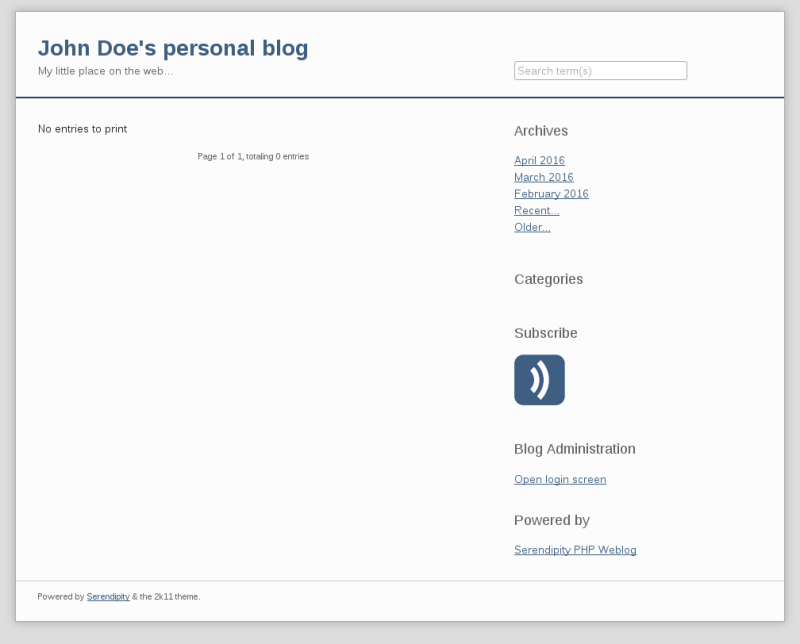
Serendipity is a PHP weblog engine you install on your own web server. It targets casual bloggers but scales to professional use through a plugin system and theme engine. Core features include a WYSIWYG editor, media library, trackback and pingback support, categories, user groups, and built-in anti-spam. The Spartacus repository delivers additional plugins for static pages, tags, Markdown, XML-RPC publishing, and email-to-post workflows. It runs on Apache, IIS, or Lighttpd with PHP 7.3+ and a MySQL, PostgreSQL, or SQLite database. The project has shipped stable releases since 2002 and is licensed under BSD-3-Clause.
Should you self-host Serendipity?
Serendipity scores 53/100 on selfhost.directory (how scoring works) and ranks #7 of 24 in Blogging. It has 229 GitHub stars.
It shipped 2 stable releases in the past year. The latest, 2.6.1, came out on 22 July 2026. New versions land roughly every 3 months.
Setup is moderate: expect some configuration beyond a single command. It is BSD-3-Clause-licensed and written mostly in PHP.
Its closest alternative on selfhost.directory is Typecho (66/100, 12 457 stars). It scores higher overall, so compare the two before you pick. See Serendipity vs Typecho side by side.
Features
- Anti-spam measures
- Blog editor
- Categories
- Email posting (via plugin)Requires POPfetcher plugin
- Markdown and Textile (via plugin)Requires plugin installation
- Media Library
- Multi-language Support
- Plugin Management
- Static pages (via plugin)Requires plugin installation
- Tags (via plugin)Requires plugin installation
- Theme System
- Trackbacks and pingbacks
- User and Group Management
- XML-RPC APIRequires XML-RPC plugin
Serendipity README
FAQ
How do I fight spam in Serendipity?
Use the anti-spam trinity: core Spamblock plugin with multiple measures, Spamblock-Bee with honeypot and hidden captcha, and Spamblock-bayes for local learning spam filtering.
How can my users subscribe to entry comments?
Users can subscribe by leaving their email when commenting, or use the comments RSS feed by adding a feed link to the template.
What is Spartacus and how do I install it?
Spartacus is the online plugin repository and its client plugin. Install it via the admin plugin manager by clicking 'Click here to install event plugins' and installing the Spartacus plugin.
How can I move an existing Serendipity installation to a different server or path?
Copy all files including .htaccess and config, migrate the database via SQL dump, adjust permissions, update database credentials and paths in config files.
How do I upgrade Serendipity?
Backup your installation and database, extract new release files over the old directory (keeping serendipity_config_local.inc.php), then run the upgrader from the admin panel.
What are the file permissions required to run Serendipity?
The core directory needs to be writable (775 or 777) during installation for .htaccess and config file creation. The templates_c, archives, and uploads directories must be permanently writable. If using Spartacus, plugins and templates directories also need write access.
How do I install Serendipity?
Download the release archive, unpack it in your document root, make the directory writable by the web server, and open it in a browser to run the installer.
What system requirements does Serendipity have?
PHP 7.4 or newer with MySQL, PostgreSQL, or SQLite, Apache web server, and either ImageMagick or GD2 for image processing.
What does "s9y" mean?
s9y is an abbreviation of Serendipity, similar to how i18n abbreviates Internationalization.
Where does the name Serendipity originate from?
The name comes from 'Manufactured Serendipity', an essay by Sam Ruby, and the character Serendipity played by Selma Hayek in the movie Dogma.
More in Blogging
 servusSelf-hosted, open-source social media server with flat-file CMS, Nostr relay, and Blossom storage in a single Rust binary — no database or Docker needed.
- SPIPSPIP is a free and open-source content management system designed for collective use, multilingualism, and ease of use. It is distributed under the GNU/GPL license.
 TalkyardSelf-hosted open-source community platform combining forum, chat, Q&A, and blog comments — alternative to StackOverflow, Slack, Discourse, Reddit, Disqus.
 TextpatternSelf-hosted, open-source PHP/MySQL CMS with a tag-based template language, themes, plugins, multi-site support, and an admin panel in 50+ languages.
 tunan-blogA self-hosted blog platform built with Go and Next.js that includes an admin dashboard, Markdown writing, multilingual posts, and integrated Remark42 comments.
 TypechoAn open-source, self-hosted PHP blogging platform with Markdown writing, plugin and theme support, custom fields and pages, backed by MySQL, PostgreSQL or SQLite.
 VonCMSVonCMS is a self-hosted, open-source CMS for publishers. Runs on PHP/MySQL with no Node.js, offering editorial workflow, bundled themes, built-in SEO, GPL-3.0-only.
 Vvveb CMSSelf-hosted open-source PHP CMS with a visual drag-and-drop builder, multi-site and multi-language support, headless GraphQL/REST APIs and built-in ecommerce.
 walineA simple, safe, self-hosted comment system with backend support. Replaces Disqus-style services for blogs and websites.
 weirdWeird is a self-hosted, local-first CMS for personal digital gardens — WordPress meets Notion with Linktree simplicity. Rust/SvelteKit, Rauthy OIDC, optional p2p.
 WonderCMSWonderCMS is a self-hosted, open-source flat-file CMS on 5 files with no database. It offers 1-click updates, backups, and inline editing for simple sites and blogs.
 WordPressWordPress is a self-hosted, open-source CMS powering millions of sites. It offers a block editor, vast plugin/theme ecosystems, and runs on PHP with MySQL/MariaDB.
0 comments