
Self-host PriceBuddy
v1.0.57Price tracker that watches any online store
docker compose up -d- Stars
- 1 452
- Port
- 8080 (web app UI, served by the app container on port 80)
jez500/pricebuddy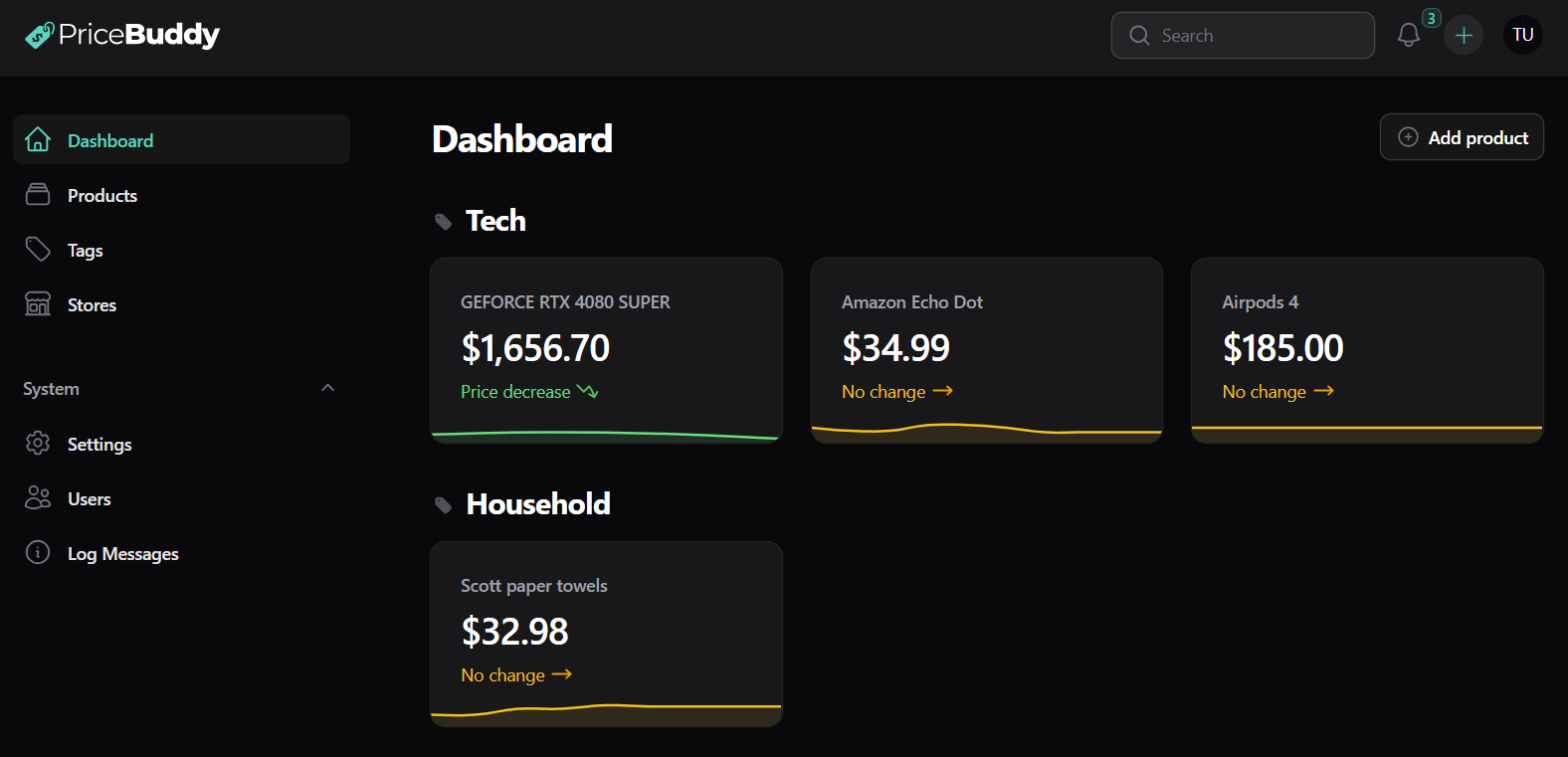
What is PriceBuddy?
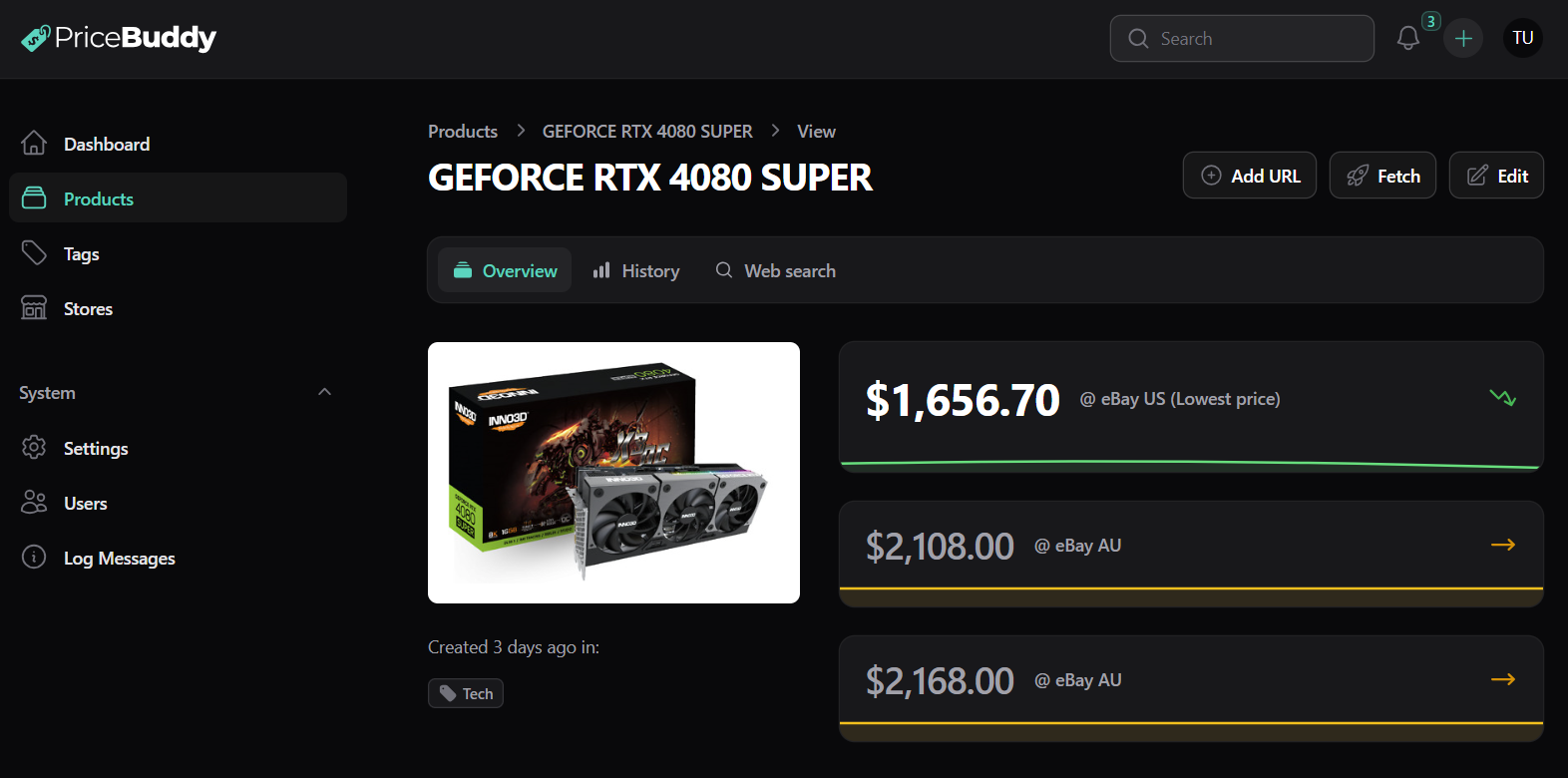
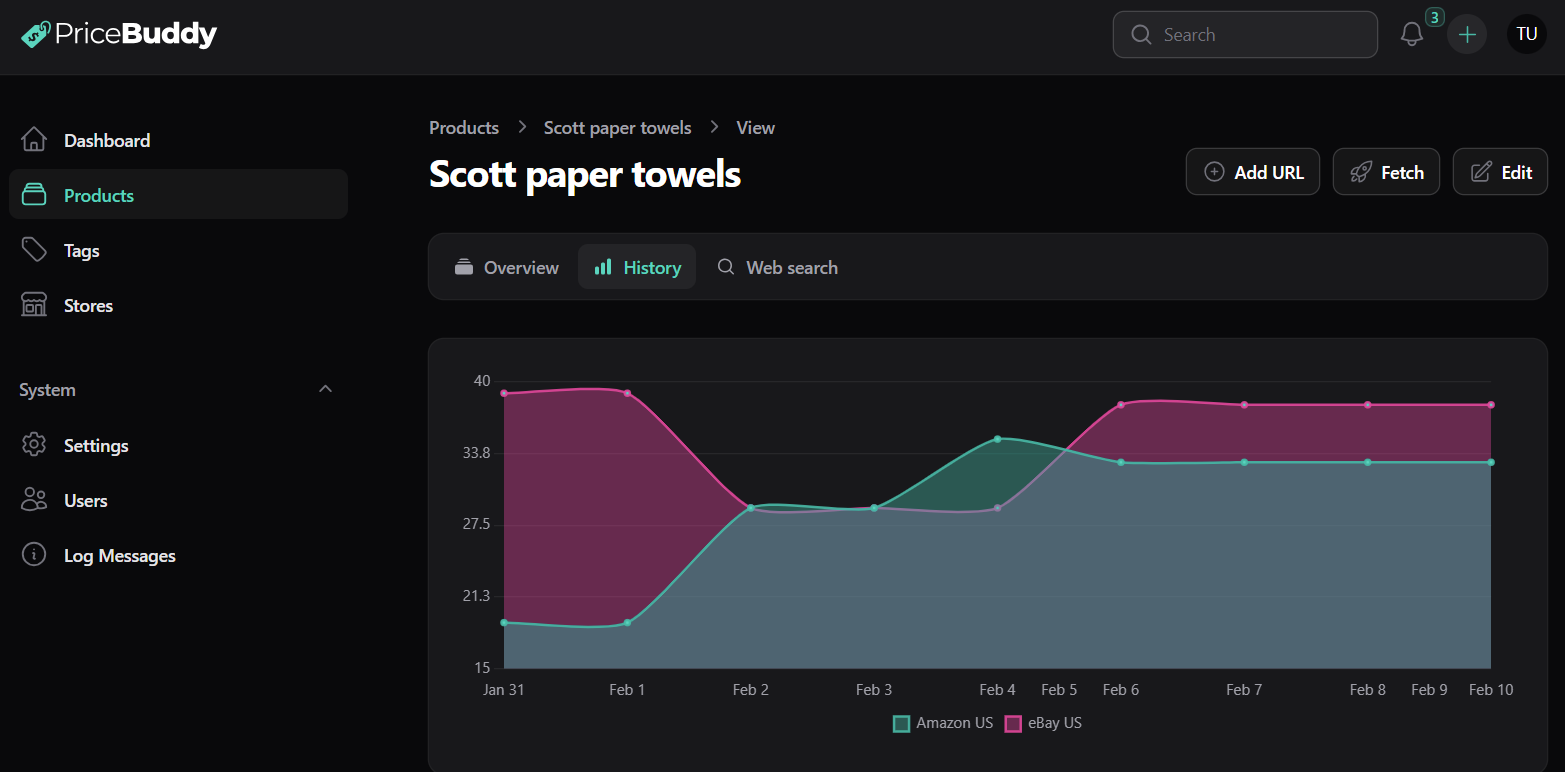
PriceBuddy is a self-hostable web app for watching product prices at whatever online retailers you shop at, aimed at people whose favourite store has no official deal-tracker support. Give it a product link and it scrapes the title, picture, cost and stock state on a schedule you choose: a global cron expression, or a personal interval per item that can be as short as a few minutes. Recorded history is charted with lows, highs and averages, several retailer links can hang off one product for head-to-head comparison, per-unit maths makes bundle packs comparable, and threshold alerts arrive in-app, by mail, or through push channels the admin enables globally (ntfy, Discord, Telegram, Gotify, Pushover, Apprise). Retailer definitions are built from CSS selectors, regexes or JSONPath instead of code, pages that need JavaScript can be routed through a headless-Chrome helper container, and an optional AI layer can recover an absent price or repair broken rules — bring a Gemini, OpenAI or Anthropic key, or point the app at a local model through Ollama; it stays disabled until configured. Accounts are multi-user with Admin and User roles, tags, a rearrangeable dashboard, a token-authenticated REST API, a companion command-line tool that also speaks MCP, plus a Chrome/Edge extension. Running it yourself is a Docker Compose stack: the app on port 8080, MySQL 8.2 and an optional scraper service; the codebase is Laravel with Filament. Two caveats: the licence is a custom copyleft text that bars commercial use, and affiliate tags are appended to a handful of store links unless you turn that off.
Should you self-host PriceBuddy?
PriceBuddy scores 55/100 on selfhost.directory (how scoring works). It has 1 452 GitHub stars.
It shipped 10 stable releases in the past year. The latest, v1.0.57, came out on 24 October 2026. New versions land roughly every 6 days.
Setup is easy: most people get it running in one sitting. An official Docker image is available. It is GPL-3.0-licensed and written mostly in PHP.
Features
- AI-assisted scraping (optional)Disabled by default, requires configuring a provider
- Availability and back-in-stock alerts
- Browser extension companionSeparate companion extension
- CLI with MCP supportCompanion CLI tool
- Deal notifications
- Headless-browser scraping for JS sites
- Multi-store price comparison
- Multi-user accounts with roles
- Price history and charts
- Price tracking for arbitrary stores
- REST API
- Scheduled and per-product price checks
- Tags and customisable dashboard
- Unit price comparison
PriceBuddy README
FAQ
Products are not displaying on the dashboard?
The dashboard only lists favourite products, so tick the Favourite checkbox on the products you want to see.
The image is not displaying on the dashboard — what can I do?
Images are captured during the first scrape, so a missing image usually has the same cause as a missing price; you can set the image manually by editing the product and adding its URL.
Can PriceBuddy track stores that require login to see prices?
No, that is not currently supported; a workaround using the browser scraper with custom scripts exists but is very untested.
Can PriceBuddy scrape stores that use JavaScript to render the page?
Yes, switch the store to the browser-based scraper; it is slower and more resource intensive but its timeouts and sleep settings are configurable and custom JavaScript can be mounted in the scraper container.
What if a store is blocking PriceBuddy?
PriceBuddy tries to behave like a real browser user (rotating user agents, waiting between requests), but some stores block aggressively, so check in a browser whether you are blocked yourself.
Why do I get the incorrect price when scraping a store?
Usually the store's scraping strategy (often guessed when a store is auto-created), a website change by the store, or wrong locale/currency settings; edit the store and adjust the strategy until the expected price is returned.
0 comments