selfhost.directory

The index of self-hostable projects — ranked, categorized and served with live updates.
Own your data and stop giving it to big tech.

MoneyMatter logo

Self-host MoneyMatter

v0.33.4

Open-source personal finance tracker with bank sync and AI

BetaOpen SourceAGPL-3.0
Updated10 hours ago
LanguageTypescript
Setup difficultyEasy
MobileResponsive
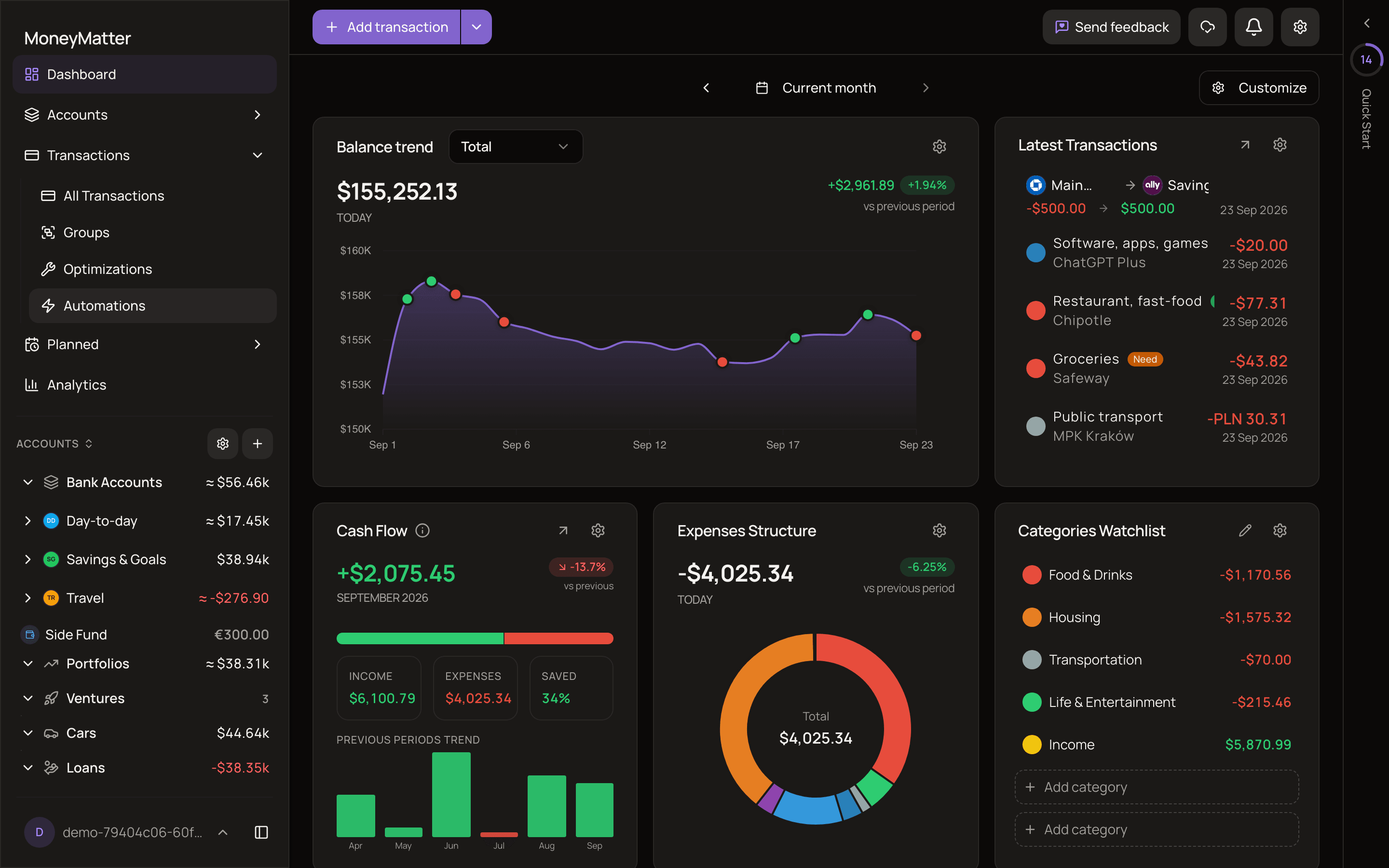
ThemeDark mode
Stars
191
Port
8081 (Backend application port (internal))
Requires
Currency-rates-api, PostgreSQL, Redis
Docker
letehaha/budget-tracker-be
Install with Docker Compose
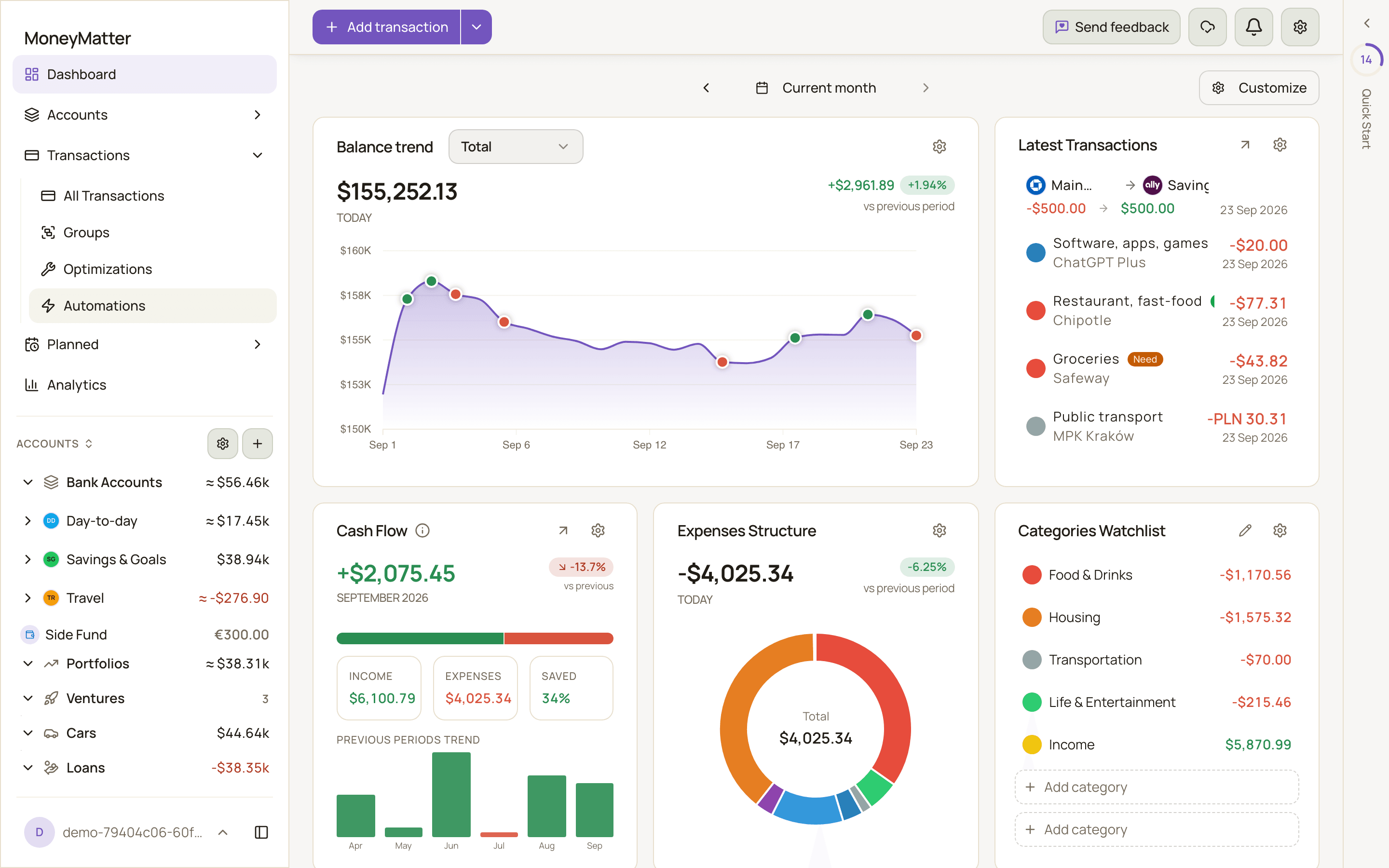
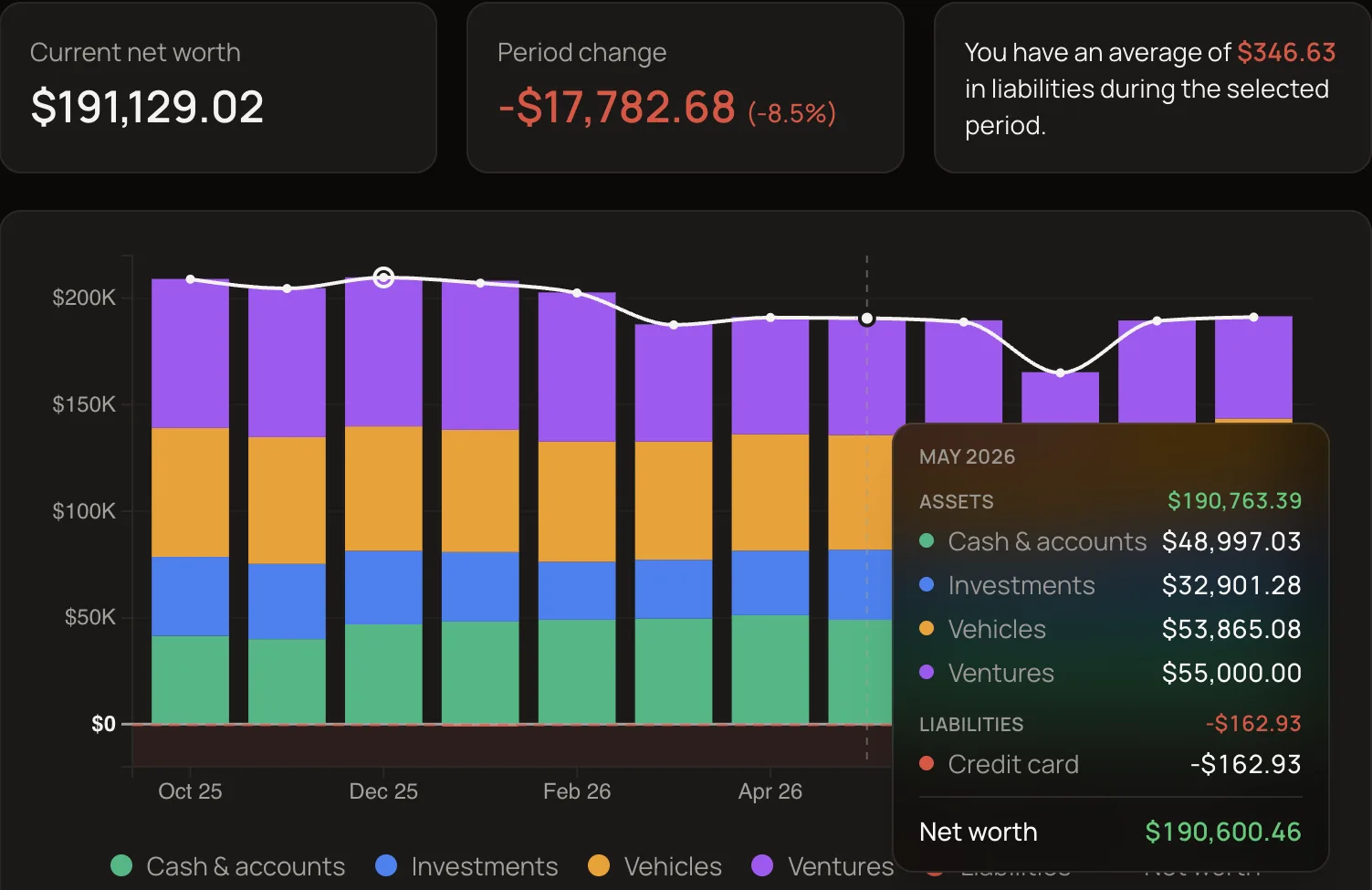
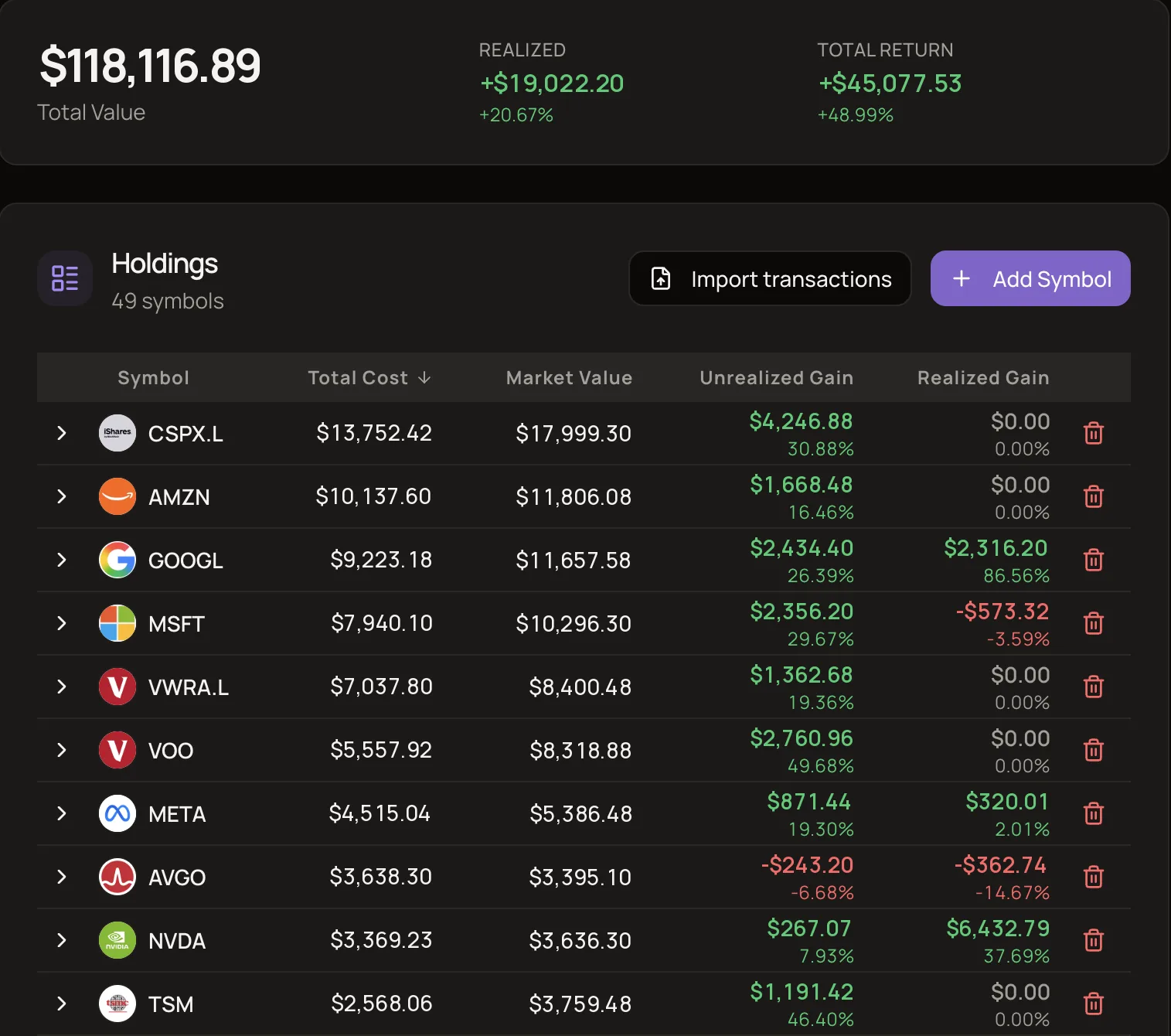
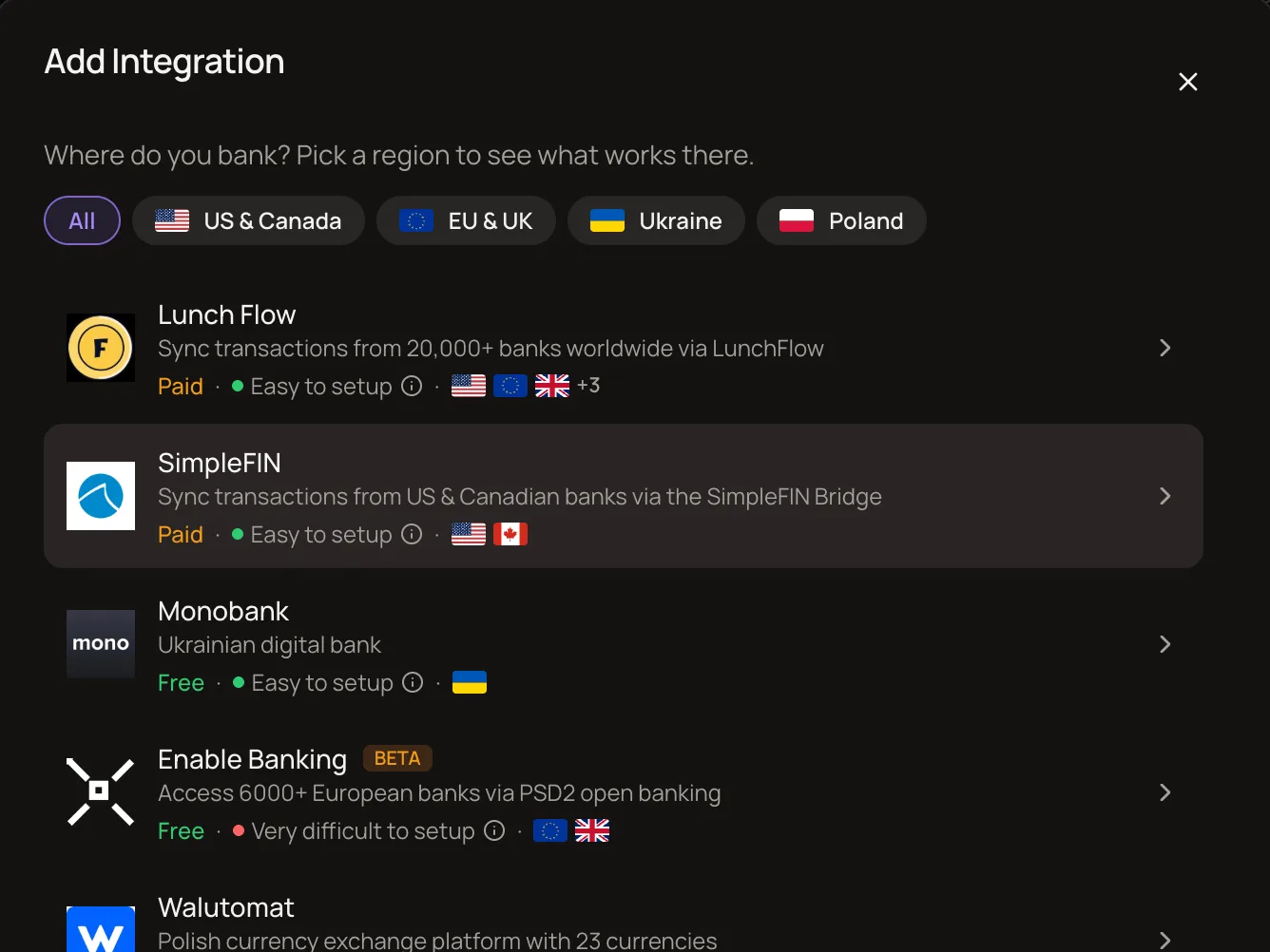
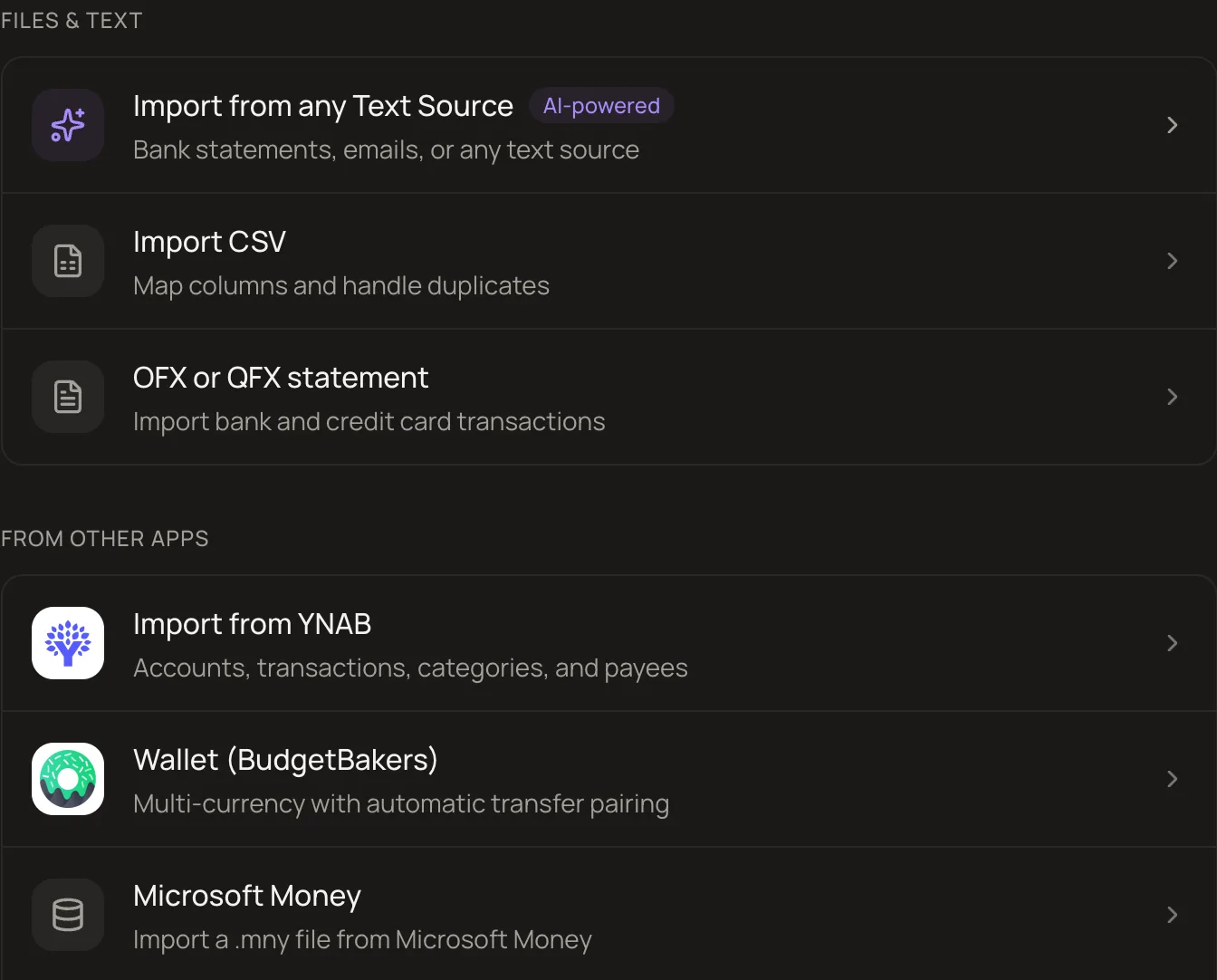
MoneyMatter dashboard showing balance trend, cash flow, expenses structure, latest transactions and categories watchlistMoneyMatter dashboard in dark modeNet worth history chart stacked by cash, investments, vehicles and venturesInvestment portfolio with total value, total return and gains per holdingBank provider picker listing LunchFlow, SimpleFIN, Monobank and WalutomatImport options: any text source, CSV, OFX, YNAB, Wallet and Microsoft Money

What is MoneyMatter?

MoneyMatter is an open-source personal finance application that you can self-host with Docker Compose. It tracks accounts in any currency, budgets, investments (stocks, ETFs, crypto), loans, vehicles, and net worth. Transactions can be entered manually or synced from banks via LunchFlow, SimpleFIN, and Monobank covering 30+ countries. It imports from YNAB, Wallet, Microsoft Money, CSV, OFX, and AI-parsed statements. Features include multi-currency with automatic exchange rates, customizable dashboard, cash flow and money flow reports, pivot tables, a FIRE planner, and family sharing with per-account access control. Authentication supports email/password, Google, GitHub, and passkeys (WebAuthn). A built-in MCP server lets AI agents like Claude and ChatGPT query your financial data. The self-hosted version is free with all features enabled, while the cloud offers a 40-day trial and paid plans from $30/year. The stack runs on PostgreSQL, Redis, and a currency-rates service, exposed on a single port (default 8080) behind any reverse proxy.

Should you self-host MoneyMatter?

MoneyMatter scores 20/100 on selfhost.directory (how scoring works) and ranks #62 of 62 in Personal Finance. It has 191 GitHub stars.

It shipped 10 stable releases in the past year. The latest, v0.33.4, came out on 27 October 2026. New versions land roughly every 1 days.

An official Docker image is available. It is AGPL-3.0-licensed and written mostly in Typescript.

Its closest alternative on selfhost.directory is Firefly III (82/100, 25 022 stars). It scores higher overall, so compare the two before you pick. See MoneyMatter vs Firefly III side by side.

Features

  • AI categorization and parsing
  • Automation Rules
  • Bank synchronization
  • Budgeting with rollover
  • Data Import/Export
  • Family/household sharing
  • FIRE planner
  • Investment Tracking
  • MCP server for AI agents
  • Multi-currency accounts
  • Passkey/WebAuthn authentication
  • Reports and analytics
  • Transaction attachments

MoneyMatter README

How to install MoneyMatter

Install MoneyMatter with Docker Compose

Docker and Docker Compose; a public domain pointing to the server
Environment variables
Required: NODE_ENV, BETTER_AUTH_URL, AUTH_ORIGIN, APPLICATION_JWT_SECRET, APP_SESSION_ID_SECRET, BETTER_AUTH_SECRET, APPLICATION_DB_PASSWORD, APPLICATION_DB_*, APPLICATION_REDIS_HOST, APPLICATION_PORT. Optional: HTTP_PORT, LISTEN_PORT, IMAGE_TAG, DB_HOST_PORT, REDIS_HOST_PORT, and many feature flags.

git clone https://github.com/letehaha/moneymatter.git cd moneymatter/self-hosting cp .env.example .env # then fill the REQUIRED section docker compose up -d

Pulls published images for amd64 and arm64. Exposes the app on one host port (default 8080). Works with any reverse proxy (Nginx Proxy Manager, Caddy, Traefik) or none for LAN/localhost.

How to configure MoneyMatter

  • ADMIN_USERS--- Admins (comma-separated usernames; grants admin API access) --- Usernames, not emails: the handle shown in Settings → Household, without the "@". Mostly a legacy setting that does very little – safe to leave unset.

    --- Admins (comma-separated usernames; grants admin API access) --- Usernames, not emails: the handle shown in Settings → Household, without the "@". Mostly a legacy setting that does very little – safe to leave unset.

  • AI_MONTHLY_CAP_USD_PLUSMonthly spend cap in USD on the included AI models for paid Plus users. Unset means no cap

    Monthly spend cap in USD on the included AI models for paid Plus users. Unset means no cap

  • AI_MONTHLY_CAP_USD_TRIALMonthly spend cap in USD on the included AI models for everyone without paid Plus. Unset means no cap

    Monthly spend cap in USD on the included AI models for everyone without paid Plus. Unset means no cap

  • ALLOWED_ORIGINS--- Extra CORS origins (comma-separated, beyond AUTH_ORIGIN) ---

    --- Extra CORS origins (comma-separated, beyond AUTH_ORIGIN) ---

  • ALPHA_VANTAGE_API_KEY
  • ANTHROPIC_API_KEYPrimary included AI model (Claude Haiku)

    Primary included AI model (Claude Haiku)

  • API_HTTPSplit-domain mode only: serve the API on its own host. Requires uncommenting the backend labels block in docker-compose.traefik.yml and setting

    Split-domain mode only: serve the API on its own host. Requires uncommenting the backend labels block in docker-compose.traefik.yml and setting

  • API_LAYER_API_KEYS--- Currency rates: APILayer paid fallback. The bundled currency-rates-api sidecar covers the common case; APILayer is only needed for currencies outside its support list. ---

    --- Currency rates: APILayer paid fallback. The bundled currency-rates-api sidecar covers the common case; APILayer is only needed for currencies outside its support list. ---

  • API_VER
  • APPLICATION_DB_DATABASEbudget_tracker
  • APPLICATION_DB_DIALECTpostgres
  • APPLICATION_DB_HOSTdb--- Database ------------------------------------------------------------

    --- Database ------------------------------------------------------------

  • APPLICATION_DB_PASSWORD
  • APPLICATION_DB_PORT5432
  • APPLICATION_DB_USERNAMEbudget_tracker
  • APPLICATION_HOST--- Backend bind -------------------------------------------------------- APPLICATION_PORT is read by the backend at runtime AND by compose (frontend proxy target + healthcheck). Change both places by changing it here.

    --- Backend bind -------------------------------------------------------- APPLICATION_PORT is read by the backend at runtime AND by compose (frontend proxy target + healthcheck). Change both places by changing it here.

  • APPLICATION_JWT_SECRET--- Auth secrets – generate each with: openssl rand -base64 32 ---------- The backend refuses to start while any of these is still __REPLACE_ME__.

    --- Auth secrets – generate each with: openssl rand -base64 32 ---------- The backend refuses to start while any of these is still __REPLACE_ME__.

  • APPLICATION_PORT8081
  • APPLICATION_REDIS_HOSTredis--- Redis ---------------------------------------------------------------

    --- Redis ---------------------------------------------------------------

  • APP_SESSION_ID_SECRET
  • AUTH_ORIGINhttp://localhost:8080
  • AUTH_RP_ID--- Passkeys / WebAuthn --- AUTH_RP_ID defaults to "localhost"; set to your bare domain (no scheme) for passkey support. Must be a registrable suffix of AUTH_ORIGIN.

    --- Passkeys / WebAuthn --- AUTH_RP_ID defaults to "localhost"; set to your bare domain (no scheme) for passkey support. Must be a registrable suffix of AUTH_ORIGIN.

  • AUTH_RP_NAME
  • BETTER_AUTH_SECRET
  • BETTER_AUTH_URLhttp://localhost:8080--- App URL --------------------------------------------------------------- The exact URL you open the app at in the browser – auth cookies and CORS are bound to it. The default matches HTTP_PORT below, so a localhost trial works as-is. For a real deployment set your public URL instead (e.g. https://budget.example.com); the API stays on this same origin under /api. Keep both variables identical.

    --- App URL --------------------------------------------------------------- The exact URL you open the app at in the browser – auth cookies and CORS are bound to it. The default matches HTTP_PORT below, so a localhost trial works as-is. For a real deployment set your public URL instead (e.g. https://budget.example.com); the API stays on this same origin under /api. Keep both variables identical.

  • COINGECKO_API_KEY
  • CSP_EXTRA_ANALYTICSCSP_EXTRA_ANALYTICS defaults to VITE_POSTHOG_HOST alone. If you set VITE_SENTRY_DSN above, set this too — the Sentry ingest host can't be derived from the DSN, and unset means connect-src blocks every error report.

    CSP_EXTRA_ANALYTICS defaults to VITE_POSTHOG_HOST alone. If you set VITE_SENTRY_DSN above, set this too — the Sentry ingest host can't be derived from the DSN, and unset means connect-src blocks every error report.

  • CSP_EXTRA_CONNECTExtra CSP allow-list hosts. CSP_EXTRA_CONNECT and CSP_EXTRA_FORM_ACTION default to API_HTTP; set them only if you serve from multiple domains.

    Extra CSP allow-list hosts. CSP_EXTRA_CONNECT and CSP_EXTRA_FORM_ACTION default to API_HTTP; set them only if you serve from multiple domains.

  • CSP_EXTRA_FORM_ACTION
  • DB_HOST_PORTPostgres / Redis are not published to the host by default. To reach them from the host (psql, redis-cli, backups), uncomment the matching `ports:` line in docker-compose.yml; these variables then pick the host ports.

    Postgres / Redis are not published to the host by default. To reach them from the host (psql, redis-cli, backups), uncomment the matching `ports:` line in docker-compose.yml; these variables then pick the host ports.

  • ENABLE_BANKING_REDIRECT_URL--- Bank linking via Enable Banking. Must be https://<origin>/bank-callback ---

    --- Bank linking via Enable Banking. Must be https://<origin>/bank-callback ---

  • FMP_API_KEY
  • GEMINI_API_KEY--- AI features (included models, used when a user has no AI model of their own) --- Included Google AI model, used when ANTHROPIC_API_KEY is unset or failing

    --- AI features (included models, used when a user has no AI model of their own) --- Included Google AI model, used when ANTHROPIC_API_KEY is unset or failing

  • GITHUB_CLIENT_ID
  • GITHUB_CLIENT_SECRET
  • GOOGLE_CLIENT_ID--- OAuth providers (both pairs are independent – set one or both). ---

    --- OAuth providers (both pairs are independent – set one or both). ---

  • GOOGLE_CLIENT_SECRET
  • HTTP_PORTHost port the app is published on (frontend container -> :LISTEN_PORT).

    Host port the app is published on (frontend container -> :LISTEN_PORT).

  • IMAGE_TAGImage tag to pull for backend + frontend.

    Image tag to pull for backend + frontend.

  • LETSENCRYPT_EMAIL
  • LISTEN_PORTPort nginx listens on inside the frontend container. Raise it above 1024 (e.g. 8080) on hosts that reserve low ports for root, such as Synology Container Manager

    Port nginx listens on inside the frontend container. Raise it above 1024 (e.g. 8080) on hosts that reserve low ports for root, such as Synology Container Manager

  • LOGO_DEV_SECRET_KEY--- logo.dev SECRET key (sk_...) for payee brand-logo search (server-side only) --- Search results only. Rendering logo images also needs VITE_LOGO_DEV_TOKEN below.

    --- logo.dev SECRET key (sk_...) for payee brand-logo search (server-side only) --- Search results only. Rendering logo images also needs VITE_LOGO_DEV_TOKEN below.

  • MCP_BASE_URLMCP base URL advertised to external MCP clients (Claude, ChatGPT, ...). Set it to the origin you reach the app on, e.g. https://money.example.com — the frontend container proxies /mcp and the OAuth discovery endpoints to the backend. Split-domain deployments set it to the backend's own origin instead. Leave unset if you do not use MCP.

    MCP base URL advertised to external MCP clients (Claude, ChatGPT, ...). Set it to the origin you reach the app on, e.g. https://money.example.com — the frontend container proxies /mcp and the OAuth discovery endpoints to the backend. Split-domain deployments set it to the backend's own origin instead. Leave unset if you do not use MCP.

  • NODE_ENVproduction
  • POLYGON_API_KEY--- Investments / market data (set one or more) ---

    --- Investments / market data (set one or more) ---

  • REDIS_HOST_PORT
  • RESEND_API_KEY--- Email (transactional / verification / password reset). Without RESEND_API_KEY email verification is disabled, users can register with any address, and the Forgot password link is hidden. ---

    --- Email (transactional / verification / password reset). Without RESEND_API_KEY email verification is disabled, users can register with any address, and the Forgot password link is hidden. ---

  • RESEND_FROM_EMAIL
  • SELFHOST_API_DOMAIN
  • SELFHOST_FRONTEND_DOMAINDomain Traefik serves the app on, plus the ACME contact for Let's Encrypt.

    Domain Traefik serves the app on, plus the ACME contact for Let's Encrypt.

  • SENTRY_AUTH_TOKENSentry source-map upload during the frontend image build (optional).

    Sentry source-map upload during the frontend image build (optional).

  • SENTRY_DSN--- Backend observability ---

    --- Backend observability ---

  • SENTRY_ORG
  • SENTRY_PROJECT
  • SYSTEM_DEMO_DISABLEDDisables demo accounts completely. The compose stack defaults this to true; set SYSTEM_DEMO_DISABLED=false to allow demo accounts.

    Disables demo accounts completely. The compose stack defaults this to true; set SYSTEM_DEMO_DISABLED=false to allow demo accounts.

  • SYSTEM_MAX_SIGNUPS_ALLOWEDSet the number of max allowed signups

    Set the number of max allowed signups

  • TRUSTED_PROXIES--- Reverse proxy trust --- Proxies whose X-Forwarded-For the backend believes; sets the client address on sessions and rate limits. Default loopback,linklocal,uniquelocal (private ranges: same host or Docker network), which covers Traefik, nginx and Cloudflare Tunnel on the Docker network. Set only if a proxy in front of the app sits on a public address, and keep the defaults: loopback,linklocal,

    --- Reverse proxy trust --- Proxies whose X-Forwarded-For the backend believes; sets the client address on sessions and rate limits. Default loopback,linklocal,uniquelocal (private ranges: same host or Docker network), which covers Traefik, nginx and Cloudflare Tunnel on the Docker network. Set only if a proxy in front of the app sits on a public address, and keep the defaults: loopback,linklocal,

  • TYPESAFE_API_KEY--- Key to Jev model from TypeSafe. Optional. When provided, faster and better resulsts for certain features ---

    --- Key to Jev model from TypeSafe. Optional. When provided, faster and better resulsts for certain features ---

  • VITE_LOGO_DEV_TOKENBrand logos for payees, subscriptions, banks, and stock tickers (logo.dev). Use the PUBLISHABLE key (pk_...), not the secret key. Without it the app falls back to initials / asset-class icons. Free token at https://www.logo.dev.

    Brand logos for payees, subscriptions, banks, and stock tickers (logo.dev). Use the PUBLISHABLE key (pk_...), not the secret key. Without it the app falls back to initials / asset-class icons. Free token at https://www.logo.dev.

  • VITE_POSTHOG_HOST
  • VITE_POSTHOG_KEYAnalytics / error tracking (frontend-facing public values).

    Analytics / error tracking (frontend-facing public values).

  • VITE_SENTRY_DSN
  • VITE_SENTRY_RELEASE

MoneyMatter releases & version history

FAQ

What can an AI assistant see and do?

Only what you approve. When connecting an assistant, you pick one of three access levels: read, write, or write and delete. The assistant signs in through OAuth and you can revoke access in settings.

Can I bring my data from another app?

Yes. Direct importers for YNAB, Wallet by BudgetBakers, and Microsoft Money. For other apps, use CSV, OFX, or bank statement import with AI-assisted parsing.

Can I move between the cloud and my own server?

Yes, both ways. Export a backup on one and restore it on the other. Backup export works during the trial, so you can try cloud first and move to self-hosted later with all your data.

Self-hosted or cloud, what's the difference?

Both run the same app. Self-hosted is free on your own server with Docker; you handle updates and provide your own API keys for market data. Cloud handles hosting, updates, security patches, and pays for stock/crypto prices, exchange rates, and merchant logos.

What's the difference between the plans?

Essential ($30/year) includes manual tracking, imports, budgets, investments, reports, backups, AI on your own API key, MCP server, and 2 household seats. Plus ($55/year) adds bank sync, AI on the provided key, and 5 seats. Self-hosting is free with all features.

What happens after the 40-day trial?

No card is required to start, so you cannot be charged automatically. After the trial, your account becomes read-only: you can view and export data or delete the account. Nothing is deleted.

Is my data secure?

Your browser talks to the app over HTTPS. Bank credentials and AI keys are stored encrypted with AES-256-GCM. The code is open source and auditable on GitHub. Self-hosting keeps your data on your own server.

More in Personal Finance

Rate this project

Click to rate — no account needed.

0 comments

Posting as guest
Loading comments…