
Self-host meridian
v3.17.3CLI tool to deploy hardened VLESS+Reality proxy servers
- Stars
- 499
- Ports
- 443 (nginx stream (SNI router) for VLESS+Reality and XHTTP on TCP), 80 (nginx for ACME challenges (Let's Encrypt))
What is meridian?
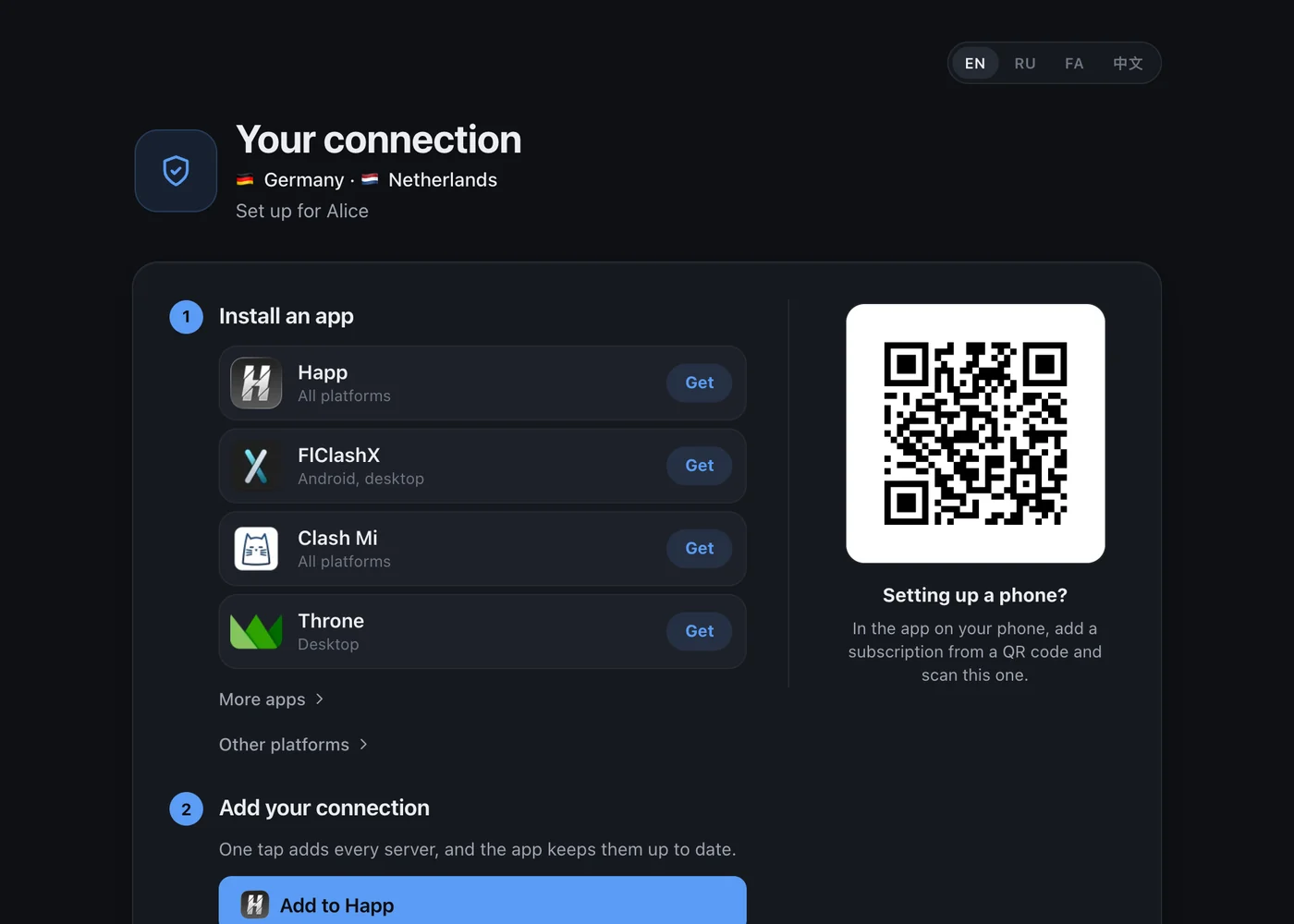
Meridian is a command-line utility that turns a clean Debian or Ubuntu VPS into a hardened, censorship-resistant proxy server supporting VLESS+Reality, XHTTP, and Hysteria2 protocols. The tool runs on your local workstation (macOS, Linux, or Windows via WSL) and connects over SSH to provision the remote machine automatically: it installs Docker, deploys Xray managed by the Remnawave panel, configures nginx for SNI routing on port 443, obtains Let's Encrypt certificates for the server's IP address, hardens SSH with key-only login and fail2ban, sets up the UFW firewall, and enables BBR congestion control. The deployment verifies actual traffic through the delivered subscription before finishing. Users get a connection page with QR codes and a subscription URL that works with clients such as Happ, FlClashX, Clash Mi, and Throne. Meridian handles multi-server fleets, domestic relay nodes (via Realm TCP forwarder), split routing rules (including Cloudflare WARP), and automatic camouflage target selection. All state lives locally in ~/.config/meridian/cluster.yml. The project uses the MIT license and is currently in beta (v4.0.0b7).
Should you self-host meridian?
meridian scores 52/100 on selfhost.directory (how scoring works) and ranks #31 of 56 in VPN. It has 499 GitHub stars.
It shipped 18 stable releases in the past year. The latest, v4.0.0b8, came out on 27 October 2026. New versions land roughly every 1 days.
Setup is moderate: expect some configuration beyond a single command. It is MIT-licensed and written mostly in Python.
Its closest alternative on selfhost.directory is Tailscale (84/100, 38 215 stars). It scores higher overall, so compare the two before you pick. See meridian vs Tailscale side by side.
Features
- Automatic Camouflage Target Selection
- Checkpointed Deployments
- Connection Pages with QR Codes
- Diagnostic and Testing Tools
- Domestic Relay Nodes
- Hysteria2 Protocol
- Let's Encrypt IP Certificates
- Multi-server fleet management
- Subscription URL with Auto-Refresh
- Traffic Verification Before Completion
- VLESS+Reality Protocol
- WSS Protocol
- XHTTP Protocol
meridian README
More in Network Security
 NetAlertXSelf-hosted, open-source network monitoring tool that discovers devices via ARP, SNMP, Nmap and router imports, then alerts you on every change.
 netbirdNetBird is a self-hosted, open-source zero-trust networking platform with WireGuard mesh, centralized access control, SSO/MFA, and posture checks.
 netgoatNetGoat is an open-source, self-hosted Go reverse proxy and free Cloudflare alternative with domain routing, WAF rules, rate limiting, TLS/ACME and bot challenges.
 nftables blacklistnftables-blacklist is a self-hosted, open-source bash script that downloads IP blacklists and blocks them via nftables on Linux servers with IPv4/IPv6 support.
 ntopngSelf-hosted, open-source (GPLv3) network traffic monitor: live flows, top talkers, nDPI layer-7 detection, NetFlow/sFlow collection and a REST API.
 openvpnOpenVPN is an open-source, self-hosted VPN daemon for remote access and site-to-site tunnels, offering PKI auth, NAT traversal, TUN/TAP devices, and post-quantum TLS.
 OpenZitiOpenZiti is an open-source, self-hosted zero-trust overlay network: identity-based access, dark services with no open ports, tunnelers and SDKs instead of VPN.
 opnsenseSelf-hosted, open-source firewall and routing platform on FreeBSD: stateful filtering, VPN, Suricata IPS, multi-WAN failover, all managed from a web GUI.
 Outline ServerOutline Server is a self-hosted, open-source Shadowsocks proxy with a REST API for access keys, enabling your own censorship-resistant VPN.
 phantom-wgPhantom-WG is a self-hosted, open-source WireGuard VPN platform with multihop routing, IPv6 dual-stack, and crash recovery via SQLite, all in isolated Docker containers.
 pia-tunSelf-hosted Docker container for PIA WireGuard VPN with strict killswitch, port forwarding, SOCKS5/HTTP proxies, and port syncing for torrent clients.
 pihole-doh-wireguardSelf-hosted Docker Compose stack combining Pi-hole ad-blocking, Cloudflared DNS-over-HTTPS encryption, and WireGuard VPN for secure remote access to your home network.
0 comments