
Self-host ecowitt2mqtt
2024.10.0Weather station to MQTT bridge for Fine Offset devices
- Stars
- 299
- Port
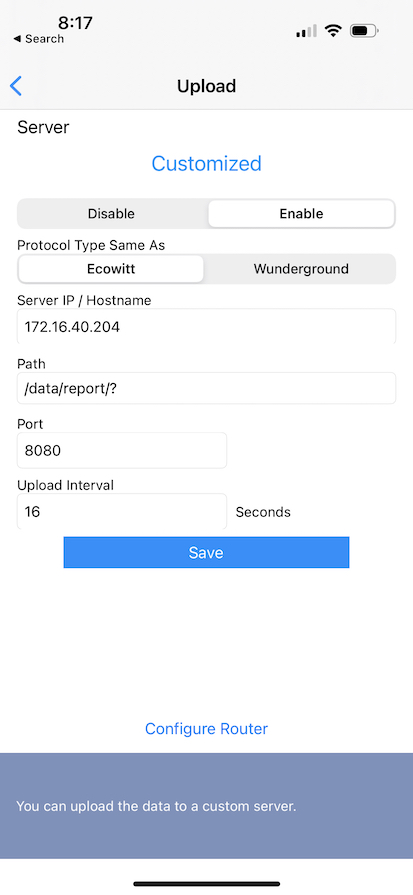
- 8080 (HTTP endpoint for receiving weather station data)
- Requires
- MQTT Broker
bachya/ecowitt2mqtt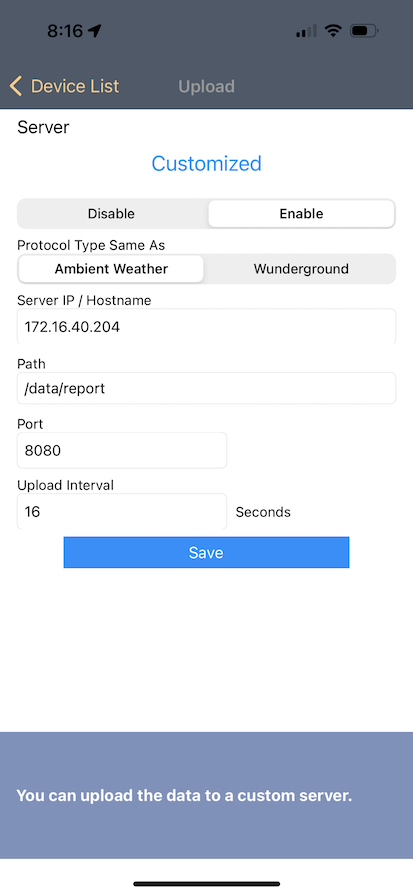
What is ecowitt2mqtt?
A Python CLI and web service that collects readings from Fine Offset weather stations — such as Ecowitt, Ambient Weather, and Froggit models — over HTTP, transforms the measurements, and publishes them to MQTT brokers. It can automatically register sensors in Home Assistant through MQTT Discovery, computes extra values like dew point and heat index, lets you manage several gateways with distinct settings, and converts units between imperial and metric. You can deploy it with pip, Docker, Docker Compose, systemd, or supervisord; the only external dependency is an MQTT broker.
Should you self-host ecowitt2mqtt?
ecowitt2mqtt scores 49/100 on selfhost.directory (how scoring works) and ranks #7 of 10 in IoT. It has 299 GitHub stars.
There was no stable release in the past 12 months, so check the repository's recent activity before you rely on it.
Setup is moderate: expect some configuration beyond a single command. An official Docker image is available. It is MIT-licensed and written mostly in Python.
Its closest alternative on selfhost.directory is Mosquitto (76/100, 11 306 stars). It scores higher overall, so compare the two before you pick. See ecowitt2mqtt vs Mosquitto side by side.
Features
- Battery configuration handling
- Calculated Sensors
- Diagnostics mode
- Home Assistant MQTT discovery
- MQTT publishing
- Multiple gateway support
- Multiple input data formats
- Raw data passthrough
- Unit Conversion
- Weather station data ingestion
ecowitt2mqtt README
More in Weather
 Open-MeteoFree open-source weather API with 30+ global models and historical data from 1940. Self-host your own instance with Docker or Ubuntu package.
 stratuxStratux is a self-hosted, open-source ADS-B In receiver for Raspberry Pi delivering free weather, traffic, GPS, and optional AHRS to pilot EFB apps via GDL90.
 WeatherStarA self-hosted, open-source simulator of the 1990s Weather Channel WeatherStar 4000 that builds retro forecast screens from NOAA/NWS data for US locations.
 WeeWXOpen-source, self-hosted Python weather-station system that collects readings from many stations, builds plots, HTML pages and reports, and uploads to weather services.
0 comments