
Self-host DumbWhoIs
1.0.0WHOIS lookup web app with dark mode and PWA support
- Stars
- 233
- Port
- 3000 (HTTP web server)
dumbwareio/dumbwhois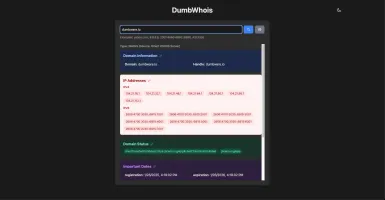
What is DumbWhoIs?
DumbWhois is a self-hosted web application that provides WHOIS domain lookups, IP geolocation, and ASN information through free APIs. It automatically detects whether a query is a domain name, IP address (IPv4 or IPv6), or ASN number and displays formatted results. The application uses multiple fallback services for IP lookups (ipapi.co, ip-api.com, ipwho.is) and RIPEstat plus PeeringDB for ASN details. Features include a clean UI with light/dark mode toggle, responsive layout for mobile and desktop, progressive web app support with offline capability, direct URL query parameters for sharing lookups, permalink anchors for result sections, CORS support, and full IPv6 support. No authentication is required. It runs as a Node.js/Express server on port 3000 by default and can be deployed via Docker, Docker Compose, or npm.
Should you self-host DumbWhoIs?
DumbWhoIs scores 46/100 on selfhost.directory (how scoring works) and ranks #17 of 20 in Network Utilities. It has 233 GitHub stars.
There was no stable release in the past 12 months, so check the repository's recent activity before you rely on it.
Setup is easy: most people get it running in one sitting. An official Docker image is available. It is GPL-3.0-licensed and written mostly in JavaScript.
Its closest alternative on selfhost.directory is MyIP (75/100, 12 241 stars). It scores higher overall, so compare the two before you pick. See DumbWhoIs vs MyIP side by side.
Features
- ASN Lookup
- Automatic query type detection
- Automatic service fallback
- CORS Support
- Direct URL query parameters
- DNS resolution for domains
- Environment Variable Configuration
- Full IPv6 support
- IP Geolocation
- No authentication required
- Permalink Anchors
- WHOIS domain lookup
DumbWhoIs README
More in Web Application
 FileRiseFileRise is a self-hosted, open-source file manager with per-folder ACLs, WebDAV, sharing, and optional encryption. Runs on Docker or PHP without a database.
 freexivfreexiv is a self-hosted, open-source alternative frontend for pixiv to browse artworks, search, and view profiles. Runs on Python with nginx.
 iRedAdminiRedAdmin is a self-hosted, open-source web admin panel for iRedMail email servers with unlimited domains, users, and multi-language support.
 LibreTotalLibreTotal is a self-hosted, open-source VirusTotal frontend for searching file hashes, IPs, domains, and URLs without an API key or JavaScript.
 neko-roomsSelf-hosted room management system for n.eko collaborative browser, a rabb.it alternative that lets you create and manage virtual browser rooms via Docker.
 OpenShort.linkSelf-hosted, open-source URL shortener running on Cloudflare Workers with analytics, geo/device routing, multi-domain support, and team collaboration.
 PuterPuter is a self-hosted, open-source internet computer providing a browser-based desktop with apps for documents, spreadsheets, chat, email, and AI development tools.
 Shiny ServerSelf-hosted server to run Shiny R web applications with multi-app hosting, user deployment, and authentication options.
 shlink-web-clientshlink-web-client is a self-hosted, open-source PWA for managing Shlink URL shortener instances with a React-based UI.
 single-binary-saasA self-hosted, open-source SaaS template that compiles to a single Rust executable with an embedded Svelte frontend, demonstrating a Pokemon search demo app.
 soketi-app-manager-filamentSelf-hosted web UI for managing Soketi websocket servers and apps with real-time dashboards, multi-app support, webhooks, user roles, and dark mode.
 sweepstakeSelf-hosted football prediction webapp for private tournaments. Create tournaments, invite friends, predict scores, watch live leaderboard. Docker + PostgreSQL.
0 comments