
Self-host VisionState
v0.14.0Local AI turns cameras into Home Assistant sensors
- Stars
- 206
- CPU
- Any 64-bit Intel/AMD CPU (amd64) or Raspberry Pi 4/5 (aarch64, 64-bit OS)
- Port
- 8099 (Web UI via Home Assistant Ingress)
- Requires
- Camera, Home Assistant, Mosquitto broker (MQTT)
What is VisionState?
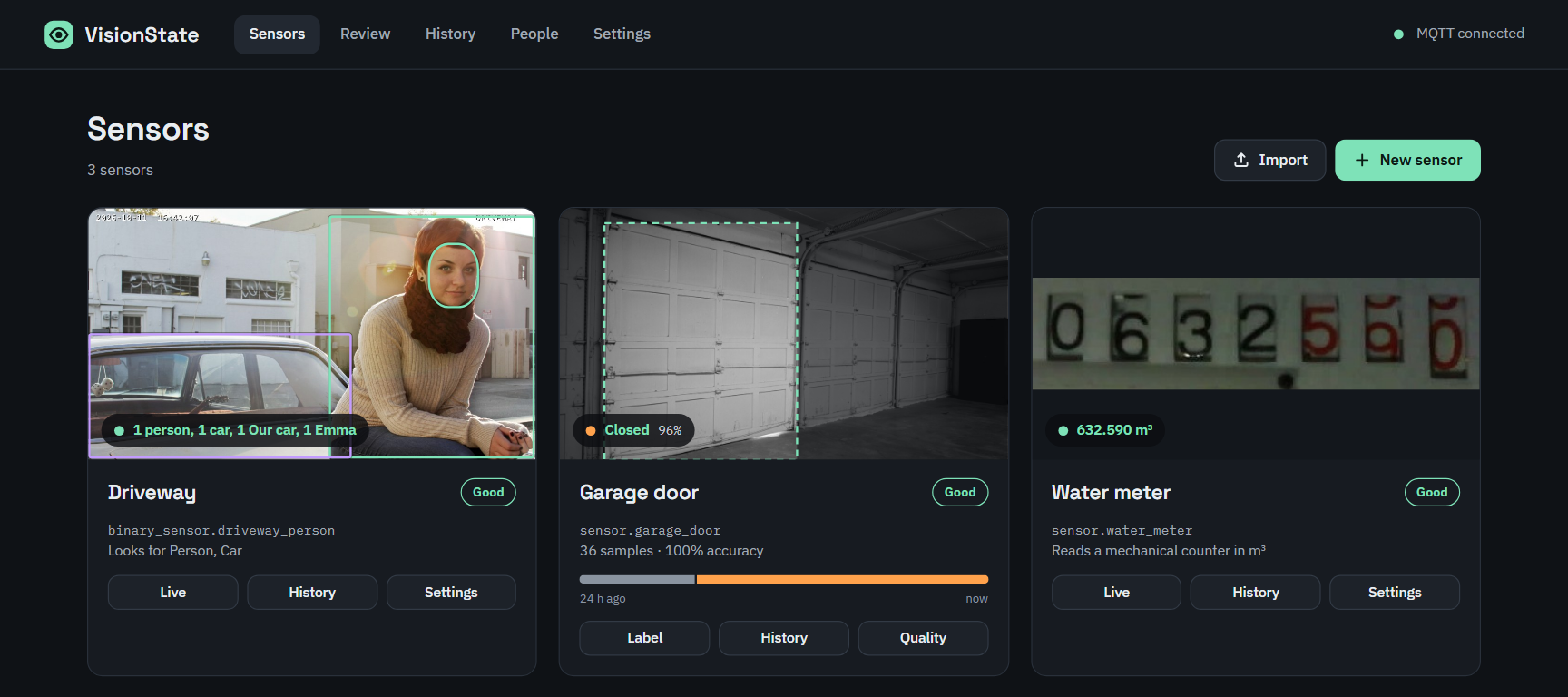
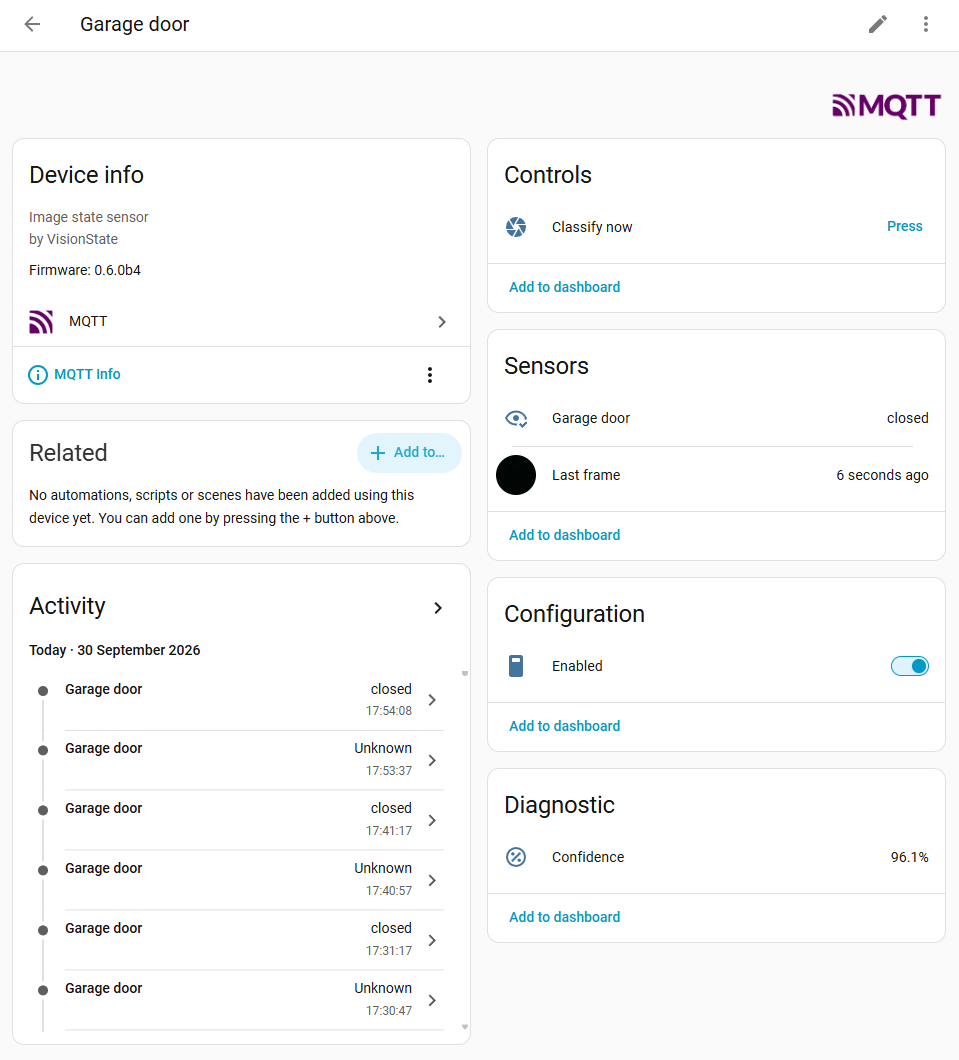
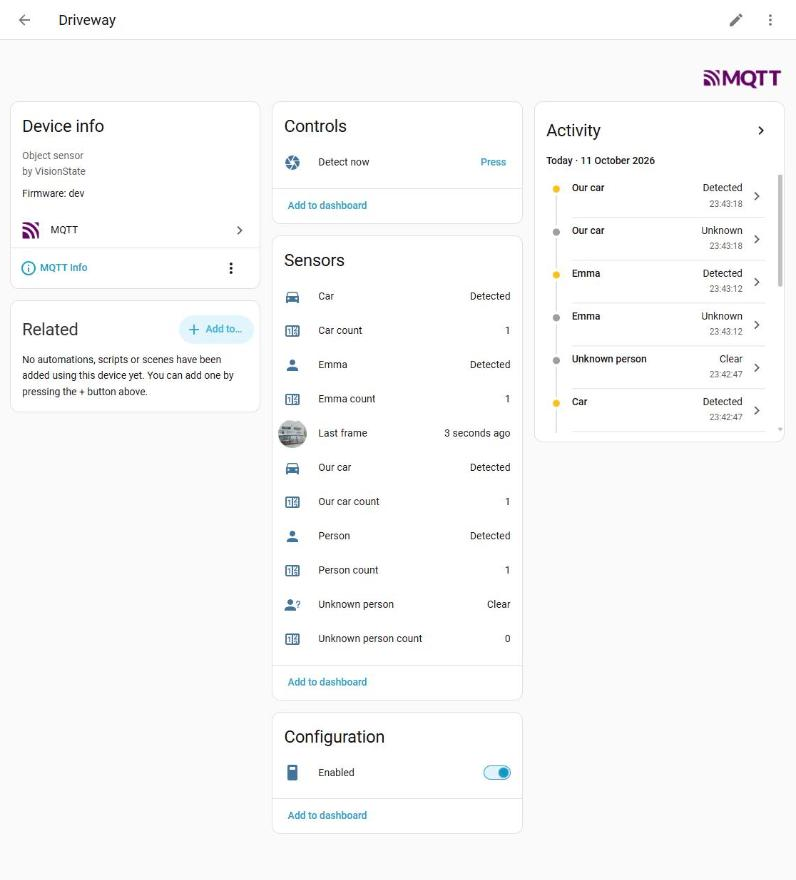
VisionState is a Home Assistant add-on that turns your cameras into sensors using local AI models. It creates three kinds of sensors: state sensors you teach (like garage door open/closed/partial), object sensors that detect 80+ COCO classes (people, cars, animals) with optional face recognition, and reading sensors that read numbers from digital displays or mechanical meter wheels. Everything runs locally on your hardware (Intel/AMD or Raspberry Pi 4/5) with no cloud, GPU, or subscription required. Sensors are published to Home Assistant via MQTT discovery. The UI is accessed through Home Assistant Ingress. Installation is via the Home Assistant app store by adding the GitHub repository, or via Docker from ghcr.io. Requires Home Assistant 2025.10+, Mosquitto broker, and a camera entity or RTSP/HTTP URL.
VisionState alternatives
 ScryptedSelf-hosted video integration platform providing smart detections and NVR recording. Streams camera feeds to HomeKit, Google Home, Alexa, and Home Assistant.CompareScrypted with VisionState
 Hass-MCPA self-hosted Model Context Protocol server that lets AI assistants like Claude query and control Home Assistant entities, automations, and dashboards.CompareHass-MCP with VisionState
 OpenNVRSelf-hosted NVR with open AI adapter contract — run any model on your hardware, air-gapped by default, with full audit trails and model fingerprinting.CompareOpenNVR with VisionState
 Agent DVRSelf-hosted NVR for IP cameras with motion detection, AI object recognition, and zero-config remote access. Free for local use; paid tier unlocks cloud features.CompareAgent DVR with VisionState
 Nest ProtectNest Protect integration for Home Assistant. This will allow you to integrate your smoke, heat, co and occupancy status real-time in HA.CompareNest Protect with VisionState
 esp32-meter-readerSelf-hosted OCR service that reads water meter digits from ESP32 camera photos and publishes readings to Home Assistant via MQTT with Prometheus metrics.Compareesp32-meter-reader with VisionState
 HomeGenieSelf-hosted, open-source home automation server for Windows, Linux, macOS and Raspberry Pi, adding local LLM agents, AI vision, voice control and scriptable automations.CompareHomeGenie with VisionState
 who-rangSelf-hosted doorbell dashboard using AI to identify visitors, recognize faces, and provide analytics. Integrates with Home Assistant, supports 5 AI providers.Comparewho-rang with VisionState
Should you self-host VisionState?
VisionState scores 48/100 on selfhost.directory (how scoring works) and ranks #77 of 104 in Home Automation. It has 206 GitHub stars, +75 in the last 30 days.
It shipped 64 stable releases in the past year. The latest, v0.15.0b22, came out on 16 November 2026.
Setup is moderate: expect some configuration beyond a single command. It is Apache-2.0-licensed and written mostly in Python.
Its closest alternative on selfhost.directory is Home Assistant (92/100, 92 307 stars). It scores higher overall, so compare the two before you pick. See VisionState vs Home Assistant side by side.
Features
- 100% local inference
- Beta channel
- Counter limit learning
- Export/Import sensors
- Face RecognitionOptional, off by default; downloaded on first use
- MQTT discovery
- Multiple AI model sizes
- Object Detection
- Reading sensors
- Region of interest
- Review Queue
- State sensors
- Triggered checks
VisionState README

Turn your cameras and microphones into Home Assistant sensors — with a local AI you teach in minutes.
Is the garage door open? Who just came home, and is that our car? What does the water meter say? Is the smoke alarm going off?


Garage door open, closed or halfway, the gate shut, the lights on in the shed.
Click a few examples of each state; it learns in about a second.
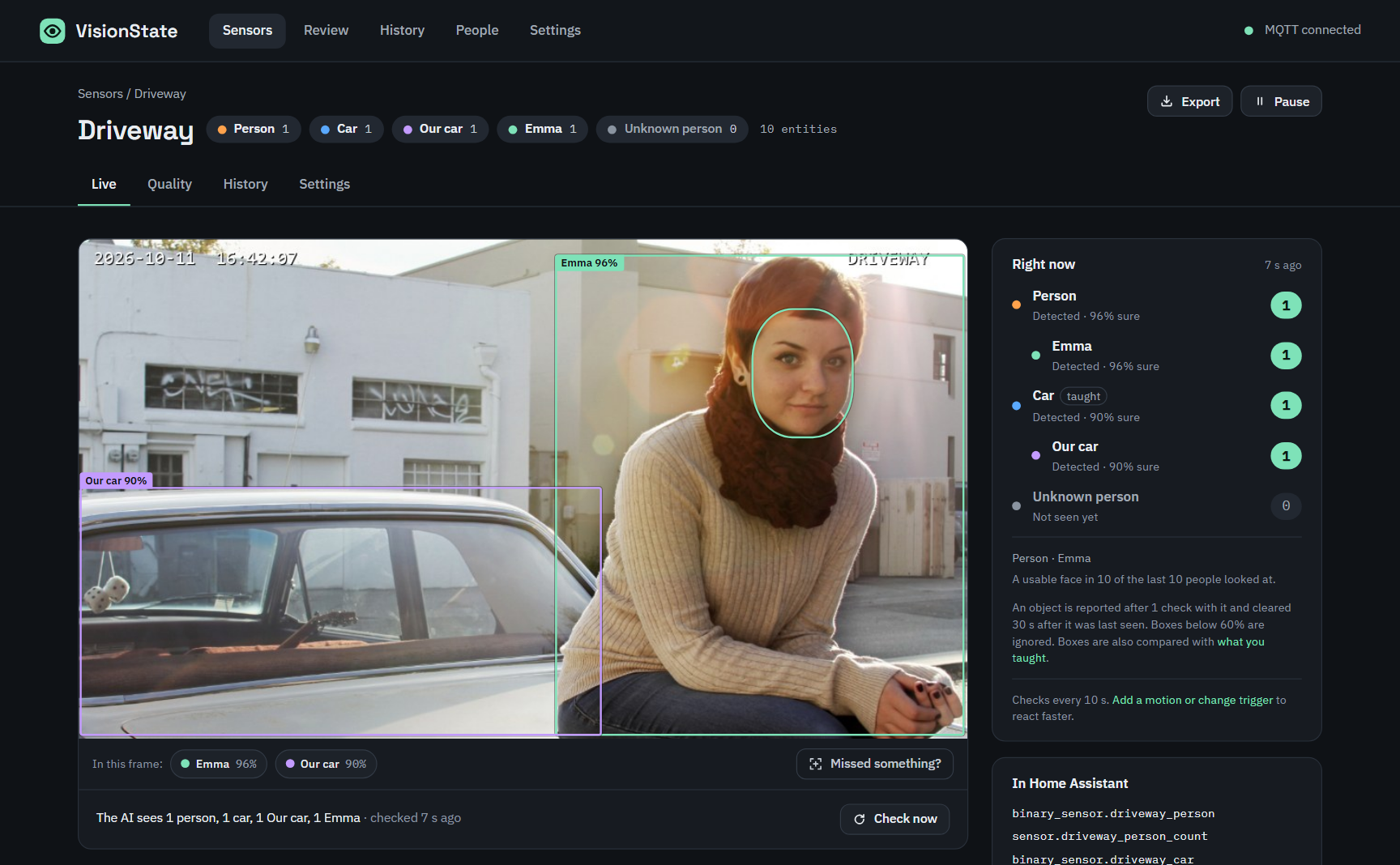
Tom is home, our car is in the driveway, a cat and a bicycle on it, an unknown person at the door.
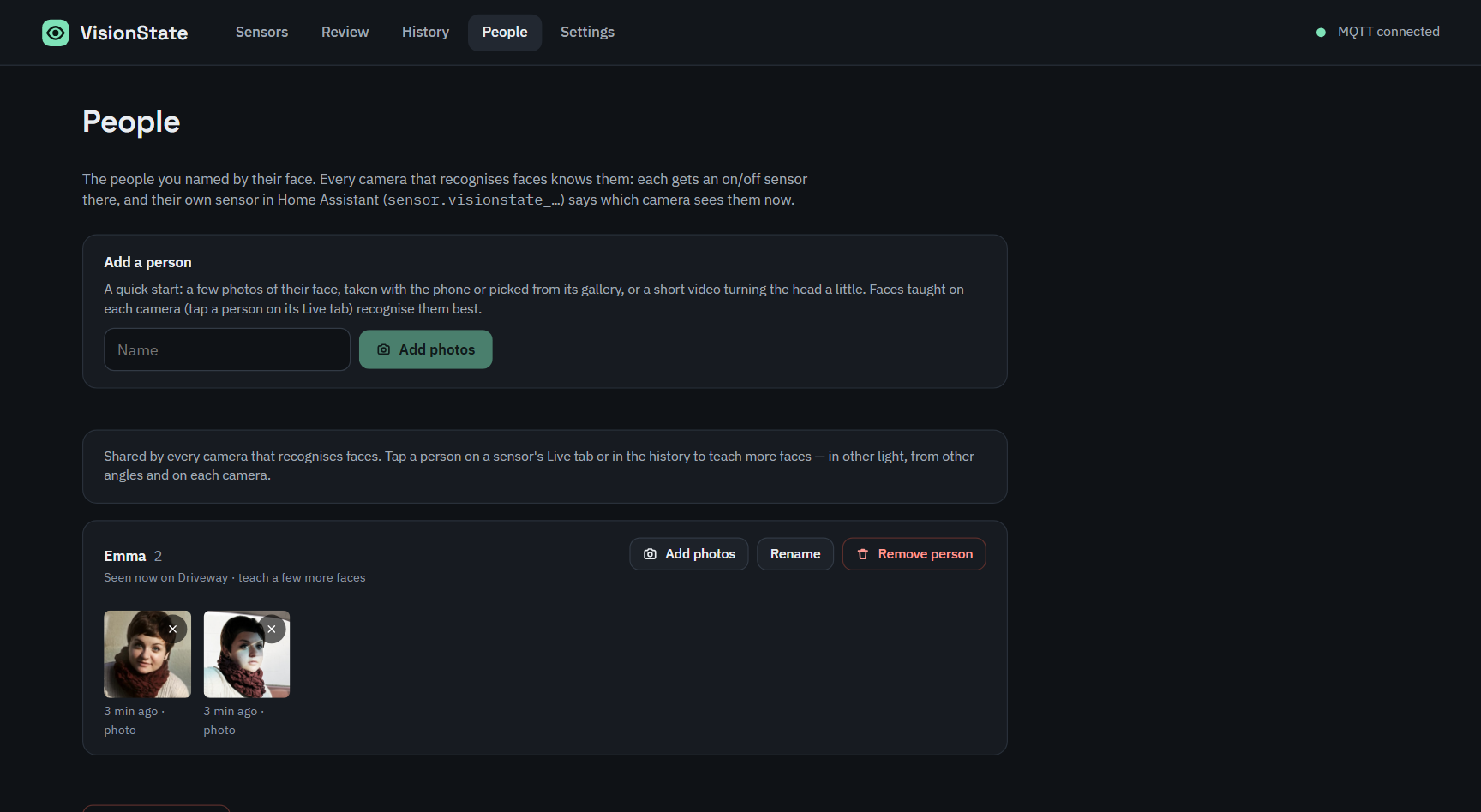
Pick from 80 objects — no training. Name people by their face once; every camera knows them.

Tom recognised by his face, and our own car told apart from any other car.

A few photos from your phone are enough to start; faces never leave your Home Assistant.
The smoke alarm is going off, a siren, the dog barking, the baby crying — and your own doorbell or the washing machine beeping when it is done.
Pick from about 80 sounds, or teach your own from a few clips. A camera's microphone or an ESP32 with a microphone; it hears what kind of sound it is, never what is said.

A smoke alarm heard in the hallway; the doorbell is an own sound, taught from a few clips.
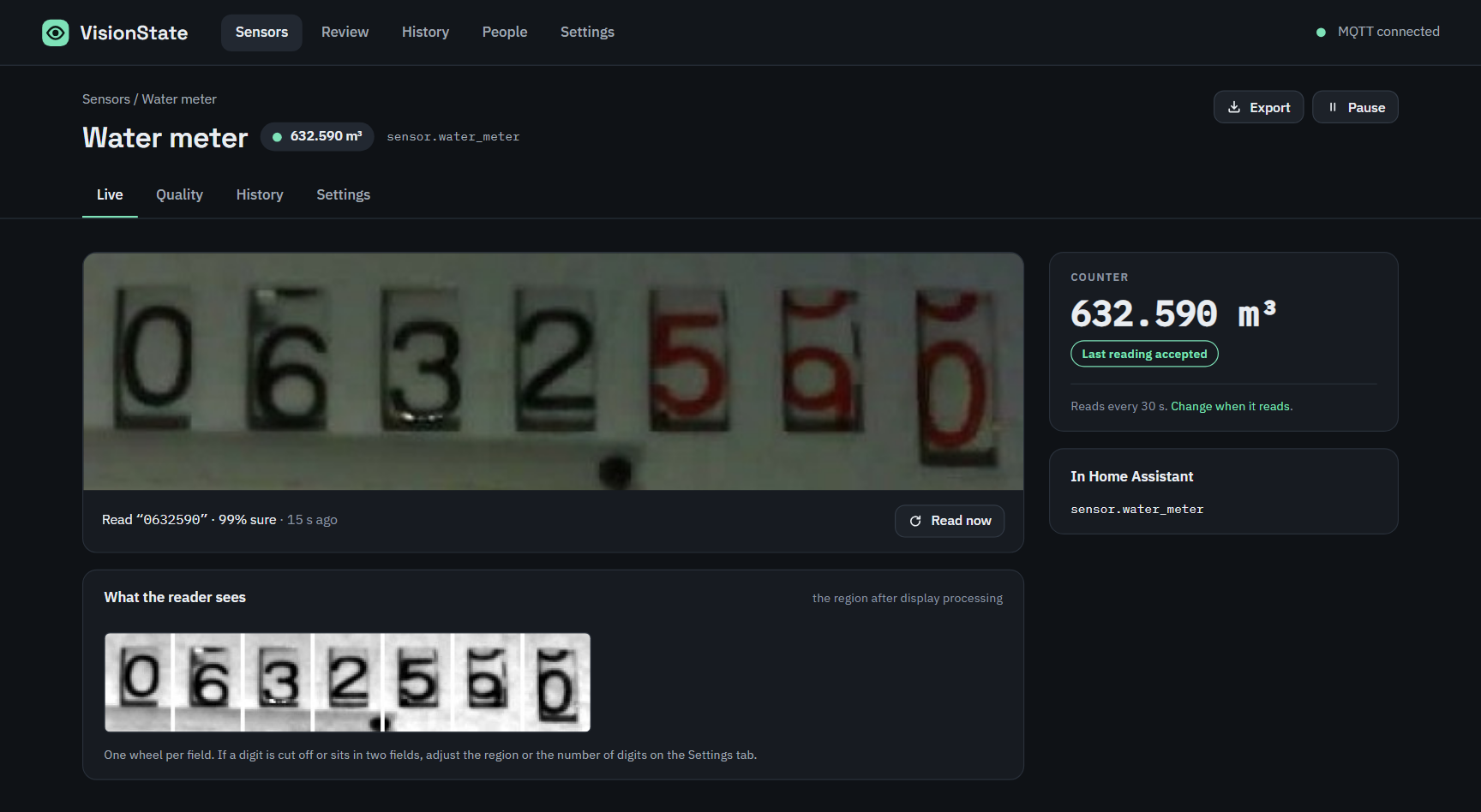
The water, gas or power meter, the minutes left on the washer.
Draw a box around the number. Counters only go up and land in the Energy dashboard.
Put an ESP32-CAM (or any camera) above the meter, add it to Home Assistant with ESPHome or use its snapshot URL, and draw a box around the digits — a camera that cannot hang straight sees the meter turned or at an angle: put the box's corners on it, and it is read upright. VisionState reads the rolling wheels of a mechanical water or gas meter — down to the litre with the small pointer dials many water meters have — and the digits of an LCD or LED power meter, checks every value before it is published (a counter never goes down or jumps), and the total lands in the Energy dashboard — with a rate (m³/h, kW) if you want one. For a dark meter cabinet it switches a light on for each reading; a battery camera can trigger a check when it has a new picture.

The rolling wheels of a real water meter, read right even while a wheel is half way between two digits.
- 🧠 100 % local on any CPU — Intel, AMD, Raspberry Pi 4/5. No cloud, no GPU, no subscription, no telemetry.
- 🏠 Native Home Assistant — a sidebar app; every sensor is a normal device through MQTT discovery.
- 🎥 Any camera — every
camera.*entity (an ESP32-CAM with ESPHome, Reolink, Frigate …), or an RTSP / HTTP snapshot URL; for sound, a camera's RTSP stream or an ESP32 microphone. - 🎯 Watch only what matters — draw a region around the door or the driveway; the rest is ignored.
- ⚡ Checks when something happens — on motion, a door contact or a change in the image, and can switch on a light for a camera in the dark.
- 🔁 Gets better as you use it — unsure frames go to a review queue, wrong boxes are fixed with a tap, and suspicious labels are flagged.


- State sensor — the state with its confidence, the last frame, a button to check now and a switch to pause it.
- Object sensor — an on/off sensor and a count for every object, person and own label.
- Sound sensor — an on/off sensor for every sound it listens for (a smoke alarm as a smoke sensor), on while it is heard.
Use them like any other sensor — for example, tell me when the garage door has been open for 10 minutes:
triggers:
  - trigger: state
    entity_id: sensor.garage_door
    to: open
    for: "00:10:00"
actions:
  - action: notify.notify
    data:
      message: Garage door open!
Requirements: Home Assistant OS or Supervised (2025.10 or newer), the Mosquitto broker app with the MQTT integration, and a camera (for sound: a camera with a microphone, or a microphone of its own).
- Click Add repository above — or add
https://github.com/oleost/VisionStateunder Settings → Apps → App store → ⋮ → Repositories. - Install VisionState, start it and open it from the sidebar.
- New sensor → pick a camera, choose what to watch and draw a region around it. The wizard tests it on a fresh frame right away.
New features come to a separate beta app first: add https://github.com/oleost/VisionState#beta
instead. Run only one of the two at a time (they publish the same sensors); move everything with
Settings → Backup, or single sensors with Export and Import.
The user guide — every entity, triggers, faces, readings, review — is on the app's
Documentation tab (visionstate/DOCS.md).
camera
 ▼  your region
 ▼  pretrained model (ONNX, CPU)
 ▼  small per-sensor model
 ▼  debounce
 ▼  MQTT
Home Assistant
- States: DINOv2 turns the region into a feature vector; a tiny classifier per sensor, trained on your examples, picks the state.
- Objects: D-FINE finds the COCO objects; boxes you corrected or gave an own label teach it your camera.
- Faces: YuNet finds a face on each person, and only a clear one is compared (SFace, or AuraFace on a fast PC) with the faces you named.
- Readings: PaddleOCR reads digits; mechanical
counters use a small wheel reader made for VisionState (
tools/wheelreader), read together with the meter's pointer dials. Every value is checked before it is published. - Sounds: CED-Tiny listens to what is loud enough and
tells which sound it is; your own sounds are learned from its embedding of your clips
(
tools/soundmodel).
- Nothing leaves your machine; there is no telemetry.
- Only reachable through Home Assistant Ingress (a Home Assistant login).
- Camera passwords are hidden in logs and removed from exports; a backup holds them only if you tick it.
- Face recognition is off until you turn it on for a camera; faces are kept in the app's own storage and exported only if you tick it (a backup holds them unless you untick it).
- A sound sensor hears what kind of sound it is, never what is said: there is no speech recognition. Clips are off until you turn them on, and the seconds in which someone talks are silenced before a clip is kept.
Pull requests go to the beta branch. CLAUDE.md is the contributor guide (run it
locally against a fake camera, checks, UI tests on desktop and phones) and
docs/ARCHITECTURE.md maps the code. Issues and ideas:
GitHub Issues. Security: SECURITY.md.
Apache-2.0. Bundled models: DINOv2 (Meta), D-FINE, PaddleOCR PP-OCRv6 and the VisionState wheel reader, all Apache-2.0. Face models, downloaded only when a camera recognises faces: YuNet (MIT), SFace or AuraFace (Apache-2.0). The sound model, downloaded when the first sound sensor is made: CED-Tiny (Apache-2.0, trained on AudioSet). The screenshots use CC0 and public-domain images.
If VisionState is useful to you, you can buy me a coffee ☕
More in Home Automation
 wakebotWakebot is a self-hosted Telegram bot that wakes devices on your LAN using Wake on LAN. Runs in Docker with host networking and stores schedules in a mounted volume.
 Wall Panel🖼️ Wall panel mode and photo screensaver for your Home Assistant Dashboards
 WebThings GatewayAn open-source, self-hosted Web of Things smart home hub: control Zigbee and Z-Wave devices from one web UI, automate with drag-and-drop rules, and chart sensor logs.
- who-rangSelf-hosted doorbell dashboard using AI to identify visitors, recognize faces, and provide analytics. Integrates with Home Assistant, supports 5 AI providers.
 wyoming-openwakewordSelf-hosted Wyoming protocol server that runs openWakeWord for wake word detection, enabling voice assistants to detect custom wake words locally via TCP on port 10400.
 wyoming-piperSelf-hosted Wyoming protocol server for Piper TTS, providing neural text-to-speech for Home Assistant and Wyoming clients. Open-source, runs locally via Docker or Python.
 XenonXenon is a self-hosted dashboard turning any spare screen into a PC control center with system stats, media controls, a Stream Deck-style key grid, and voice AI.
 Yandex Smart HomeOpen-source Home Assistant component exposing devices to Yandex Alice and VK Marusia voice assistants via cloud or direct connection.
 Zigbee2MQTTOpen-source, self-hosted Zigbee-to-MQTT bridge that replaces proprietary vendor hubs, controlling thousands of devices via one USB coordinator and any MQTT broker.
 zmNinjaNgA free, open-source ZoneMinder viewer for web, desktop, and mobile with live streams, event review, multi-camera grids, timeline navigation, push alerts, and AI helper.
 zwave-js-uiOpen-source, self-hosted Node.js and Vue app to manage a Z-Wave network from a web control panel and bridge devices to MQTT, including Home Assistant discovery.
 adb-hass-androidtvA self-hosted ADB server that connects to Android TV, Fire TV, and Google TV devices over the network, enabling integration with Home Assistant's AndroidTV integration.
0 comments