
Self-host Vert
WebAssembly file converter with no upload limits
docker run -d --restart unless-stopped -p 3000:80 --name "vert" ghcr.io/vert-sh/vert:latest- Stars
- 16 224
- Port
- 80 (container-side HTTP (nginx serving the static build); the documented run maps host 3000 to it)
ghcr.io/vert-sh/vert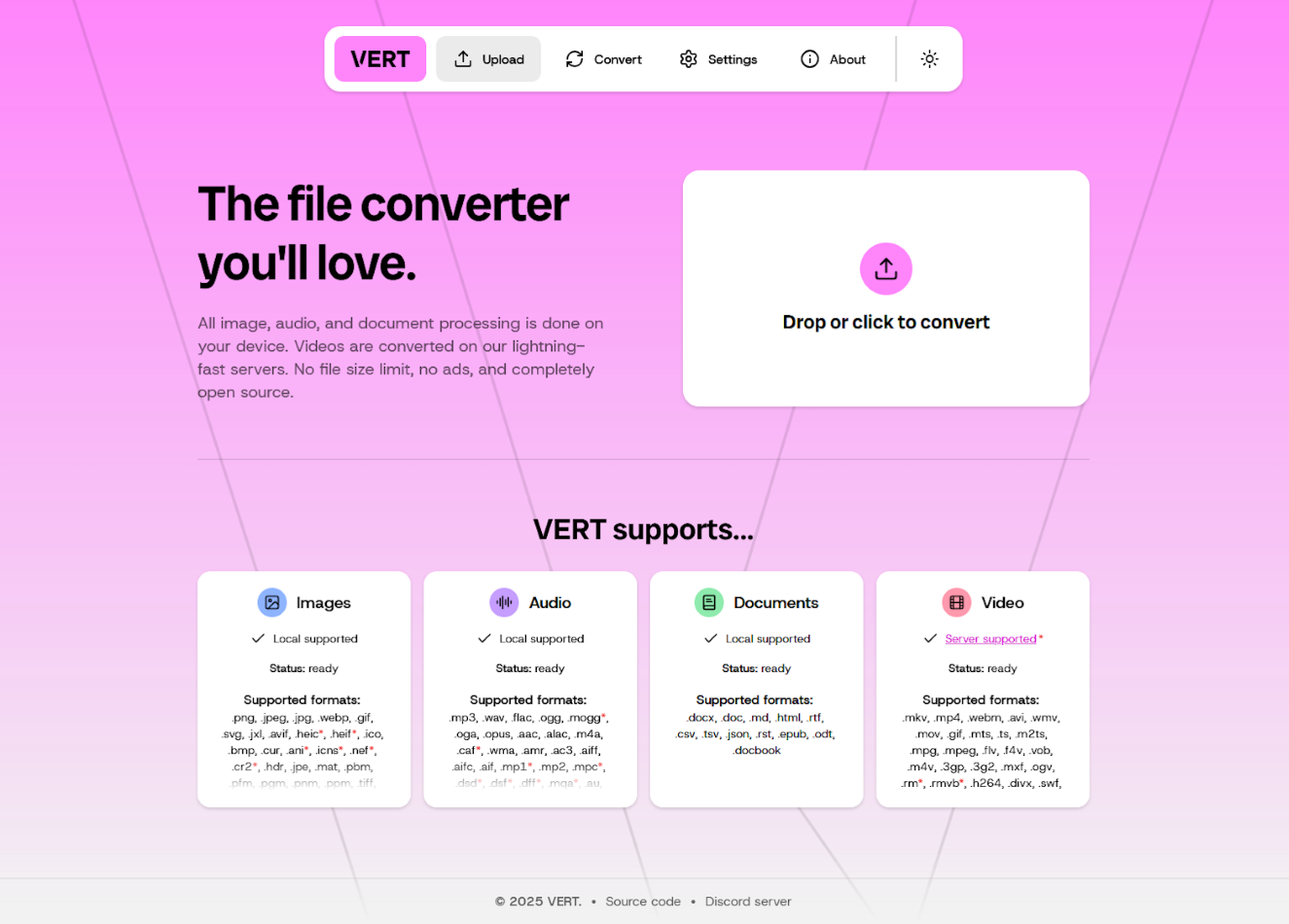
What is Vert?
VERT is a file-conversion web app that does the work on the user's own device through WebAssembly instead of uploading files to a cloud service. It handles images, audio, documents and video across more than 250 formats, offering conversion settings in a clean Svelte-built interface with no file or file-size limits. FFmpeg (via a WebAssembly build), ImageMagick and Pandoc do the actual conversions, and video is processed in the browser with Mediabunny whenever possible; heavier video jobs can be delegated to vertd, a small self-hostable FFmpeg wrapper written in Rust. Self-hosting means building the static site (Bun or the included Dockerfile), pulling the ghcr.io/vert-sh/vert image, or serving the build folder with nginx; because VERT is a static site, most configuration is baked in at build time through PUB_* variables, including a switch that blocks all external requests for air-gapped deployments. The project is AGPL-3.0 licensed and free, with optional donations supporting development.
Vert alternatives
 Convert to it!Open-source, self-hosted file converter that crosses media boundaries (video to document, and more), running privately in your browser.CompareConvert to it! with Vert
 transmuteFree open-source self-hosted file converter and compressor for images, video, audio, data, documents, and 3D models with no file size limits or watermarks.Comparetransmute with Vert
 ConvertXSelf-hosted online file converter supporting 1000+ formats. Converts documents, images, videos, e-books using FFmpeg, Calibre, LibreOffice. TypeScript Bun Elysia.CompareConvertX with Vert
 HRConvert2Open-source, self-hosted file conversion web app: 488 formats, 26 languages, bubblewrap-sandboxed tools, no sign-up, no tracking, no database.CompareHRConvert2 with Vert
 SnapOtterOpen-source, self-hosted file-processing suite with 200+ image, video, audio, PDF and document tools, local AI, a REST API and pipelines.CompareSnapOtter with Vert
 FileWizardSelf-hosted web app for file conversion (180+ formats), OCR, and audio transcription with local Whisper. Runs via Docker or Python 3.12.CompareFileWizard with Vert
 ReubahSelf-hosted web tool for converting documents and processing images with support for multiple formats including JPG, PNG, WebP, PDF, DOCX, and more.CompareReubah with Vert
 openinaryOpen-source, self-hosted Cloudinary alternative for on-the-fly image/video transforms, S3 storage, and edge caching — run via Docker.Compareopeninary with Vert
Should you self-host Vert?
Vert scores 70/100 on selfhost.directory (how scoring works) and ranks #2 of 10 in File Conversion. It has 16 224 GitHub stars, +551 in the last 30 days.
There was no stable release in the past 12 months, so check the repository's recent activity before you rely on it.
Setup is easy: most people get it running in one sitting. An official Docker image is available. It is AGPL-3.0-licensed and written mostly in Typescript.
Its closest alternative on selfhost.directory is ConvertX (76/100, 19 626 stars). It scores higher overall, so compare the two before you pick. See Vert vs ConvertX side by side.
Features
- 250+ supported file formats
- Air-gapped / no-external-requests modecdn.jsdelivr.net is still contacted for the FFmpeg WASM worker.
- Conversion Settings
- In-browser video conversion
- No file or size limits
- On-device (local) file conversion
- Self-hostable server-side video conversion daemonOptional companion; an official instance is used by default.
Vert README

VERT is a file conversion utility that uses WebAssembly to convert files on your device instead of a cloud. Check out the live instance at vert.sh.
VERT is built in Svelte and TypeScript.
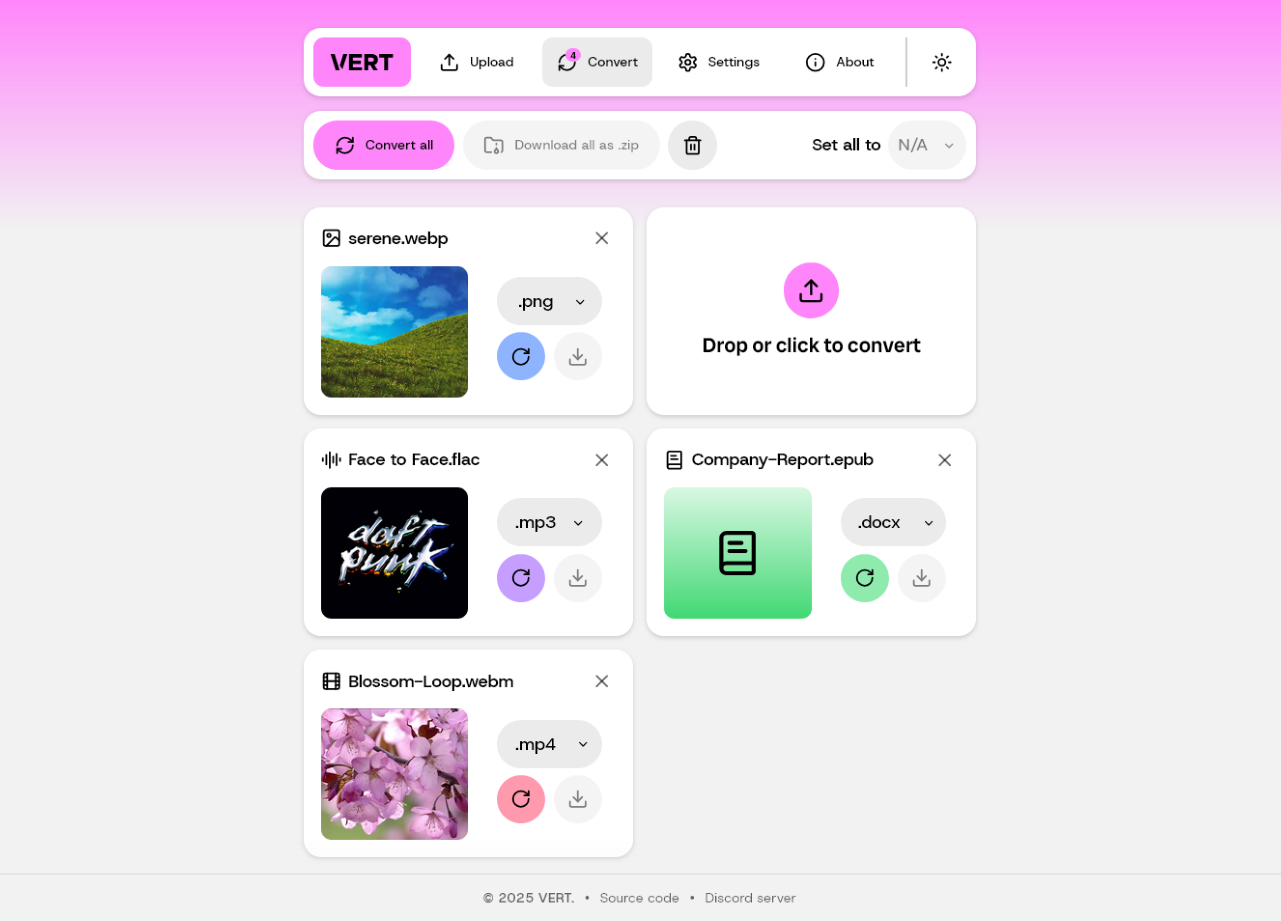
| Upload page | Conversion page |
|---|---|
 |
 |
- Convert files directly on your device using WebAssembly*
- No file or file size limits
- Convert images, audio, documents, and video*
- Supports over 250+ file formats
- Conversion settings
- User-friendly interface built with Svelte
* Local video conversion in-browser is supported, but some conversion may require server-side processing. Server video conversion is available with our official instance, but the daemon is easily self-hostable to maintain privacy and fully local functionality.
Refer to our contributing guidelines before opening an issue or pull request here: CONTRIBUTING.md
This project is licensed under the AGPL-3.0 License, please see the LICENSE file for details.
FAQ
Is it possible to fully prevent VERT from making requests to external services?
Yes: setting PUB_DISABLE_ALL_EXTERNAL_REQUESTS to true at build time disables video-conversion, analytics and other calls, though the FFmpeg WebAssembly build is still downloaded from cdn.jsdelivr.net.
What libraries does VERT use?
FFmpeg handles audio and video conversion, ImageMagick handles images and Pandoc handles documents.
What about analytics?
The hosted site uses Plausible for privacy-focused, anonymized and aggregated statistics with no identifiable data, viewable publicly and opt-out-able in the Settings page.
Can I host my own video file converter?
Yes, the docs point to the Video Conversion page, which explains how to run your own vertd instance and connect VERT to it.
What happens with video files?
Videos are uploaded to VERT's own conversion server; they are kept for about an hour if not converted, or until an hour after conversion or once downloaded, and then deleted.
Why VERT?
The maintainers found existing file converters ugly, ad-filled and slow, so they built an alternative that converts all non-video files completely on-device, avoiding upload delays and server-side snooping.
More in File Conversion
 VERTdSelf-hosted FFmpeg conversion server for the VERT web UI, with GPU hardware acceleration, automatic CPU fallback and retries, and Docker, Compose or binary installs.
 BentoPDFOpen-source, self-hosted PDF toolkit with 100+ browser-based tools to merge, split, edit, convert, OCR and sign PDFs - files never leave your device.
- Convert to it!Open-source, self-hosted file converter that crosses media boundaries (video to document, and more), running privately in your browser.
- ConvertXSelf-hosted online file converter supporting 1000+ formats. Converts documents, images, videos, e-books using FFmpeg, Calibre, LibreOffice. TypeScript Bun Elysia.
 DigitranscodeSelf-hosted audio and video converter that transcodes in the browser with FFmpeg.wasm — nothing is uploaded. Offers bitrate, sample-rate and resolution options.
- FileWizardSelf-hosted web app for file conversion (180+ formats), OCR, and audio transcription with local Whisper. Runs via Docker or Python 3.12.
 GotenbergSelf-hosted open-source Docker API that converts URLs, HTML, Markdown, and 100+ office formats into PDFs, and merges, splits, encrypts or watermarks them.
 HRCloud2HRCloud2 is an open-source, self-hosted cloud storage platform with file conversion, OCR, media streaming, virus scanning, and a voice-enabled personal assistant.
- HRConvert2Open-source, self-hosted file conversion web app: 488 formats, 26 languages, bubblewrap-sandboxed tools, no sign-up, no tracking, no database.
 Kindle Comic ConverterOpen-source, self-hosted comic and manga converter turning CBZ, PDF or image folders into margin-free MOBI, EPUB, KEPUB or PDF for Kindle, Kobo and reMarkable readers.
 MazanokeSelf-hosted, open-source image optimizer that compresses, resizes and converts JPG, PNG, WebP, HEIC and more entirely on-device, with offline PWA use and EXIF stripping.
 music-geshizhuanhuanSelf-hosted tool decrypting NCM, QMC, KGM, KWM files from major Chinese music platforms into standard audio formats via local web UI and CLI.
0 comments