
Self-host Vane
v1.12.2Privacy-first AI answering engine with cited sources
docker run -d -p 3000:3000 -v vane-data:/home/vane/data --name vane itzcrazykns1337/vane:latest- Stars
- 38 193
- Port
- 3000 (Vane web UI and API (mapped as 3000:3000))
itzcrazykns1337/vane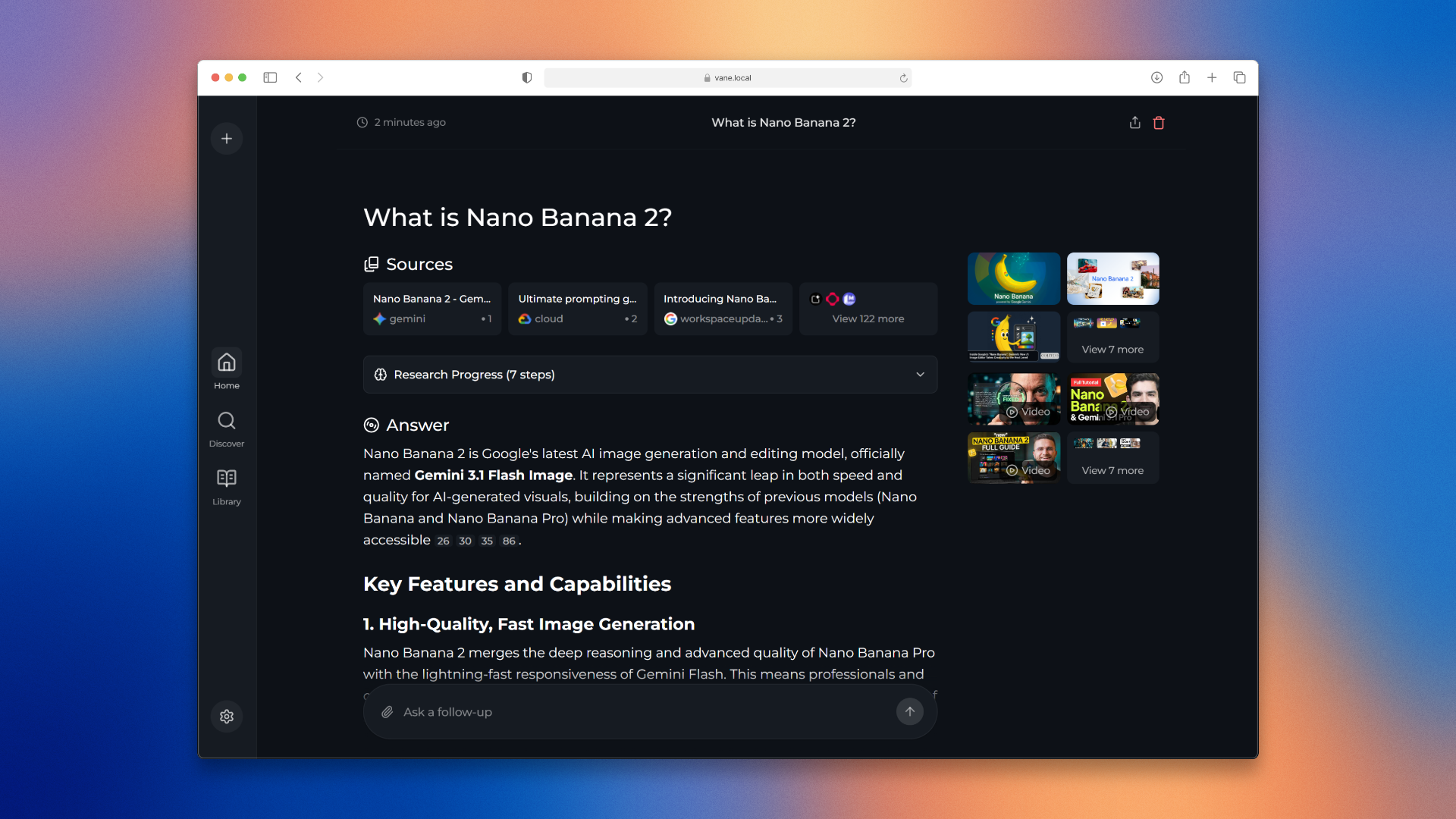

What is Vane?
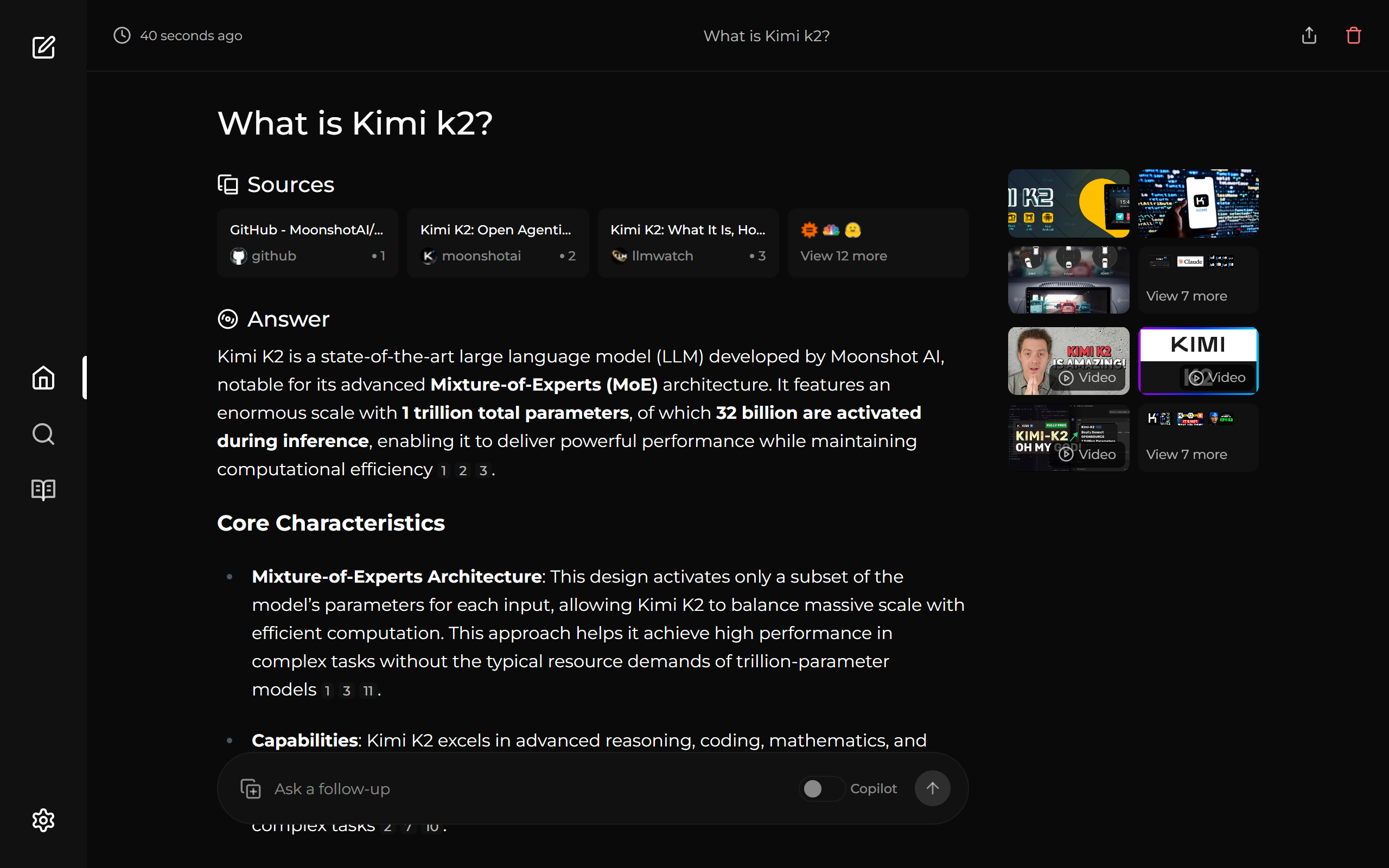
Vane is an answering engine that puts AI-generated, source-cited replies in place of ordinary web search, and it runs entirely on hardware you control. Meta search goes through SearxNG, either bundled inside the main container image or via your own instance for the slim image. Models come from local runtimes such as Ollama and Lemonade, or from OpenAI, Anthropic Claude, Google Gemini and Groq, so chat and embedding models can be mixed per need. Three optimization modes trade answer speed against research depth, queries can be scoped to web, discussion or academic sources and to specific domains, and uploads of PDFs, text and images are indexed with embeddings for follow-up questions. Weather, calculator and stock widgets appear when relevant, image and video results accompany text, suggestions appear while typing, a Discover feed surfaces trending reading, and history stays on your own disk. A REST API exposes provider listings and search with optional SSE streaming, and the ?q=%s URL pattern lets browsers use it as a default search engine. Deployment is a single docker run or the supplied docker-compose.yaml on port 3000, or npm install, build and start without Docker. Limits worth noting: the web UI has no login yet, so keep it on a trusted network or behind a proxy.
Vane alternatives
 Deep Research Web UISelf-hosted AI agent generates cited reports via web searches, browsing real sources, and verifying evidence. Supports many AI providers and search APIs via Docker.CompareDeep Research Web UI with Vane
 Flamehaven-FilesearchSelf-hosted RAG search engine with BM25+semantic hybrid search across 34 formats, multi-LLM support (Gemini, OpenAI, Claude, Ollama) for private document search.CompareFlamehaven-Filesearch with Vane
 Big-AGISelf-hosted, open-source AI workspace for experts: run 2 to 24 models in parallel with Beam, personas, image generation, voice and BYO API keys via Docker.CompareBig-AGI with Vane
 novaSelf-hosted personal AI with a measured memory loop and 70+ autonomous monitors building living dossiers — all local, zero cloud.Comparenova with Vane
 faster-chatFaster Chat is a self-hosted, open-source AI chat interface for local and cloud LLMs with multi-user auth, encrypted keys, web search, and a fast Preact UI.Comparefaster-chat with Vane
 n8n-installSelfhost AI is an open-source Docker Compose installer for a complete AI homelab with n8n, Ollama, Open WebUI, AI agents, RAG, and monitoring behind automatic HTTPS.Comparen8n-install with Vane
 AnyLoom-AnythingLLM-Local-AI-agentic-DyTopo-swarmSelf-hosted AI assistant with Qwen3-30B, hybrid RAG, multi-agent swarm, and AnythingLLM UI — all 100% local on your GPU.CompareAnyLoom-AnythingLLM-Local-AI-agentic-DyTopo-swarm with Vane
 CasibaseOpen-source personal AI assistant with RAG knowledge bases, MCP tool use and autonomous agent loops; one self-hosted binary with 30+ model providers, SSO and audit logs.CompareCasibase with Vane
All self-hosted alternatives to Bing → All self-hosted alternatives to Google →
Should you self-host Vane?
Vane scores 81/100 on selfhost.directory (how scoring works) and ranks #4 of 41 in Search Engines. It has 38 193 GitHub stars, +1 009 in the last 30 days.
It shipped 3 stable releases in the past year. The latest, v1.12.2, came out on 10 April 2026. New versions land roughly every 2 months.
Setup is easy: most people get it running in one sitting. An official Docker image is available. It is MIT-licensed and written mostly in Typescript.
Its closest alternative on selfhost.directory is Yacy (62/100, 4 109 stars). Vane scores higher overall. See Vane vs Yacy side by side.
Features
- Browser search engine integration
- Cited answers
- Discover feed
- Domain-restricted search
- Federated meta web search
- File upload & chat with documents
- Image and video search
- Local search history
- Multiple LLM providers
- Multiple search source typesMore sources and integrations are in progress.
- REST API
- Search Suggestions
- Speed / Balanced / Quality search modes
- Widgets
Vane README
Vane is a privacy-focused AI answering engine that runs entirely on your own hardware. It combines knowledge from the vast internet with support for local LLMs (Ollama) and cloud providers (OpenAI, Claude, Groq), delivering accurate answers with cited sources while keeping your searches completely private.


More in Search Engines
 weaviateSelf-hosted open-source vector database that keeps objects and embeddings together, mixing semantic, BM25 and hybrid search with RAG, reranking, multi-tenancy and RBAC.
 WebsurfxOpen-source, self-hosted meta search engine written in Rust that aggregates upstream engines, filters results on four safe-search levels, and ships twelve color schemes.
 YacyYaCy is open-source, self-hosted search engine software — crawler, index and web front-end in one Java server, with a peer-to-peer network or an intranet search portal.
 ZincSearchSelf-hosted, open-source full-text search engine written in Go; a lightweight Elasticsearch alternative with an embedded web UI, ES-compatible APIs and a single binary.
 Agent Search MCPAn open-source MCP server that lets AI agents search the web in Chinese and English without API keys, returning traced evidence with built-in token limits.
 AIOStreamsOpen-source, self-hosted Stremio super-addon: one URL merges every addon, debrid and Usenet source, then filters, sorts and formats results your way.
 AlephSearch and browse documents and data; find the people and companies you look for.
 AnagnorisisSelf-hosted local recommendation system that learns from your ratings and searches images, music, text, and video — all processed on your hardware.
 AntflyAntfly is a self-hosted, open-source Zig database unifying full-text, vector, and graph search with built-in ML for embeddings, reranking, and RAG.
 Apache SolrA self-hosted, open-source search platform offering full-text, vector, and geospatial search used by major organizations worldwide.
 araa-searchAraa is a self-hosted, open-source metasearch engine aggregating Google results with Qwant images and DuckDuckGo autocomplete, no ads or tracking.
 bitmagnetOpen-source, self-hosted BitTorrent indexer and DHT crawler with a web UI, GraphQL API and a Torznab endpoint for Sonarr, Radarr and Prowlarr.
0 comments