
Self-host v2rayA
v2.5.13Browser-based proxy client with transparent proxy support
docker run -d --restart=always --privileged --network=host --name v2raya -e V2RAYA_LOG_FILE=/tmp/v2raya.log -v /lib/modules:/lib/modules:ro -v /etc/resolv.conf:/etc/resolv.conf -v /etc/v2raya:/etc/v2raya ghcr.io/v2raya/v2raya- Stars
- 15 825
- Ports
- 2017 (Web interface and API, listening on 0.0.0.0:2017 by default), 20170 (SOCKS5 inbound for applications), 20171 (HTTP proxy inbound), 20172 (HTTP proxy inbound that applies the routing rules)
- Requires
- Routing data (geoip.dat / geosite.dat), v2raya_core (Xray-based core binary)
ghcr.io/v2raya/v2raya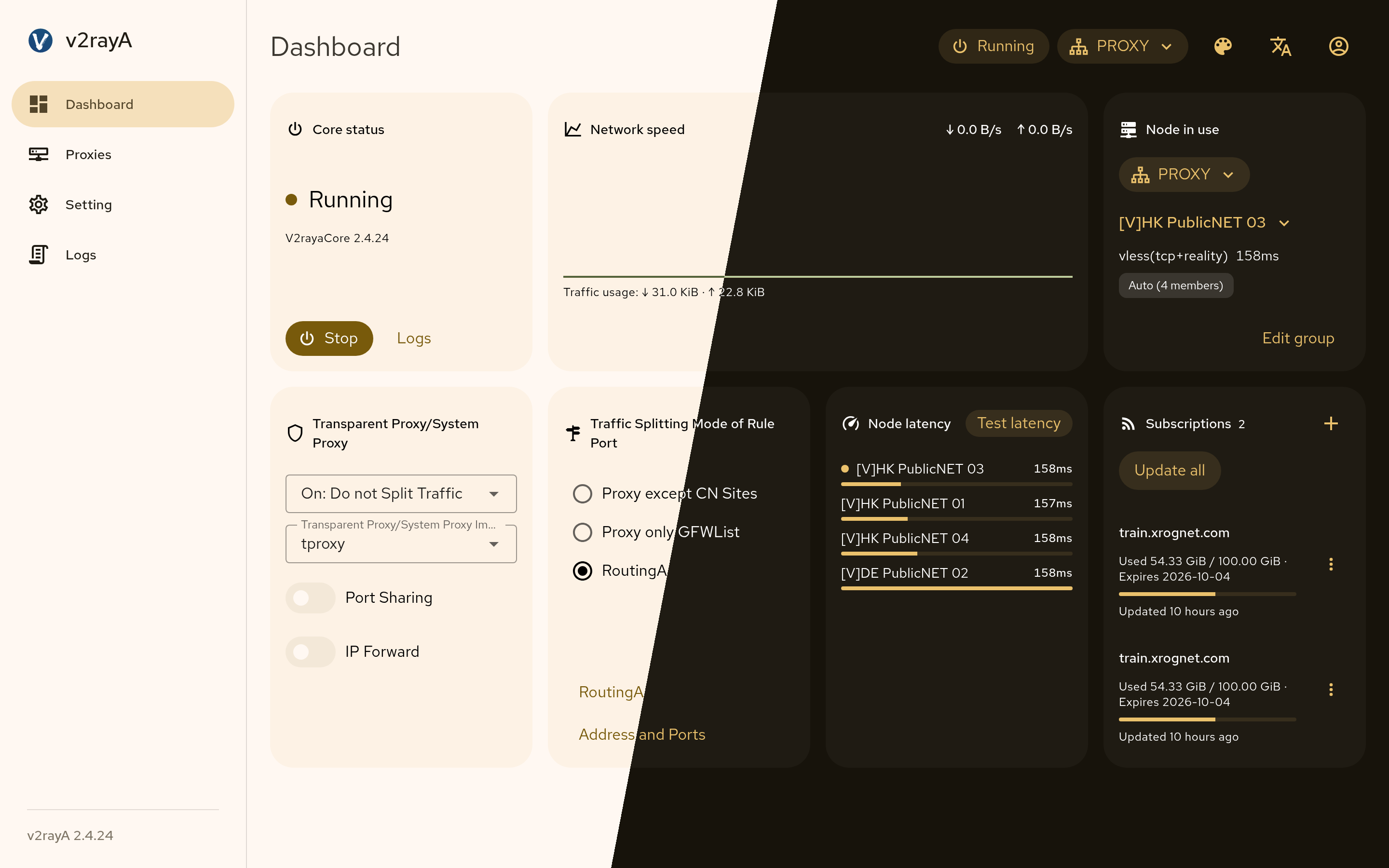
What is v2rayA?
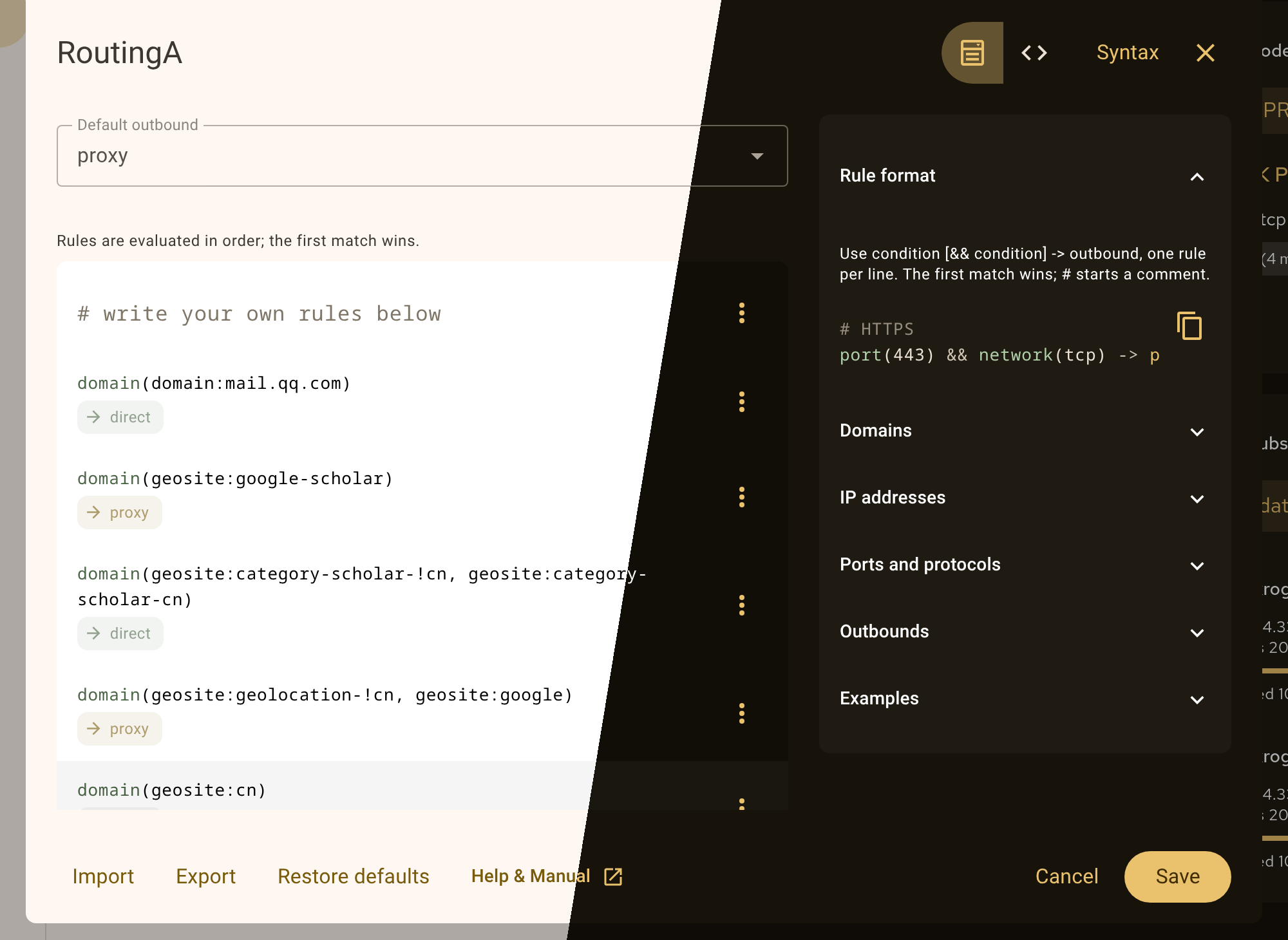
v2rayA is an open-source proxy client you install as a system service and drive from a browser, whether on a desktop, a router or a NAS. Its engine is v2raya_core, a fork of Xray-core shipped at the same version as the app itself. Feed links and single server entries arrive from roughly a dozen protocol families — VMess, Hysteria2, Trojan, Shadowsocks, WireGuard among them — and are sorted into groups that use the fastest member by measured latency or one you pin; only ShadowsocksR is out of scope. Traffic splitting is handled by RoutingA, the project's own rule language, editable either as a per-rule form or as highlighted text and exchangeable as a plain-text file. Clients can use the local SOCKS5 and HTTP inbounds on ports 20170, 20171 and 20172, or you can switch on interception: Linux offers redirect, tproxy and tun modes, macOS gets tun, Windows gets tun together with the system proxy, and each comes with process exclusions plus DNS answers for unencrypted queries that reach the TUN device. Packaging covers the Dae Universe APT, DNF and Zypper repos, the AUR, a Gentoo overlay, Homebrew, winget, scoop, an Inno installer, a separately maintained snap and the ghcr.io/v2raya/v2raya container, which wants host networking plus privileges for interception to work. Its SQLite database and generated config sit in one configuration directory you can back up before upgrading, since older BoltDB stores get migrated on first start. Whoever registers first becomes administrator and the sign-up form asks for nothing beforehand, so bind the interface to localhost or firewall it before your first account on a shared network. OpenWrt feeds still ship only the 2.2.7.x series, so routers need hand-placed release binaries for now. The code is AGPL-3.0-only.
v2rayA alternatives
 3x-uiOpen-source, self-hosted admin panel for Xray proxy servers: multi-protocol inbounds, per-client quotas and traffic stats, subscriptions, multi-node control, REST API.Compare3x-ui with v2rayA
 Nova ServerSelf-hosted proxy running Xray, sing-box, AmneziaWG behind one port with trilingual admin panel, multi-user management, Iran bridge tunnels, Telegram bot.CompareNova Server with v2rayA
 GUSTGUST is a self-hosted, open-source web proxy running as a single HTML file in any browser, using WebAssembly and WISP tunneling to bypass filters without Service Workers.CompareGUST with v2rayA
 HysteriaSelf-hosted, open-source proxy server and client that rides a customized QUIC stack masquerading as HTTP/3, with SOCKS5, HTTP, forwarding, TProxy and TUN modes.CompareHysteria with v2rayA
 ZoraxyOpen-source reverse proxy manager for self-hosted services, with a web UI, ACME TLS, TCP/UDP forwarding, an uptime monitor and a built-in SSH terminal.CompareZoraxy with v2rayA
 yantrYantr is a self-hosted homelab app store running as a rootless Podman container alongside your Linux OS — no appliance, no root daemon, ~140 MB RAM at idle.Compareyantr with v2rayA
 LucX-UILucX-UI is a self-hosted Xray VPN panel forked from 3x-ui adding kernel-mode AmneziaWG, tunnel sidecars, and advanced subscriptions.CompareLucX-UI with v2rayA
 meridianMeridian is an open-source CLI that deploys censorship-resistant VLESS+Reality, XHTTP, and Hysteria2 proxy servers on your VPS with automatic hardening.Comparemeridian with v2rayA
Should you self-host v2rayA?
v2rayA scores 72/100 on selfhost.directory (how scoring works) and ranks #4 of 26 in Proxy. It has 15 825 GitHub stars, +162 in the last 30 days.
It shipped 44 stable releases in the past year. The latest, v2.5.13, came out on 2 November 2026. New versions land roughly every 2 days.
Setup is moderate: expect some configuration beyond a single command. An official Docker image is available. It is AGPL-3.0-licensed and written mostly in Go.
Its closest alternative on selfhost.directory is frp (85/100, 110 470 stars). It scores higher overall, so compare the two before you pick. See v2rayA vs frp side by side.
Features
- Automatic subscription updates
- Built-in DNS handlingEncrypted DNS traffic is not intercepted.
- Custom routing rules (RoutingA)
- Latency-based server selection
- Latency probes from the dashboard
- Lite mode (system proxy only)
- Per-process proxy exclusions
- ShadowsocksR supportExplicitly stated as unsupported.
- SOCKS5 and HTTP proxy inbounds
- Subscription and share-link import
- Transparent Proxy
- Web-based management UI
v2rayA README

A web client for its own Xray-based core, with transparent proxy on Linux, Windows and macOS.
Requirements • Install • First run • Transparent proxy • Data and upgrades • Support
v2rayA runs as a service and is used from a browser, on the machine itself or on a router or NAS. It imports subscriptions and share links for VMess, VLESS, Shadowsocks, Trojan, Hysteria2, TUIC, Juicity, AnyTLS, WireGuard, SOCKS5 and HTTP(S), groups nodes and selects the member with the lowest measured latency or a pinned one, and splits traffic with rules written in RoutingA. ShadowsocksR is not supported.
More in Proxy
 verdaccioSelf-hosted, open-source private npm registry in Node.js — proxies and caches npmjs.org, needs no database, and includes a web UI. Installs via npm, Docker or Helm.
 Vinyl CacheVinyl Cache is a web application accelerator also known as a caching HTTP reverse proxy. It is designed to be installed in front of any server that speaks HTTP and configured to cache the contents, significantly speeding up delivery.
 warp-dockerwarp-docker runs the official Cloudflare WARP client in Docker as a SOCKS5/HTTP proxy or NAT gateway with WARP+, Zero Trust, and MASQUE support.
 Web Rendering Proxy (WRP)Self-hosted, open-source proxy that paints modern sites via headless Chrome into clickable imagemaps or stripped-down HTML for retro and legacy browsers.
 Xray VPN OneClickSelf-hosted tool that deploys a VLESS+Reality proxy server on Linux in minutes with CLI for user management, traffic quotas, and subscription links.
 13ftSelf-hosted, open-source paywall bypass proxy: paste a URL and 13ft fetches it as Googlebot, with Freedium and archive snapshot fallbacks, in Docker or plain Python.
 3proxySelf-hosted, open-source tiny proxy server: HTTP/HTTPS, SOCKS4/5, FTP, DNS and port mapping with ACLs, bandwidth limits and parent chaining.
- 3x-uiOpen-source, self-hosted admin panel for Xray proxy servers: multi-protocol inbounds, per-client quotas and traffic stats, subscriptions, multi-node control, REST API.
 9RouterOpen-source, self-hosted AI router giving coding CLIs one OpenAI-compatible endpoint, 3-tier fallback across 60+ providers, token compression and a local dashboard.
 AIOStreamsOpen-source, self-hosted Stremio super-addon: one URL merges every addon, debrid and Usenet source, then filters, sorts and formats results your way.
 aiwayaiway is a self-hosted transparent SNI proxy that routes AI service traffic through your VPS using DNS and SNI routing, no VPN needed.
 antigravity-claude-proxyProxy that exposes Antigravity provided claude / gemini models, so we can use them in Claude Code and OpenClaw (Clawdbot)
0 comments