Self-host terrateam
20261109-1504-79c2aadTerraform plan and apply automation from pull requests
docker compose up setup- Stars
- 1 327
- Ports
- 3000 (Setup wizard (orchestration-setup container), opened on the host to generate configuration), 8080 (Orchestration server HTTP endpoint inside the container (health checks, console and API behind nginx))
- Requires
- PostgreSQL
ghcr.io/stategraph/orchestration-setup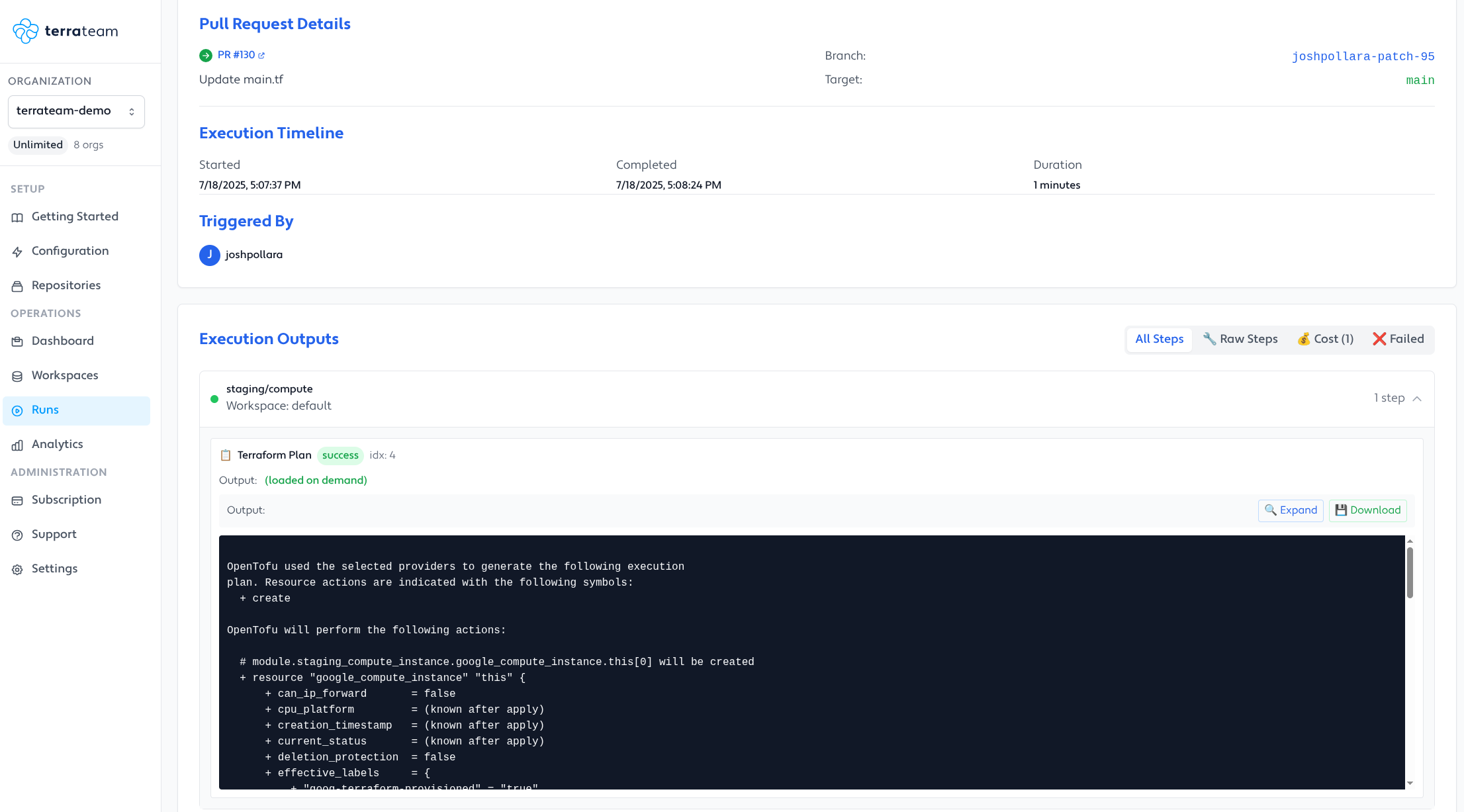
What is terrateam?
Stategraph is infrastructure-as-code automation for teams that drive Terraform or OpenTofu through pull requests. Its open-source half, Orchestration, comments a plan on every pull request, applies on merge or when someone writes a stategraph apply comment, and blocks risky changes with Rego/OPA, Conftest or Checkov policy checks plus monthly-cost thresholds. Drift detection runs on a schedule, and tag-based configuration scales from a handful to thousands of workspaces, whether they sit in one monorepo or across repositories. Engines include Terraform, OpenTofu, Pulumi, CDKTF and Terragrunt, and the real plan/apply work happens on runners in GitHub Actions and GitLab CI while the server merely dispatches it. The commercial half, Infrastructure as a Database, replaces the state file with a PostgreSQL graph of resources and dependencies: plans touch only the subgraph a change reaches, unrelated changes commit side by side, and every state is queryable with SQL. Self-hosting the open-source build means cloning the repository, launching the setup-wizard container, pasting its output into a .env file beside the Compose file, then starting database, tunnel and server. Watch the limits: three active users per calendar month for each GitHub or GitLab installation (runs are unlimited), and RBAC, CODEOWNERS enforcement, Gatekeeper, centralized configuration plus API tokens belong to Enterprise.
terrateam alternatives
 corootSelf-hosted, open-source APM and observability platform where eBPF agents capture every telemetry signal without code changes, with service maps and SLO alerting.Comparecoroot with terrateam
 openstatusOpen-source uptime monitoring, status pages and incident response: declare checks and pages in YAML or Terraform, run private probes, self-host with Docker.Compareopenstatus with terrateam
 superplaneAn open-source AI software factory that turns routine backlog items into review-ready pull requests. Self-host with Docker on a VM, or Terraform on Kubernetes.Comparesuperplane with terrateam
 InstaCloud OSSInstaCloud OSS is a self-hosted PaaS giving you a serverless cloud on one machine with Postgres, S3, Redis, MySQL, MongoDB, git push-to-deploy, and instant branching.CompareInstaCloud OSS with terrateam
 GitLab-CESelf-hosted, open-source DevOps platform for Git repositories, merge requests, CI/CD pipelines, issue boards and wikis, with free CE and paid Premium/Ultimate tiers.CompareGitLab-CE with terrateam
 KestraSelf-hosted, open-source (Apache-2.0) engine that schedules and chains data, AI and infrastructure jobs from YAML or a visual editor, with 2,200+ plugins.CompareKestra with terrateam
 prefectPrefect is a self-hosted, open-source workflow orchestration framework turning Python functions into production data pipelines with scheduling, retries, and caching.Compareprefect with terrateam
 EncoreOpen-source backend dev platform: declare databases, queues and cron jobs in Go or TypeScript code, and build standalone Docker images for self-hosted deploys.CompareEncore with terrateam
Should you self-host terrateam?
terrateam scores 56/100 on selfhost.directory (how scoring works) and ranks #16 of 28 in CI/CD. It has 1 327 GitHub stars, +39 in the last 30 days.
It shipped 179 stable releases in the past year. The latest, 3.2.28, came out on 9 November 2026.
Setup is moderate: expect some configuration beyond a single command. An official Docker image is available. It is MPL-2.0-licensed and written mostly in OCaml.
Its closest alternative on selfhost.directory is jenkins (83/100, 26 742 stars). It scores higher overall, so compare the two before you pick. See terrateam vs jenkins side by side.
Features
- AI agent supportAPI access tokens are listed as Enterprise-only in the editions matrix.
- Apply from pull requestCODEOWNERS enforcement itself is an Enterprise feature.
- Audit Trail
- Automerge and rollbacks
- Cost Estimation
- Drift DetectionOne schedule per repository in Open Source; multiple schedules are Enterprise.
- Multiple IaC engines
- Multi-state transactionsRequires the commercial Infrastructure as a Database edition.
- Parallel applies with resource-level lockingRequires the commercial Infrastructure as a Database edition.
- Policy as Code
- Pull request planning
- Queryable stateInfrastructure as a Database is commercial (hosted or self-hosted with a license key), not part of the open-source build.
- Tag-based workspace configuration
- Web Console
terrateam README

Terraform and OpenTofu from pull requests, with state stored as a dependency graph in PostgreSQL.
Plans read only what a change touches. Changes that do not overlap run at the same time.
Stategraph runs Terraform and OpenTofu from pull requests, and can store your state as a graph in PostgreSQL instead of a state file. It has two parts:
- Stategraph Orchestration: plans every pull request on GitHub or GitLab and posts the result as a comment. Policy checks, cost estimates, and approvals run in the review. The apply runs on merge or on a comment. Open source and self-hostable.
- Stategraph Infrastructure as a Database: stores each state as a dependency graph in PostgreSQL. A plan reads only the resources your change reaches, changes that touch different resources apply at the same time, and you can query every state with SQL. Works from the CLI with any CI; no VCS provider required.
Each part works without the other. You can start with Orchestration against your existing state backend and move the state into the database later.

FAQ
How is this different from Terraform/OpenTofu's pg backend?
The pg backend only stores the state file as a blob, whereas Stategraph normalizes state into queryable resources with relationships and history.
Do I need to run my own database?
PostgreSQL 14 or newer is required; run it yourself, use a managed service, or use a local instance for development.
Can I apply saved plan files to Stategraph?
Yes, saving a plan and applying it later works, which supports review-and-approve workflows.
Does Stategraph support state locking?
Yes, its database-native locking offers finer granularity than traditional file-based locks.
What about sensitive data in state?
State is encrypted at rest with AES-256 and in transit with TLS 1.3, provider credentials are never stored in it, and access is logged with attribution.
How does parallel execution stay safe?
The full dependency graph is built, dependent resources are ordered behind explicit barriers with transactional writes, so only genuinely independent subgraphs run together.
Can I run Stategraph alongside my existing setup before committing?
Yes; because importing is non-destructive, teams run it in plan-only shadow mode while their current pipeline stays the source of truth.
How do I migrate away from Stategraph?
Export state to standard Terraform .tfstate with the CLI and point your backend configuration back to S3, GCS or local storage.
Does Stategraph support multiple state files?
Yes: each state file becomes its own graph, so hundreds of environments or workspaces can live in one database and be queried separately or together.
What happens to my existing state?
Your existing .tfstate is imported on first run, preserving resources, attributes and metadata, and you can export back to that format later.
How does Stategraph relate to Terrateam?
Built by the same team for different layers: Stategraph stores and executes state, Terrateam is the GitOps orchestration layer on top, and each can be adopted alone.
Is this like Terragrunt or Terramate?
No, those are orchestration wrappers around Terraform, while Stategraph reimplements how state is stored and how operations execute.
How do I know if my repo is a good fit?
Run the diagnostics command from your root module: it evaluates the HCL locally and writes a trace of how Stategraph reads it, uploading nothing.
Is Stategraph a drop-in replacement for Terraform?
Deliberately not; it replaces the state file with a database, and that model is what brings subgraph plans, parallel applies and SQL queries.
Do I need to change my Terraform/OpenTofu code?
No rewriting of resources: configurations, modules and providers carry over, though some repository layouts need adjusting to fit the database model before the import is clean.
More in CI/CD
 WarrenWarren runs coding agents as isolated workloads on your infrastructure, managing workspace, lifecycle, spend limits, live events, and Git delivery.
 WebhookSelf-hosted, open-source webhook server written in Go that exposes HTTP endpoints to run configured shell commands, guarded by trigger rules.
 woodpecker-ciSelf-hosted, open-source Apache-2.0 CI/CD engine: pipeline steps run in Docker containers and workflows trigger from forges like GitHub, Gitea, GitLab or Bitbucket.
 ZealotSelf-hosted, open-source beta app distribution server for iOS, Android, macOS, Windows and Linux builds, with OTA install pages, webhooks and a fastlane plugin.
 actions-runner-controllerAn open-source Kubernetes operator that auto-scales self-hosted GitHub Actions runners on your own cluster using Helm charts.
 Aerokube MoonMoon is a self-hosted commercial browser automation platform for Kubernetes/OpenShift running Selenium, Playwright, Cypress, and Puppeteer tests.
 Agentic OrchestratorSelf-hosted AI workflow orchestrator turning feature requests into supervised engineering workflows using isolated git worktrees and multiple AI provider CLIs.
 AI-Git-BotSelf-hosted AI automation for Git repositories that handles PR reviews, test creation, issue improvement, and code generation across major Git platforms.
 AngusKitSelf-hosted AI-native platform bundling six dev tools with shared identity. Free Community Edition for up to 10 users.
 ARAOpen-source Ansible reporting tool: ara records playbook and ad-hoc runs into SQLite, MySQL or PostgreSQL, browsable via a self-hosted web UI, REST API and CLI.
 Argo CDOpen-source, self-hosted GitOps CD for Kubernetes that keeps clusters in sync with Kustomize, Helm, Jsonnet or YAML manifests in Git, with web UI, CLI, SSO and RBAC.
 argosThe open source visual testing platform for teams and AI agents. Review the product, not just the code.
0 comments