
Self-host Technitium DNS Server
v15.6.2Open-source DNS server with ad blocking and encrypted DNS
curl -sSL https://download.technitium.com/dns/install.sh | sudo bash- Stars
- 10 320
- Ports
- 53 (DNS service over UDP and TCP), 5380 (DNS web console over HTTP)
technitium/dns-server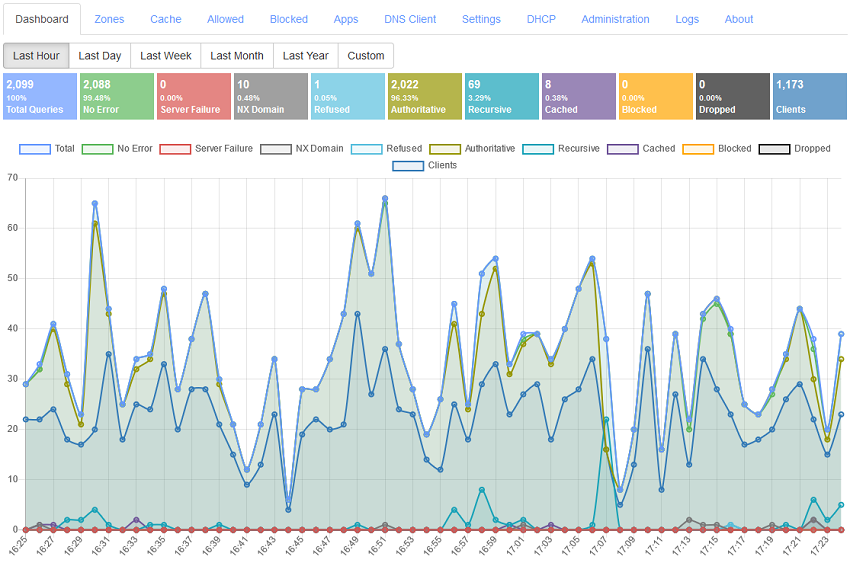
What is Technitium DNS Server?
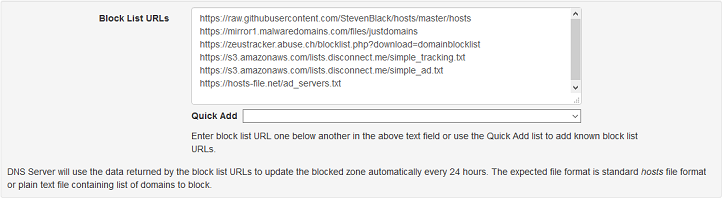
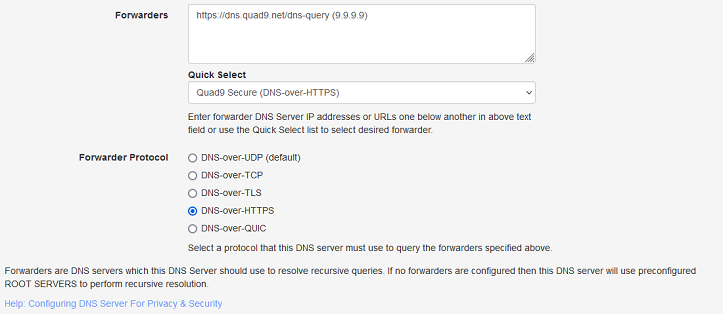
GPL-3.0 licensed and cross-platform, Technitium DNS Server handles both authoritative and recursive name resolution on hardware you own, aimed at home networks and small-to-medium organizations that want visibility and control over their lookups. Configuration happens in a browser console listening on port 5380, which sits on top of the same HTTP API, so zones, sinkhole lists, forwarders, query logs and dashboard stats are scriptable as well as clickable. Advertising and malware domains are dropped network-wide using block list URLs that refresh automatically each day, and clients can be handed encrypted DNS - DoT, DoQ, or DoH over HTTP/1.1 through HTTP/3 - while upstream traffic can reach public resolvers over those encrypted protocols, via HTTP/SOCKS5 proxies, or through Tor. A single install also covers a multi-network DHCP server, DNSSEC signing and validation, zone transfers with TSIG, dynamic updates, catalog zones, and DNS Apps for split-horizon or geolocation answers; several instances can be joined into a cluster managed from one console, and console logins support OIDC, LDAP, TOTP and role-based accounts. Self-hosting options are a Windows installer, a portable .NET 10 archive, a curl-based installer for Linux and Raspberry Pi (arm7 only), or the official technitium/dns-server container with state kept in /etc/dns.
Technitium DNS Server alternatives
 pdnsPowerDNS is an open-source DNS suite with an authoritative server, a recursive resolver and dnsdist loadbalancer, self-hosted via packages, Docker images or source.Comparepdns with Technitium DNS Server
 ddns-goOpen-source self-hosted DDNS tool that detects your public IPv4/IPv6 and updates Cloudflare, Dnspod, Aliyun and more via API, with a web UI, webhooks and Docker images.Compareddns-go with Technitium DNS Server
 guardium-dnsSelf-hosted parental control dashboard for Technitium DNS with profiles, schedules, quotas, and optional ASUS router integration. Free, open-source.Compareguardium-dns with Technitium DNS Server
 UnboundSelf-hosted, open-source DNS resolver that validates, recurses and caches, adding DNS-over-TLS, HTTPS and QUIC, RPZ filtering and DNSSEC privacy features.CompareUnbound with Technitium DNS Server
 docker-dyndnsSelf-hosted dynamic DNS server using BIND9 and Go API in Docker. Manage custom subdomains with basic auth via browser, curl, or router.Comparedocker-dyndns with Technitium DNS Server
 cloudflare-verified-ddnsSelf-hosted Cloudflare DDNS updater verifying DNS via DoH, adaptive polling, detailed telemetry. Python 3.13+, minimal Docker image.Comparecloudflare-verified-ddns with Technitium DNS Server
 docker-ddnsSelf-hosted dynamic DNS server using Docker, Go, and Bind9 that lets you connect to home devices from anywhere using a VPS and domain.Comparedocker-ddns with Technitium DNS Server
 Smart-DNSSelf-hosted Smart DNS service that resolves whitelisted domains to a specified IP while forwarding other queries normally, using a Python DNS server and Nginx SNI proxy.CompareSmart-DNS with Technitium DNS Server
Should you self-host Technitium DNS Server?
Technitium DNS Server scores 77/100 on selfhost.directory (how scoring works) and ranks #3 of 41 in DNS. It has 10 320 GitHub stars, +258 in the last 30 days.
It shipped 11 stable releases in the past year. The latest, v15.6.2, came out on 17 October 2026. New versions land roughly every 7 days.
Setup is easy: most people get it running in one sitting. An official Docker image is available. It is GPL-3.0-licensed and written mostly in C#.
Its closest alternative on selfhost.directory is Pi-hole (87/100, 61 711 stars). It scores higher overall, so compare the two before you pick. See Technitium DNS Server vs Pi-hole side by side.
Features
- Ad & malware blocking (DNS sinkhole)
- Advanced caching
- Authoritative & recursive DNS server
- Built-in DHCP server
- Clustering
- DNS Apps extensibility
- DNSSEC
- Encrypted DNS (DoT, DoH, DoQ)
- HTTP API
- LDAP Authentication
- Multi-user role-based access
- Single Sign-On (OIDC)
- Two-factor authentication
- Web Admin Console
- Zone transfers & dynamic updates
Technitium DNS Server README
Technitium DNS Server
Self host a DNS server for privacy & security
Block ads & malware at DNS level for your entire network!
Technitium DNS Server is an open source authoritative as well as recursive DNS server that can be used for self hosting a DNS server for privacy & security. It works out-of-the-box with no or minimal configuration and provides a user friendly web console accessible using any modern web browser.
More in DNS
- UnboundSelf-hosted, open-source DNS resolver that validates, recurses and caches, adding DNS-over-TLS, HTTPS and QUIC, RPZ filtering and DNSSEC privacy features.
 who-datwho-dat is a self-hosted, open-source WHOIS/RDAP lookup API that normalizes domain data into consistent JSON, with Docker, binary, and Vercel deployment.
 adguard-buddySelf-hosted dashboard for monitoring and synchronizing multiple AdGuard Home servers with merged query logs, statistics, and drift detection.
 AdGuard HomeSelf-hosted open-source DNS server blocking ads/trackers network-wide. Supports encrypted DNS, parental controls, safe search, per-client config, DHCP.
 AdGuardHome-SyncSelf-hosted AdGuard Home config synchronizer: mirrors filters, DNS rewrites, DHCP, clients and settings to replicas, with a web dashboard, API and Prometheus metrics.
 autoxposeSelf-hosted open-source tool that auto-creates DNS records and configures reverse proxies with SSL for Docker containers using labels.
 blockyFast and lightweight DNS proxy as ad-blocker for local network with many features
 blocky-lists-updaterSelf-hosted companion for blocky DNS that downloads, merges, and serves blocklists via static file server, then triggers blocky to refresh without restart.
 cloudflare-ddnsSelf-hosted Dynamic DNS client that updates Cloudflare DNS records with your public IP for custom domain access without a static IP.
 cloudflare-dns-failoverSelf-hosted Go daemon that monitors server health and updates Cloudflare DNS A records to the first responsive IP for high availability.
- cloudflare-verified-ddnsSelf-hosted Cloudflare DDNS updater verifying DNS via DoH, adaptive polling, detailed telemetry. Python 3.13+, minimal Docker image.
 cobblerCobbler is an open-source, self-hosted Linux provisioning server for PXE network installs that can also manage DHCP, DNS, TFTP boot files and yum repo mirroring.
0 comments