
Self-host Sunshine
v2026.914.233613Low-latency game stream host for Moonlight clients
$ sudo apt install sunshine- Stars
- 43 139
- CPU
- AMD: Ryzen 3 or higher; Intel: Core i3 or higher
- RAM
- 4GB or more
- Ports
- 47990 (HTTPS web UI used for configuration and client pairing), 47989 (Default value of the port option; changing it offsets the other streaming ports), 48010 (TCP port required by the documented Docker port mappings)
lizardbyte/sunshine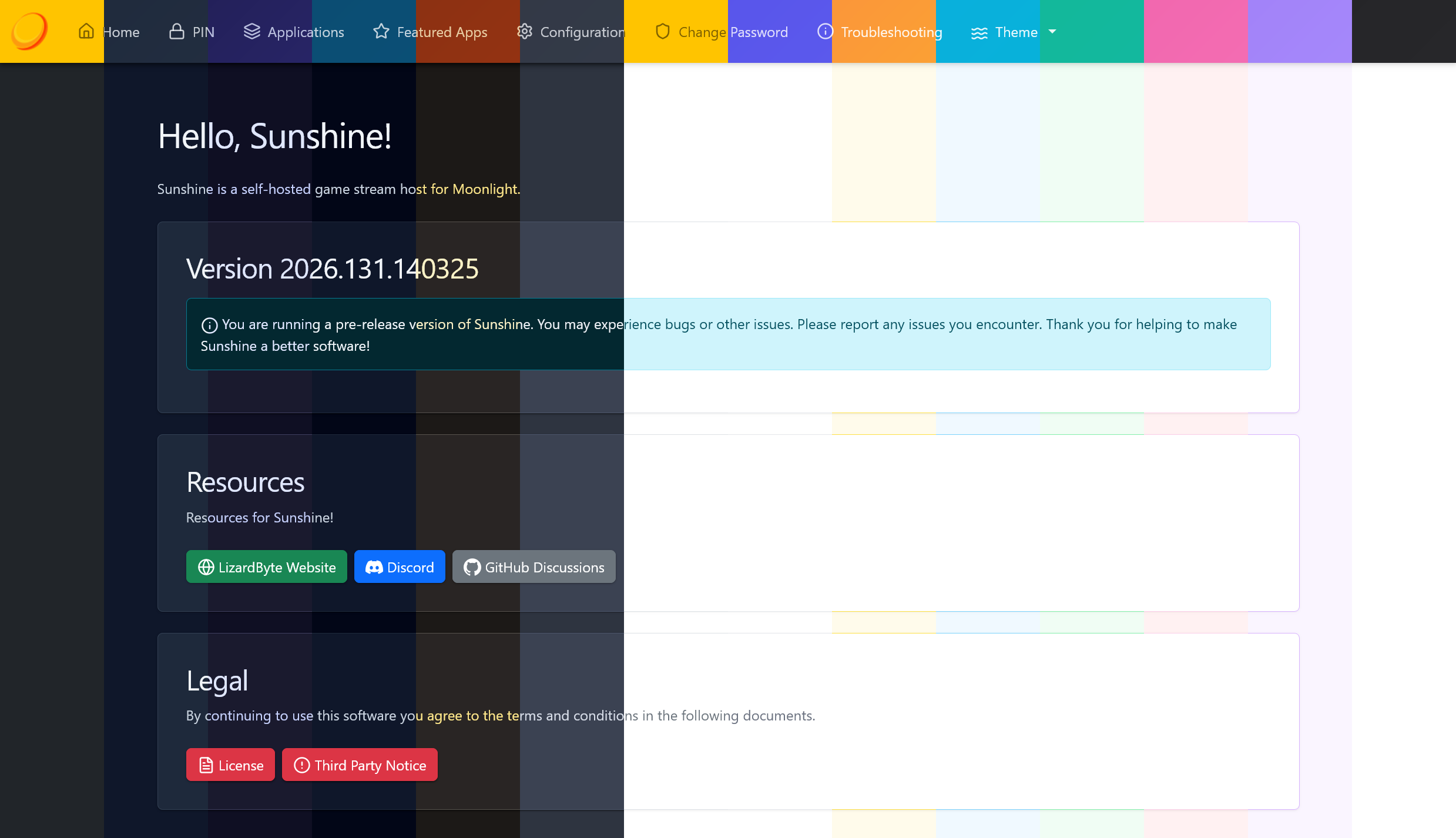
What is Sunshine?
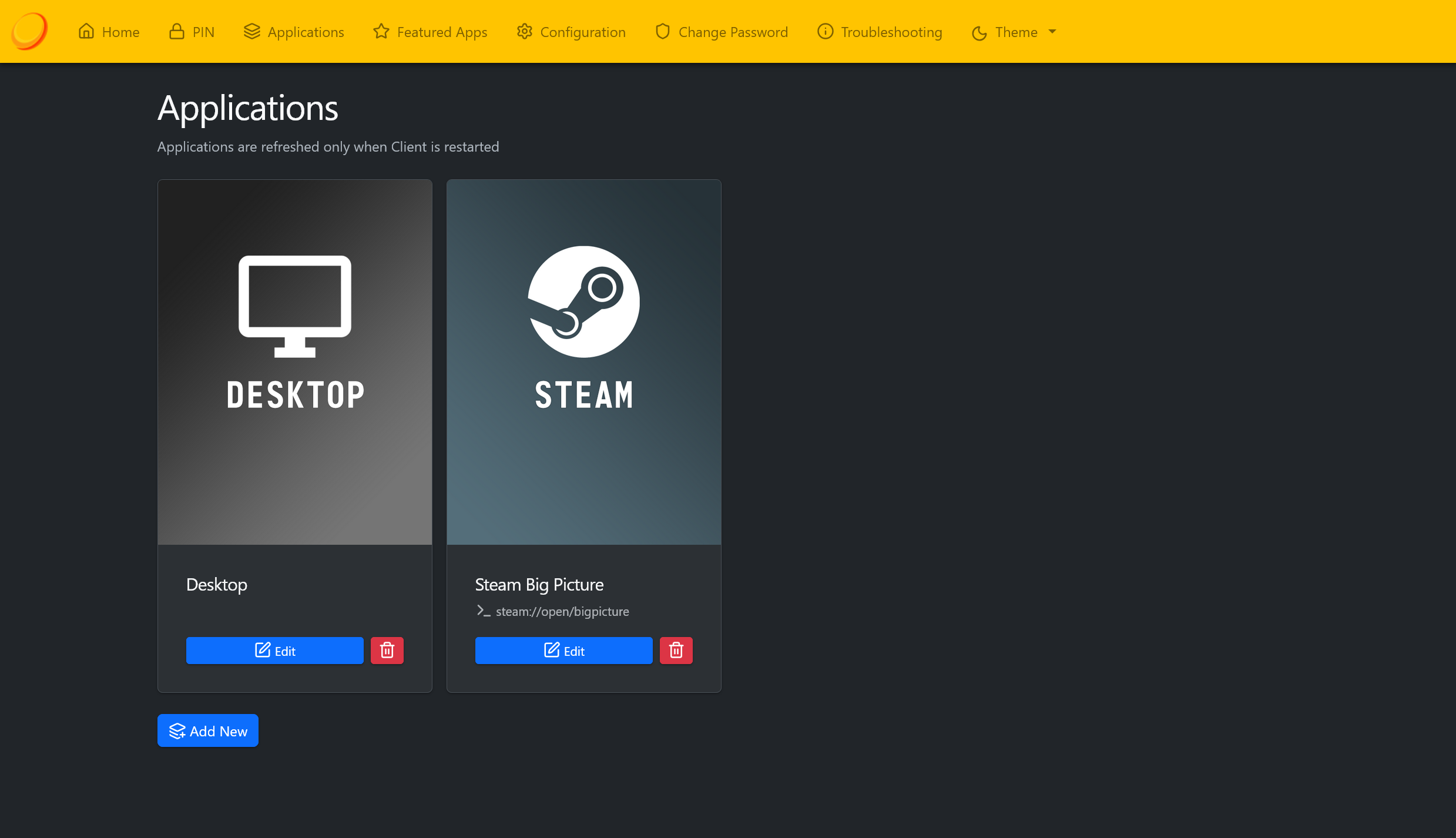
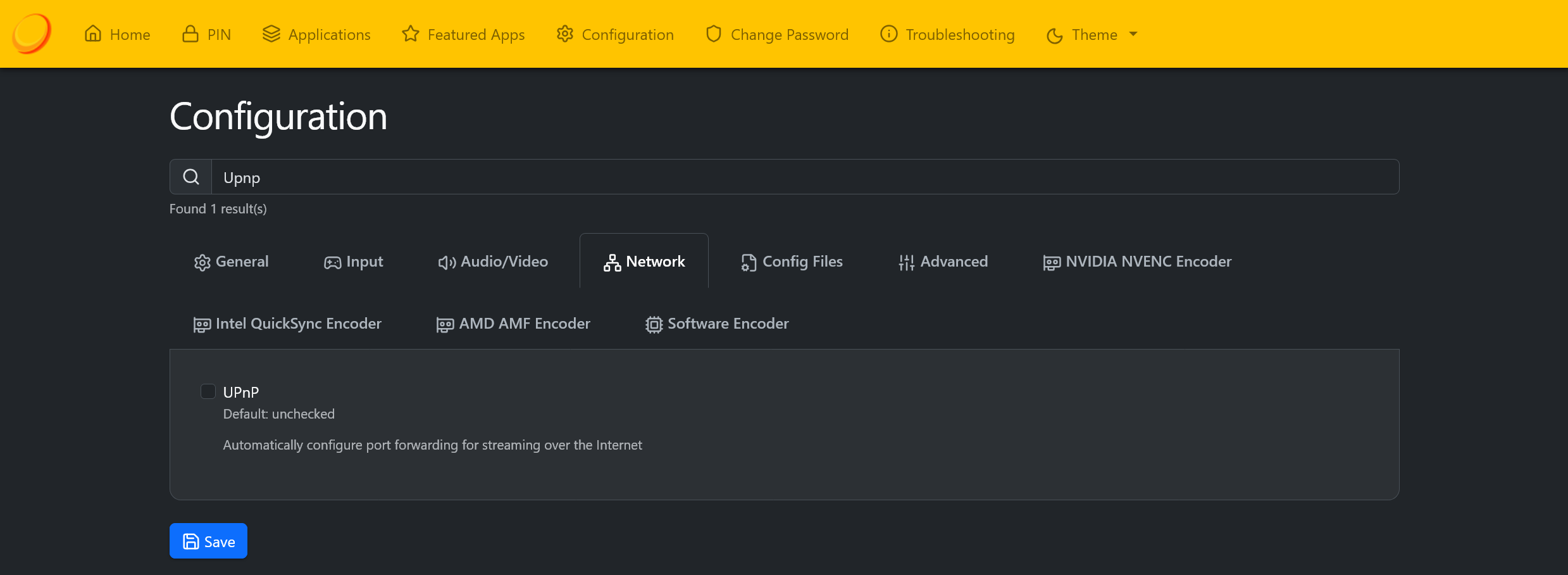
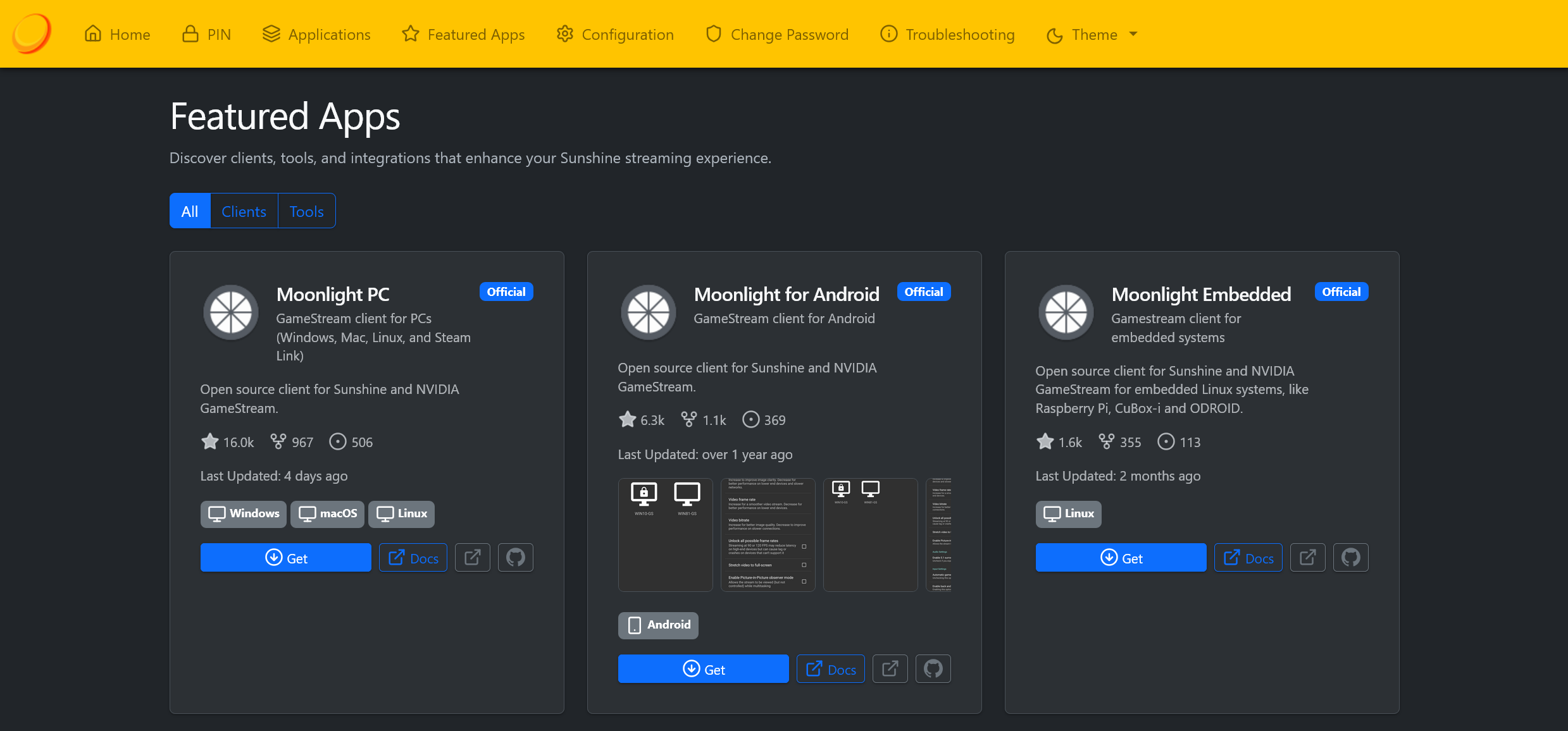
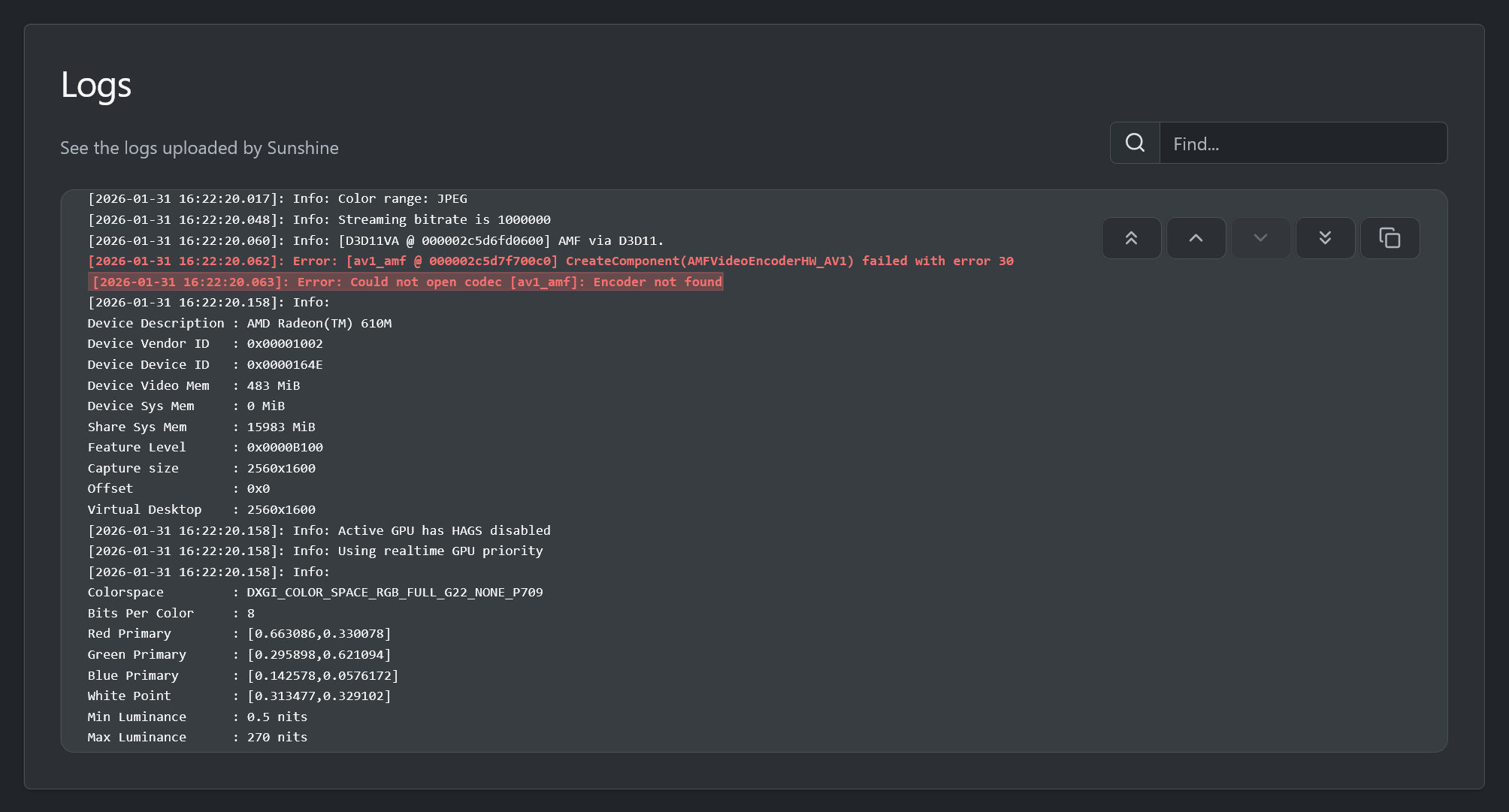
Sunshine is the host side of Moonlight game streaming: you install it on your own PC and connect to it from Moonlight clients on other devices. It captures the screen or launches games and applications, encodes them with AMD, Intel or Nvidia hardware encoders (NVENC, VAAPI, AMF, QuickSync, Video Toolbox, Vulkan Video) or on the CPU, and delivers the result with low latency. Virtual input is part of the package, so Xbox 360/One/Series, DualShock 4, DualSense and Switch Pro gamepads, along with keyboard and mouse, get emulated on the host machine. An HTTPS web UI opens in your browser for settings, app lists, log viewing and PIN pairing with clients, and a RESTful API exposes the same service for automation. HDR output is official on Windows hosts and experimental on Linux ones. Self-hosting means installing a release package (deb/rpm/APK/AppImage/Flatpak/Homebrew, MSI on Windows, DMG on macOS, pkg on FreeBSD) or one of the published container images; UPnP can open ports for internet streaming. Plan on at least a Ryzen 3 or Core i3, 4 GB of RAM and a 5 GHz 802.11ac network, and note that the first launch asks you to create web UI credentials.
Sunshine alternatives
 docker-steam-headlessSelf-hosted, open-source Docker image running a headless Steam client with Proton, accessed via a noVNC web desktop, Steam Link, Moonlight or Steam Remote Play.Comparedocker-steam-headless with Sunshine
 RetromOpen-source, self-hosted game library service focused on emulation, with desktop clients for Windows, macOS, Linux and a built-in web client.CompareRetrom with Sunshine
 RestreamerOpen-source, self-hosted live video streaming server with a web UI: ingest via RTMP or SRT, restream to YouTube, Twitch and Vimeo, and embed a player.CompareRestreamer with Sunshine
 StreamFlowSelf-hosted web app for live streaming to YouTube, Facebook, and RTMP with video gallery, scheduling, and real-time monitoring.CompareStreamFlow with Sunshine
 nomercy-media-serverSelf-hosted media server with automatic encoding, hardware transcoding (NVIDIA/Intel/AMD), and a polished web app plus mobile PWA for streaming movies, shows, and music.Comparenomercy-media-server with Sunshine
 StremioSelf-hosted browser UI for the Stremio media center: browse addon catalogs, cast to TV, sync your library and Continue Watching with your account.CompareStremio with Sunshine
 µStreamerOpen-source, self-hosted MJPEG-HTTP streamer that broadcasts video from any V4L2 webcam or HDMI capture device with multithreaded and Raspberry Pi hardware JPEG encoding.CompareµStreamer with Sunshine
 VDO.NinjaOpen-source browser-based WebRTC tool that pipes remote guests, phone cameras, and screen shares into OBS and other live-production software, with director control rooms.CompareVDO.Ninja with Sunshine
Should you self-host Sunshine?
Sunshine scores 84/100 on selfhost.directory (how scoring works) and ranks #2 of 22 in Remote Desktop. It has 43 139 GitHub stars, +1 289 in the last 30 days.
It shipped 91 stable releases in the past year. The latest, v2026.1107.185223, came out on 7 November 2026. New versions land roughly every 1 days.
Setup is easy: most people get it running in one sitting. An official Docker image is available. It is GPL-3.0-licensed and written mostly in C++.
Its closest alternative on selfhost.directory is rustdesk (92/100, 128 636 stars). It scores higher overall, so compare the two before you pick. See Sunshine vs rustdesk side by side.
Features
- Controller emulationOn macOS all profiles need the separately licensed Virtual HID Broker; FreeBSD lacks motion/touchpad/battery/LED features.
- Desktop streaming
- Hardware Encoding
- HDR streamingOfficially supported on Windows hosts, experimentally on Linux hosts.
- Localizable interface
- Log viewer in the web UI
- Low-latency game streaming
- PIN client pairing
- REST API
- Software encoding
- UPnP port opening for internet streaming
- Virtual keyboard and mouse input
- Wayland, X11 and portal screen capture
- Web UI configuration
Sunshine README

How to install Sunshine
Install Sunshine with Docker
docker run -d \
  --device /dev/dri/ \
  --name=<image_name> \
  --restart=unless-stopped \
  --ipc=host \
  -e PUID=<uid> \
  -e PGID=<gid> \
  -e TZ=<timezone> \
  -v <path to data>:/config \
  -p 47984-47990:47984-47990/tcp \
  -p 48010:48010 \
  -p 47998-48000:47998-48000/udp \
  <image>
Images are published on Docker Hub and GHCR with <SUNSHINE_VERSION>-<SUNSHINE_OS> tags; the docs warn the images are not recommended for most users.
Install Sunshine with Linux
sudo apt update
sudo apt install sunshine
DEB and RPM packages are published to LizardByte's Cloudsmith repos; AppImage, Flatpak, pacman-repo, Alpine APK and Homebrew packages also exist. The web UI runs after install.
Install Sunshine with Windows
Download and install based on your architecture:
| Architecture | Installer | | AMD64/x64 (Intel/AMD) | Sunshine-Windows-AMD64-installer.msi | | ARM64 | Sunshine-Windows-ARM64-installer.msi |
MSI installer is recommended and can install Sunshine as a background service; a lite zip exists but reduces performance.
Install Sunshine with macOS
Download and install based on your architecture:
| Architecture | Package | | arm64 (Apple Silicon) | Sunshine-macOS-arm64.dmg | | x86_64 (Intel) | Sunshine-macOS-x86_64.dmg |
Open the downloaded
.dmgfile.Drag
Sunshine.appinto theApplicationsfolder.Eject the disk image.
Virtual gamepads need the separately installed, licensed Virtual HID Broker.
Install Sunshine with FreeBSD
sudo pkg install ./Sunshine-FreeBSD-14.4-{arch}.pkg
Some features are missing versus Linux: only X11 and Wayland capture, and gamepad descriptor-driven extras are unavailable.
Install Sunshine with Homebrew
brew update
brew upgrade
brew tap LizardByte/homebrew
brew install sunshine
Experimental on Linux; on Linux the package also needs the postinst step. Beta builds use sunshine-beta.
Install Sunshine with Flatpak
flatpak install --system flathub dev.lizardbyte.app.Sunshine
flatpak run --command=additional-install.sh dev.lizardbyte.app.Sunshine
Additional installation step is required so host udev rules stay in sync; Flatpak does not support KMS capture.
How to configure Sunshine
localeLocale used for the user interface; default en.values: language codes such as bg, cs, de, en, en_GB, en_US
upnpWhether Sunshine tries to open ports via UPnP for streaming over the internet; default disabled, example enabled.values: disabled | enabled
address_familyAddress family Sunshine uses; default ipv4.values: ipv4 (IPv4 only) | both (IPv4+IPv6)
bind_addressIP address to bind Sunshine to; empty binds to all interfaces (0.0.0.0 or ::).port=47989Base port of the port family Sunshine listens on; changing it offsets the other ports. Range 1029-65514.values: 1029-65514
Sunshine releases & version history
AI summary Fixed Flatpak commands and updated dependencies
What's Changed
- fix(flatpak): remove need to prefix commands by @ReenigneArcher in #5723
- chore(deps): update codecov/codecov-action action to v7.1.0 by @renovate[bot] in #5724
- chore(deps): move boost to CPM and bump to 1.92 by @ReenigneArcher in #5730
- refactor(web-ui): single page application by @ReenigneArcher in #5731
- test(web-ui): add tests and coverage by @ReenigneArcher in #5736
- refactor(web): sonar fixes by @ReenigneArcher in #5740
- fix(pairing): replace duplicate client certificates by @ReenigneArcher in #5737
- chore(deps): update codecov/codecov-action action to v7.1.1 by @renovate[bot] in #5741
- chore(deps): update dependency vue to v3.5.43 by @renovate[bot] in #5742
- chore(l10n): update translations by @LizardByte-bot in #5735
- build(deps): bump third-party/nvapi from
cd6918fto87dca62by @dependabot[bot] in #5618 - build(macOS): remove zero-initialization by @ReenigneArcher in #5744
- build(deps): bump third-party/tray from
c329d9ftoc1f2a8aby @dependabot[bot] in #5747 - chore(deps): update dependency vue-i18n to v11.4.12 by @renovate[bot] in #5745
- chore(deps): update dependency vue-router to v4.6.4 by @renovate[bot] in #5746
- fix(tray): move tray icon ownership to vite config by @ReenigneArcher in #5761
- docs: migrate documentation to Dockle by @ReenigneArcher in #5749
- chore(deps): update vmactions/freebsd-vm action to v1.5.7 by @renovate[bot] in #5752
- chore(deps): update dependency @lucide/vue to v1.47.0 by @renovate[bot] in #5753
- chore(deps): update dependency vue-router to v5 by @renovate[bot] in #5757
- chore(deps): update dependency jsdom to v30 by @renovate[bot] in #5756
- fix(scripts): bump gcc pin to 15 for Arch Linux by @antonkesy in #5760
- chore(deps): update devdependencies (non-major) by @renovate[bot] in #5766
- build(deps): bump packaging/linux/flatpak/deps/flatpak-builder-tools from
de2225ato41c20aaby @dependabot[bot] in #5776 - chore(l10n): update translations by @LizardByte-bot in #5777
- chore(deps): update readthedocs/ubuntu docker tag to v26 by @renovate[bot] in #5771
- chore(deps): update dependency node to v26 by @renovate[bot] in #5790
- chore(deps): update dependency @lucide/vue to v1.48.0 - autoclosed by @renovate[bot] in #5789
- build(deps): bump third-party/plasma-wayland-protocols from
382dfabtoc5ac4dbby @dependabot[bot] in #5800 - build(deps): bump third-party/dockle from
c1bca82toce11c38by @dependabot[bot] in #5799 - chore(l10n): update translations by @LizardByte-bot in #5786
- chore(deps): Update CPM.cmake to v0.43.2 by @LizardByte-bot in #5801
- chore(deps): update dependency @lizardbyte/shared-web to v2026.925.2800 by @renovate[bot] in #5804
- feat(linux): Portal capture fallback support, misc fixes by @psyke83 in #5774
- feat(linux/pipewire): add pts passthrough whitelist, cleanups by @psyke83 in #5791
- chore(deps): update vmactions/freebsd-vm action to v1.5.8 by @renovate[bot] in #5811
- ci(FreeBSD): disable docs by @ReenigneArcher in #5813
- build(deps): bump third-party/moonlight-common-c from
62e0663tof900dd4by @dependabot[bot] in #5815 - fix(input): serialize queued packets per stream by @ReenigneArcher in #5818
- feat(macos): add gamepad support using libvirtualhid by @ReenigneArcher in #5807
- fix(linux/portalgrab): don't use TaskPool for xdg_worker thread. by @psyke83 in #5822
- chore(deps): update msys2/setup-msys2 action to v2.33.0 - autoclosed by @renovate[bot] in #5826
- chore(deps): update devdependencies (non-major) by @renovate[bot] in #5825
- chore(l10n): update translations by @LizardByte-bot in #5819
- chore(deps): lock file maintenance by @renovate[bot] in #5823
- feat(permissions): expose platform access and restart after grants by @ReenigneArcher in #5820
- fix(input): honor extended keyboard modifier by @ReenigneArcher in #5821
- chore(deps): update astral-sh/setup-uv action to v10.2.0 by @renovate[bot] in #5780
- feat(vulkan): add vk_quality config option by @neatnoise in #5783
- fix(macos): system tray left click menu by @ReenigneArcher in #5830
- fix(macos): remove border from app icon by @ReenigneArcher in #5831
- chore(deps): update lizardbyte/actions action to v2026.928.123224 by @renovate[bot] in #5833
- chore(l10n): update translations by @LizardByte-bot in #5829
- fix(api): dynamically reload apps if modified on disk by @eduardomozart in #5506
- docs: update AGENTS.md by @ReenigneArcher in #5834
- feat(web): add file extension validation to file browser modal by @eduardomozart in #5524
- chore(deps): update dependency @lizardbyte/shared-web to v2026.930.34219 - autoclosed by @renovate[bot] in #5836
- chore(deps): update dependency @lucide/vue to v1.49.0 by @renovate[bot] in #5837
- build(deps): bump third-party/libvirtualhid from
2db2cc2tob54a7c2by @dependabot[bot] in #5838 - chore(l10n): update translations by @LizardByte-bot in #5840
- chore(linux/nvenc): document libavcodec HEVC behavior by @bitness in #5691
- build(deps): bump packaging/linux/flatpak/deps/flatpak-builder-tools from
41c20aato74697c7by @dependabot[bot] in #5843 - chore(deps): update dependency vue-i18n to v11.4.13 by @renovate[bot] in #5851
- chore(deps): update dependency @lucide/vue to v1.51.0 by @renovate[bot] in #5852
- chore(deps): update vmactions/freebsd-vm action to v1.5.9 by @renovate[bot] in #5853
- fix(linux/vaapi): adjust balanced preset; don't try to override default quality by @psyke83 in #5847
- fix(linux): handle Ubuntu CUDA and AppStream updates by @ReenigneArcher in #5854
- fix(linux): radv: don't force video_encode on autoprobe by @psyke83 in #5849
- build(deps): bump third-party/libvirtualhid from
b54a7c2todc57a03by @dependabot[bot] in #5857 - chore(deps): update dependency @lucide/vue to v1.52.0 by @renovate[bot] in #5858
- chore(deps): bump third-party/build-deps to v2026.1004.34232 by @ReenigneArcher in #5859
- build(deps): bump third-party/dockle from
ce11c38toc1304a7by @dependabot[bot] in #5866 - chore(l10n): update translations by @LizardByte-bot in #5842
- chore(deps): update devdependencies (non-major) by @renovate[bot] in #5863
- docs(readme): add star history trending badges by @ReenigneArcher in #5867
- feat(linux/wlr): enable Vulkan encoding for wlroots capture by @neatnoise in #5734
- chore: update global workflows by @LizardByte-bot in #5868
- fix(flatpak): preserve literal contents during additional installation by @ReenigneArcher in #5872
- chore(deps): update official github actions by @renovate[bot] in #5875
- chore(deps): update dependency @lucide/vue to v1.53.0 by @renovate[bot] in #5876
- fix(input): target mouse input at the streamed display by @ReenigneArcher in #5739
- fix(windows): correct shader selection for sRGB-encoded FP16 framebuffer (Win11 SDR) by @eastginza in #5106
- feat(windows): add externally managed audio capture by @AlexAllocated in #5647
- chore(deps): update dependency bootstrap-icons to v1.13.2 by @renovate[bot] in #5879
- chore(deps): update apple-actions/import-codesign-certs action to v7.1.0 by @renovate[bot] in #5880
- chore(deps): update dependency @lucide/vue to v1.54.0 by @renovate[bot] in #5881
- chore(deps): update dependency vue-router to v5.4.0 by @renovate[bot] in #5882
- build(deps): bump third-party/libvirtualhid from
24962b2toecc8291by @dependabot[bot] in #5878 - fix(linux): close the DRM render-node fd owned by wl::dmabuf_t by @raphaelpereira in #5764
- chore(l10n): update translations by @LizardByte-bot in #5877
- fix(linux/audio): capture in the canonical channel layout by @Zeyckler in #5743
- fix(linux/wlr): capture frames when the compositor has them by @superuser404notfound in #5883
- fix(linux/kms): reinitialize capture when the captured plane stays empty by @MMagTech in #5885
- fix(homebrew): repair Ubuntu dependency linking by @ReenigneArcher in #5890
- fix(windows): preserve the saved display layout while streaming by @jdvmi00 in #5625
- chore(deps): update astral-sh/setup-uv action to v10.3.0 by @renovate[bot] in #5888
- chore(deps): update dependency @lucide/vue to v1.55.0 by @renovate[bot] in #5889
- fix(kmsgrab): accept all 32bpp cursor formats, convert to ARGB8888 by @Cold3011 in #5864
- feat(linux/portal): Support multiple XDG Portal session implementations by @psyke83 in #5856
- refactor(web): resolve JavaScript Sonar promise findings by @ReenigneArcher in #5895
- refactor: resolve Sonar cpp:S6177 findings by @ReenigneArcher in #5896
- refactor: resolve Sonar cpp:S5945 findings by @ReenigneArcher in #5897
- fix(config): allow disabling FEC by setting fec_percentage to 0 by @andygrundman in #5454
- chore(deps): update dependency vue-i18n to v11.4.14 by @renovate[bot] in #5899
- refactor: fix sonar cpp:S936 by @ReenigneArcher in #5905
- chore(deps): lock file maintenance by @renovate[bot] in #5861
- refactor: resolve Sonar cpp:S5416 findings by @ReenigneArcher in #5906
- chore(deps): update devdependencies (non-major) by @renovate[bot] in #5904
- build(deps): bump third-party/dockle from
c1304a7to13ef435by @dependabot[bot] in #5907 - refactor: resolve Sonar cpp:S1117 findings by @ReenigneArcher in #5908
- refactor: resolve Sonar cpp:S5008 findings by @ReenigneArcher in #5909
- chore(deps): update dependency vue to v3.5.44 by @renovate[bot] in #5910
- chore(deps): update dependency @lucide/vue to v1.56.0 by @renovate[bot] in #5911
- refactor: resolve Sonar cpp:S6022 findings by @ReenigneArcher in #5912
- refactor: resolve Sonar cpp:S1172 findings by @ReenigneArcher in #5916
- fix(pairing): replace abandoned in-progress session on retried getservercert by @MrBeldum in #5915
- fix(web): fall back for malformed localization messages by @ReenigneArcher in #5920
- chore(l10n): update translations by @LizardByte-bot in #5900
- fix(upnp): accept disconnected IGD status from MiniUPnPc 2.2.8+ by @MrBeldum in #5913
- fix(ci): stabilize web tests and retain coverage on failure by @ReenigneArcher in #5921
- refactor: resolve Sonar constructor and initialization findings by @ReenigneArcher in #5922
- refactor: resolve Sonar scope and binding findings by @ReenigneArcher in #5926
- chore(deps): update dependency @lucide/vue to v1.57.0 by @renovate[bot] in #5924
- fix(linux): link matching bundled libva libraries by @ReenigneArcher in #5918
- refactor: modernize standard library usage across six Sonar rules by @ReenigneArcher in #5930
- build(deps): bump third-party/moonlight-common-c from
f900dd4to5ec8397by @dependabot[bot] in #5927 - refactor(web): resolve CSS important rule violations by @ReenigneArcher in #5932
- refactor: clarify C++ declarations across 13 Sonar rules by @ReenigneArcher in #5934
- fix(utility): bound from_hex to the size of the target type by @Dev-next-gen in #5933
- refactor: clarify optional checks, reduce copies, and tighten macro scopes by @ReenigneArcher in #5936
- docs(configuration): Add missing entry for portal capture and clarify kwingrab+flatpak by @Kishi85 in #5938
- build(deps): bump third-party/moonlight-common-c from
5ec8397toaeba988by @dependabot[bot] in #5939 - feat(linux): fall back to RAM bridge when capture node is not NVIDIA by @mikefaille in #5873
- fix(mdns): advertise only served addresses on Linux by @MrBeldum in #5914
- build(deps): bump third-party/libvirtualhid from
ecc8291todfff3eaby @dependabot[bot] in #5944 - chore(deps): update dependency @lucide/vue to v1.58.0 by @renovate[bot] in #5945
- fix(linux/pipewire): fix fd and lock handling in display teardown by @nikzasel in #5923
- fix(input): refresh retained controller feedback after arrival by @bnp800 in #5941
- fix(vaapi): use matched system libva libraries by @ReenigneArcher in #5943
- fix: verify 10-bit probe succeeded before advertising by @bitness in #5690
- chore(deps): update dependency @lucide/vue to v1.59.0 by @renovate[bot] in #5950
- test: standardize shared test header includes by @ReenigneArcher in #5951
- chore(deps): Update build-deps to v2026.1017.131201 by @LizardByte-bot in #5952
- docs(config): make the capture Choices cell span every row by @nikzasel in #5949
- build(deps): bump third-party/moonlight-common-c from
aeba988to342b106by @dependabot[bot] in #5959 - chore(deps): lock file maintenance by @renovate[bot] in #5961
- chore(deps): update devdependencies (non-major) by @renovate[bot] in #5960
- chore(deps): update dependency vue-i18n to v11.4.16 by @renovate[bot] in #5955
- chore(deps): update dependency @intlify/message-compiler to v11.4.16 by @renovate[bot] in #5954
- build(deps): bump third-party/moonlight-common-c from
342b106to0405384by @dependabot[bot] in #5964 - fix(tray): continue when system tray is unavailable by @ReenigneArcher in #5968
- fix(homebrew): pin generated formula to release commit by @ReenigneArcher in #5972
- fix(ci): tag web package publish dry run by @ReenigneArcher in #6006
- fix: support OpenSSL 4.1 and current Homebrew ICU by @ReenigneArcher in #6005
- chore(deps): update dependency vite to v8.3.5 by @renovate[bot] in #5997
- chore(deps): lock file maintenance by @renovate[bot] in #5998
- build(deps): bump packaging/linux/flatpak/deps/flatpak-builder-tools from
74697c7to9d86d33by @dependabot[bot] in #5995 - build(deps): bump third-party/libvirtualhid from
dfff3eato45c9b4dby @dependabot[bot] in #5982 - chore(deps): update actions/setup-python action to v7.1.0 by @renovate[bot] in #5976
- chore(deps): update astral-sh/setup-uv action to v10.3.2 by @renovate[bot] in #5975
- build(deps): bump third-party/wlr-protocols from
bf4fc79to1106a4aby @dependabot[bot] in #5996 - fix(capture/linux): accept NvFBC virtual desktop without outputs by @biolimbo in #5925
- fix(process): resolve app commands without the environment locale by @kjhq in #5983
- fix(linux): keep CUDA letterbox offsets even to avoid swapped colors by @bakerbb in #6004
- build(deps): bump third-party/libvirtualhid from
45c9b4dtobac3237by @dependabot[bot] in #6016 - build(deps): bump third-party/wayland-protocols from
ee78491to3eab2dcby @dependabot[bot] in #6015 - chore(deps): update apple-actions/import-codesign-certs action to v7.2.0 by @renovate[bot] in #6017
- chore(deps): update lizardbyte/actions action to v2026.1029.234422 by @renovate[bot] in #6018
- chore(deps): update astral-sh/setup-uv action to v10.3.3 by @renovate[bot] in #6013
- fix(config): make boolean parsing case-insensitive by @Pressimize in #5989
- build: fix libva header handling by @chewi in #6007
- feat(linux/wlr): SHM capture fallback + resilient GBM allocation for headless NVIDIA by @atassis in #4946
- ci(macos)!: migrate builds to macOS 15 by @ReenigneArcher in #6028
- fix(windows): preserve trailing backslashes in system PATH by @ReenigneArcher in #6029
- fix(linux): guard wlroots Vulkan calls in builds without Vulkan by @drPod in #6012
- fix(stream): isolate audio and video UDP receive endpoints by @Se7enbrc in #6021
- fix(process): preserve Desktop access after prep permission denial by @ReenigneArcher in #6030
- chore(deps): update dependency vue-i18n to v11.4.17 by @renovate[bot] in #6034
- chore(deps): lock file maintenance by @renovate[bot] in #6031
- fix(rtsp): compensate surround mapping over the advertised channel count by @litruv in #6019
- fix(linux): require Qt 6 platform plugins for Debian tray builds by @ReenigneArcher in #6036
- chore(deps): update dependency @lucide/vue to v1.66.0 by @renovate[bot] in #5970
- chore(deps): update actions/setup-dotnet action to v6.1.0 by @renovate[bot] in #6037
- chore(deps): update dependency vue-i18n to v11.4.18 by @renovate[bot] in #6039
- chore(deps): update dependency @lucide/vue to v1.67.0 by @renovate[bot] in #6040
- build(deps): bump third-party/moonlight-common-c from
0405384toe80a786by @dependabot[bot] in #6038 - chore(deps): update dependency @intlify/message-compiler to v11.4.18 by @renovate[bot] in #6033
- fix(windows): preserve remapped volume keys by @ReenigneArcher in #6042
- fix(linux): guard XRandR NULL returns to avoid a SEGV during display setup by @sresarehumantoo in #5644
- chore(deps): update dependency @lucide/vue to v1.68.0 by @renovate[bot] in #6045
- fix(linux/vulkan): supply codec-specific quality query properties by @ReenigneArcher in #6043
- fix(windows): open browser URLs through the Windows shell by @ReenigneArcher in #6047
- fix(linux/cuda): share GL->CUDA planes through external memory by @Niewiarowski in #6010
- chore(deps): update dependency @lucide/vue to v1.69.0 by @renovate[bot] in #6049
- fix(linux/portalgrab): subscribe to portal responses before making requests by @Arlandrian in #6044
- chore(deps): update dependency @lucide/vue to v1.70.0 by @renovate[bot] in #6059
- fix(utility): read an odd number of hex digits as a leading zero nibble by @Dev-next-gen in #5966
- chore(deps): update dependency @lizardbyte/shared-web to v2026.1107.31840 by @renovate[bot] in #6058
- chore(deps): update dependency vue to v3.5.45 by @renovate[bot] in #6057
- chore(deps): update dependency jsdom to v31 by @renovate[bot] in #6060
New Contributors
- @antonkesy made their first contribution in #5760
- @eastginza made their first contribution in #5106
- @AlexAllocated made their first contribution in #5647
- @raphaelpereira made their first contribution in #5764
- @Zeyckler made their first contribution in #5743
- @superuser404notfound made their first contribution in #5883
- @MMagTech made their first contribution in #5885
- @jdvmi00 made their first contribution in #5625
- @Cold3011 made their first contribution in #5864
- @MrBeldum made their first contribution in #5915
- @Dev-next-gen made their first contribution in #5933
- @mikefaille made their first contribution in #5873
- @bnp800 made their first contribution in #5941
- @biolimbo made their first contribution in #5925
- @kjhq made their first contribution in #5983
- @bakerbb made their first contribution in #6004
- @Pressimize made their first contribution in #5989
- @drPod made their first contribution in #6012
- @Se7enbrc made their first contribution in #6021
- @litruv made their first contribution in #6019
- @sresarehumantoo made their first contribution in #5644
- @Niewiarowski made their first contribution in #6010
- @Arlandrian made their first contribution in #6044
Full Changelog: v2026.914.233613...v2026.1107.185223
Contributors





📦 Assets:
AI summary Fixed Flatpak commands, updated dependencies, and refactored web UI
What's Changed
- fix(flatpak): remove need to prefix commands by @ReenigneArcher in #5723
- chore(deps): update codecov/codecov-action action to v7.1.0 by @renovate[bot] in #5724
- chore(deps): move boost to CPM and bump to 1.92 by @ReenigneArcher in #5730
- refactor(web-ui): single page application by @ReenigneArcher in #5731
- test(web-ui): add tests and coverage by @ReenigneArcher in #5736
- refactor(web): sonar fixes by @ReenigneArcher in #5740
- fix(pairing): replace duplicate client certificates by @ReenigneArcher in #5737
- chore(deps): update codecov/codecov-action action to v7.1.1 by @renovate[bot] in #5741
- chore(deps): update dependency vue to v3.5.43 by @renovate[bot] in #5742
- chore(l10n): update translations by @LizardByte-bot in #5735
- build(deps): bump third-party/nvapi from
cd6918fto87dca62by @dependabot[bot] in #5618 - build(macOS): remove zero-initialization by @ReenigneArcher in #5744
- build(deps): bump third-party/tray from
c329d9ftoc1f2a8aby @dependabot[bot] in #5747 - chore(deps): update dependency vue-i18n to v11.4.12 by @renovate[bot] in #5745
- chore(deps): update dependency vue-router to v4.6.4 by @renovate[bot] in #5746
- fix(tray): move tray icon ownership to vite config by @ReenigneArcher in #5761
- docs: migrate documentation to Dockle by @ReenigneArcher in #5749
- chore(deps): update vmactions/freebsd-vm action to v1.5.7 by @renovate[bot] in #5752
- chore(deps): update dependency @lucide/vue to v1.47.0 by @renovate[bot] in #5753
- chore(deps): update dependency vue-router to v5 by @renovate[bot] in #5757
- chore(deps): update dependency jsdom to v30 by @renovate[bot] in #5756
- fix(scripts): bump gcc pin to 15 for Arch Linux by @antonkesy in #5760
- chore(deps): update devdependencies (non-major) by @renovate[bot] in #5766
- build(deps): bump packaging/linux/flatpak/deps/flatpak-builder-tools from
de2225ato41c20aaby @dependabot[bot] in #5776 - chore(l10n): update translations by @LizardByte-bot in #5777
- chore(deps): update readthedocs/ubuntu docker tag to v26 by @renovate[bot] in #5771
- chore(deps): update dependency node to v26 by @renovate[bot] in #5790
- chore(deps): update dependency @lucide/vue to v1.48.0 - autoclosed by @renovate[bot] in #5789
- build(deps): bump third-party/plasma-wayland-protocols from
382dfabtoc5ac4dbby @dependabot[bot] in #5800 - build(deps): bump third-party/dockle from
c1bca82toce11c38by @dependabot[bot] in #5799 - chore(l10n): update translations by @LizardByte-bot in #5786
- chore(deps): Update CPM.cmake to v0.43.2 by @LizardByte-bot in #5801
- chore(deps): update dependency @lizardbyte/shared-web to v2026.925.2800 by @renovate[bot] in #5804
- feat(linux): Portal capture fallback support, misc fixes by @psyke83 in #5774
- feat(linux/pipewire): add pts passthrough whitelist, cleanups by @psyke83 in #5791
- chore(deps): update vmactions/freebsd-vm action to v1.5.8 by @renovate[bot] in #5811
- ci(FreeBSD): disable docs by @ReenigneArcher in #5813
- build(deps): bump third-party/moonlight-common-c from
62e0663tof900dd4by @dependabot[bot] in #5815 - fix(input): serialize queued packets per stream by @ReenigneArcher in #5818
- feat(macos): add gamepad support using libvirtualhid by @ReenigneArcher in #5807
- fix(linux/portalgrab): don't use TaskPool for xdg_worker thread. by @psyke83 in #5822
- chore(deps): update msys2/setup-msys2 action to v2.33.0 - autoclosed by @renovate[bot] in #5826
- chore(deps): update devdependencies (non-major) by @renovate[bot] in #5825
- chore(l10n): update translations by @LizardByte-bot in #5819
- chore(deps): lock file maintenance by @renovate[bot] in #5823
- feat(permissions): expose platform access and restart after grants by @ReenigneArcher in #5820
- fix(input): honor extended keyboard modifier by @ReenigneArcher in #5821
- chore(deps): update astral-sh/setup-uv action to v10.2.0 by @renovate[bot] in #5780
- feat(vulkan): add vk_quality config option by @neatnoise in #5783
- fix(macos): system tray left click menu by @ReenigneArcher in #5830
- fix(macos): remove border from app icon by @ReenigneArcher in #5831
- chore(deps): update lizardbyte/actions action to v2026.928.123224 by @renovate[bot] in #5833
- chore(l10n): update translations by @LizardByte-bot in #5829
- fix(api): dynamically reload apps if modified on disk by @eduardomozart in #5506
- docs: update AGENTS.md by @ReenigneArcher in #5834
- feat(web): add file extension validation to file browser modal by @eduardomozart in #5524
- chore(deps): update dependency @lizardbyte/shared-web to v2026.930.34219 - autoclosed by @renovate[bot] in #5836
- chore(deps): update dependency @lucide/vue to v1.49.0 by @renovate[bot] in #5837
- build(deps): bump third-party/libvirtualhid from
2db2cc2tob54a7c2by @dependabot[bot] in #5838 - chore(l10n): update translations by @LizardByte-bot in #5840
- chore(linux/nvenc): document libavcodec HEVC behavior by @bitness in #5691
- build(deps): bump packaging/linux/flatpak/deps/flatpak-builder-tools from
41c20aato74697c7by @dependabot[bot] in #5843 - chore(deps): update dependency vue-i18n to v11.4.13 by @renovate[bot] in #5851
- chore(deps): update dependency @lucide/vue to v1.51.0 by @renovate[bot] in #5852
- chore(deps): update vmactions/freebsd-vm action to v1.5.9 by @renovate[bot] in #5853
- fix(linux/vaapi): adjust balanced preset; don't try to override default quality by @psyke83 in #5847
- fix(linux): handle Ubuntu CUDA and AppStream updates by @ReenigneArcher in #5854
- fix(linux): radv: don't force video_encode on autoprobe by @psyke83 in #5849
- build(deps): bump third-party/libvirtualhid from
b54a7c2todc57a03by @dependabot[bot] in #5857 - chore(deps): update dependency @lucide/vue to v1.52.0 by @renovate[bot] in #5858
- chore(deps): bump third-party/build-deps to v2026.1004.34232 by @ReenigneArcher in #5859
- build(deps): bump third-party/dockle from
ce11c38toc1304a7by @dependabot[bot] in #5866 - chore(l10n): update translations by @LizardByte-bot in #5842
- chore(deps): update devdependencies (non-major) by @renovate[bot] in #5863
- docs(readme): add star history trending badges by @ReenigneArcher in #5867
- feat(linux/wlr): enable Vulkan encoding for wlroots capture by @neatnoise in #5734
- chore: update global workflows by @LizardByte-bot in #5868
- fix(flatpak): preserve literal contents during additional installation by @ReenigneArcher in #5872
- chore(deps): update official github actions by @renovate[bot] in #5875
- chore(deps): update dependency @lucide/vue to v1.53.0 by @renovate[bot] in #5876
- fix(input): target mouse input at the streamed display by @ReenigneArcher in #5739
- fix(windows): correct shader selection for sRGB-encoded FP16 framebuffer (Win11 SDR) by @eastginza in #5106
- feat(windows): add externally managed audio capture by @AlexAllocated in #5647
- chore(deps): update dependency bootstrap-icons to v1.13.2 by @renovate[bot] in #5879
- chore(deps): update apple-actions/import-codesign-certs action to v7.1.0 by @renovate[bot] in #5880
- chore(deps): update dependency @lucide/vue to v1.54.0 by @renovate[bot] in #5881
- chore(deps): update dependency vue-router to v5.4.0 by @renovate[bot] in #5882
- build(deps): bump third-party/libvirtualhid from
24962b2toecc8291by @dependabot[bot] in #5878 - fix(linux): close the DRM render-node fd owned by wl::dmabuf_t by @raphaelpereira in #5764
- chore(l10n): update translations by @LizardByte-bot in #5877
- fix(linux/audio): capture in the canonical channel layout by @Zeyckler in #5743
- fix(linux/wlr): capture frames when the compositor has them by @superuser404notfound in #5883
- fix(linux/kms): reinitialize capture when the captured plane stays empty by @MMagTech in #5885
- fix(homebrew): repair Ubuntu dependency linking by @ReenigneArcher in #5890
- fix(windows): preserve the saved display layout while streaming by @jdvmi00 in #5625
- chore(deps): update astral-sh/setup-uv action to v10.3.0 by @renovate[bot] in #5888
- chore(deps): update dependency @lucide/vue to v1.55.0 by @renovate[bot] in #5889
- fix(kmsgrab): accept all 32bpp cursor formats, convert to ARGB8888 by @Cold3011 in #5864
- feat(linux/portal): Support multiple XDG Portal session implementations by @psyke83 in #5856
- refactor(web): resolve JavaScript Sonar promise findings by @ReenigneArcher in #5895
- refactor: resolve Sonar cpp:S6177 findings by @ReenigneArcher in #5896
- refactor: resolve Sonar cpp:S5945 findings by @ReenigneArcher in #5897
- fix(config): allow disabling FEC by setting fec_percentage to 0 by @andygrundman in #5454
- chore(deps): update dependency vue-i18n to v11.4.14 by @renovate[bot] in #5899
- refactor: fix sonar cpp:S936 by @ReenigneArcher in #5905
- chore(deps): lock file maintenance by @renovate[bot] in #5861
- refactor: resolve Sonar cpp:S5416 findings by @ReenigneArcher in #5906
- chore(deps): update devdependencies (non-major) by @renovate[bot] in #5904
- build(deps): bump third-party/dockle from
c1304a7to13ef435by @dependabot[bot] in #5907 - refactor: resolve Sonar cpp:S1117 findings by @ReenigneArcher in #5908
- refactor: resolve Sonar cpp:S5008 findings by @ReenigneArcher in #5909
- chore(deps): update dependency vue to v3.5.44 by @renovate[bot] in #5910
- chore(deps): update dependency @lucide/vue to v1.56.0 by @renovate[bot] in #5911
- refactor: resolve Sonar cpp:S6022 findings by @ReenigneArcher in #5912
- refactor: resolve Sonar cpp:S1172 findings by @ReenigneArcher in #5916
- fix(pairing): replace abandoned in-progress session on retried getservercert by @MrBeldum in #5915
- fix(web): fall back for malformed localization messages by @ReenigneArcher in #5920
- chore(l10n): update translations by @LizardByte-bot in #5900
- fix(upnp): accept disconnected IGD status from MiniUPnPc 2.2.8+ by @MrBeldum in #5913
- fix(ci): stabilize web tests and retain coverage on failure by @ReenigneArcher in #5921
- refactor: resolve Sonar constructor and initialization findings by @ReenigneArcher in #5922
- refactor: resolve Sonar scope and binding findings by @ReenigneArcher in #5926
- chore(deps): update dependency @lucide/vue to v1.57.0 by @renovate[bot] in #5924
- fix(linux): link matching bundled libva libraries by @ReenigneArcher in #5918
- refactor: modernize standard library usage across six Sonar rules by @ReenigneArcher in #5930
- build(deps): bump third-party/moonlight-common-c from
f900dd4to5ec8397by @dependabot[bot] in #5927 - refactor(web): resolve CSS important rule violations by @ReenigneArcher in #5932
- refactor: clarify C++ declarations across 13 Sonar rules by @ReenigneArcher in #5934
- fix(utility): bound from_hex to the size of the target type by @Dev-next-gen in #5933
- refactor: clarify optional checks, reduce copies, and tighten macro scopes by @ReenigneArcher in #5936
- docs(configuration): Add missing entry for portal capture and clarify kwingrab+flatpak by @Kishi85 in #5938
- build(deps): bump third-party/moonlight-common-c from
5ec8397toaeba988by @dependabot[bot] in #5939 - feat(linux): fall back to RAM bridge when capture node is not NVIDIA by @mikefaille in #5873
- fix(mdns): advertise only served addresses on Linux by @MrBeldum in #5914
- build(deps): bump third-party/libvirtualhid from
ecc8291todfff3eaby @dependabot[bot] in #5944 - chore(deps): update dependency @lucide/vue to v1.58.0 by @renovate[bot] in #5945
- fix(linux/pipewire): fix fd and lock handling in display teardown by @nikzasel in #5923
- fix(input): refresh retained controller feedback after arrival by @bnp800 in #5941
- fix(vaapi): use matched system libva libraries by @ReenigneArcher in #5943
- fix: verify 10-bit probe succeeded before advertising by @bitness in #5690
- chore(deps): update dependency @lucide/vue to v1.59.0 by @renovate[bot] in #5950
- test: standardize shared test header includes by @ReenigneArcher in #5951
- chore(deps): Update build-deps to v2026.1017.131201 by @LizardByte-bot in #5952
- docs(config): make the capture Choices cell span every row by @nikzasel in #5949
- build(deps): bump third-party/moonlight-common-c from
aeba988to342b106by @dependabot[bot] in #5959 - chore(deps): lock file maintenance by @renovate[bot] in #5961
- chore(deps): update devdependencies (non-major) by @renovate[bot] in #5960
- chore(deps): update dependency vue-i18n to v11.4.16 by @renovate[bot] in #5955
- chore(deps): update dependency @intlify/message-compiler to v11.4.16 by @renovate[bot] in #5954
- build(deps): bump third-party/moonlight-common-c from
342b106to0405384by @dependabot[bot] in #5964 - fix(tray): continue when system tray is unavailable by @ReenigneArcher in #5968
- fix(homebrew): pin generated formula to release commit by @ReenigneArcher in #5972
- fix(ci): tag web package publish dry run by @ReenigneArcher in #6006
- fix: support OpenSSL 4.1 and current Homebrew ICU by @ReenigneArcher in #6005
- chore(deps): update dependency vite to v8.3.5 by @renovate[bot] in #5997
- chore(deps): lock file maintenance by @renovate[bot] in #5998
- build(deps): bump packaging/linux/flatpak/deps/flatpak-builder-tools from
74697c7to9d86d33by @dependabot[bot] in #5995 - build(deps): bump third-party/libvirtualhid from
dfff3eato45c9b4dby @dependabot[bot] in #5982 - chore(deps): update actions/setup-python action to v7.1.0 by @renovate[bot] in #5976
- chore(deps): update astral-sh/setup-uv action to v10.3.2 by @renovate[bot] in #5975
- build(deps): bump third-party/wlr-protocols from
bf4fc79to1106a4aby @dependabot[bot] in #5996 - fix(capture/linux): accept NvFBC virtual desktop without outputs by @biolimbo in #5925
- fix(process): resolve app commands without the environment locale by @kjhq in #5983
- fix(linux): keep CUDA letterbox offsets even to avoid swapped colors by @bakerbb in #6004
- build(deps): bump third-party/libvirtualhid from
45c9b4dtobac3237by @dependabot[bot] in #6016 - build(deps): bump third-party/wayland-protocols from
ee78491to3eab2dcby @dependabot[bot] in #6015 - chore(deps): update apple-actions/import-codesign-certs action to v7.2.0 by @renovate[bot] in #6017
- chore(deps): update lizardbyte/actions action to v2026.1029.234422 by @renovate[bot] in #6018
- chore(deps): update astral-sh/setup-uv action to v10.3.3 by @renovate[bot] in #6013
- fix(config): make boolean parsing case-insensitive by @Pressimize in #5989
- build: fix libva header handling by @chewi in #6007
- feat(linux/wlr): SHM capture fallback + resilient GBM allocation for headless NVIDIA by @atassis in #4946
- ci(macos)!: migrate builds to macOS 15 by @ReenigneArcher in #6028
- fix(windows): preserve trailing backslashes in system PATH by @ReenigneArcher in #6029
- fix(linux): guard wlroots Vulkan calls in builds without Vulkan by @drPod in #6012
- fix(stream): isolate audio and video UDP receive endpoints by @Se7enbrc in #6021
- fix(process): preserve Desktop access after prep permission denial by @ReenigneArcher in #6030
- chore(deps): update dependency vue-i18n to v11.4.17 by @renovate[bot] in #6034
- chore(deps): lock file maintenance by @renovate[bot] in #6031
- fix(rtsp): compensate surround mapping over the advertised channel count by @litruv in #6019
- fix(linux): require Qt 6 platform plugins for Debian tray builds by @ReenigneArcher in #6036
- chore(deps): update dependency @lucide/vue to v1.66.0 by @renovate[bot] in #5970
- chore(deps): update actions/setup-dotnet action to v6.1.0 by @renovate[bot] in #6037
- chore(deps): update dependency vue-i18n to v11.4.18 by @renovate[bot] in #6039
- chore(deps): update dependency @lucide/vue to v1.67.0 by @renovate[bot] in #6040
- build(deps): bump third-party/moonlight-common-c from
0405384toe80a786by @dependabot[bot] in #6038 - chore(deps): update dependency @intlify/message-compiler to v11.4.18 by @renovate[bot] in #6033
- fix(windows): preserve remapped volume keys by @ReenigneArcher in #6042
- fix(linux): guard XRandR NULL returns to avoid a SEGV during display setup by @sresarehumantoo in #5644
- chore(deps): update dependency @lucide/vue to v1.68.0 by @renovate[bot] in #6045
- fix(linux/vulkan): supply codec-specific quality query properties by @ReenigneArcher in #6043
- fix(windows): open browser URLs through the Windows shell by @ReenigneArcher in #6047
- fix(linux/cuda): share GL->CUDA planes through external memory by @Niewiarowski in #6010
- chore(deps): update dependency @lucide/vue to v1.69.0 by @renovate[bot] in #6049
- fix(linux/portalgrab): subscribe to portal responses before making requests by @Arlandrian in #6044
- chore(deps): update dependency @lucide/vue to v1.70.0 by @renovate[bot] in #6059
New Contributors
- @antonkesy made their first contribution in #5760
- @eastginza made their first contribution in #5106
- @AlexAllocated made their first contribution in #5647
- @raphaelpereira made their first contribution in #5764
- @Zeyckler made their first contribution in #5743
- @superuser404notfound made their first contribution in #5883
- @MMagTech made their first contribution in #5885
- @jdvmi00 made their first contribution in #5625
- @Cold3011 made their first contribution in #5864
- @MrBeldum made their first contribution in #5915
- @Dev-next-gen made their first contribution in #5933
- @mikefaille made their first contribution in #5873
- @bnp800 made their first contribution in #5941
- @biolimbo made their first contribution in #5925
- @kjhq made their first contribution in #5983
- @bakerbb made their first contribution in #6004
- @Pressimize made their first contribution in #5989
- @drPod made their first contribution in #6012
- @Se7enbrc made their first contribution in #6021
- @litruv made their first contribution in #6019
- @sresarehumantoo made their first contribution in #5644
- @Niewiarowski made their first contribution in #6010
- @Arlandrian made their first contribution in #6044
Full Changelog: v2026.914.233613...v2026.1107.140602
Contributors
📦 Assets:
AI summary Fixed Flatpak commands and updated dependencies
What's Changed
- fix(flatpak): remove need to prefix commands by @ReenigneArcher in #5723
- chore(deps): update codecov/codecov-action action to v7.1.0 by @renovate[bot] in #5724
- chore(deps): move boost to CPM and bump to 1.92 by @ReenigneArcher in #5730
- refactor(web-ui): single page application by @ReenigneArcher in #5731
- test(web-ui): add tests and coverage by @ReenigneArcher in #5736
- refactor(web): sonar fixes by @ReenigneArcher in #5740
- fix(pairing): replace duplicate client certificates by @ReenigneArcher in #5737
- chore(deps): update codecov/codecov-action action to v7.1.1 by @renovate[bot] in #5741
- chore(deps): update dependency vue to v3.5.43 by @renovate[bot] in #5742
- chore(l10n): update translations by @LizardByte-bot in #5735
- build(deps): bump third-party/nvapi from
cd6918fto87dca62by @dependabot[bot] in #5618 - build(macOS): remove zero-initialization by @ReenigneArcher in #5744
- build(deps): bump third-party/tray from
c329d9ftoc1f2a8aby @dependabot[bot] in #5747 - chore(deps): update dependency vue-i18n to v11.4.12 by @renovate[bot] in #5745
- chore(deps): update dependency vue-router to v4.6.4 by @renovate[bot] in #5746
- fix(tray): move tray icon ownership to vite config by @ReenigneArcher in #5761
- docs: migrate documentation to Dockle by @ReenigneArcher in #5749
- chore(deps): update vmactions/freebsd-vm action to v1.5.7 by @renovate[bot] in #5752
- chore(deps): update dependency @lucide/vue to v1.47.0 by @renovate[bot] in #5753
- chore(deps): update dependency vue-router to v5 by @renovate[bot] in #5757
- chore(deps): update dependency jsdom to v30 by @renovate[bot] in #5756
- fix(scripts): bump gcc pin to 15 for Arch Linux by @antonkesy in #5760
- chore(deps): update devdependencies (non-major) by @renovate[bot] in #5766
- build(deps): bump packaging/linux/flatpak/deps/flatpak-builder-tools from
de2225ato41c20aaby @dependabot[bot] in #5776 - chore(l10n): update translations by @LizardByte-bot in #5777
- chore(deps): update readthedocs/ubuntu docker tag to v26 by @renovate[bot] in #5771
- chore(deps): update dependency node to v26 by @renovate[bot] in #5790
- chore(deps): update dependency @lucide/vue to v1.48.0 - autoclosed by @renovate[bot] in #5789
- build(deps): bump third-party/plasma-wayland-protocols from
382dfabtoc5ac4dbby @dependabot[bot] in #5800 - build(deps): bump third-party/dockle from
c1bca82toce11c38by @dependabot[bot] in #5799 - chore(l10n): update translations by @LizardByte-bot in #5786
- chore(deps): Update CPM.cmake to v0.43.2 by @LizardByte-bot in #5801
- chore(deps): update dependency @lizardbyte/shared-web to v2026.925.2800 by @renovate[bot] in #5804
- feat(linux): Portal capture fallback support, misc fixes by @psyke83 in #5774
- feat(linux/pipewire): add pts passthrough whitelist, cleanups by @psyke83 in #5791
- chore(deps): update vmactions/freebsd-vm action to v1.5.8 by @renovate[bot] in #5811
- ci(FreeBSD): disable docs by @ReenigneArcher in #5813
- build(deps): bump third-party/moonlight-common-c from
62e0663tof900dd4by @dependabot[bot] in #5815 - fix(input): serialize queued packets per stream by @ReenigneArcher in #5818
- feat(macos): add gamepad support using libvirtualhid by @ReenigneArcher in #5807
- fix(linux/portalgrab): don't use TaskPool for xdg_worker thread. by @psyke83 in #5822
- chore(deps): update msys2/setup-msys2 action to v2.33.0 - autoclosed by @renovate[bot] in #5826
- chore(deps): update devdependencies (non-major) by @renovate[bot] in #5825
- chore(l10n): update translations by @LizardByte-bot in #5819
- chore(deps): lock file maintenance by @renovate[bot] in #5823
- feat(permissions): expose platform access and restart after grants by @ReenigneArcher in #5820
- fix(input): honor extended keyboard modifier by @ReenigneArcher in #5821
- chore(deps): update astral-sh/setup-uv action to v10.2.0 by @renovate[bot] in #5780
- feat(vulkan): add vk_quality config option by @neatnoise in #5783
- fix(macos): system tray left click menu by @ReenigneArcher in #5830
- fix(macos): remove border from app icon by @ReenigneArcher in #5831
- chore(deps): update lizardbyte/actions action to v2026.928.123224 by @renovate[bot] in #5833
- chore(l10n): update translations by @LizardByte-bot in #5829
- fix(api): dynamically reload apps if modified on disk by @eduardomozart in #5506
- docs: update AGENTS.md by @ReenigneArcher in #5834
- feat(web): add file extension validation to file browser modal by @eduardomozart in #5524
- chore(deps): update dependency @lizardbyte/shared-web to v2026.930.34219 - autoclosed by @renovate[bot] in #5836
- chore(deps): update dependency @lucide/vue to v1.49.0 by @renovate[bot] in #5837
- build(deps): bump third-party/libvirtualhid from
2db2cc2tob54a7c2by @dependabot[bot] in #5838 - chore(l10n): update translations by @LizardByte-bot in #5840
- chore(linux/nvenc): document libavcodec HEVC behavior by @bitness in #5691
- build(deps): bump packaging/linux/flatpak/deps/flatpak-builder-tools from
41c20aato74697c7by @dependabot[bot] in #5843 - chore(deps): update dependency vue-i18n to v11.4.13 by @renovate[bot] in #5851
- chore(deps): update dependency @lucide/vue to v1.51.0 by @renovate[bot] in #5852
- chore(deps): update vmactions/freebsd-vm action to v1.5.9 by @renovate[bot] in #5853
- fix(linux/vaapi): adjust balanced preset; don't try to override default quality by @psyke83 in #5847
- fix(linux): handle Ubuntu CUDA and AppStream updates by @ReenigneArcher in #5854
- fix(linux): radv: don't force video_encode on autoprobe by @psyke83 in #5849
- build(deps): bump third-party/libvirtualhid from
b54a7c2todc57a03by @dependabot[bot] in #5857 - chore(deps): update dependency @lucide/vue to v1.52.0 by @renovate[bot] in #5858
- chore(deps): bump third-party/build-deps to v2026.1004.34232 by @ReenigneArcher in #5859
- build(deps): bump third-party/dockle from
ce11c38toc1304a7by @dependabot[bot] in #5866 - chore(l10n): update translations by @LizardByte-bot in #5842
- chore(deps): update devdependencies (non-major) by @renovate[bot] in #5863
- docs(readme): add star history trending badges by @ReenigneArcher in #5867
- feat(linux/wlr): enable Vulkan encoding for wlroots capture by @neatnoise in #5734
- chore: update global workflows by @LizardByte-bot in #5868
- fix(flatpak): preserve literal contents during additional installation by @ReenigneArcher in #5872
- chore(deps): update official github actions by @renovate[bot] in #5875
- chore(deps): update dependency @lucide/vue to v1.53.0 by @renovate[bot] in #5876
- fix(input): target mouse input at the streamed display by @ReenigneArcher in #5739
- fix(windows): correct shader selection for sRGB-encoded FP16 framebuffer (Win11 SDR) by @eastginza in #5106
- feat(windows): add externally managed audio capture by @AlexAllocated in #5647
- chore(deps): update dependency bootstrap-icons to v1.13.2 by @renovate[bot] in #5879
- chore(deps): update apple-actions/import-codesign-certs action to v7.1.0 by @renovate[bot] in #5880
- chore(deps): update dependency @lucide/vue to v1.54.0 by @renovate[bot] in #5881
- chore(deps): update dependency vue-router to v5.4.0 by @renovate[bot] in #5882
- build(deps): bump third-party/libvirtualhid from
24962b2toecc8291by @dependabot[bot] in #5878 - fix(linux): close the DRM render-node fd owned by wl::dmabuf_t by @raphaelpereira in #5764
- chore(l10n): update translations by @LizardByte-bot in #5877
- fix(linux/audio): capture in the canonical channel layout by @Zeyckler in #5743
- fix(linux/wlr): capture frames when the compositor has them by @superuser404notfound in #5883
- fix(linux/kms): reinitialize capture when the captured plane stays empty by @MMagTech in #5885
- fix(homebrew): repair Ubuntu dependency linking by @ReenigneArcher in #5890
- fix(windows): preserve the saved display layout while streaming by @jdvmi00 in #5625
- chore(deps): update astral-sh/setup-uv action to v10.3.0 by @renovate[bot] in #5888
- chore(deps): update dependency @lucide/vue to v1.55.0 by @renovate[bot] in #5889
- fix(kmsgrab): accept all 32bpp cursor formats, convert to ARGB8888 by @Cold3011 in #5864
- feat(linux/portal): Support multiple XDG Portal session implementations by @psyke83 in #5856
- refactor(web): resolve JavaScript Sonar promise findings by @ReenigneArcher in #5895
- refactor: resolve Sonar cpp:S6177 findings by @ReenigneArcher in #5896
- refactor: resolve Sonar cpp:S5945 findings by @ReenigneArcher in #5897
- fix(config): allow disabling FEC by setting fec_percentage to 0 by @andygrundman in #5454
- chore(deps): update dependency vue-i18n to v11.4.14 by @renovate[bot] in #5899
- refactor: fix sonar cpp:S936 by @ReenigneArcher in #5905
- chore(deps): lock file maintenance by @renovate[bot] in #5861
- refactor: resolve Sonar cpp:S5416 findings by @ReenigneArcher in #5906
- chore(deps): update devdependencies (non-major) by @renovate[bot] in #5904
- build(deps): bump third-party/dockle from
c1304a7to13ef435by @dependabot[bot] in #5907 - refactor: resolve Sonar cpp:S1117 findings by @ReenigneArcher in #5908
- refactor: resolve Sonar cpp:S5008 findings by @ReenigneArcher in #5909
- chore(deps): update dependency vue to v3.5.44 by @renovate[bot] in #5910
- chore(deps): update dependency @lucide/vue to v1.56.0 by @renovate[bot] in #5911
- refactor: resolve Sonar cpp:S6022 findings by @ReenigneArcher in #5912
- refactor: resolve Sonar cpp:S1172 findings by @ReenigneArcher in #5916
- fix(pairing): replace abandoned in-progress session on retried getservercert by @MrBeldum in #5915
- fix(web): fall back for malformed localization messages by @ReenigneArcher in #5920
- chore(l10n): update translations by @LizardByte-bot in #5900
- fix(upnp): accept disconnected IGD status from MiniUPnPc 2.2.8+ by @MrBeldum in #5913
- fix(ci): stabilize web tests and retain coverage on failure by @ReenigneArcher in #5921
- refactor: resolve Sonar constructor and initialization findings by @ReenigneArcher in #5922
- refactor: resolve Sonar scope and binding findings by @ReenigneArcher in #5926
- chore(deps): update dependency @lucide/vue to v1.57.0 by @renovate[bot] in #5924
- fix(linux): link matching bundled libva libraries by @ReenigneArcher in #5918
- refactor: modernize standard library usage across six Sonar rules by @ReenigneArcher in #5930
- build(deps): bump third-party/moonlight-common-c from
f900dd4to5ec8397by @dependabot[bot] in #5927 - refactor(web): resolve CSS important rule violations by @ReenigneArcher in #5932
- refactor: clarify C++ declarations across 13 Sonar rules by @ReenigneArcher in #5934
- fix(utility): bound from_hex to the size of the target type by @Dev-next-gen in #5933
- refactor: clarify optional checks, reduce copies, and tighten macro scopes by @ReenigneArcher in #5936
- docs(configuration): Add missing entry for portal capture and clarify kwingrab+flatpak by @Kishi85 in #5938
- build(deps): bump third-party/moonlight-common-c from
5ec8397toaeba988by @dependabot[bot] in #5939 - feat(linux): fall back to RAM bridge when capture node is not NVIDIA by @mikefaille in #5873
- fix(mdns): advertise only served addresses on Linux by @MrBeldum in #5914
- build(deps): bump third-party/libvirtualhid from
ecc8291todfff3eaby @dependabot[bot] in #5944 - chore(deps): update dependency @lucide/vue to v1.58.0 by @renovate[bot] in #5945
- fix(linux/pipewire): fix fd and lock handling in display teardown by @nikzasel in #5923
- fix(input): refresh retained controller feedback after arrival by @bnp800 in #5941
- fix(vaapi): use matched system libva libraries by @ReenigneArcher in #5943
- fix: verify 10-bit probe succeeded before advertising by @bitness in #5690
- chore(deps): update dependency @lucide/vue to v1.59.0 by @renovate[bot] in #5950
- test: standardize shared test header includes by @ReenigneArcher in #5951
- chore(deps): Update build-deps to v2026.1017.131201 by @LizardByte-bot in #5952
- docs(config): make the capture Choices cell span every row by @nikzasel in #5949
- build(deps): bump third-party/moonlight-common-c from
aeba988to342b106by @dependabot[bot] in #5959 - chore(deps): lock file maintenance by @renovate[bot] in #5961
- chore(deps): update devdependencies (non-major) by @renovate[bot] in #5960
- chore(deps): update dependency vue-i18n to v11.4.16 by @renovate[bot] in #5955
- chore(deps): update dependency @intlify/message-compiler to v11.4.16 by @renovate[bot] in #5954
- build(deps): bump third-party/moonlight-common-c from
342b106to0405384by @dependabot[bot] in #5964 - fix(tray): continue when system tray is unavailable by @ReenigneArcher in #5968
- fix(homebrew): pin generated formula to release commit by @ReenigneArcher in #5972
- fix(ci): tag web package publish dry run by @ReenigneArcher in #6006
- fix: support OpenSSL 4.1 and current Homebrew ICU by @ReenigneArcher in #6005
- chore(deps): update dependency vite to v8.3.5 by @renovate[bot] in #5997
- chore(deps): lock file maintenance by @renovate[bot] in #5998
- build(deps): bump packaging/linux/flatpak/deps/flatpak-builder-tools from
74697c7to9d86d33by @dependabot[bot] in #5995 - build(deps): bump third-party/libvirtualhid from
dfff3eato45c9b4dby @dependabot[bot] in #5982 - chore(deps): update actions/setup-python action to v7.1.0 by @renovate[bot] in #5976
- chore(deps): update astral-sh/setup-uv action to v10.3.2 by @renovate[bot] in #5975
- build(deps): bump third-party/wlr-protocols from
bf4fc79to1106a4aby @dependabot[bot] in #5996 - fix(capture/linux): accept NvFBC virtual desktop without outputs by @biolimbo in #5925
- fix(process): resolve app commands without the environment locale by @kjhq in #5983
- fix(linux): keep CUDA letterbox offsets even to avoid swapped colors by @bakerbb in #6004
- build(deps): bump third-party/libvirtualhid from
45c9b4dtobac3237by @dependabot[bot] in #6016 - build(deps): bump third-party/wayland-protocols from
ee78491to3eab2dcby @dependabot[bot] in #6015 - chore(deps): update apple-actions/import-codesign-certs action to v7.2.0 by @renovate[bot] in #6017
- chore(deps): update lizardbyte/actions action to v2026.1029.234422 by @renovate[bot] in #6018
- chore(deps): update astral-sh/setup-uv action to v10.3.3 by @renovate[bot] in #6013
- fix(config): make boolean parsing case-insensitive by @Pressimize in #5989
- build: fix libva header handling by @chewi in #6007
- feat(linux/wlr): SHM capture fallback + resilient GBM allocation for headless NVIDIA by @atassis in #4946
- ci(macos)!: migrate builds to macOS 15 by @ReenigneArcher in #6028
- fix(windows): preserve trailing backslashes in system PATH by @ReenigneArcher in #6029
- fix(linux): guard wlroots Vulkan calls in builds without Vulkan by @drPod in #6012
- fix(stream): isolate audio and video UDP receive endpoints by @Se7enbrc in #6021
- fix(process): preserve Desktop access after prep permission denial by @ReenigneArcher in #6030
- chore(deps): update dependency vue-i18n to v11.4.17 by @renovate[bot] in #6034
- chore(deps): lock file maintenance by @renovate[bot] in #6031
- fix(rtsp): compensate surround mapping over the advertised channel count by @litruv in #6019
- fix(linux): require Qt 6 platform plugins for Debian tray builds by @ReenigneArcher in #6036
- chore(deps): update dependency @lucide/vue to v1.66.0 by @renovate[bot] in #5970
- chore(deps): update actions/setup-dotnet action to v6.1.0 by @renovate[bot] in #6037
- chore(deps): update dependency vue-i18n to v11.4.18 by @renovate[bot] in #6039
- chore(deps): update dependency @lucide/vue to v1.67.0 by @renovate[bot] in #6040
- build(deps): bump third-party/moonlight-common-c from
0405384toe80a786by @dependabot[bot] in #6038 - chore(deps): update dependency @intlify/message-compiler to v11.4.18 by @renovate[bot] in #6033
- fix(windows): preserve remapped volume keys by @ReenigneArcher in #6042
New Contributors
- @antonkesy made their first contribution in #5760
- @eastginza made their first contribution in #5106
- @AlexAllocated made their first contribution in #5647
- @raphaelpereira made their first contribution in #5764
- @Zeyckler made their first contribution in #5743
- @superuser404notfound made their first contribution in #5883
- @MMagTech made their first contribution in #5885
- @jdvmi00 made their first contribution in #5625
- @Cold3011 made their first contribution in #5864
- @MrBeldum made their first contribution in #5915
- @Dev-next-gen made their first contribution in #5933
- @mikefaille made their first contribution in #5873
- @bnp800 made their first contribution in #5941
- @biolimbo made their first contribution in #5925
- @kjhq made their first contribution in #5983
- @bakerbb made their first contribution in #6004
- @Pressimize made their first contribution in #5989
- @drPod made their first contribution in #6012
- @Se7enbrc made their first contribution in #6021
- @litruv made their first contribution in #6019
Full Changelog: v2026.914.233613...v2026.1103.235308
Contributors
📦 Assets:
AI summary Fixed Flatpak commands, updated dependencies, and refactored web UI
What's Changed
- fix(flatpak): remove need to prefix commands by @ReenigneArcher in #5723
- chore(deps): update codecov/codecov-action action to v7.1.0 by @renovate[bot] in #5724
- chore(deps): move boost to CPM and bump to 1.92 by @ReenigneArcher in #5730
- refactor(web-ui): single page application by @ReenigneArcher in #5731
- test(web-ui): add tests and coverage by @ReenigneArcher in #5736
- refactor(web): sonar fixes by @ReenigneArcher in #5740
- fix(pairing): replace duplicate client certificates by @ReenigneArcher in #5737
- chore(deps): update codecov/codecov-action action to v7.1.1 by @renovate[bot] in #5741
- chore(deps): update dependency vue to v3.5.43 by @renovate[bot] in #5742
- chore(l10n): update translations by @LizardByte-bot in #5735
- build(deps): bump third-party/nvapi from
cd6918fto87dca62by @dependabot[bot] in #5618 - build(macOS): remove zero-initialization by @ReenigneArcher in #5744
- build(deps): bump third-party/tray from
c329d9ftoc1f2a8aby @dependabot[bot] in #5747 - chore(deps): update dependency vue-i18n to v11.4.12 by @renovate[bot] in #5745
- chore(deps): update dependency vue-router to v4.6.4 by @renovate[bot] in #5746
- fix(tray): move tray icon ownership to vite config by @ReenigneArcher in #5761
- docs: migrate documentation to Dockle by @ReenigneArcher in #5749
- chore(deps): update vmactions/freebsd-vm action to v1.5.7 by @renovate[bot] in #5752
- chore(deps): update dependency @lucide/vue to v1.47.0 by @renovate[bot] in #5753
- chore(deps): update dependency vue-router to v5 by @renovate[bot] in #5757
- chore(deps): update dependency jsdom to v30 by @renovate[bot] in #5756
- fix(scripts): bump gcc pin to 15 for Arch Linux by @antonkesy in #5760
- chore(deps): update devdependencies (non-major) by @renovate[bot] in #5766
- build(deps): bump packaging/linux/flatpak/deps/flatpak-builder-tools from
de2225ato41c20aaby @dependabot[bot] in #5776 - chore(l10n): update translations by @LizardByte-bot in #5777
- chore(deps): update readthedocs/ubuntu docker tag to v26 by @renovate[bot] in #5771
- chore(deps): update dependency node to v26 by @renovate[bot] in #5790
- chore(deps): update dependency @lucide/vue to v1.48.0 - autoclosed by @renovate[bot] in #5789
- build(deps): bump third-party/plasma-wayland-protocols from
382dfabtoc5ac4dbby @dependabot[bot] in #5800 - build(deps): bump third-party/dockle from
c1bca82toce11c38by @dependabot[bot] in #5799 - chore(l10n): update translations by @LizardByte-bot in #5786
- chore(deps): Update CPM.cmake to v0.43.2 by @LizardByte-bot in #5801
- chore(deps): update dependency @lizardbyte/shared-web to v2026.925.2800 by @renovate[bot] in #5804
- feat(linux): Portal capture fallback support, misc fixes by @psyke83 in #5774
- feat(linux/pipewire): add pts passthrough whitelist, cleanups by @psyke83 in #5791
- chore(deps): update vmactions/freebsd-vm action to v1.5.8 by @renovate[bot] in #5811
- ci(FreeBSD): disable docs by @ReenigneArcher in #5813
- build(deps): bump third-party/moonlight-common-c from
62e0663tof900dd4by @dependabot[bot] in #5815 - fix(input): serialize queued packets per stream by @ReenigneArcher in #5818
- feat(macos): add gamepad support using libvirtualhid by @ReenigneArcher in #5807
- fix(linux/portalgrab): don't use TaskPool for xdg_worker thread. by @psyke83 in #5822
- chore(deps): update msys2/setup-msys2 action to v2.33.0 - autoclosed by @renovate[bot] in #5826
- chore(deps): update devdependencies (non-major) by @renovate[bot] in #5825
- chore(l10n): update translations by @LizardByte-bot in #5819
- chore(deps): lock file maintenance by @renovate[bot] in #5823
- feat(permissions): expose platform access and restart after grants by @ReenigneArcher in #5820
- fix(input): honor extended keyboard modifier by @ReenigneArcher in #5821
- chore(deps): update astral-sh/setup-uv action to v10.2.0 by @renovate[bot] in #5780
- feat(vulkan): add vk_quality config option by @neatnoise in #5783
- fix(macos): system tray left click menu by @ReenigneArcher in #5830
- fix(macos): remove border from app icon by @ReenigneArcher in #5831
- chore(deps): update lizardbyte/actions action to v2026.928.123224 by @renovate[bot] in #5833
- chore(l10n): update translations by @LizardByte-bot in #5829
- fix(api): dynamically reload apps if modified on disk by @eduardomozart in #5506
- docs: update AGENTS.md by @ReenigneArcher in #5834
- feat(web): add file extension validation to file browser modal by @eduardomozart in #5524
- chore(deps): update dependency @lizardbyte/shared-web to v2026.930.34219 - autoclosed by @renovate[bot] in #5836
- chore(deps): update dependency @lucide/vue to v1.49.0 by @renovate[bot] in #5837
- build(deps): bump third-party/libvirtualhid from
2db2cc2tob54a7c2by @dependabot[bot] in #5838 - chore(l10n): update translations by @LizardByte-bot in #5840
- chore(linux/nvenc): document libavcodec HEVC behavior by @bitness in #5691
- build(deps): bump packaging/linux/flatpak/deps/flatpak-builder-tools from
41c20aato74697c7by @dependabot[bot] in #5843 - chore(deps): update dependency vue-i18n to v11.4.13 by @renovate[bot] in #5851
- chore(deps): update dependency @lucide/vue to v1.51.0 by @renovate[bot] in #5852
- chore(deps): update vmactions/freebsd-vm action to v1.5.9 by @renovate[bot] in #5853
- fix(linux/vaapi): adjust balanced preset; don't try to override default quality by @psyke83 in #5847
- fix(linux): handle Ubuntu CUDA and AppStream updates by @ReenigneArcher in #5854
- fix(linux): radv: don't force video_encode on autoprobe by @psyke83 in #5849
- build(deps): bump third-party/libvirtualhid from
b54a7c2todc57a03by @dependabot[bot] in #5857 - chore(deps): update dependency @lucide/vue to v1.52.0 by @renovate[bot] in #5858
- chore(deps): bump third-party/build-deps to v2026.1004.34232 by @ReenigneArcher in #5859
- build(deps): bump third-party/dockle from
ce11c38toc1304a7by @dependabot[bot] in #5866 - chore(l10n): update translations by @LizardByte-bot in #5842
- chore(deps): update devdependencies (non-major) by @renovate[bot] in #5863
- docs(readme): add star history trending badges by @ReenigneArcher in #5867
- feat(linux/wlr): enable Vulkan encoding for wlroots capture by @neatnoise in #5734
- chore: update global workflows by @LizardByte-bot in #5868
- fix(flatpak): preserve literal contents during additional installation by @ReenigneArcher in #5872
- chore(deps): update official github actions by @renovate[bot] in #5875
- chore(deps): update dependency @lucide/vue to v1.53.0 by @renovate[bot] in #5876
- fix(input): target mouse input at the streamed display by @ReenigneArcher in #5739
- fix(windows): correct shader selection for sRGB-encoded FP16 framebuffer (Win11 SDR) by @eastginza in #5106
- feat(windows): add externally managed audio capture by @AlexAllocated in #5647
- chore(deps): update dependency bootstrap-icons to v1.13.2 by @renovate[bot] in #5879
- chore(deps): update apple-actions/import-codesign-certs action to v7.1.0 by @renovate[bot] in #5880
- chore(deps): update dependency @lucide/vue to v1.54.0 by @renovate[bot] in #5881
- chore(deps): update dependency vue-router to v5.4.0 by @renovate[bot] in #5882
- build(deps): bump third-party/libvirtualhid from
24962b2toecc8291by @dependabot[bot] in #5878 - fix(linux): close the DRM render-node fd owned by wl::dmabuf_t by @raphaelpereira in #5764
- chore(l10n): update translations by @LizardByte-bot in #5877
- fix(linux/audio): capture in the canonical channel layout by @Zeyckler in #5743
- fix(linux/wlr): capture frames when the compositor has them by @superuser404notfound in #5883
- fix(linux/kms): reinitialize capture when the captured plane stays empty by @MMagTech in #5885
- fix(homebrew): repair Ubuntu dependency linking by @ReenigneArcher in #5890
- fix(windows): preserve the saved display layout while streaming by @jdvmi00 in #5625
- chore(deps): update astral-sh/setup-uv action to v10.3.0 by @renovate[bot] in #5888
- chore(deps): update dependency @lucide/vue to v1.55.0 by @renovate[bot] in #5889
- fix(kmsgrab): accept all 32bpp cursor formats, convert to ARGB8888 by @Cold3011 in #5864
- feat(linux/portal): Support multiple XDG Portal session implementations by @psyke83 in #5856
- refactor(web): resolve JavaScript Sonar promise findings by @ReenigneArcher in #5895
- refactor: resolve Sonar cpp:S6177 findings by @ReenigneArcher in #5896
- refactor: resolve Sonar cpp:S5945 findings by @ReenigneArcher in #5897
- fix(config): allow disabling FEC by setting fec_percentage to 0 by @andygrundman in #5454
- chore(deps): update dependency vue-i18n to v11.4.14 by @renovate[bot] in #5899
- refactor: fix sonar cpp:S936 by @ReenigneArcher in #5905
- chore(deps): lock file maintenance by @renovate[bot] in #5861
- refactor: resolve Sonar cpp:S5416 findings by @ReenigneArcher in #5906
- chore(deps): update devdependencies (non-major) by @renovate[bot] in #5904
- build(deps): bump third-party/dockle from
c1304a7to13ef435by @dependabot[bot] in #5907 - refactor: resolve Sonar cpp:S1117 findings by @ReenigneArcher in #5908
- refactor: resolve Sonar cpp:S5008 findings by @ReenigneArcher in #5909
- chore(deps): update dependency vue to v3.5.44 by @renovate[bot] in #5910
- chore(deps): update dependency @lucide/vue to v1.56.0 by @renovate[bot] in #5911
- refactor: resolve Sonar cpp:S6022 findings by @ReenigneArcher in #5912
- refactor: resolve Sonar cpp:S1172 findings by @ReenigneArcher in #5916
- fix(pairing): replace abandoned in-progress session on retried getservercert by @MrBeldum in #5915
- fix(web): fall back for malformed localization messages by @ReenigneArcher in #5920
- chore(l10n): update translations by @LizardByte-bot in #5900
- fix(upnp): accept disconnected IGD status from MiniUPnPc 2.2.8+ by @MrBeldum in #5913
- fix(ci): stabilize web tests and retain coverage on failure by @ReenigneArcher in #5921
- refactor: resolve Sonar constructor and initialization findings by @ReenigneArcher in #5922
- refactor: resolve Sonar scope and binding findings by @ReenigneArcher in #5926
- chore(deps): update dependency @lucide/vue to v1.57.0 by @renovate[bot] in #5924
- fix(linux): link matching bundled libva libraries by @ReenigneArcher in #5918
- refactor: modernize standard library usage across six Sonar rules by @ReenigneArcher in #5930
- build(deps): bump third-party/moonlight-common-c from
f900dd4to5ec8397by @dependabot[bot] in #5927 - refactor(web): resolve CSS important rule violations by @ReenigneArcher in #5932
- refactor: clarify C++ declarations across 13 Sonar rules by @ReenigneArcher in #5934
- fix(utility): bound from_hex to the size of the target type by @Dev-next-gen in #5933
- refactor: clarify optional checks, reduce copies, and tighten macro scopes by @ReenigneArcher in #5936
- docs(configuration): Add missing entry for portal capture and clarify kwingrab+flatpak by @Kishi85 in #5938
- build(deps): bump third-party/moonlight-common-c from
5ec8397toaeba988by @dependabot[bot] in #5939 - feat(linux): fall back to RAM bridge when capture node is not NVIDIA by @mikefaille in #5873
- fix(mdns): advertise only served addresses on Linux by @MrBeldum in #5914
- build(deps): bump third-party/libvirtualhid from
ecc8291todfff3eaby @dependabot[bot] in #5944 - chore(deps): update dependency @lucide/vue to v1.58.0 by @renovate[bot] in #5945
- fix(linux/pipewire): fix fd and lock handling in display teardown by @nikzasel in #5923
- fix(input): refresh retained controller feedback after arrival by @bnp800 in #5941
- fix(vaapi): use matched system libva libraries by @ReenigneArcher in #5943
- fix: verify 10-bit probe succeeded before advertising by @bitness in #5690
- chore(deps): update dependency @lucide/vue to v1.59.0 by @renovate[bot] in #5950
- test: standardize shared test header includes by @ReenigneArcher in #5951
- chore(deps): Update build-deps to v2026.1017.131201 by @LizardByte-bot in #5952
- docs(config): make the capture Choices cell span every row by @nikzasel in #5949
- build(deps): bump third-party/moonlight-common-c from
aeba988to342b106by @dependabot[bot] in #5959 - chore(deps): lock file maintenance by @renovate[bot] in #5961
- chore(deps): update devdependencies (non-major) by @renovate[bot] in #5960
- chore(deps): update dependency vue-i18n to v11.4.16 by @renovate[bot] in #5955
- chore(deps): update dependency @intlify/message-compiler to v11.4.16 by @renovate[bot] in #5954
- build(deps): bump third-party/moonlight-common-c from
342b106to0405384by @dependabot[bot] in #5964 - fix(tray): continue when system tray is unavailable by @ReenigneArcher in #5968
- fix(homebrew): pin generated formula to release commit by @ReenigneArcher in #5972
- fix(ci): tag web package publish dry run by @ReenigneArcher in #6006
- fix: support OpenSSL 4.1 and current Homebrew ICU by @ReenigneArcher in #6005
- chore(deps): update dependency vite to v8.3.5 by @renovate[bot] in #5997
- chore(deps): lock file maintenance by @renovate[bot] in #5998
- build(deps): bump packaging/linux/flatpak/deps/flatpak-builder-tools from
74697c7to9d86d33by @dependabot[bot] in #5995 - build(deps): bump third-party/libvirtualhid from
dfff3eato45c9b4dby @dependabot[bot] in #5982 - chore(deps): update actions/setup-python action to v7.1.0 by @renovate[bot] in #5976
- chore(deps): update astral-sh/setup-uv action to v10.3.2 by @renovate[bot] in #5975
- build(deps): bump third-party/wlr-protocols from
bf4fc79to1106a4aby @dependabot[bot] in #5996 - fix(capture/linux): accept NvFBC virtual desktop without outputs by @biolimbo in #5925
- fix(process): resolve app commands without the environment locale by @kjhq in #5983
- fix(linux): keep CUDA letterbox offsets even to avoid swapped colors by @bakerbb in #6004
- build(deps): bump third-party/libvirtualhid from
45c9b4dtobac3237by @dependabot[bot] in #6016 - build(deps): bump third-party/wayland-protocols from
ee78491to3eab2dcby @dependabot[bot] in #6015 - chore(deps): update apple-actions/import-codesign-certs action to v7.2.0 by @renovate[bot] in #6017
- chore(deps): update lizardbyte/actions action to v2026.1029.234422 by @renovate[bot] in #6018
- chore(deps): update astral-sh/setup-uv action to v10.3.3 by @renovate[bot] in #6013
- fix(config): make boolean parsing case-insensitive by @Pressimize in #5989
- build: fix libva header handling by @chewi in #6007
- feat(linux/wlr): SHM capture fallback + resilient GBM allocation for headless NVIDIA by @atassis in #4946
- ci(macos)!: migrate builds to macOS 15 by @ReenigneArcher in #6028
- fix(windows): preserve trailing backslashes in system PATH by @ReenigneArcher in #6029
- fix(linux): guard wlroots Vulkan calls in builds without Vulkan by @drPod in #6012
- fix(stream): isolate audio and video UDP receive endpoints by @Se7enbrc in #6021
- fix(process): preserve Desktop access after prep permission denial by @ReenigneArcher in #6030
- chore(deps): update dependency vue-i18n to v11.4.17 by @renovate[bot] in #6034
- chore(deps): lock file maintenance by @renovate[bot] in #6031
New Contributors
- @antonkesy made their first contribution in #5760
- @eastginza made their first contribution in #5106
- @AlexAllocated made their first contribution in #5647
- @raphaelpereira made their first contribution in #5764
- @Zeyckler made their first contribution in #5743
- @superuser404notfound made their first contribution in #5883
- @MMagTech made their first contribution in #5885
- @jdvmi00 made their first contribution in #5625
- @Cold3011 made their first contribution in #5864
- @MrBeldum made their first contribution in #5915
- @Dev-next-gen made their first contribution in #5933
- @mikefaille made their first contribution in #5873
- @bnp800 made their first contribution in #5941
- @biolimbo made their first contribution in #5925
- @kjhq made their first contribution in #5983
- @bakerbb made their first contribution in #6004
- @Pressimize made their first contribution in #5989
- @drPod made their first contribution in #6012
- @Se7enbrc made their first contribution in #6021
Full Changelog: v2026.914.233613...v2026.1103.23515
Contributors
📦 Assets:
AI summary Fixed Flatpak commands, updated dependencies, and refactored web UI
What's Changed
- fix(flatpak): remove need to prefix commands by @ReenigneArcher in #5723
- chore(deps): update codecov/codecov-action action to v7.1.0 by @renovate[bot] in #5724
- chore(deps): move boost to CPM and bump to 1.92 by @ReenigneArcher in #5730
- refactor(web-ui): single page application by @ReenigneArcher in #5731
- test(web-ui): add tests and coverage by @ReenigneArcher in #5736
- refactor(web): sonar fixes by @ReenigneArcher in #5740
- fix(pairing): replace duplicate client certificates by @ReenigneArcher in #5737
- chore(deps): update codecov/codecov-action action to v7.1.1 by @renovate[bot] in #5741
- chore(deps): update dependency vue to v3.5.43 by @renovate[bot] in #5742
- chore(l10n): update translations by @LizardByte-bot in #5735
- build(deps): bump third-party/nvapi from
cd6918fto87dca62by @dependabot[bot] in #5618 - build(macOS): remove zero-initialization by @ReenigneArcher in #5744
- build(deps): bump third-party/tray from
c329d9ftoc1f2a8aby @dependabot[bot] in #5747 - chore(deps): update dependency vue-i18n to v11.4.12 by @renovate[bot] in #5745
- chore(deps): update dependency vue-router to v4.6.4 by @renovate[bot] in #5746
- fix(tray): move tray icon ownership to vite config by @ReenigneArcher in #5761
- docs: migrate documentation to Dockle by @ReenigneArcher in #5749
- chore(deps): update vmactions/freebsd-vm action to v1.5.7 by @renovate[bot] in #5752
- chore(deps): update dependency @lucide/vue to v1.47.0 by @renovate[bot] in #5753
- chore(deps): update dependency vue-router to v5 by @renovate[bot] in #5757
- chore(deps): update dependency jsdom to v30 by @renovate[bot] in #5756
- fix(scripts): bump gcc pin to 15 for Arch Linux by @antonkesy in #5760
- chore(deps): update devdependencies (non-major) by @renovate[bot] in #5766
- build(deps): bump packaging/linux/flatpak/deps/flatpak-builder-tools from
de2225ato41c20aaby @dependabot[bot] in #5776 - chore(l10n): update translations by @LizardByte-bot in #5777
- chore(deps): update readthedocs/ubuntu docker tag to v26 by @renovate[bot] in #5771
- chore(deps): update dependency node to v26 by @renovate[bot] in #5790
- chore(deps): update dependency @lucide/vue to v1.48.0 - autoclosed by @renovate[bot] in #5789
- build(deps): bump third-party/plasma-wayland-protocols from
382dfabtoc5ac4dbby @dependabot[bot] in #5800 - build(deps): bump third-party/dockle from
c1bca82toce11c38by @dependabot[bot] in #5799 - chore(l10n): update translations by @LizardByte-bot in #5786
- chore(deps): Update CPM.cmake to v0.43.2 by @LizardByte-bot in #5801
- chore(deps): update dependency @lizardbyte/shared-web to v2026.925.2800 by @renovate[bot] in #5804
- feat(linux): Portal capture fallback support, misc fixes by @psyke83 in #5774
- feat(linux/pipewire): add pts passthrough whitelist, cleanups by @psyke83 in #5791
- chore(deps): update vmactions/freebsd-vm action to v1.5.8 by @renovate[bot] in #5811
- ci(FreeBSD): disable docs by @ReenigneArcher in #5813
- build(deps): bump third-party/moonlight-common-c from
62e0663tof900dd4by @dependabot[bot] in #5815 - fix(input): serialize queued packets per stream by @ReenigneArcher in #5818
- feat(macos): add gamepad support using libvirtualhid by @ReenigneArcher in #5807
- fix(linux/portalgrab): don't use TaskPool for xdg_worker thread. by @psyke83 in #5822
- chore(deps): update msys2/setup-msys2 action to v2.33.0 - autoclosed by @renovate[bot] in #5826
- chore(deps): update devdependencies (non-major) by @renovate[bot] in #5825
- chore(l10n): update translations by @LizardByte-bot in #5819
- chore(deps): lock file maintenance by @renovate[bot] in #5823
- feat(permissions): expose platform access and restart after grants by @ReenigneArcher in #5820
- fix(input): honor extended keyboard modifier by @ReenigneArcher in #5821
- chore(deps): update astral-sh/setup-uv action to v10.2.0 by @renovate[bot] in #5780
- feat(vulkan): add vk_quality config option by @neatnoise in #5783
- fix(macos): system tray left click menu by @ReenigneArcher in #5830
- fix(macos): remove border from app icon by @ReenigneArcher in #5831
- chore(deps): update lizardbyte/actions action to v2026.928.123224 by @renovate[bot] in #5833
- chore(l10n): update translations by @LizardByte-bot in #5829
- fix(api): dynamically reload apps if modified on disk by @eduardomozart in #5506
- docs: update AGENTS.md by @ReenigneArcher in #5834
- feat(web): add file extension validation to file browser modal by @eduardomozart in #5524
- chore(deps): update dependency @lizardbyte/shared-web to v2026.930.34219 - autoclosed by @renovate[bot] in #5836
- chore(deps): update dependency @lucide/vue to v1.49.0 by @renovate[bot] in #5837
- build(deps): bump third-party/libvirtualhid from
2db2cc2tob54a7c2by @dependabot[bot] in #5838 - chore(l10n): update translations by @LizardByte-bot in #5840
- chore(linux/nvenc): document libavcodec HEVC behavior by @bitness in #5691
- build(deps): bump packaging/linux/flatpak/deps/flatpak-builder-tools from
41c20aato74697c7by @dependabot[bot] in #5843 - chore(deps): update dependency vue-i18n to v11.4.13 by @renovate[bot] in #5851
- chore(deps): update dependency @lucide/vue to v1.51.0 by @renovate[bot] in #5852
- chore(deps): update vmactions/freebsd-vm action to v1.5.9 by @renovate[bot] in #5853
- fix(linux/vaapi): adjust balanced preset; don't try to override default quality by @psyke83 in #5847
- fix(linux): handle Ubuntu CUDA and AppStream updates by @ReenigneArcher in #5854
- fix(linux): radv: don't force video_encode on autoprobe by @psyke83 in #5849
- build(deps): bump third-party/libvirtualhid from
b54a7c2todc57a03by @dependabot[bot] in #5857 - chore(deps): update dependency @lucide/vue to v1.52.0 by @renovate[bot] in #5858
- chore(deps): bump third-party/build-deps to v2026.1004.34232 by @ReenigneArcher in #5859
- build(deps): bump third-party/dockle from
ce11c38toc1304a7by @dependabot[bot] in #5866 - chore(l10n): update translations by @LizardByte-bot in #5842
- chore(deps): update devdependencies (non-major) by @renovate[bot] in #5863
- docs(readme): add star history trending badges by @ReenigneArcher in #5867
- feat(linux/wlr): enable Vulkan encoding for wlroots capture by @neatnoise in #5734
- chore: update global workflows by @LizardByte-bot in #5868
- fix(flatpak): preserve literal contents during additional installation by @ReenigneArcher in #5872
- chore(deps): update official github actions by @renovate[bot] in #5875
- chore(deps): update dependency @lucide/vue to v1.53.0 by @renovate[bot] in #5876
- fix(input): target mouse input at the streamed display by @ReenigneArcher in #5739
- fix(windows): correct shader selection for sRGB-encoded FP16 framebuffer (Win11 SDR) by @eastginza in #5106
- feat(windows): add externally managed audio capture by @AlexAllocated in #5647
- chore(deps): update dependency bootstrap-icons to v1.13.2 by @renovate[bot] in #5879
- chore(deps): update apple-actions/import-codesign-certs action to v7.1.0 by @renovate[bot] in #5880
- chore(deps): update dependency @lucide/vue to v1.54.0 by @renovate[bot] in #5881
- chore(deps): update dependency vue-router to v5.4.0 by @renovate[bot] in #5882
- build(deps): bump third-party/libvirtualhid from
24962b2toecc8291by @dependabot[bot] in #5878 - fix(linux): close the DRM render-node fd owned by wl::dmabuf_t by @raphaelpereira in #5764
- chore(l10n): update translations by @LizardByte-bot in #5877
- fix(linux/audio): capture in the canonical channel layout by @Zeyckler in #5743
- fix(linux/wlr): capture frames when the compositor has them by @superuser404notfound in #5883
- fix(linux/kms): reinitialize capture when the captured plane stays empty by @MMagTech in #5885
- fix(homebrew): repair Ubuntu dependency linking by @ReenigneArcher in #5890
- fix(windows): preserve the saved display layout while streaming by @jdvmi00 in #5625
- chore(deps): update astral-sh/setup-uv action to v10.3.0 by @renovate[bot] in #5888
- chore(deps): update dependency @lucide/vue to v1.55.0 by @renovate[bot] in #5889
- fix(kmsgrab): accept all 32bpp cursor formats, convert to ARGB8888 by @Cold3011 in #5864
- feat(linux/portal): Support multiple XDG Portal session implementations by @psyke83 in #5856
- refactor(web): resolve JavaScript Sonar promise findings by @ReenigneArcher in #5895
- refactor: resolve Sonar cpp:S6177 findings by @ReenigneArcher in #5896
- refactor: resolve Sonar cpp:S5945 findings by @ReenigneArcher in #5897
- fix(config): allow disabling FEC by setting fec_percentage to 0 by @andygrundman in #5454
- chore(deps): update dependency vue-i18n to v11.4.14 by @renovate[bot] in #5899
- refactor: fix sonar cpp:S936 by @ReenigneArcher in #5905
- chore(deps): lock file maintenance by @renovate[bot] in #5861
- refactor: resolve Sonar cpp:S5416 findings by @ReenigneArcher in #5906
- chore(deps): update devdependencies (non-major) by @renovate[bot] in #5904
- build(deps): bump third-party/dockle from
c1304a7to13ef435by @dependabot[bot] in #5907 - refactor: resolve Sonar cpp:S1117 findings by @ReenigneArcher in #5908
- refactor: resolve Sonar cpp:S5008 findings by @ReenigneArcher in #5909
- chore(deps): update dependency vue to v3.5.44 by @renovate[bot] in #5910
- chore(deps): update dependency @lucide/vue to v1.56.0 by @renovate[bot] in #5911
- refactor: resolve Sonar cpp:S6022 findings by @ReenigneArcher in #5912
- refactor: resolve Sonar cpp:S1172 findings by @ReenigneArcher in #5916
- fix(pairing): replace abandoned in-progress session on retried getservercert by @MrBeldum in #5915
- fix(web): fall back for malformed localization messages by @ReenigneArcher in #5920
- chore(l10n): update translations by @LizardByte-bot in #5900
- fix(upnp): accept disconnected IGD status from MiniUPnPc 2.2.8+ by @MrBeldum in #5913
- fix(ci): stabilize web tests and retain coverage on failure by @ReenigneArcher in #5921
- refactor: resolve Sonar constructor and initialization findings by @ReenigneArcher in #5922
- refactor: resolve Sonar scope and binding findings by @ReenigneArcher in #5926
- chore(deps): update dependency @lucide/vue to v1.57.0 by @renovate[bot] in #5924
- fix(linux): link matching bundled libva libraries by @ReenigneArcher in #5918
- refactor: modernize standard library usage across six Sonar rules by @ReenigneArcher in #5930
- build(deps): bump third-party/moonlight-common-c from
f900dd4to5ec8397by @dependabot[bot] in #5927 - refactor(web): resolve CSS important rule violations by @ReenigneArcher in #5932
- refactor: clarify C++ declarations across 13 Sonar rules by @ReenigneArcher in #5934
- fix(utility): bound from_hex to the size of the target type by @Dev-next-gen in #5933
- refactor: clarify optional checks, reduce copies, and tighten macro scopes by @ReenigneArcher in #5936
- docs(configuration): Add missing entry for portal capture and clarify kwingrab+flatpak by @Kishi85 in #5938
- build(deps): bump third-party/moonlight-common-c from
5ec8397toaeba988by @dependabot[bot] in #5939 - feat(linux): fall back to RAM bridge when capture node is not NVIDIA by @mikefaille in #5873
- fix(mdns): advertise only served addresses on Linux by @MrBeldum in #5914
- build(deps): bump third-party/libvirtualhid from
ecc8291todfff3eaby @dependabot[bot] in #5944 - chore(deps): update dependency @lucide/vue to v1.58.0 by @renovate[bot] in #5945
- fix(linux/pipewire): fix fd and lock handling in display teardown by @nikzasel in #5923
- fix(input): refresh retained controller feedback after arrival by @bnp800 in #5941
- fix(vaapi): use matched system libva libraries by @ReenigneArcher in #5943
- fix: verify 10-bit probe succeeded before advertising by @bitness in #5690
- chore(deps): update dependency @lucide/vue to v1.59.0 by @renovate[bot] in #5950
- test: standardize shared test header includes by @ReenigneArcher in #5951
- chore(deps): Update build-deps to v2026.1017.131201 by @LizardByte-bot in #5952
- docs(config): make the capture Choices cell span every row by @nikzasel in #5949
- build(deps): bump third-party/moonlight-common-c from
aeba988to342b106by @dependabot[bot] in #5959 - chore(deps): lock file maintenance by @renovate[bot] in #5961
- chore(deps): update devdependencies (non-major) by @renovate[bot] in #5960
- chore(deps): update dependency vue-i18n to v11.4.16 by @renovate[bot] in #5955
- chore(deps): update dependency @intlify/message-compiler to v11.4.16 by @renovate[bot] in #5954
- build(deps): bump third-party/moonlight-common-c from
342b106to0405384by @dependabot[bot] in #5964 - fix(tray): continue when system tray is unavailable by @ReenigneArcher in #5968
- fix(homebrew): pin generated formula to release commit by @ReenigneArcher in #5972
- fix(ci): tag web package publish dry run by @ReenigneArcher in #6006
- fix: support OpenSSL 4.1 and current Homebrew ICU by @ReenigneArcher in #6005
- chore(deps): update dependency vite to v8.3.5 by @renovate[bot] in #5997
- chore(deps): lock file maintenance by @renovate[bot] in #5998
- build(deps): bump packaging/linux/flatpak/deps/flatpak-builder-tools from
74697c7to9d86d33by @dependabot[bot] in #5995 - build(deps): bump third-party/libvirtualhid from
dfff3eato45c9b4dby @dependabot[bot] in #5982 - chore(deps): update actions/setup-python action to v7.1.0 by @renovate[bot] in #5976
- chore(deps): update astral-sh/setup-uv action to v10.3.2 by @renovate[bot] in #5975
- build(deps): bump third-party/wlr-protocols from
bf4fc79to1106a4aby @dependabot[bot] in #5996 - fix(capture/linux): accept NvFBC virtual desktop without outputs by @biolimbo in #5925
- fix(process): resolve app commands without the environment locale by @kjhq in #5983
- fix(linux): keep CUDA letterbox offsets even to avoid swapped colors by @bakerbb in #6004
- build(deps): bump third-party/libvirtualhid from
45c9b4dtobac3237by @dependabot[bot] in #6016 - build(deps): bump third-party/wayland-protocols from
ee78491to3eab2dcby @dependabot[bot] in #6015 - chore(deps): update apple-actions/import-codesign-certs action to v7.2.0 by @renovate[bot] in #6017
- chore(deps): update lizardbyte/actions action to v2026.1029.234422 by @renovate[bot] in #6018
- chore(deps): update astral-sh/setup-uv action to v10.3.3 by @renovate[bot] in #6013
- fix(config): make boolean parsing case-insensitive by @Pressimize in #5989
- build: fix libva header handling by @chewi in #6007
- feat(linux/wlr): SHM capture fallback + resilient GBM allocation for headless NVIDIA by @atassis in #4946
- ci(macos)!: migrate builds to macOS 15 by @ReenigneArcher in #6028
- fix(windows): preserve trailing backslashes in system PATH by @ReenigneArcher in #6029
- fix(linux): guard wlroots Vulkan calls in builds without Vulkan by @drPod in #6012
- fix(stream): isolate audio and video UDP receive endpoints by @Se7enbrc in #6021
New Contributors
- @antonkesy made their first contribution in #5760
- @eastginza made their first contribution in #5106
- @AlexAllocated made their first contribution in #5647
- @raphaelpereira made their first contribution in #5764
- @Zeyckler made their first contribution in #5743
- @superuser404notfound made their first contribution in #5883
- @MMagTech made their first contribution in #5885
- @jdvmi00 made their first contribution in #5625
- @Cold3011 made their first contribution in #5864
- @MrBeldum made their first contribution in #5915
- @Dev-next-gen made their first contribution in #5933
- @mikefaille made their first contribution in #5873
- @bnp800 made their first contribution in #5941
- @biolimbo made their first contribution in #5925
- @kjhq made their first contribution in #5983
- @bakerbb made their first contribution in #6004
- @Pressimize made their first contribution in #5989
- @drPod made their first contribution in #6012
- @Se7enbrc made their first contribution in #6021
Full Changelog: v2026.914.233613...v2026.1102.43702
Contributors
📦 Assets:
@ Every self-hosted release, weekly
One Monday email with the week's stable releases across the directory.
More in Remote Desktop
 tigervncHigh performance, multi-platform VNC client and server
 tlbxA self-hosted, open-source terminal multiplexer that runs shells and AI coding agents on your own hardware, reachable from any browser.
 WebCordSelf-hosted Docker container running the WebCord Discord client streamed to your browser via Selkies. Supports GPU acceleration, multi-arch, and optional basic auth.
 WeblinkAn open-source WebRTC suite for remote desktop access, chat, file transfer, and video calls that runs in the browser or as a Windows app, with self-hosted signaling.
 webtopUbuntu, Alpine, Arch, and Fedora based Webtop images, Linux in a web browser supporting popular desktop environments.
 WindowsinDockerThis self-hosted, open-source container builds a full Windows virtual machine on a KVM-capable Linux host, auto-installs it and exposes a web viewer plus RDP.
 wolfWolf is an open-source self-hosted streaming server for Moonlight clients enabling multi-user game streaming with virtual desktops.
 xrdpxrdp is a self-hosted, open-source RDP server for Linux with clipboard, audio, and drive redirection.
 Apache GuacamoleSelf-hosted, open-source remote desktop gateway that lets you access desktops via web browser using VNC, RDP, and SSH protocols without any client software.
 chrome-remote-desktop-imageSelf-hosted Docker image providing a full Ubuntu desktop with XFCE, Chrome Remote Desktop, and Firefox for remote access behind NAT without port forwarding.
 CortenDeskSelf-hosted RustDesk console bundling ID server, relay, and browser client in one Docker image. Fixes signed-in client issues, adds fleet management, access control.
 docker-chromiumSelf-hosted, open-source container that streams a full Chromium desktop to your browser via HTTPS on port 3001, with optional GPU acceleration and multi-arch support.
0 comments