
Self-host PrestaShop
9.2.1Open-source e-commerce platform with admin back office
- Stars
- 9 255
- Ports
- 80 (Store front office and back office over HTTP (Apache inside the container, host-mapped as 8080:80)), 443 (HTTPS when enabled (the development compose file maps 8002 to it))
- Requires
- MySQL
prestashop/prestashop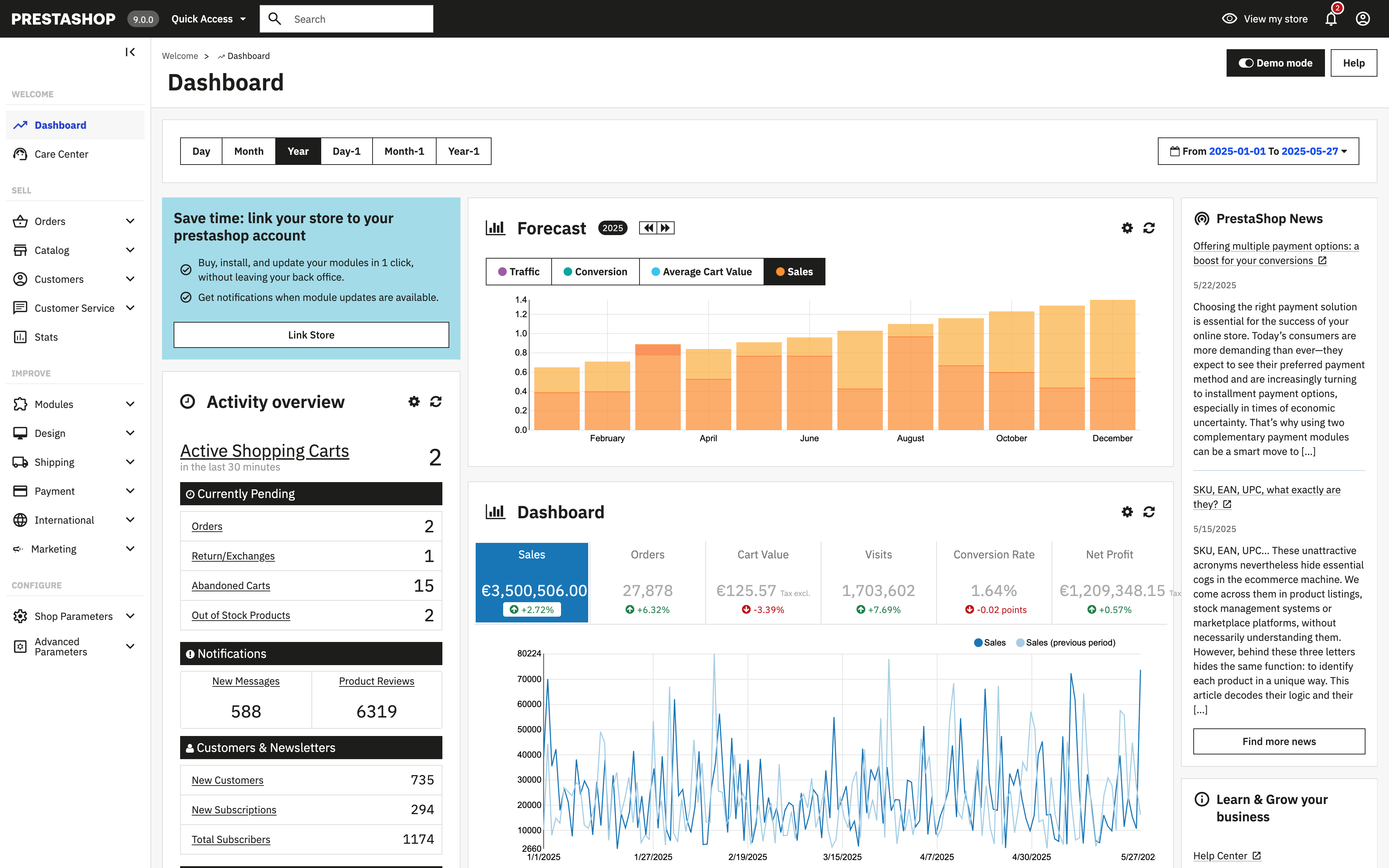
What is PrestaShop?
PrestaShop is a complete online shop system: a PHP application backed by MySQL that you install on your own web server and run as a store, with a customer-facing front office and a merchant back office. The project calls itself one of the leading open e-commerce platforms on the web, counting over 300,000 running shops since 2007.
Interface strings cover a great number of tongues, with localizations for a wide range of nations, and the main payment services are supported. Layouts respond to small screens in either office. Functionality is extended through modules and themes, and developers can override the default components and behaviours. A CRUD web service lets third-party tools work with the shop's database, and the multistore capability lets one installation run several shops, each with its own theme.
Self-hosting takes a LAMP or LEMP stack: PHP 8.1 or newer (8.4 and 8.5 recommended for current branches), MySQL 5.7 up or MariaDB 10.2 up, Apache 2.4 plus or Nginx, and write access on the usual app, cache, img, modules, themes and var folders. Setup happens through a browser installer, from the command line, or with the prestashop/prestashop Docker image next to a database container; the source repository also ships a Makefile-driven Docker Compose development environment. Two caveats: since version 9 the GitHub tree carries development sources only, production archives being downloaded from the project's own release pages, and Windows may work but is not actively supported.
PrestaShop alternatives
 vm.embedded.storeSelf-hosted proprietary PHP e-commerce platform running multiple stores from one install with admin panel, 26+ themes, PWA storefronts, Shopify CSV import.Comparevm.embedded.store with PrestaShop
 open-sparrowOpenSparrow is a self-hosted, open-source PHP platform generating CRUD apps, dashboards, calendars from JSON schema on PostgreSQL. Includes RAG, workflows, Kanban, 2FA.Compareopen-sparrow with PrestaShop
 CaddyFast and extensible multi-platform HTTP/1-2-3 web server with automatic HTTPSCompareCaddy with PrestaShop
Should you self-host PrestaShop?
PrestaShop scores 75/100 on selfhost.directory (how scoring works) and ranks #3 of 27 in E-commerce. It has 9 255 GitHub stars, +26 in the last 30 days.
It shipped 13 stable releases in the past year. The latest, 9.2.1, came out on 9 November 2026. New versions land roughly every 2 weeks.
Setup is moderate: expect some configuration beyond a single command. An official Docker image is available. It is Other-licensed and written mostly in PHP.
Its closest alternative on selfhost.directory is MedusaJs (83/100, 37 284 stars). It scores higher overall, so compare the two before you pick. See PrestaShop vs MedusaJs side by side.
Features
- Admin back office
- Bug bounty security program
- Command-line installation
- Module and theme extensibility
- Multi-language and localization
- Multistore
- Payment gateway support
- REST API
- Shopping cart and checkout
PrestaShop README


PrestaShop is an Open Source e-commerce web application, committed to providing the best shopping cart experience for both merchants and customers. It is written in PHP, is highly customizable, supports all the major payment services, is translated in many languages and localized for many countries, has a fully responsive design (both front and back office), etc. See all the available features.
FAQ
Why is issue X still not fixed after so long?
Maintainer time is limited and other issues are prioritised first, so fixes pile up rather than being ignored; if an issue is critical for you, you can fund or write the fix and share it as a pull request.
More in E-commerce
 PretixSelf-hosted, open-source ticket shop for conferences, festivals and museums: sell tickets online with flexible products, payments, check-in lists and full API access.
 Vvveb CMSSelf-hosted open-source PHP CMS with a visual drag-and-drop builder, multi-site and multi-language support, headless GraphQL/REST APIs and built-in ecommerce.
- Drupal CommerceDrupal Commerce is an open-source eCommerce platform that lets you sell any type of product to anyone in the world. It powers billions in sales across thousands of online stores.
 MedusaJsSelf-hosted open-source commerce platform with modular architecture for custom e-commerce apps, admin dashboard, and AI tools.
 nopcommerceSelf-hosted, open-source ASP.NET Core shopping cart for building online stores; runs on Windows, Linux or Mac with SQL Server, MySQL or PostgreSQL.
0 comments