
Self-host Pangolin
1.26.0Zero-trust SASE: VPN, reverse proxy, PAM and AI gateway
curl -fsSL https://static.pangolin.net/get-installer.sh | bash- Stars
- 23 564
- Ports
- 80 (HTTP entrypoint handled by the bundled Traefik), 443 (HTTPS dashboard and proxied resources via Traefik), 51820 (WireGuard tunnel ports (Gerbil start_port, UDP)), 21820 (Client relay and hole-punching ports (UDP))
- Requires
- Traefik
fosrl/pangolin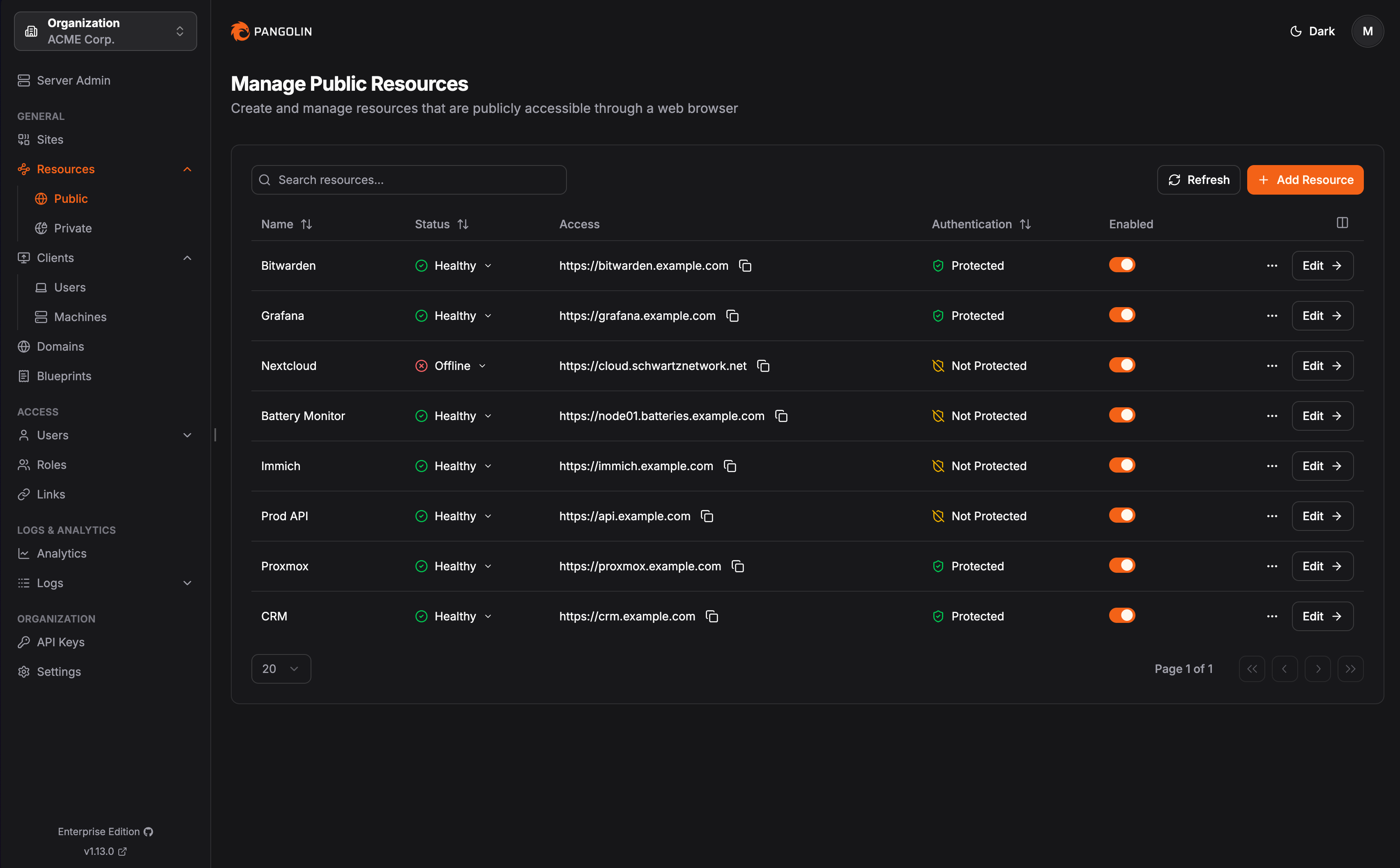
What is Pangolin?
Built on WireGuard, Pangolin fuses remote-access networking and security into a single open stack: a resource-level zero-trust VPN, an authentication-gating reverse proxy, SSH privileged access management, and a gateway that puts identity in front of AI providers. Site connectors dial out through firewalls via NAT traversal, so private networks need neither public IPs nor opened inbound ports, and browser sessions can reach web apps, RDP/VNC desktops and terminals without any client software. Desktop and mobile apps extend the same policy model to hosts, port ranges and whole CIDRs, with friendly DNS aliases and connector-level redundancy. The AI gateway fronts services like OpenAI or self-run model servers with budgets, per-session logs and analytics. Admins rely on built-in user accounts or attach an identity provider and manage access with roles, backed by audit trails. Operators self-host through an installer script or Docker Compose, which brings up the server, the Gerbil tunnel controller and Traefik; the AGPL-licensed Community Edition is free, external IdP, RBAC and audit features sit on paid self-hosted Enterprise plans, and a managed Pangolin Cloud exists as an alternative.
Pangolin alternatives
 TunnetTunnet is a self-hosted, open-source mesh VPN replacing Tailscale and ngrok with one stack: mesh, tunnels, SSH, file transfer, and Kubernetes integration.CompareTunnet with Pangolin
 Self-Hosted GatewayOpen-source alternative to Cloudflare Tunnels using WireGuard, NGINX, and Caddy to expose local Docker containers without port forwarding.CompareSelf-Hosted Gateway with Pangolin
 GateKeySelf-hosted zero-trust VPN wrapping OpenVPN and WireGuard with SSO login, short-lived certs, and per-user firewall rules for least-privilege access.CompareGateKey with Pangolin
 Middleware ManagerA self-hosted web UI for managing Traefik middlewares, custom services, plugins, and mTLS — compatible with Pangolin or Traefik directly.CompareMiddleware Manager with Pangolin
 defguardSelf-hosted WireGuard VPN platform bundling an identity provider, per-connection MFA, LDAP/AD sync and firewall ACLs; open-source AGPL core written in Rust.Comparedefguard with Pangolin
 netbirdNetBird is a self-hosted, open-source zero-trust networking platform with WireGuard mesh, centralized access control, SSO/MFA, and posture checks.Comparenetbird with Pangolin
 OpenZitiOpenZiti is an open-source, self-hosted zero-trust overlay network: identity-based access, dark services with no open ports, tunnelers and SDKs instead of VPN.CompareOpenZiti with Pangolin
 beaconSelf-hosted agent for remote tunnels, browser terminal, and health monitoring on every machine — Pi, NAS, VPS, Proxmox — zero open ports, no cloud root.Comparebeacon with Pangolin
All self-hosted alternatives to Cloudflare One → All self-hosted alternatives to Prisma → All self-hosted alternatives to Zscaler →
Should you self-host Pangolin?
Pangolin scores 77/100 on selfhost.directory (how scoring works) and ranks #1 of 23 in Remote Access. It has 23 564 GitHub stars, +545 in the last 30 days.
It shipped 23 stable releases in the past year. The latest, 1.26.0, came out on 4 November 2026. New versions land roughly every 1 days.
Setup is moderate: expect some configuration beyond a single command. An official Docker image is available. It is AGPL-3.0-licensed and written mostly in Typescript.
Its closest alternative on selfhost.directory is headscale (82/100, 45 554 stars). It scores higher overall, so compare the two before you pick. See Pangolin vs headscale side by side.
Features
- AI Gateway
- Audit and access logging
- Automatic SSL certificates
- Browser-based remote desktop
- DNS aliases for resources
- Identity-aware reverse proxy
- Multi-connector redundancy
- NAT Traversal
- Privileged access management (SSH)
- Resource launcher home page
- Role-based Access ControlPer the FAQ, SSO, RBAC and related controls are on paid self-hosted plans.
- WireGuard encrypted tunnels
- Zero Trust Network Access
Pangolin README

Get started with Pangolin Cloud at app.pangolin.net
Pangolin is an open-source SASE platform, built on WireGuard®, with a simple mission: connect and protect your users, wherever they are. It brings networking and security together as one system including a zero-trust VPN, zero-trust reverse proxy, privileged access management, and an identity-aware AI gateway, all sharing one identity and policy model. It's the same idea behind platforms like Cloudflare One, Zscaler, and Prisma but open, self-hostable, and built to stay light and easy to deploy.
Legacy SASE platforms got the idea right: connectivity and security belong together. But they delivered it as a heavyweight, closed, cloud-locked stack assembled from years of patchwork. Pangolin exists to do that unification differently, in the open, self-hostable, and simple enough that administrators actually enjoy running it.
- Open source, not a black box: the code is open and auditable, so you can see exactly how your traffic is handled and how access decisions get made, instead of trusting a closed cloud control plane.
- Networking and security as one platform: sites, reverse proxy, client access, RBAC, and the AI gateway share one identity and policy model, so protecting users and connecting them are executed together.
- Lightweight by design: the whole platform is built to stay small and fast: easy to self-host on a small server, with a lightweight, user-space connector that goes in your private networks.
- Enjoyable to use: a clean, modern interface and a setup flow that gets out of your way, so managing access feels simple instead of like fighting a legacy admin console.
- Zero trust from day one: access is granted per resource, not per network, with identity provider integration, role-based access control, and full audit logging.
- Run it your way: self-host the Community Edition for free, step up to the Enterprise Edition for advanced features, or use Pangolin Cloud if you'd rather not manage infrastructure at all.
- Get started for free with Pangolin Cloud.
- Or, check out the quick install guide for how to self-host Pangolin.
- Or, deploy in minutes from a prebuilt image on AWS or DigitalOcean:
- AWS: Community and Enterprise AMIs for x86 and Graviton. Configure at launch with user-data or CloudFormation.
- DigitalOcean: install from the DigitalOcean marketplace for a one-click pre-configured installer.

- Pangolin Cloud - Fully managed service with no infrastructure required.
- Self-Host: Community Edition - Free, open-source, and licensed under AGPL-3.
- Self-Host: Enterprise Edition - Open-core, and licensed under Fossorial Commercial License. Free for personal and hobbyist use, and for businesses making less than $100K USD gross annual revenue.
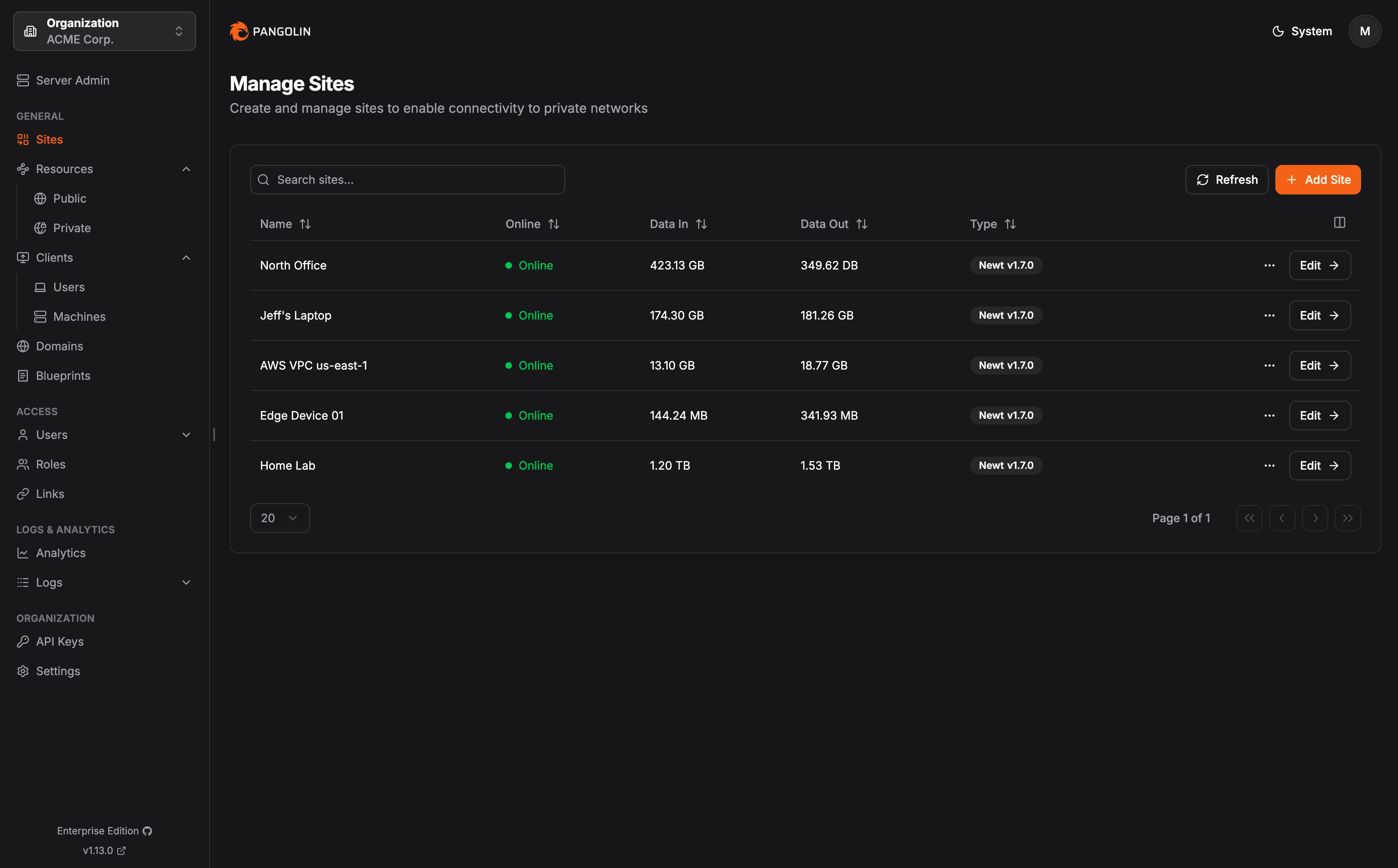
Pangolin's site connectors provide gateways into networks so you can access any networked resources. Sites use outbound tunnels and intelligent NAT traversal to make networks behind restrictive firewalls available for authorized access without public IPs or open ports. Easily deploy a site as a binary or container on any platform.
- Lightweight user-space connector runs anywhere
- Punches through any firewall
- Doesn't require open ports or a public IP
- Strict network segmentation
- WireGuard-based
- Get alerts when a device or network resource goes down

Expose HTTPS web applications and connect to VNC, RDP, and SSH entirely in the browser through identity and context-aware tunneled reverse proxies. Users access resources with authentication and granular access control without installing a client. Pangolin handles routing, load balancing, health checking, and automatic SSL certificates without exposing your network directly to the internet.
- Expose a web panel anywhere
- Access via any web browser
- Single sign-on across all resources
- HTTPS resources
- Remote desktop in the browser with VNC and RDP
- In-browser SSH terminal with privileged access management (PAM)
- PIN codes, passcodes, email OTP, geoblocking, allow-lists, and more

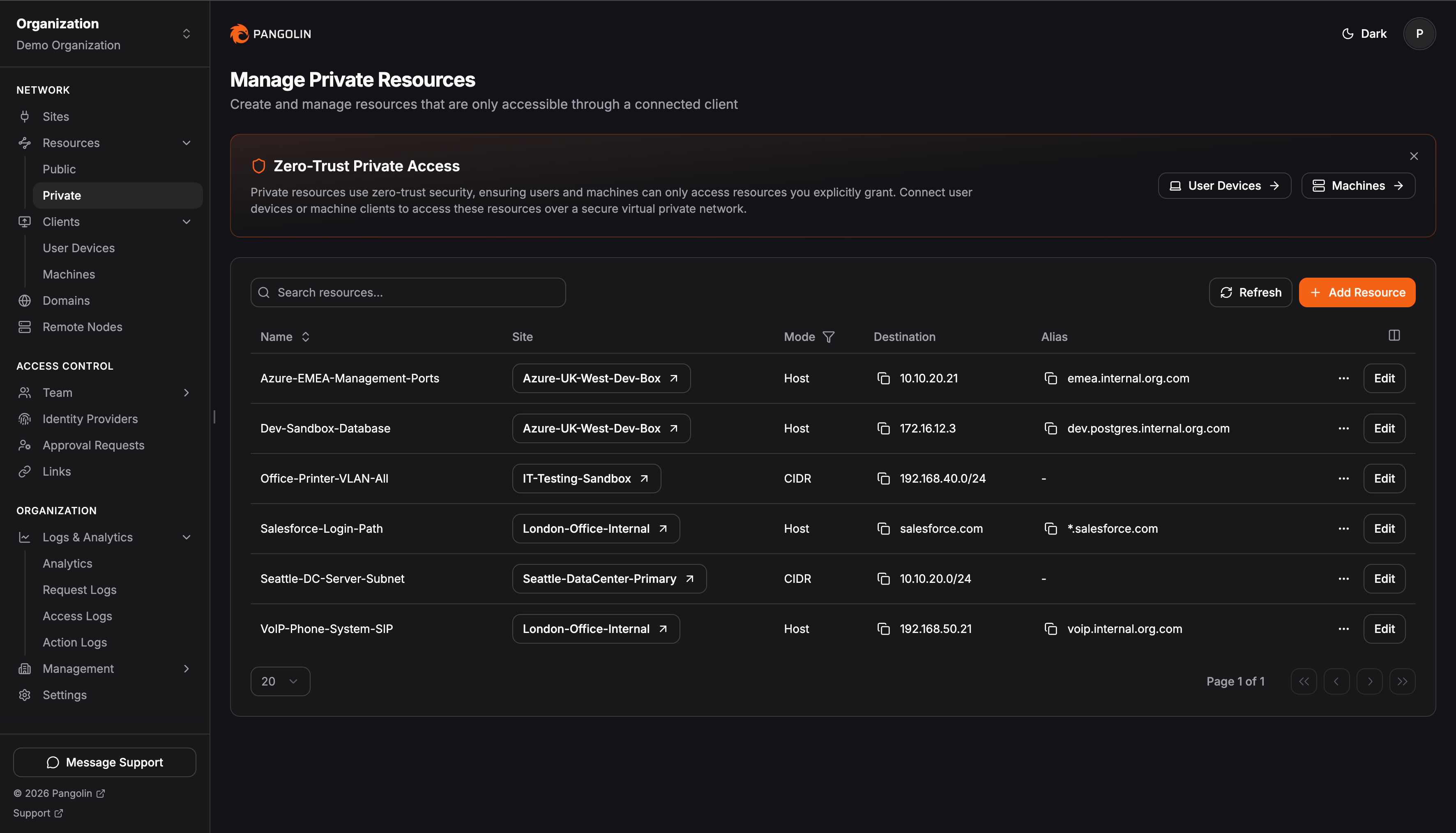
Access private resources like SSH servers, databases, RDP, and entire network ranges through Pangolin clients. Intelligent NAT traversal enables connections even through restrictive firewalls, while DNS aliases provide friendly names and fast connections to resources across all your sites. Add redundancy by routing traffic through multiple connectors in your network.
- Peer-to-peer with intelligent NAT traversal
- Hosts/IPs and port ranges
- Network ranges/CIDRs
- Friendly DNS aliases for network addresses
- Privileged access management (PAM) with SSH resources
- Private HTTPS resources only accessible on the private network


Put an identity-aware proxy in front of public cloud (OpenAI, Anthropic, Gemini, etc.) and self-hosted model servers (Ollama, vLLM, Mistral, etc.) so coding agents and AI clients call a single Pangolin URL. Publish it as a public resource with personal API keys, or keep it private on a client tunnel where the connected client is the credential for keyless access. Budgets, session history, and usage analytics sit in front of every call.
- Access self-hosted models (vLLM, Ollama, etc) alongside cloud models (OpenAI, Anthropic, etc) in one place
- Keyless access by authenticating users with the Pangolin desktop client
- Or, provide users with personal API keys
- Control costs and token usage by setting budgets
- Audit with detailed session history and analytics
- Integrate AI clients and coding agents (Claude Code, Codex, OpenCode, etc)


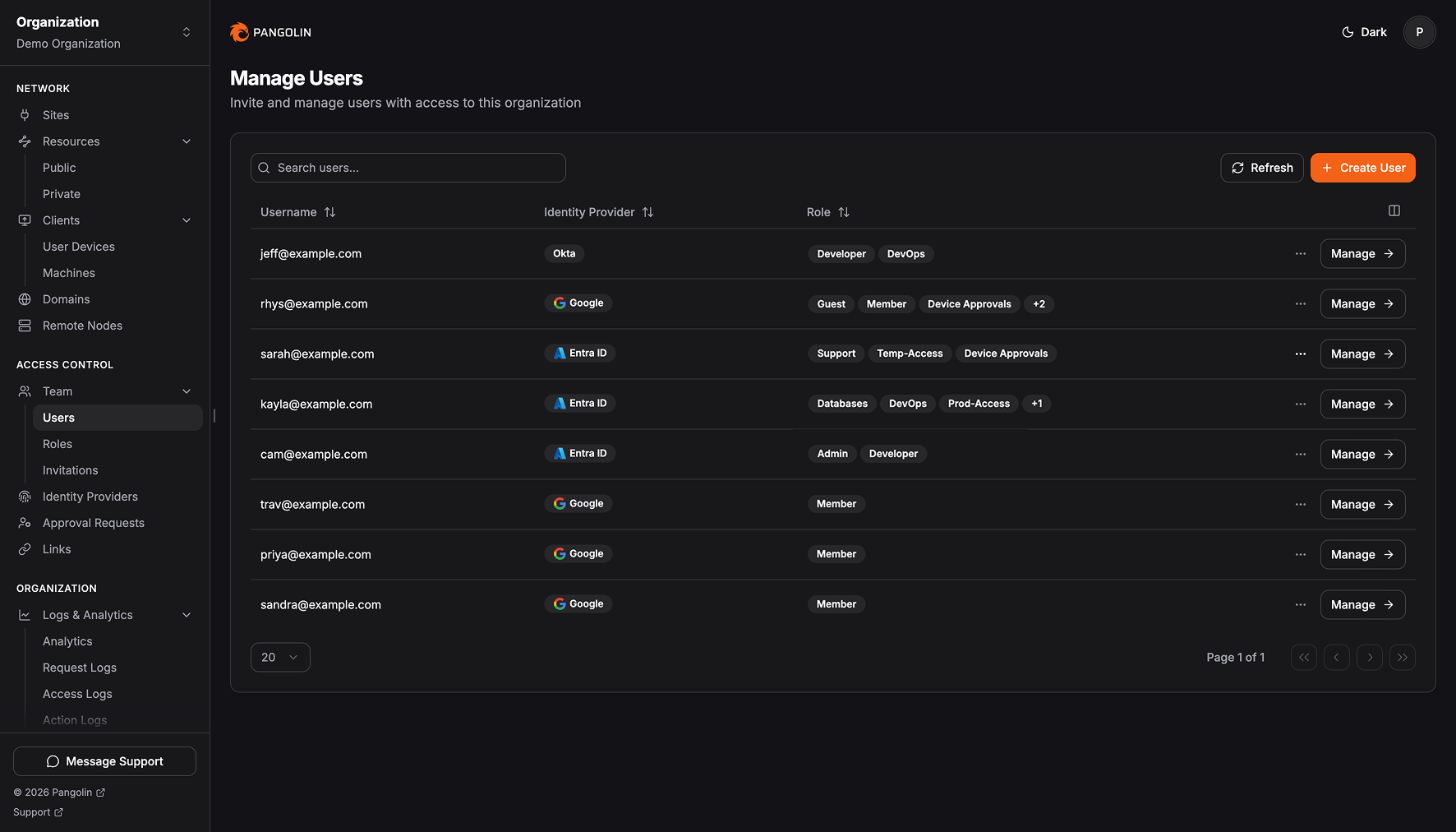
Use Pangolin's built-in users or bring your own identity provider and set up role-based access control (RBAC). Grant users access to specific resources, not entire networks. Unlike traditional VPNs that expose full network access, Pangolin's zero-trust model ensures users can only reach the applications, services, and routes you explicitly define.
- Bring your existing identity provider (IdP) or use Pangolin identities
- Sync users and roles from your IdP
- User- and role-based access control
- Full network audit and access logs

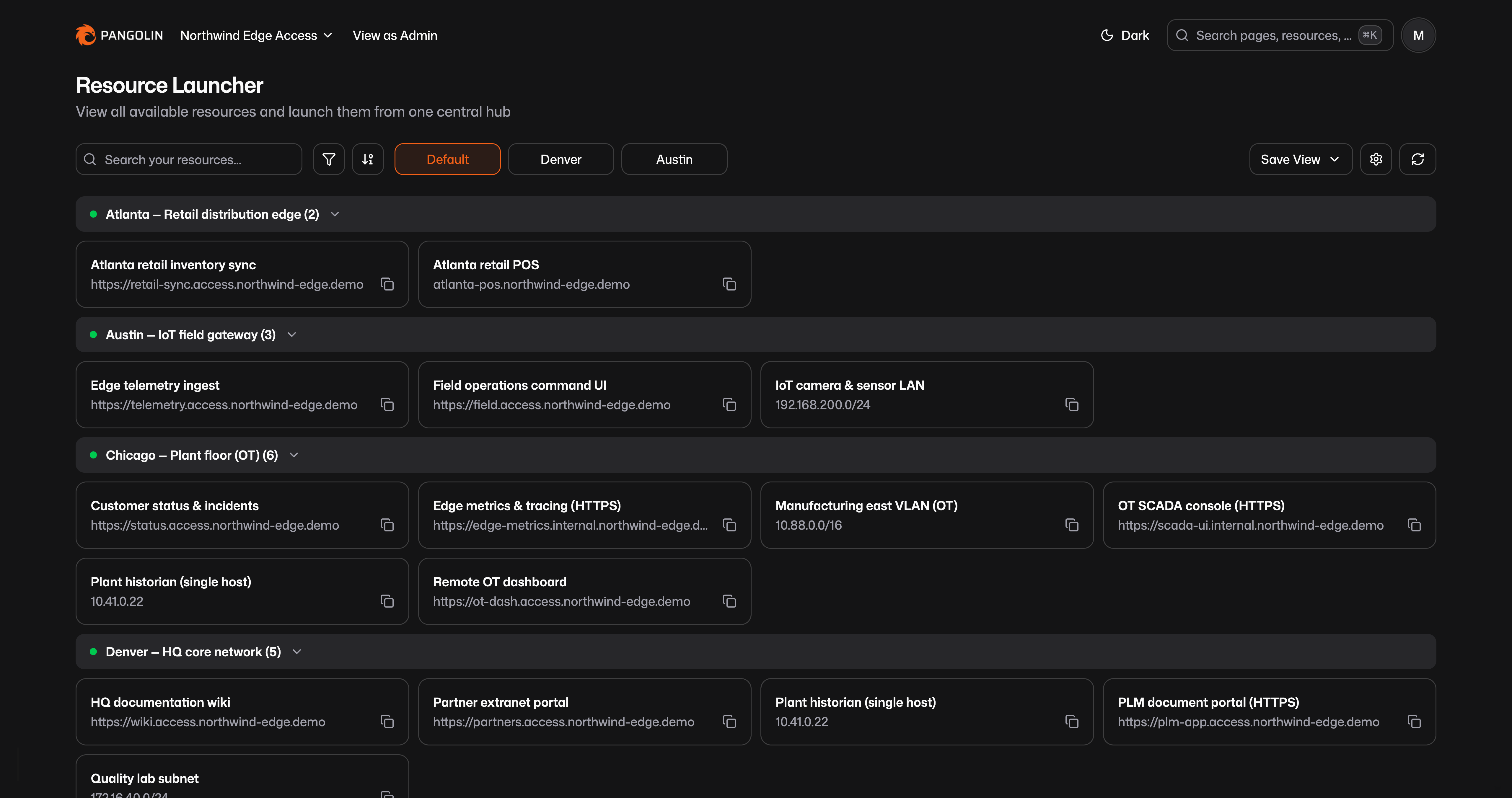
Give users a landing page to quickly find and open the resources they can access. Resources are grouped by site or label, searchable, and filterable, with grid or list views. Saved views capture filters, grouping, and layout as personal or organization-wide defaults.
- Single place for admins and non-admins to see accessible resources
- Create reusable views for common access patterns


Download the Pangolin client for your platform:
Create a free account at app.pangolin.net to get started with Pangolin Cloud.
We encourage everyone to read the full documentation first, which is available at docs.pangolin.net. This README provides only a very brief subset of the docs to illustrate some basic ideas.
Pangolin is dual licensed under the AGPL-3 and the Fossorial Commercial License. For inquiries about commercial licensing, please contact us at contact@pangolin.net.
Please see CONTRIBUTING in the repository for guidelines and best practices.
FAQ
What is included in Community Edition?
The free self-hosted core: sites, resources, users and community support under AGPLv3, while SSO, RBAC, audit logging and high availability are on paid plans.
How much does Pangolin cost?
Cloud Basic and self-hosted Community Edition are free; Cloud Team starts at $4/user/mo, and self-hosted Starter and Scale are annual licenses, with Enterprise Edition free for personal use.
What is the Pangolin AI Gateway?
An identity-aware resource that tunnels coding agents and AI workloads to cloud providers and self-hosted models, with budgets, session logs and user identities.
What resources can I protect with Pangolin?
HTTP apps, TCP services, SSH, RDP, VNC, databases, internal APIs and AI gateways, accessed either through the client or in the browser.
How does identity and SSO work?
Users authenticate through your identity provider with SSO and MFA, after which Pangolin enforces roles and resource policies; external IdPs are on paid plans.
Do I need to open inbound firewall ports?
No inbound ports are needed at your sites: connections use outbound tunnels and hole punching, or relay through the Pangolin server.
Does Pangolin use WireGuard?
Yes, WireGuard is the transport for site backhaul, peer-to-peer client tunnels and relayed traffic, with identity, policy and NAT traversal added on top.
Can Pangolin replace Tailscale?
Yes for teams wanting identity-based access to specific resources rather than an overlay network where every node can talk to every other.
Is Pangolin a mesh VPN?
No, it uses a hub-and-spoke model: site connectors serve networks and clients connect to those sites; clients and sites do not mesh with each other.
How does Pangolin differ from a VPN?
Instead of placing users on a network, Pangolin is resource-centric, granting access only to explicitly allowed apps, hosts and ranges, and adds reverse-proxy capabilities.
Does Pangolin replace a VPN?
It replaces traditional remote-access VPNs: users sign in with identity and reach only allowed apps and hosts over peer-to-peer WireGuard-based tunnels, plus clientless browser access via the reverse proxy.
Should I use Pangolin Cloud or self-host?
Cloud is the fastest option where Pangolin operates the control plane while you run site connectors; self-hosting puts the full stack on your own infrastructure, with Community Edition free.
What license does Pangolin use?
Community Edition uses AGPLv3 and Enterprise Edition uses the Fossorial Commercial License; Pangolin Cloud is governed by its Terms of Service.
Is Pangolin open source?
Yes, the core platform is dual-licensed (AGPLv3 Community Edition, Fossorial Commercial License Enterprise Edition) and self-hostable, with all code on GitHub.
What is Pangolin?
An open-source security and networking platform that unifies a WireGuard-based VPN, reverse proxy, privileged access and an identity-aware AI Gateway under one identity and policy model.
More in Remote Access
 PatchMonSelf-hosted open-source platform for patching Linux, FreeBSD, and Windows fleets with outbound-only agents, dry-run validation, and browser SSH/RDP.
 pikvmSelf-hosted, open-source KVM over IP you flash to a Raspberry Pi: browser access down to BIOS, bootable virtual CD/DVD, ATX power control, VNC, IPMI and 2FA.
 PipeGatePipeGate is an open-source, self-hosted HTTP tunneling proxy that exposes local servers via WebSocket — a lightweight ngrok alternative with no cloud dependencies.
 plain-appOpen-source, self-hosted Android app that runs a web server on your phone so you can manage files, photos, SMS, contacts and screen from any browser.
 pocketdevSelf-hosted CLI that provisions a Hetzner server on Tailscale and installs AI coding agents for mobile SSH/Mosh access. AGPL-3.0.
 PomeriumOpen-source self-hosted identity-aware reverse proxy that gates private web apps, SSH and TCP services through OIDC sign-in and per-request access policy.
 portrSelf-hosted tunneling tool for teams to publish local services publicly with request inspection, replay, and team management.
 PritunlSelf-hosted distributed VPN server for OpenVPN, WireGuard and IPsec with a web console, SSO and 2FA, MongoDB-backed clustering and site-to-site links.
 reminalreminal is a self-hosted, open-source tool that streams windows, desktops, and terminals to any browser with end-to-end encryption and no open ports.
 Remmina (LinuxServer.io)Self-hosted Docker image for Remmina, a GTK remote desktop client supporting multiple protocols via HTTPS on port 3001 with optional GPU acceleration.
 remotelabSelf-hosted tool for accessing AI coding assistants like Claude Code and Copilot from any browser via HTTPS, with multi-session dashboard and terminal persistence.
 RemotelySelf-hosted, open-source remote support and scripting server with a Blazor web UI, attended and unattended access, and a REST API for Windows and Linux devices.
0 comments