
Self-host PaddleOCR
v3.7.0OCR toolkit turning PDFs and images into Markdown/JSON
- Stars
- 92 508
- Ports
- 8080 (Default port of the self-hosted inference server started with paddlex --serve), 8000 (Default port of the MCP server when run with the Streamable HTTP transport (--http))
What is PaddleOCR?
PaddleOCR is an Apache-2.0 OCR and document-AI toolkit from the PaddlePaddle project, aimed at developers who need scanned pages turned into Markdown or JSON that language models can consume. Its pipelines cover general scene text detection and recognition (PP-OCRv6 gives one model for 50 languages, 100+ overall), structure-aware conversion with PP-StructureV3 including tables, formulas, seals, charts and cell-level coordinates, the compact 0.9B PaddleOCR-VL vision-language parser, key information extraction, document translation and Word/Excel/PowerPoint-to-Markdown conversion. Usage comes as a Python API, a paddleocr command, and other-language bindings for C++, C# and Java. On your own hardware you install the package with pip together with a PaddlePaddle or Transformers engine, or expose pipelines as an HTTP inference service through the PaddleX CLI (Uvicorn on port 8080, plus a Triton-based high-stability variant you can bake into custom Docker images and SDKs); a paddleocr-mcp server adds MCP tools over stdio or HTTP for agent clients. Acceleration is available via OpenVINO, ONNX Runtime and TensorRT on CPU, NVIDIA GPU, Kunlunxin XPU and Ascend NPU, and models can be trained or exported. An optional hosted official API and online experience centre are run by Baidu, and model weights are mirrored on Hugging Face and ModelScope.
PaddleOCR alternatives
 textsnaptextsnap is a self-hosted OCR CLI extracting text from images, screenshots, URLs, and webpages using local CPU models with no GPU or cloud required.Comparetextsnap with PaddleOCR
 Paperless-AIAI extension for Paperless-ngx providing automatic document classification and semantic search using OpenAI-compatible APIs and Ollama for natural language queries.ComparePaperless-AI with PaddleOCR
 Paperless-GPTOpen-source, self-hosted AI companion for paperless-ngx: suggests titles, tags, correspondents and dates, and runs LLM vision OCR for searchable scans.ComparePaperless-GPT with PaddleOCR
 SuryaOCR, layout analysis, reading order, table recognition in 90+ languagesCompareSurya with PaddleOCR
 OmniParseSelf-hosted OmniParse converts documents, multimedia, and web content into structured markdown optimized for LLM apps like RAG. Open-source solution with Docker.CompareOmniParse with PaddleOCR
 Docling-ServeSelf-hosted, open-source REST service that wraps Docling to convert PDF, Office and image documents to Markdown or JSON, with a playground UI and async tasks.CompareDocling-Serve with PaddleOCR
 PDFMathTranslateSelf-hosted, open-source scientific PDF translator that preserves formulas, tables and layout, via CLI, Gradio GUI or Docker using Google, DeepL, Ollama or OpenAI.ComparePDFMathTranslate with PaddleOCR
 PrivateDocBotPrivateDocBot is a self-hosted, open-source chatbot for querying PDF documents locally using LLMs like Llama 2 via Chainlit.ComparePrivateDocBot with PaddleOCR
Should you self-host PaddleOCR?
PaddleOCR scores 86/100 on selfhost.directory (how scoring works) and ranks #1 of 4 in OCR. It has 92 508 GitHub stars, +1 067 in the last 30 days.
It shipped 7 stable releases in the past year. The latest, v3.7.0, came out on 11 June 2026. New versions land roughly every 4 weeks.
Setup is moderate: expect some configuration beyond a single command. It is Apache-2.0-licensed and written mostly in Python.
Its closest alternative on selfhost.directory is dots.ocr (64/100, 9 187 stars). PaddleOCR scores higher overall. See PaddleOCR vs dots.ocr side by side.
Features
- Chart parsing
- C++/Java/C# deployment
- CLI and Python API
- Document parsing to Markdown/JSON
- Document Translation
- Formula recognition
- Key information extraction
- MCP server for AI agents
- Model training and export
- Multilingual text recognition
- Multiple inference backends and accelerators
- Office document to Markdown
- Table recognition
- Vision-language document parser
PaddleOCR README
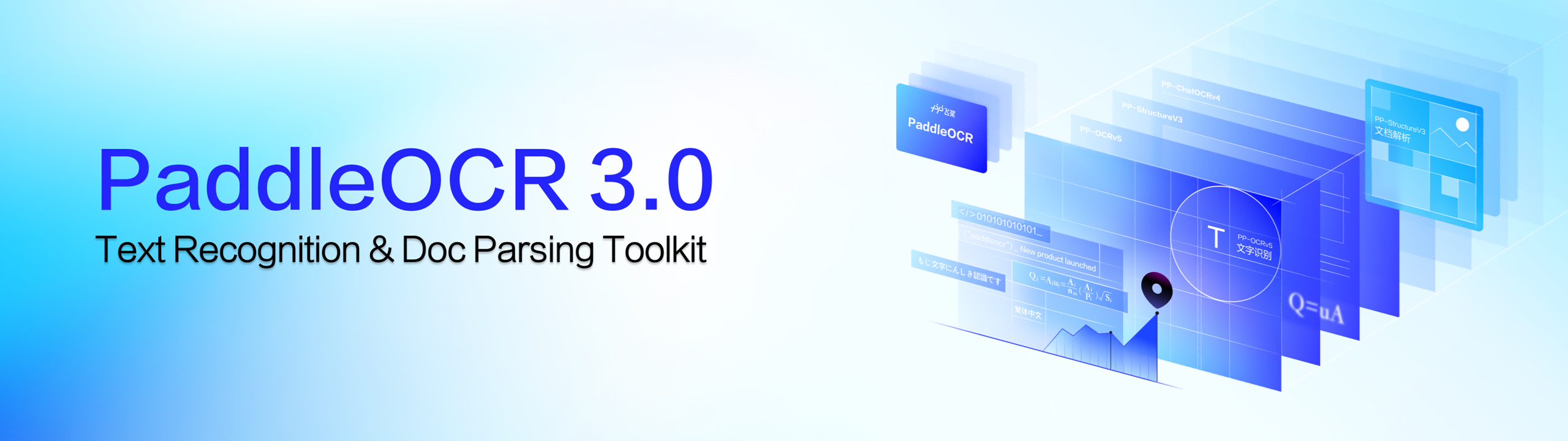
PaddleOCR converts PDF documents and images into structured, LLM-ready data (JSON/Markdown) with industry-leading accuracy. With 70k+ Stars and trusted by top-tier projects like Dify, RAGFlow, and Cherry Studio, PaddleOCR is the bedrock for building intelligent RAG and Agentic applications.
FAQ
Service performance optimization suggestions?
Turn on high-performance inference, batch requests, enable TensorRT, process asynchronously and scale out with several service instances behind load balancing.
C++ deployment common issues and solutions?
Set LD_LIBRARY_PATH for missing dynamic libraries, match the OpenCV build version, keep inference model formats correct and configure CMake properly.
GPU memory insufficient (CUDA out of memory) what to do?
Lower the batch size, reduce detection image side length, enable memory optimization, cap GPU memory usage, or switch to the mobile models.
Slow GPU inference speed, how to optimize performance?
Enable high-performance inference, use TensorRT or fp16 precision, tune the batch size and fall back to the mobile models when accuracy demands allow.
Local model path configuration, how to use in isolated network environment?
Initialize with det_model_dir/rec_model_dir/cls_model_dir pointing at locally extracted model folders, or change the download source; models can be fetched manually from the official links.
How to choose the right model?
Pick the server-tier models for maximum accuracy or batch work and the mobile-tier models for small, fast, real-time or on-device inference.
How to run on Windows or Mac?
Windows and macOS are supported; you can skip the Docker step of the installation guide, and grab model archives through a browser if wget is unavailable.
Model download failed or slow download
Point model downloads at another source with the PADDLE_PDX_MODEL_SOURCE environment variable, download the model archive manually, or pass a local model_dir at initialization.
GPU environment configuration issues, CUDA version mismatch
Check the CUDA version with nvidia-smi, install the matching PaddlePaddle GPU build, and verify GPU support by printing paddle.is_compiled_with_cuda().
PaddleOCR installation failed with dependency conflicts
Create a fresh virtual environment (e.g. conda create -n paddleocr python=3.8), install with pinned versions using --no-deps, or install from conda-forge.
More in OCR
 PaddleOCR LocalSelf-hosted document parsing workbench that converts PDF, images, and Office documents to Markdown using five OCR models with a WebUI, CLI, and Apple Silicon support.
- Paperless-GPTOpen-source, self-hosted AI companion for paperless-ngx: suggests titles, tags, correspondents and dates, and runs LLM vision OCR for searchable scans.
 Paperless-ngxSelf-hosted open-source document management system that turns paper documents into a searchable digital archive with OCR, AI features, and multi-user support
 pdfscanexplorerSelf-hosted web app for previewing, renaming, and organizing scanned PDFs using OCR and optional AI, lightweight for NAS or server.
 ReadurSelf-hosted OCR document management system with multi-language support, full-text search, and S3/WebDAV sync for individuals and teams.
 Receipt Parser ServerSelf-hosted, open-source receipt parser server that uses Tesseract OCR to extract structured data from receipt images via a REST API with token authentication.
 sist2Self-hosted, open-source file indexer and search tool: scans directories, extracts text, thumbnails and metadata, and serves a web UI over Elasticsearch or SQLite.
 SnapOtterOpen-source, self-hosted file-processing suite with 200+ image, video, audio, PDF and document tools, local AI, a REST API and pipelines.
 unstructuredSelf-hosted open-source REST API for document partitioning into structured elements as JSON/CSV. Supports PDF, images, OCR, table extraction, chunking.
 Apache TikaOpen-source toolkit that extracts text and metadata from 1000+ file types, with a self-hosted REST or gRPC server for search indexing and LLM/RAG pipelines.
 DeepSeek OCR AppThis self-hosted, open-source OCR web app runs DeepSeek-OCR on an NVIDIA GPU to read images and multi-page PDFs, exporting Markdown, HTML, DOCX or JSON.
 DeepSeek-OCR-WebUISelf-hosted, open-source OCR web app and REST API that converts images and PDFs to Markdown using the DeepSeek-OCR-2 model, with 7 modes and batch processing.
0 comments