
Self-host ONLYOFFICE
v10.0.0Open-source online office editors with real-time co-editing
sudo docker run -i -t -d -p 80:80 --restart=always -e JWT_SECRET=my_jwt_secret onlyoffice/documentserver- Stars
- 7 100
- CPU
- dual core 2 GHz or better
- RAM
- 4 GB or more
- Storage
- HDD: at least 40 GB of free space
- Ports
- 80 (HTTP), 443 (HTTPS), 8000 (DocService)
- Requires
- Nginx
onlyoffice/documentserver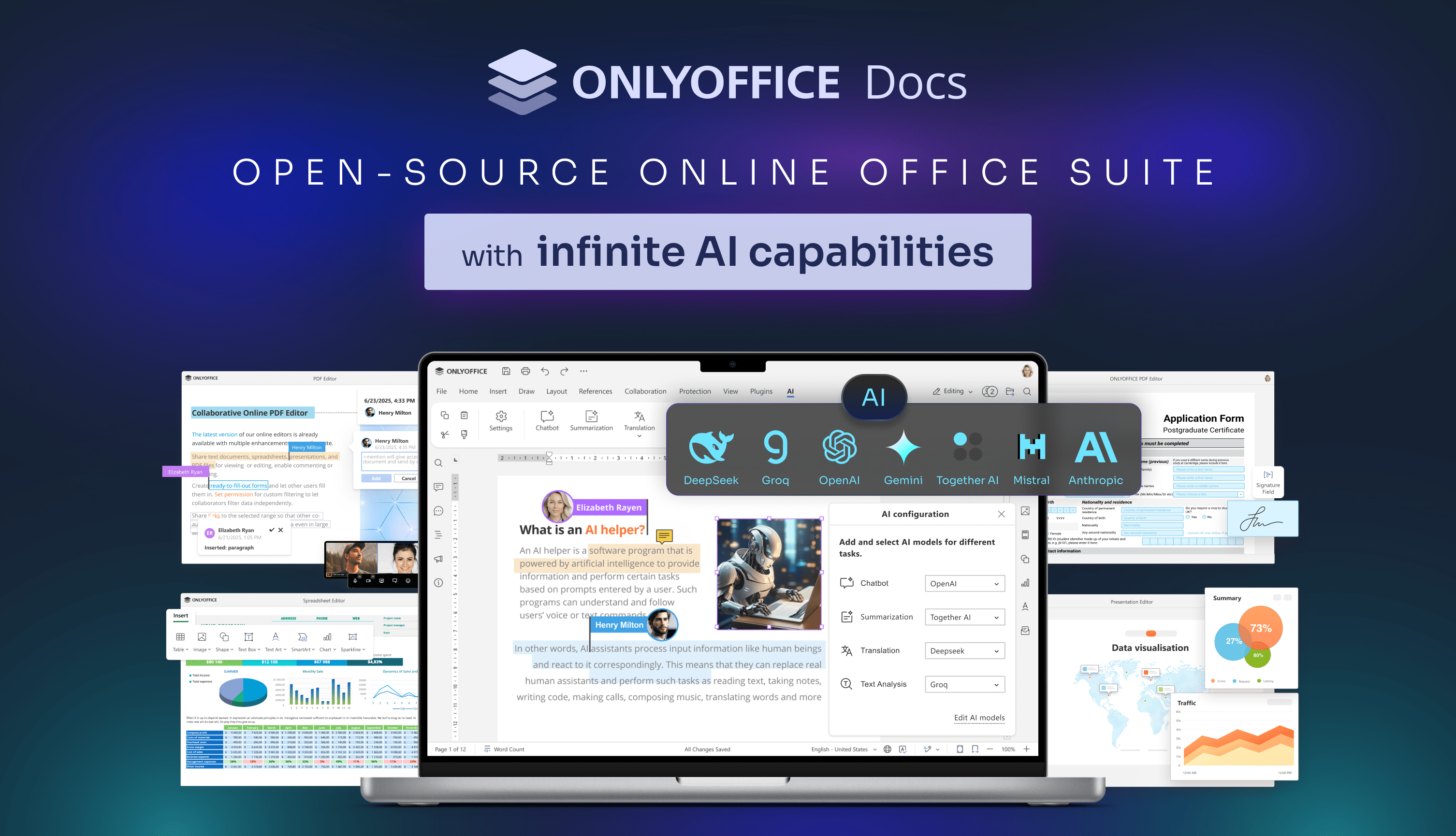
What is ONLYOFFICE?
ONLYOFFICE Docs — the name under which the software packaged as Document Server is distributed — is an open-source browser office suite you run on your own hardware: word, spreadsheet, slide, PDF and form editors plus a diagram viewer, keeping .docx, .xlsx and .pptx fidelity while several people work on the same file at once. Editing day-to-day features include change tracking with review modes, comments, an in-document chat, saved revisions you can go back through, mail merge, document comparison, pivot tables and formulas, PDF annotations and redaction, fillable-form creation, and a conversion back-end for the usual office formats; the interface ships in 46 languages with RTL support, a tabbed layout and scalable UI. Each editor is reachable through an embed API, so the suite can be dropped into your own web application or into sync-and-share platforms, and requests to the server are signed with JSON Web Tokens (enabled by default since version 7.2, with an auto-generated secret you should replace). Self-hosting is one container command (docker run with onlyoffice/documentserver on port 80/443, optionally with Docker Compose from the Docker-DocumentServer repo, a .deb package on Debian/Ubuntu, or a Windows package), with Let's Encrypt certificate automation, mountable log/data/cache directories, and PostgreSQL, Redis and RabbitMQ either bundled or pointed at external servers; expect about 4 GB RAM and 40 GB of disk for the Docker version. Mind the edition split: the AGPL v3 Community build is capped at roughly 20 recommended users and has no clustering, no admin panel, no mobile web editors and no branding removal, while the paid proprietary Enterprise and Developer editions add those, and Document Builder, the Automation API and white-labeling are Developer-only.
ONLYOFFICE alternatives
 WPS OfficeSelf-hosted Docker container streaming WPS Office (Writer, Presentation, Spreadsheet, PDF) to a browser via HTTPS using LinuxServer.io's Selkies platform.CompareWPS Office with ONLYOFFICE
 docmostSelf-hosted, open-source collaborative wiki with real-time editing, diagrams, AI features, and enterprise SSO as a Confluence/Notion alternative.Comparedocmost with ONLYOFFICE
 Collabora OnlineSelf-hosted collaborative office suite based on LibreOffice for browser-based document editing. Replaces Microsoft 365 with open-source software.CompareCollabora Online with ONLYOFFICE
 overleafOpen-source self-hosted collaborative LaTeX editor with real-time editing and PDF compiles, run through the Docker-based Overleaf Toolkit; Server Pro adds SSO.Compareoverleaf with ONLYOFFICE
 DocusealOpen-source, self-hosted DocuSign alternative for creating fillable PDF forms and collecting digital signatures via a mobile-friendly web tool.CompareDocuseal with ONLYOFFICE
 OpenPdfSelf-hosted open-source PDF suite with 30 tools to merge, split, convert, OCR, secure docs. Privacy-first iLovePDF replacement, no limits or sign-ups.CompareOpenPdf with ONLYOFFICE
 CryptPadOpen-source, self-hosted collaborative office suite with end-to-end encrypted documents, sheets, forms and kanban boards edited in real time.CompareCryptPad with ONLYOFFICE
 groupofficeSelf-hosted open-source groupware and CRM with email, calendar, contacts, files, docs, video calls, projects, invoicing. Syncs via ActiveSync, CalDAV, CardDAV.Comparegroupoffice with ONLYOFFICE
All self-hosted alternatives to Adobe Acrobat → All self-hosted alternatives to Foxit PDF Editor → All self-hosted alternatives to Google Docs →
Should you self-host ONLYOFFICE?
ONLYOFFICE scores 71/100 on selfhost.directory (how scoring works) and ranks #1 of 6 in Office Suites. It has 7 100 GitHub stars, +130 in the last 30 days.
It shipped 6 stable releases in the past year. The latest, v10.0.0, came out on 12 October 2026. New versions land roughly every 2 months.
Setup is moderate: expect some configuration beyond a single command. An official Docker image is available. It is AGPL-3.0-licensed and written mostly in Shell.
Its closest alternative on selfhost.directory is outline (78/100, 41 209 stars). It scores higher overall, so compare the two before you pick. See ONLYOFFICE vs outline side by side.
Features
- Admin PanelNot included in the Community Edition; Enterprise and Developer editions only.
- Built-in Chat
- Document comments
- Document conversion service
- Embeddable editor API
- Form creation and filling
- Live Viewer
- Macros
- PDF Editing
- Plugin Support
- Real-time collaborative editing
- Review and tracked changes
- Spell Checking
- Version History
ONLYOFFICE README
ONLYOFFICE Docs* is a free collaborative online office suite comprising viewers and editors for texts, spreadsheets, presentations, forms, PDFs, and diagrams. It is fully compatible with Office Open XML formats (.docx, .xlsx, .pptx) and enables collaborative editing in real time.
FAQ
What are the limitations of your Community products?
The Community Edition has no clustering, no SLA, no mobile web version, limited enterprise security, no advanced admin tools and no white-labeling; it targets testing, personal use, development and small deployments.
Can I white-label or remove branding in the Community version?
No — the Community Edition keeps the original branding and copyright notices; white-labeling is only available under commercial licensing.
What are the restrictions of AGPL v3 if I want to use your editors in my product?
Modifications and network-served source must stay available, branding is kept, derivatives stay under AGPL v3 and no extra restrictions may be imposed.
Can I have support if I use one of your open-source products?
Community products carry no guaranteed support or SLAs; you get documentation, forums and public resources, while professional support requires a commercial subscription.
I want to integrate your open-source product into my commercial application. Do I need to make my app’s code public?
Under AGPL v3, a modified version or derivative work served over a network must be published under the same license; a commercial license avoids that obligation.
More in Office Suites
 seatsurfingSelf-hosted desk booking platform with interactive floor plans, approval workflows, Teams/Confluence integrations, and a PWA for mobile access.
- WPS OfficeSelf-hosted Docker container streaming WPS Office (Writer, Presentation, Spreadsheet, PDF) to a browser via HTTPS using LinuxServer.io's Selkies platform.
 collabora-onlineIssue tracker only. Active development is on Gerrit at https://gerrit.collaboraoffice.com/.
- CryptPadOpen-source, self-hosted collaborative office suite with end-to-end encrypted documents, sheets, forms and kanban boards edited in real time.
 EdenTextEdenText is a self-hosted, open-source web word processor running in the browser with no backend. Edits DOCX/ODT locally, exports PDF, supports advanced layout.
 Euro-Office Document ServerA self-hosted, open-source office document server forked from ONLYOFFICE, with real-time collaborative web editors, WOPI support and first-class Nextcloud integration.
 LibreOffice (LinuxServer.io)Self-hosted Docker container streaming LibreOffice to a browser via HTTPS using the Selkies platform.
 Nextcloud Office📑 Collabora Online for Nextcloud
0 comments