
Self-host oneuptime
14.0.105Open-source observability for monitoring, incidents, on-call
- Stars
- 7 803
- CPU
- 8 cores
- RAM
- 16 GB
- Storage
- 400 GB
- Ports
- 80 (HTTP ingress for dashboard, API, telemetry ingest, and Let's Encrypt validation), 443 (HTTPS ingress for instance, status pages, and dashboards on custom domains), 3002 (Internal application server port), 3874 (Global probe 1 server), 3876 (Bundled Runner server for AI code fixes), 3877 (Global Runner server for runbook JavaScript steps)
- Requires
- ClickHouse, PostgreSQL, Valkey
oneuptime/app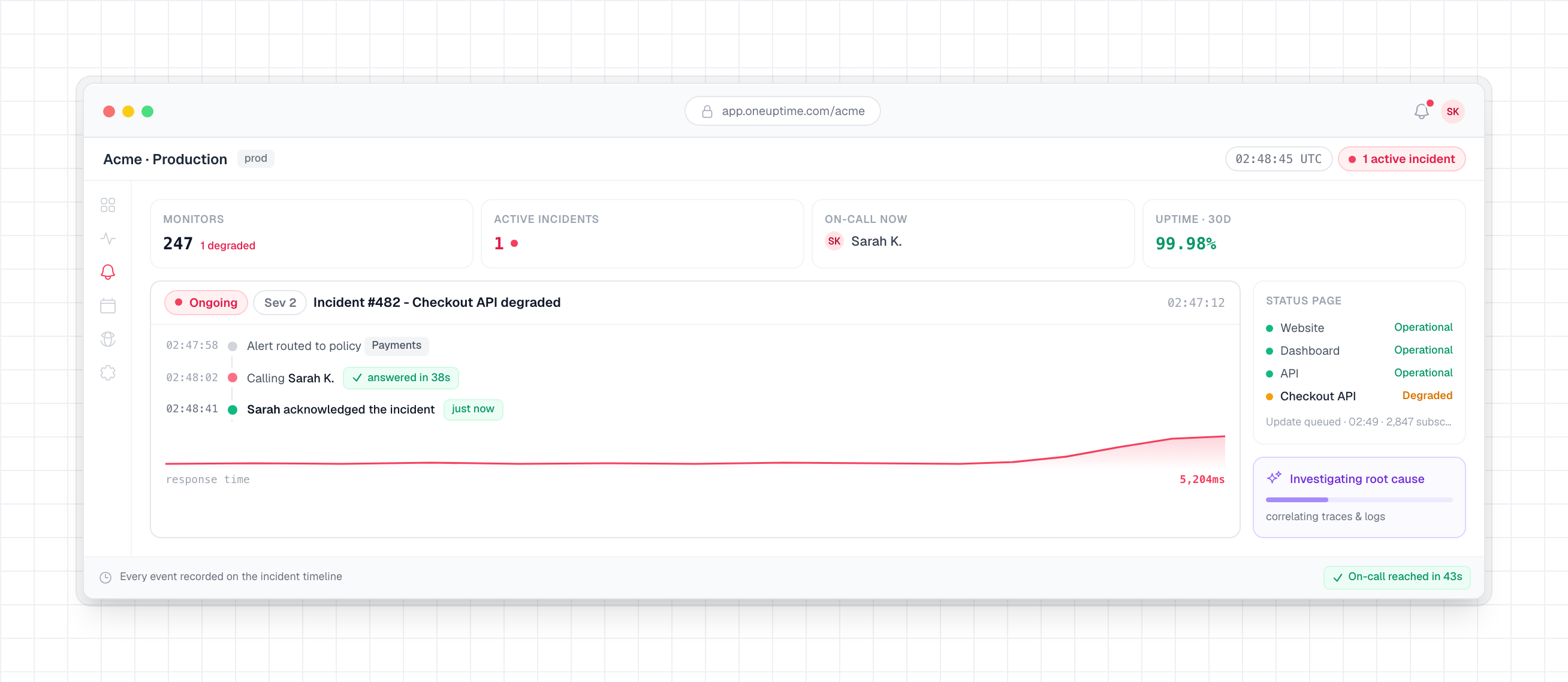
What is oneuptime?
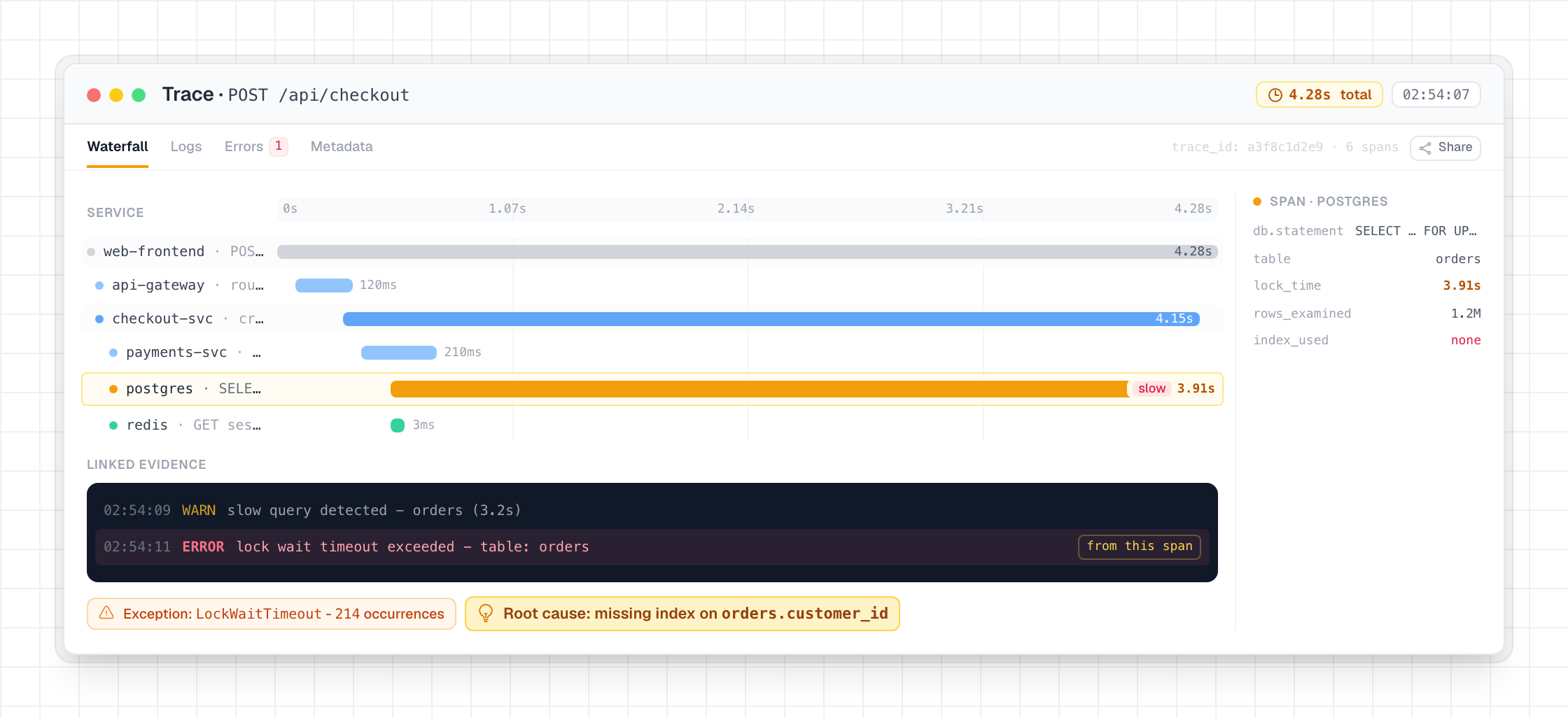
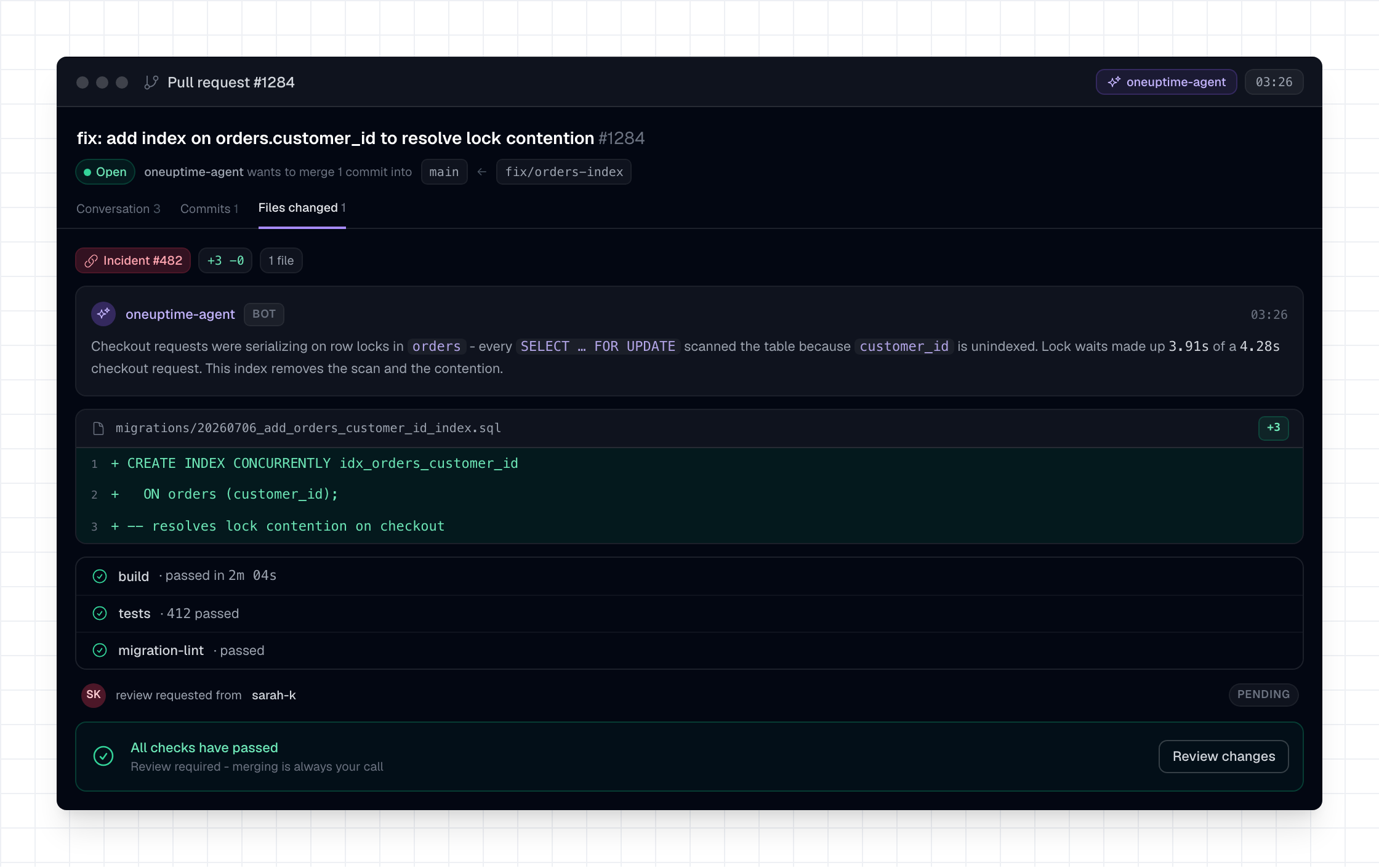
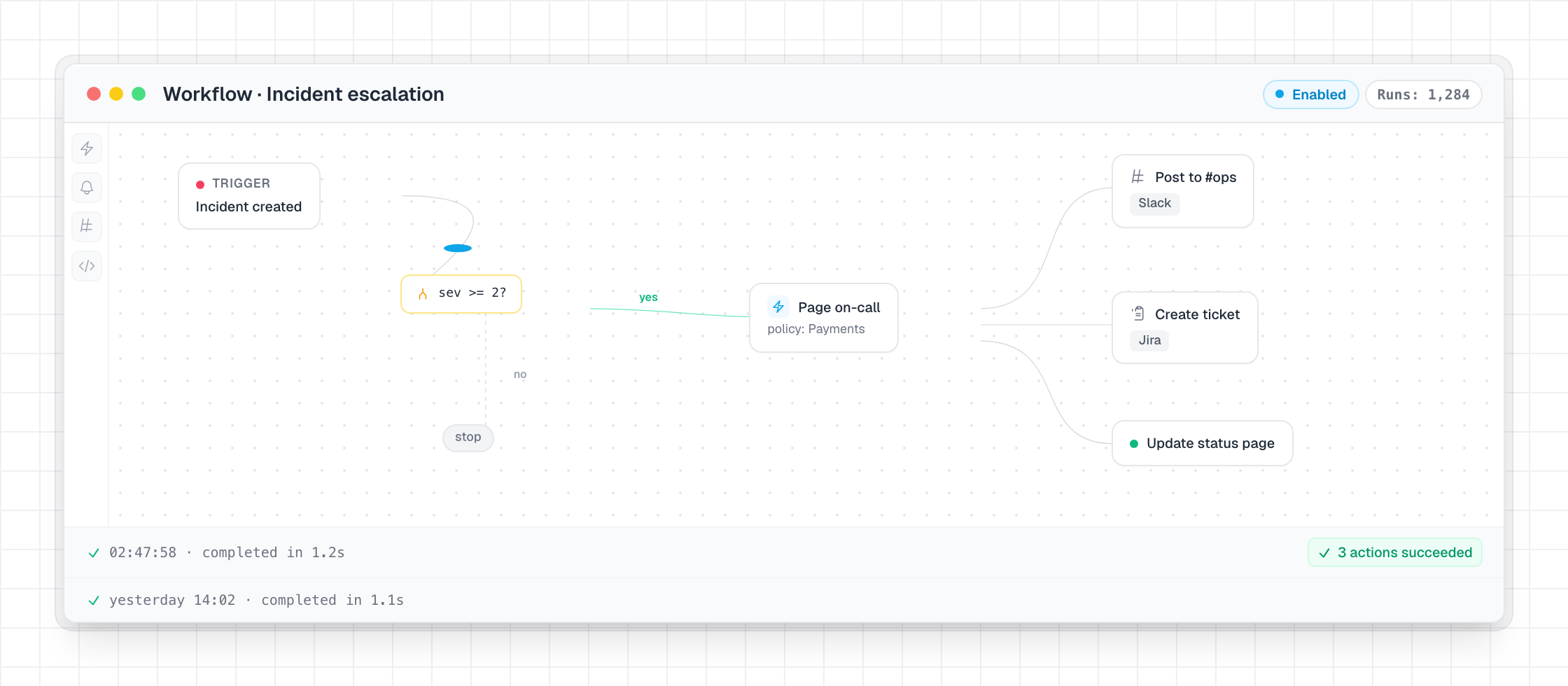
OneUptime replaces multiple SaaS tools with a single self-hosted platform. It provides uptime monitoring with global probes, incident management with automated response, on-call scheduling with escalation policies, branded status pages, log management, distributed tracing, metrics and dashboards, error tracking, and AI-powered root cause analysis with automated fix pull requests. The platform runs via Docker Compose or Helm on Kubernetes, requiring PostgreSQL, ClickHouse, and Valkey as datastores. It supports SAML and OIDC single sign-on, has native mobile and desktop apps, and offers a Community Edition (Apache 2.0) and an Enterprise Edition with additional governance features. The project is actively maintained with frequent releases.
Should you self-host oneuptime?
oneuptime scores 70/100 on selfhost.directory (how scoring works) and ranks #21 of 105 in Monitoring & observability. It has 7 803 GitHub stars, +100 in the last 30 days.
It shipped 214 stable releases in the past year. The latest, 14.0.105, came out on 7 November 2026.
Setup is advanced: plan for several services and some ongoing maintenance. An official Docker image is available. It is Apache-2.0-licensed and written mostly in Typescript.
Its closest alternative on selfhost.directory is prometheus (92/100, 67 579 stars). It scores higher overall, so compare the two before you pick. See oneuptime vs prometheus side by side.
Features
- AI Copilot
- APM & Distributed Tracing
- Error Tracking
- Incident Management
- Infrastructure Monitoring
- Log Management
- Metrics dashboards
- On-Call & Alerts
- SAML & OIDC Single Sign-OnIncluded in Community Edition
- Session Replay
- Status Pages
- Uptime Monitoring
- Workflows & Automation
oneuptime README
English · 简体中文 · 繁體中文 · 日本語 · 한국어 · Español · Français · Deutsch · Português · Italiano · Русский · हिन्दी · فارسی · Nederlands · Dansk · Svenska · Norsk

OneUptime is an open-source observability platform. It checks that your websites, APIs and servers work, collects the logs, metrics and traces your apps send, pages whoever is on call when something breaks, and tells your customers on a status page. It all happens in one product, so the tool that notices a problem is the one that pages your team.
You can use it on OneUptime Cloud or run it on your own servers.

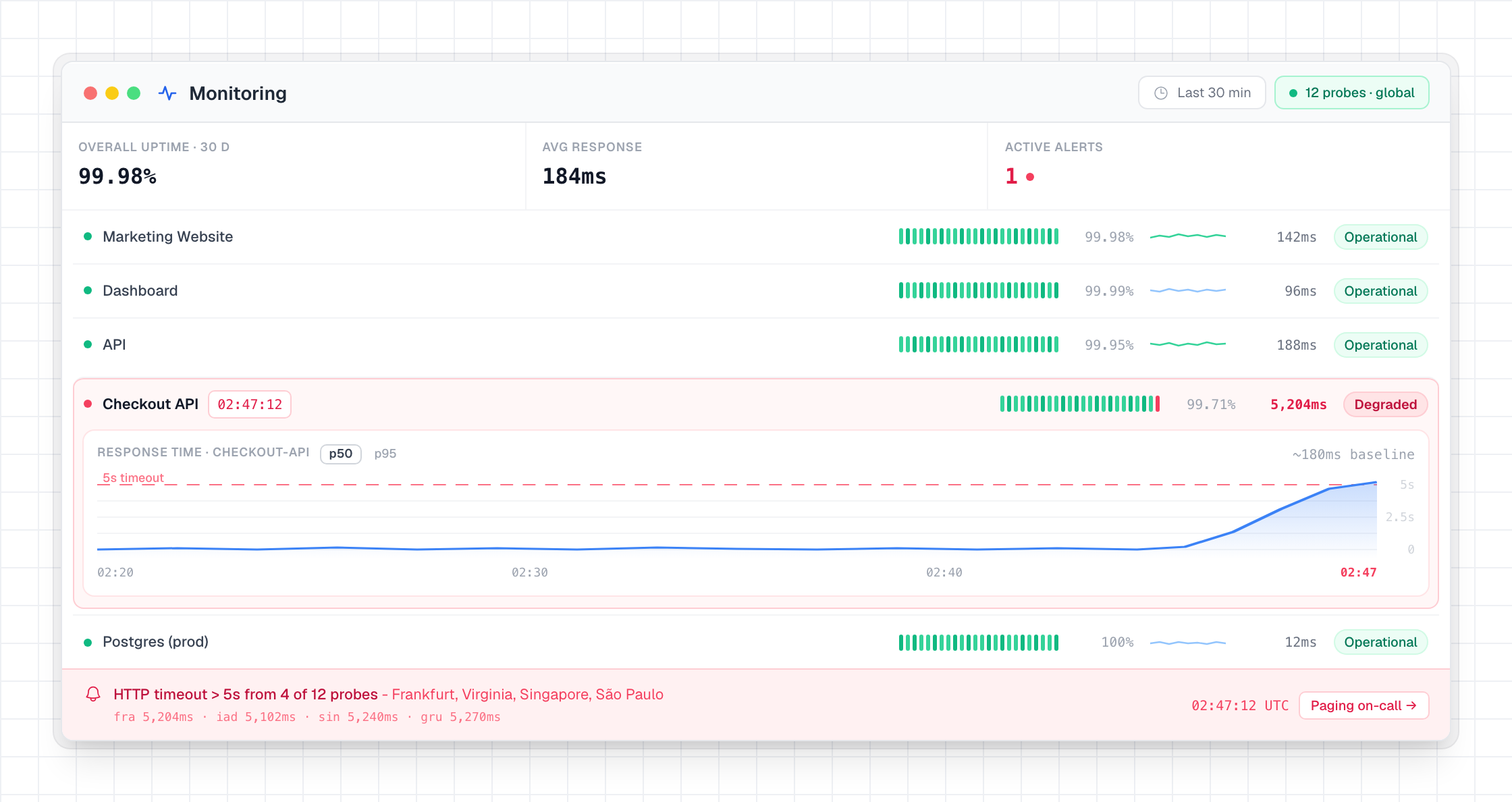
- Monitoring: Check websites, APIs, ports, DNS and certificates from probes around the world or from inside your own network. OneUptime also watches servers, Kubernetes, Docker, VMware, databases and network devices.
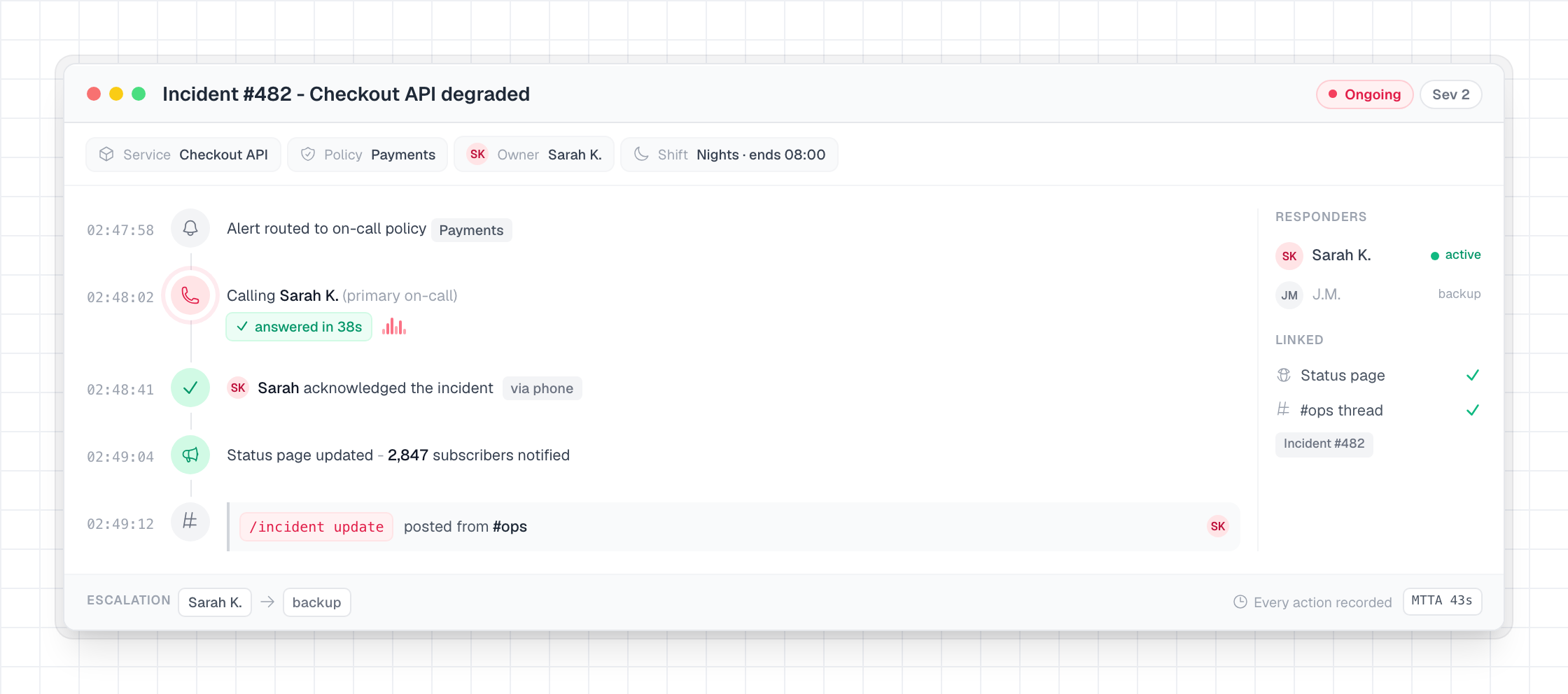
- Incidents and on-call: Work each incident on one timeline. Page whoever is on call by phone, SMS, email, push, Slack or Microsoft Teams, and escalate until someone responds.
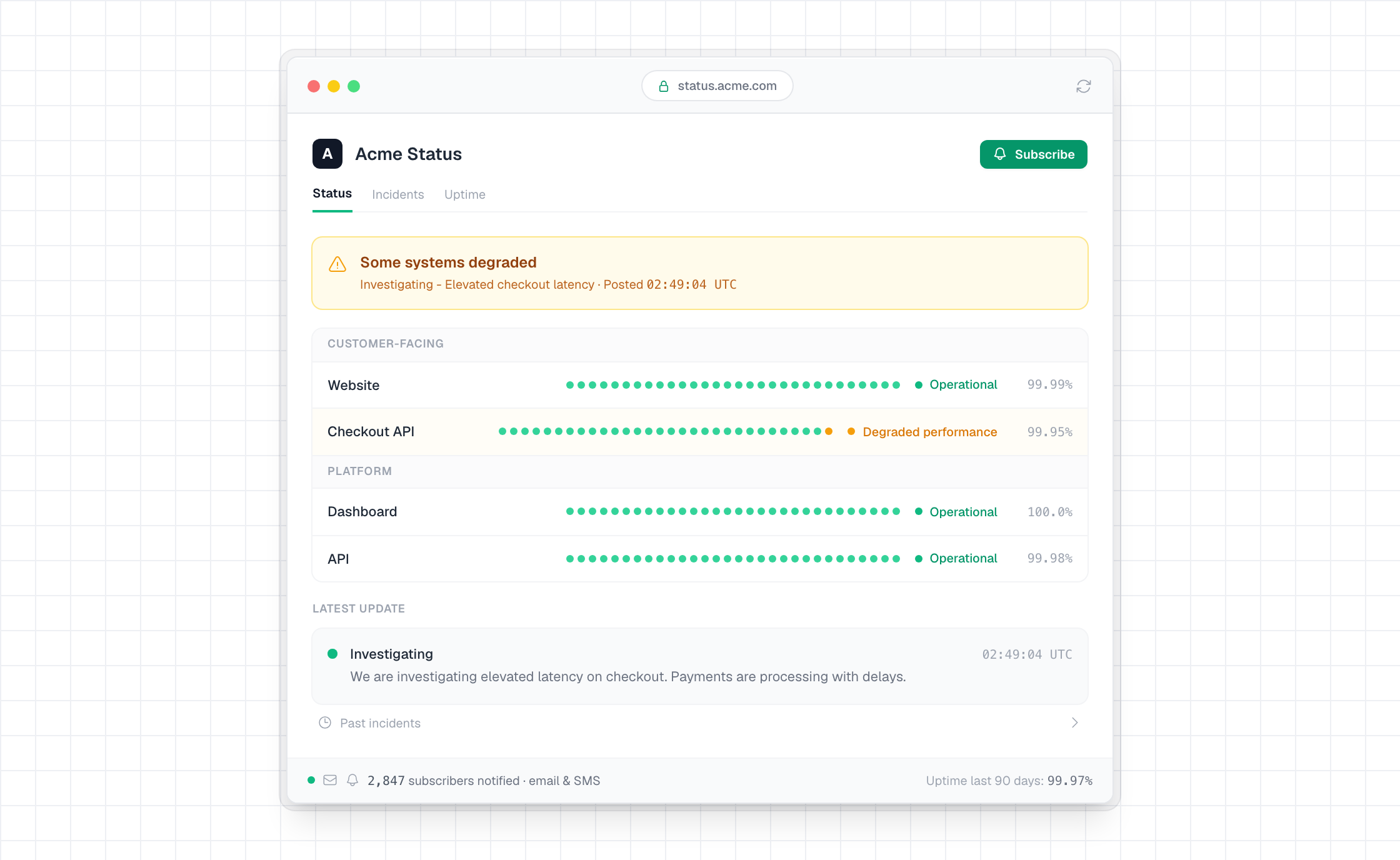
- Status pages: Keep customers informed on public or private status pages, and announce scheduled maintenance there.
- Logs, metrics and traces: Send them with OpenTelemetry, search them and build dashboards. Exceptions, profiles, real user monitoring and security events live in the same place.
- Workflows and runbooks: Automate routine work, and connect Jira, ServiceNow and the other tools your team already uses.
- OneUptime AI: Investigates new incidents and alerts and posts a root cause analysis with citations. When you turn fixing on, it can open a pull request with a fix for your team to review.
- API, CLI and Terraform: Automate OneUptime from your scripts and CI, and manage monitors, status pages and on-call as code.
- MCP server (
https://oneuptime.com/mcp): Connect Claude, Cursor, VS Code with GitHub Copilot or any other client of the Model Context Protocol (MCP), and ask it to look into an incident, query logs and traces, acknowledge an alert or set up a monitor.
Everything else is in the docs.
Sign up and create a project. The free plan needs no credit card.
You need a Linux server with at least 8 GB of memory, and Docker, Docker Compose, Git and Node.js.
Before step 3, set HOST in config.env to the domain name or IP address people will use to reach OneUptime, without http://. Keep localhost only to try OneUptime on your own computer.
# 1. Clone the release branch
git clone --depth 1 --single-branch --branch release https://github.com/OneUptime/oneuptime.git
cd oneuptime

# 2. Create your config
cp config.example.env config.env

# 3. Start everything
npm start
npm start checks the server, gives every secret in config.env its own random value and starts OneUptime. When it prints OneUptime is up!, open http://localhost, or your server's address, and sign up. The first account becomes the instance's admin.
The Docker Compose guide covers server sizes, HTTPS, backups and updates.
For production at scale, or high availability, install the Helm chart. Set host to the domain name or IP address people will use to reach OneUptime:
helm repo add oneuptime https://helm-chart.oneuptime.com/
helm install my-oneuptime oneuptime/oneuptime --set host=oneuptime.example.com
The chart's README covers storage, HTTPS, databases and upgrades.
- Community Edition: Free and open source, with everything above, including SAML and OIDC single sign-on.
- Enterprise Edition: Adds SCIM provisioning, audit logs, team compliance and instance health dashboards, with priority support. Production use needs a license: contact sales.
The docs compare the two editions.
- Ask questions in the OneUptime community on Slack.
- Report bugs and request features in GitHub issues.
- Report a security vulnerability privately, as SECURITY.md explains.
- Email support@oneuptime.com about anything else.
Bug fixes, features, docs and tests are all welcome. The local development guide shows how to run OneUptime from source, and the contributing guidelines explain how pull requests and licensing work. Issues labeled good first issue are a good place to start.
If OneUptime is useful to you, star this repository or sponsor the project.
OneUptime is open source under the Apache License 2.0, except for the ee/ directory. That directory holds the Enterprise Edition and is licensed under the OneUptime Enterprise License. The Community Edition image contains no code from ee/. The root LICENSE file sets out this split.
FAQ
Can I migrate from other tools like PagerDuty or Datadog?
Yes, OneUptime provides migration guides for moving from PagerDuty, Opsgenie, Incident.io, Splunk On-Call, Grafana OnCall, UptimeRobot, Atlassian Statuspage, Better Stack, Pingdom, StatusCake, and Uptime Kuma.
What is the AI Copilot feature?
The AI Copilot is an always-on agent that finds anomalies across logs, traces, and metrics, identifies root causes, and automatically opens pull requests with fixes for your review.
Does OneUptime have mobile apps?
Yes, OneUptime provides native mobile apps for Android and iOS, plus desktop apps for Windows, macOS, and Linux.
How do I enable HTTPS for my self-hosted instance?
You can either let OneUptime provision Let's Encrypt certificates automatically (set PROVISION_SSL=true, HTTP_PROTOCOL=https) or use your own reverse proxy like Caddy or Nginx (set PROVISION_SSL=false, HTTP_PROTOCOL=https, TRUSTED_PROXY_HOPS=2).
What databases does OneUptime require?
OneUptime requires PostgreSQL (for configuration and state), ClickHouse (for telemetry: logs, metrics, traces, exceptions), and Valkey (for cache and queues).
Does OneUptime support SAML and OIDC single sign-on in the free edition?
Yes, SAML and OIDC single sign-on are included in the Community Edition at no cost.
Can I run OneUptime on a Raspberry Pi?
Yes, the Docker Compose installation works on a Raspberry Pi for homelabs and small teams.
What is the difference between Community and Enterprise editions?
Community Edition is free and open source (Apache 2.0) with all core features including SAML/OIDC SSO. Enterprise Edition adds SCIM provisioning, audit logs, team compliance, instance health dashboards, custom roles, IP allowlists, priority support, and data residency options under a commercial license.
More in Status Pages
 openstatusOpen-source uptime monitoring, status pages and incident response: declare checks and pages in YAML or Terraform, run private probes, self-host with Docker.
 peekapingOpen-source, self-hosted uptime monitor in Go and React: HTTP, TCP, ping, DNS and database checks, status pages, 20+ alert channels, 2FA and a REST API.
 phpservermonSelf-hosted, open-source uptime monitor that checks websites and TCP ports from your own PHP server, with cron jobs, graphs and email, SMS or Telegram alerts.
 Server StatusSelf-hosted, open-source server status page in PHP for shared hosting with MySQL, admin interface, multi-language support, and JSON API.
 static_statusstatic_status is a self-hosted Bash script generating static HTML status pages for monitoring websites and services. Runs via cron, outputs HTML, JSON, SVG.
 Statping-ngA self-hosted, open-source status page and uptime monitor in Go. It checks HTTP, socket and gRPC endpoints, alerts via Slack, Discord or email, and supports oAuth logins.
 Statsig Status PageA self-hosted, open-source status page on GitHub Pages with hourly health checks via GitHub Actions. Fork the template, add URLs, get free uptime history.
 UpptimeOpen-source, self-hosted uptime monitor and status page that runs entirely on GitHub Actions, Issues and Pages, checking endpoints every 5 minutes with no server.
 upstatSelf-hosted open-source uptime monitor with HTTP(S) checks, latency charts, status pages, and alerts via Discord, Slack, email, webhooks. SQLite/PostgreSQL.
 UptimeFlareFree, open-source monitor and status page built on Cloudflare's Workers platform: geo-aware checks from 310+ cities, HTTP and TCP probing, plus incident history.
 uptime-kumaSelf-hosted, open-source uptime monitoring for HTTP(s), TCP, DNS, Docker with reactive UI, 20s intervals, status pages, and 90+ notification channels.
 VigilOpen-source, self-hosted status page that probes HTTP, TCP, SSH and ICMP services, publishes announcements, and alerts via Slack, Twilio SMS, email, Telegram and more.
0 comments