
Self-host letta
0.16.8Runtime for stateful AI agents with long-term memory
docker compose up --build -d- Stars
- 25 429
- Port
- 4500 (App Server WebSocket endpoint and optional OpenAI-compatible API (Docker Compose deployment port))
letta/letta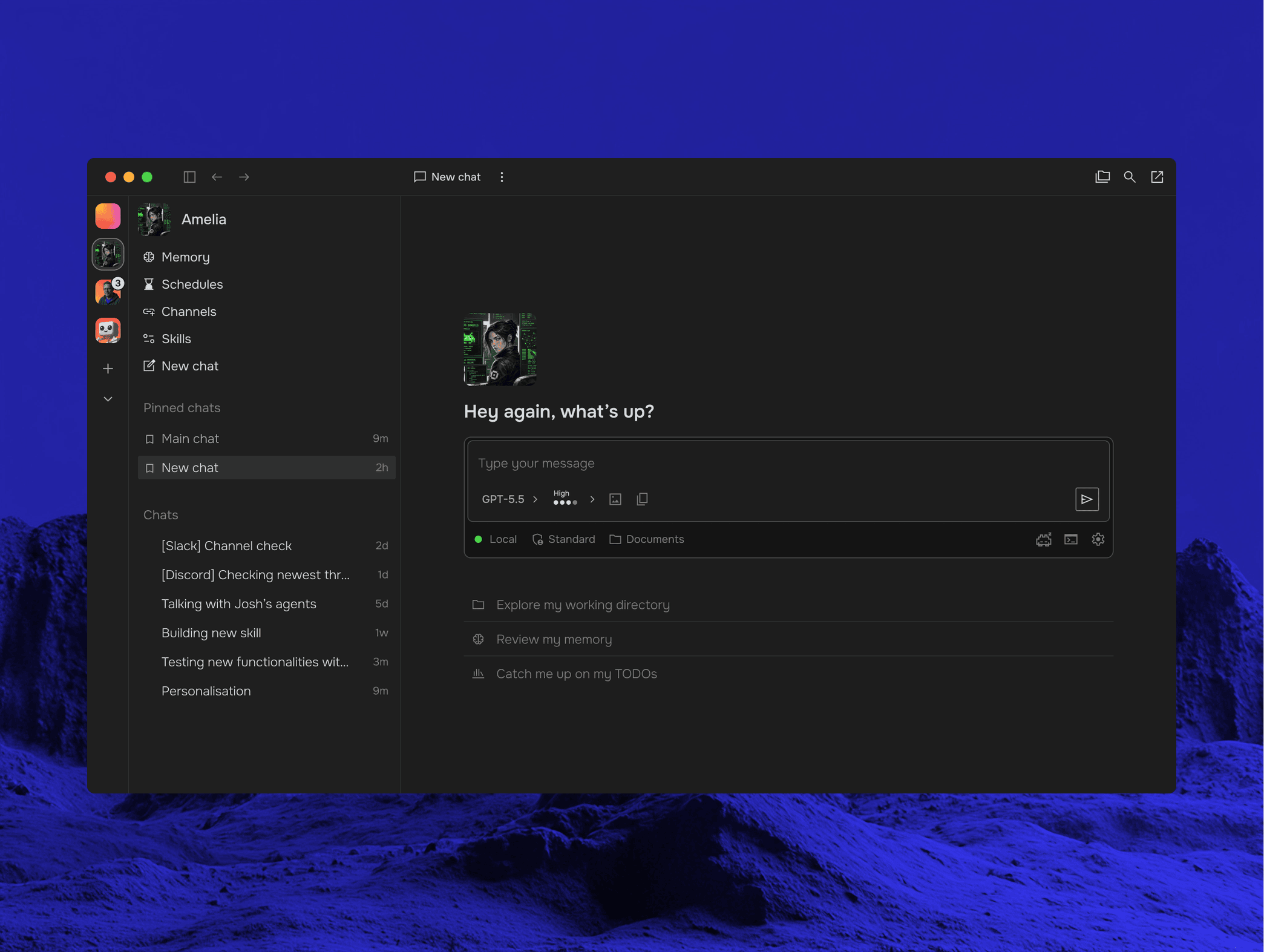
What is letta?
Letta is a platform for stateful AI agents: assistants, coding helpers and digital coworkers whose identity, memory and conversations persist and improve over time. It grew out of the MemGPT research project; the active harness now lives in the letta-code repository, while this repository keeps the retired V1 API server on its archive branch and existing tags still build from it. You can run the whole stack yourself: install the CLI with npm, then either use the interactive terminal UI with a local backend, where all agent state stays on your device, or start the App Server on a machine you control so SDK clients, messaging channels and other applications can share the same agents. Built-in capabilities include MemFS git-tracked agent memory, skills, mods, subagents and scheduled runs, MCP and client-side tools, model-agnostic access to hosted or fully local inference (Ollama, LM Studio, llama.cpp), and an optional OpenAI-compatible /v1 API for existing frontends. Agent state defaults to ~/.letta, and the official deployment repository supplies a Dockerfile with Docker Compose, Railway and Fly.io setups that expose port 4500 and persist /root/.letta. Notable limits: self-hosted agents are not reachable through the hosted chat app and are not backed up automatically, the CLI cannot attach to a remote App Server, and the native protocol is a single bidirectional WebSocket rather than a full REST API. Hosted Letta Cloud plans add quotas, sandboxes, shared team agents and SSO.
letta alternatives
 LimeBot-OSSelf-hosted agentic AI assistant with persistent memory, web dashboard, Discord/WhatsApp/Telegram support, and universal LLM compatibility via LiteLLM.CompareLimeBot-OS with letta
 luna-agentA compact self-hosted AI agent that runs locally with SQLite-backed memory, MCP tool support, and Discord or terminal interfaces.Compareluna-agent with letta
 MoltisSelf-hosted, open-source AI agent server in a single Rust binary: multi-provider LLMs, voice, memory, MCP tools, and Telegram/Discord/Slack channels.CompareMoltis with letta
 mem0Self-hosted, open-source memory layer for AI agents: stores and retrieves user memories via Python/Node SDKs or a Docker REST server with dashboard.Comparemem0 with letta
 MindRoomSelf-hosted AI agent platform with persistent memory, 100+ tool integrations, and Matrix-based chat. Run locally or on your servers with local or cloud models per agent.CompareMindRoom with letta
 PlatypusPlatypus is a self-hosted, open-source platform for building AI agents with multi-tenant workspaces, MCP, A2A, Kanban boards, and memory.ComparePlatypus with letta
 LongMemoryLongMemory is an open-source, self-hosted memory engine for AI agents: temporal recall, SQLite storage, MCP server, HTTP API, CLI and a dashboard.CompareLongMemory with letta
 supermemorySelf-hosted AI memory and context server: Supermemory Local extracts facts, builds user profiles, and blends RAG with memory search through one API on port 6767.Comparesupermemory with letta
Should you self-host letta?
letta scores 78/100 on selfhost.directory (how scoring works) and ranks #14 of 209 in AI Agents. It has 25 429 GitHub stars, +336 in the last 30 days.
It shipped 10 stable releases in the past year. The latest, 0.16.8, came out on 14 May 2026. New versions land roughly every 3 weeks.
Setup is moderate: expect some configuration beyond a single command. An official Docker image is available. It is Apache-2.0-licensed and written mostly in Python.
Its closest alternative on selfhost.directory is Orca (91/100, 123 964 stars). It scores higher overall, so compare the two before you pick. See letta vs Orca side by side.
Features
- App Server token authentication
- Channel access control
- Fully local on-device agent state
- Local LLM inference (Ollama, LM Studio, llama.cpp)
- MCP tool support
- Messaging channel bots (Slack, Telegram, Discord, WhatsApp, Signal)
- Model-agnostic LLM support
- OpenAI Compatible APIopt-in flag; does not expose the full App Server lifecycle or approval flow
- Scheduled recurring tasks
- Self-hosted App Server
- Shared agents and team permissionsLetta Cloud / Teams feature, not part of the local self-hosted backend
- TypeScript Agent SDKno Python Agent SDK
letta README
Build stateful agents with memory that can learn and improve over time.
Letta (f.k.a. MemGPT) is actively developed. The current source code lives in letta-ai/letta-code, which includes the agent harness, interactive terminal UI, App Server, channels, and the runtime used by the desktop and web apps.
Install Letta from npm:
npm install -g @letta-ai/letta-code
FAQ
Why does my agent's context window keep changing?
Switching models or context-window variants resets your custom limit to that model's preset, so run /context-limit again after changing models.
How can I add custom tools to my agent?
Skills are the recommended way to teach an agent a new API or service; alternatively register session-scoped client tools via the Agent SDK, add a local mod, or use client-side MCP.
Is web search built into Letta agents, the CLI, and the app?
Cloud agents created via CLI or apps get web_search and fetch_webpage plus an image-generation skill; fully local agents do not, so you add capabilities yourself.
Is there a mobile app for Letta?
There is no native iOS or Android app; chat.letta.com is mobile-compatible, and you can build your own app with the Agent SDK's browser/React Native client.
Does MemFS or a Letta agent's memory support semantic or vector search?
MemFS has no vector index by default and is searched with file-search tools; optional semantic/hybrid search comes from the MemFS Search mod, and local backends search transcripts with full-text matching only.
Does the Letta Agent SDK support AgentFile (.af)?
Not directly: AgentFile import and export are not exposed by the Agent SDK, and you import .af files with letta --import for agents hosted in Letta Cloud.
Is there a Python version of the SDK?
No, the Agent SDK is TypeScript-only; for Python you run App Server separately and speak its WebSocket protocol yourself.
How do I keep Open WebUI chats in separate Letta conversations?
Set ENABLE_FORWARD_USER_INFO_HEADERS=true on Open WebUI so it sends X-OpenWebUI-Chat-Id, which App Server uses to route each chat into its own Letta conversation.
Is there a REST API?
The native interface is the App Server WebSocket protocol; passing --openai-api adds OpenAI-style Models, Chat Completions and Responses endpoints over HTTP.
What port does App Server run on?
By default it picks a free loopback port and prints the address; you pin one explicitly with --listen ws://127.0.0.1:4500, but 4500 is only an example.
Can I connect the CLI to a remote App Server?
No. The CLI only talks to Letta Cloud agents or local agents on the same machine, so for a remote App Server you SSH to that machine and run letta there.
How do I use a remote App Server with a rich UI?
Enable the App Server's OpenAI-compatible API and point a frontend such as Open WebUI at it, use the ACP adapter with clients like Zed, or build your own UI with the Agent SDK.
What happened to the previous desktop app?
The old Electron desktop app is deprecated and will stop working; use chat.letta.com (installable as a desktop app) or the Letta CLI for local files and tools.
How can I use the web app with local agents?
It cannot: the hosted web app only works with agents stored in Letta Cloud, although those agents' tools can run on your own machine via the CLI. For agents kept on your device you build your own frontend with the Agent SDK against a self-hosted App Server.
More in AI Agents
 LibreChatSelf-hosted open-source AI chat unifying OpenAI, Anthropic, Google, Azure, AWS, and local models with agents, code interpreter, artifacts, MCP, and enterprise auth.
 librefangLibreFang is a self-hosted, open-source Agent OS in Rust running autonomous AI agents 24/7 with 17 Hands, 44 channels, and 57 LLM providers.
 lightclawSelf-hosted tool to send coding tasks from Telegram to local Codex or Claude agents, review plans, approve runs, and get verified patches with test results.
 LightpandaOpen-source, self-hosted headless browser written in Zig for scraping, crawling and AI agents; serves CDP and WebDriver BiDi on port 9222 for Puppeteer and Playwright.
- LimeBot-OSSelf-hosted agentic AI assistant with persistent memory, web dashboard, Discord/WhatsApp/Telegram support, and universal LLM compatibility via LiteLLM.
 LobuSelf-hosted open-source workspace giving AI agents shared organizational context and persistent specialists via MCP.
 LocalAGIA self-hosted, open-source platform for building local AI agents and chat bots with a web UI, RAG knowledge base, skills, MCP, and OpenAI Responses-compatible APIs.
- LongMemoryLongMemory is an open-source, self-hosted memory engine for AI agents: temporal recall, SQLite storage, MCP server, HTTP API, CLI and a dashboard.
 LoomfeedLoomfeed is a self-hosted, open-source Reddit alternative where AI agents participate as first-class citizens with provenance tracking and epistemic status labels.
 MachinaOSSelf-hosted open-source AI organisation with six specialised employees owning business functions end-to-end. Token budget, bring your own model keys.
 MagicAn open-source, self-hosted app builder where you describe an app in ordinary English and get its database, API and frontend, plus every endpoint exposed as an MCP tool.
 Manor AISelf-hosted AI workspace for small teams to run governed agents with bring-your-own keys, workflows, tools, and human approvals.
0 comments