
Self-host Keeweb
v1.18.7Password manager compatible with KeePass vaults
- Stars
- 13 035
ghcr.io/keeweb/keeweb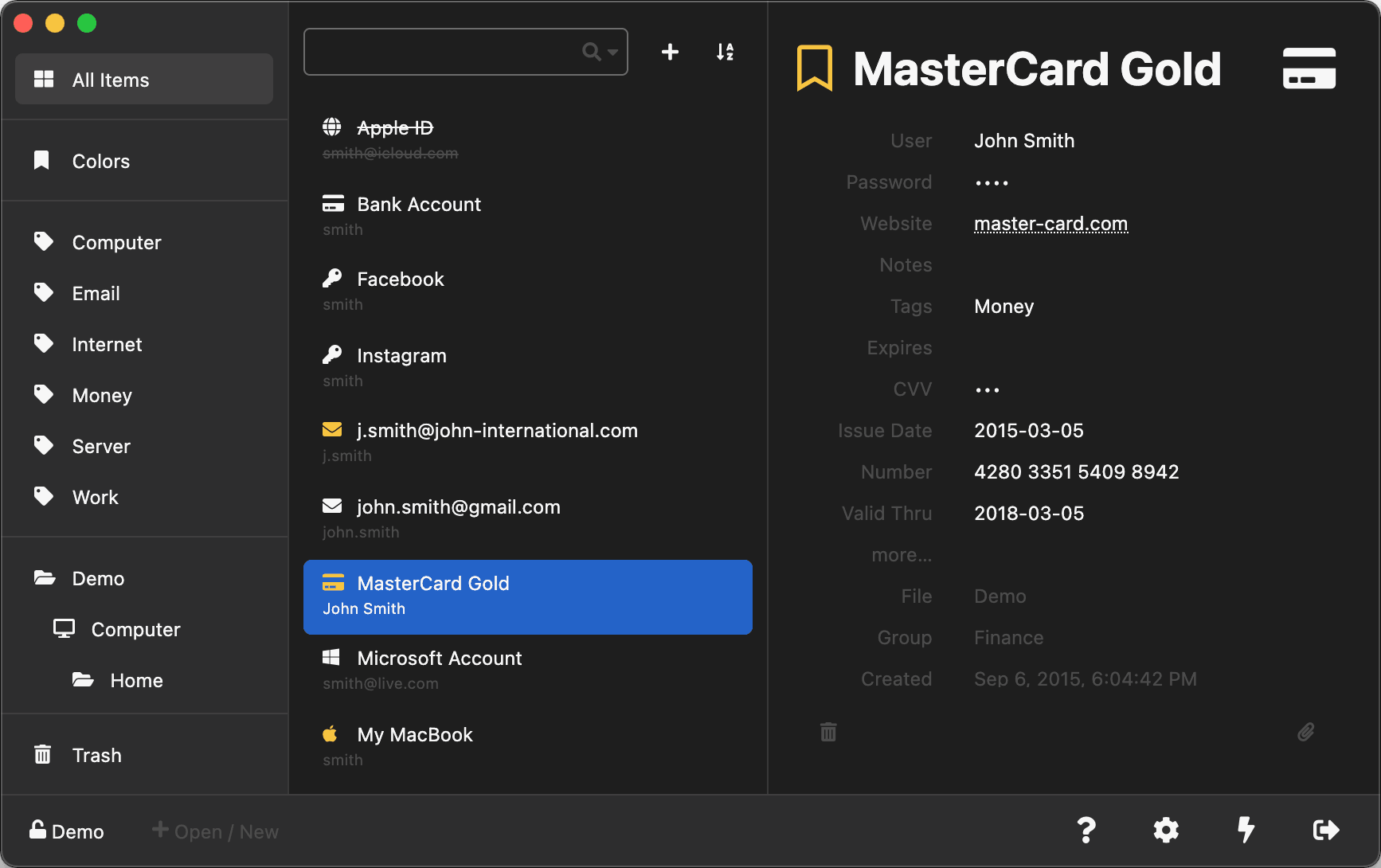
What is Keeweb?
KeeWeb is a free cross-platform password manager that handles kdbx files from KeePass and KeePassXC. It runs as desktop applications on Linux, Windows, and macOS, or as a browser-based web application requiring no installation. Users store vaults locally or sync through cloud services like Dropbox, Google Drive, and OneDrive. Features include dark/light themes, password generation, offline mode, protected fields, and tags for entry organization. The software can be deployed via Docker containers or by hosting static HTML files directly.
Keeweb alternatives
 keyperKeyper is a self-hosted, open-source credential manager encrypting secrets client-side with AES-256-GCM and Argon2id, storing them in your own database.Comparekeyper with Keeweb
 zero_password_managerRun your own password vault on your hardware. Client-side AES-256-GCM encryption, required TOTP 2FA, hidden site URLs, and Flutter apps everywhere.Comparezero_password_manager with Keeweb
 dockgeA self-hosted, open-source web UI for Docker Compose stacks: create, edit and deploy compose.yaml files, with a live web terminal and multi-host agents.Comparedockge with Keeweb
 TeampassSelf-hosted, open-source team password vault on PHP/MySQL: folder and role access control, AES-256-GCM encryption, LDAP/OAuth2 SSO, TOTP and compliance reports.CompareTeampass with Keeweb
 swiftwaveSwiftWave: self-hosted open source PaaS for deploying apps on any server. Alternative to Heroku/Netlify/Render with 1GB RAM min and integrated app store.Compareswiftwave with Keeweb
 Traefik ManagerSelf-hosted web UI for managing Traefik reverse proxy — create routes, services, middlewares, certificates, and monitor logs and CrowdSec without editing YAML by hand.CompareTraefik Manager with Keeweb
 KeKeIO TabSelf-hosted, local-first new tab extension for Chromium with shortcuts, wallpapers, and optional Go/SQLite backend sync via Docker and Cloudflare Tunnel.CompareKeKeIO Tab with Keeweb
 passwordcockpitSelf-hosted open-source password manager for teams with folder permissions, LDAP, PIN encryption. Runs via Docker Compose with MariaDB.Comparepasswordcockpit with Keeweb
Should you self-host Keeweb?
Keeweb scores 65/100 on selfhost.directory (how scoring works) and ranks #6 of 29 in Password Managers. It has 13 035 GitHub stars, +29 in the last 30 days.
It shipped 2 stable releases in the past year. The latest, v1.18.9, came out on 8 May 2026. New versions land roughly every 8 days.
Setup is moderate: expect some configuration beyond a single command. An official Docker image is available. It is MIT-licensed and written mostly in HTML.
Its closest alternative on selfhost.directory is Vaultwarden (89/100, 70 448 stars). It scores higher overall, so compare the two before you pick. See Keeweb vs Vaultwarden side by side.
Features
- Cloud Storage Sync
- Dark/light theme support
- Entry tags
- History and rollback
- Multiple file support
- Offline Access
- Password Generator
- Protected fields
Keeweb README

More in Password Managers
- keyperKeyper is a self-hosted, open-source credential manager encrypting secrets client-side with AES-256-GCM and Argon2id, storing them in your own database.
 keyshadeOpen-source, self-hostable secret management with public key encryption, live updates, versioning, and RBAC.
 kontojKontoj is a self-hosted, open-source web app that helps create and manage service accounts using a JSON config file, with autofill via a browser userscript.
 lazywardenAutomatic Bitwarden Backup
 onetimesecretSelf-hosted, open-source secret sharing service creating one-time links for passwords and API keys, forked from onetimesecret.com with no accounts or paid features.
 PadlocOpen-source, end-to-end encrypted password manager with shared vaults, MFA, a built-in authenticator and encrypted file storage; self-hosted via Docker Compose or Node.
 PassboltPassbolt Community Edition (CE) API. The JSON API for the open source password manager for teams!
 Passky-ServerPassky Server is a self-hosted, open-source password manager backend with zero-knowledge encryption using XChaCha20 and Argon2id, free tier up to 100 passwords.
 passwd-pageSelf-hosted, open-source zero-knowledge secret sharing tool with burn-after-read, file sharing, CLI, and MCP server for AI agents.
- passwordcockpitSelf-hosted open-source password manager for teams with folder permissions, LDAP, PIN encryption. Runs via Docker Compose with MariaDB.
 privateglue-publicPrivateGlue is a self-hosted, open-source web app linking devices, Markdown notes, and encrypted credentials for freelancers and homelabbers.
- Psono FileserverSelf-hosted, open-source file storage component of the Psono password manager: stores files as encrypted chunks on local disks or S3, Azure, GCS, SFTP and other backends.
0 comments