Self-host Grist
v1.7.22Relational spreadsheet with Python formulas and access rules
- Stars
- 12 076
- Port
- 8484 (Grist web app and API; change with the PORT environment variable)
gristlabs/grist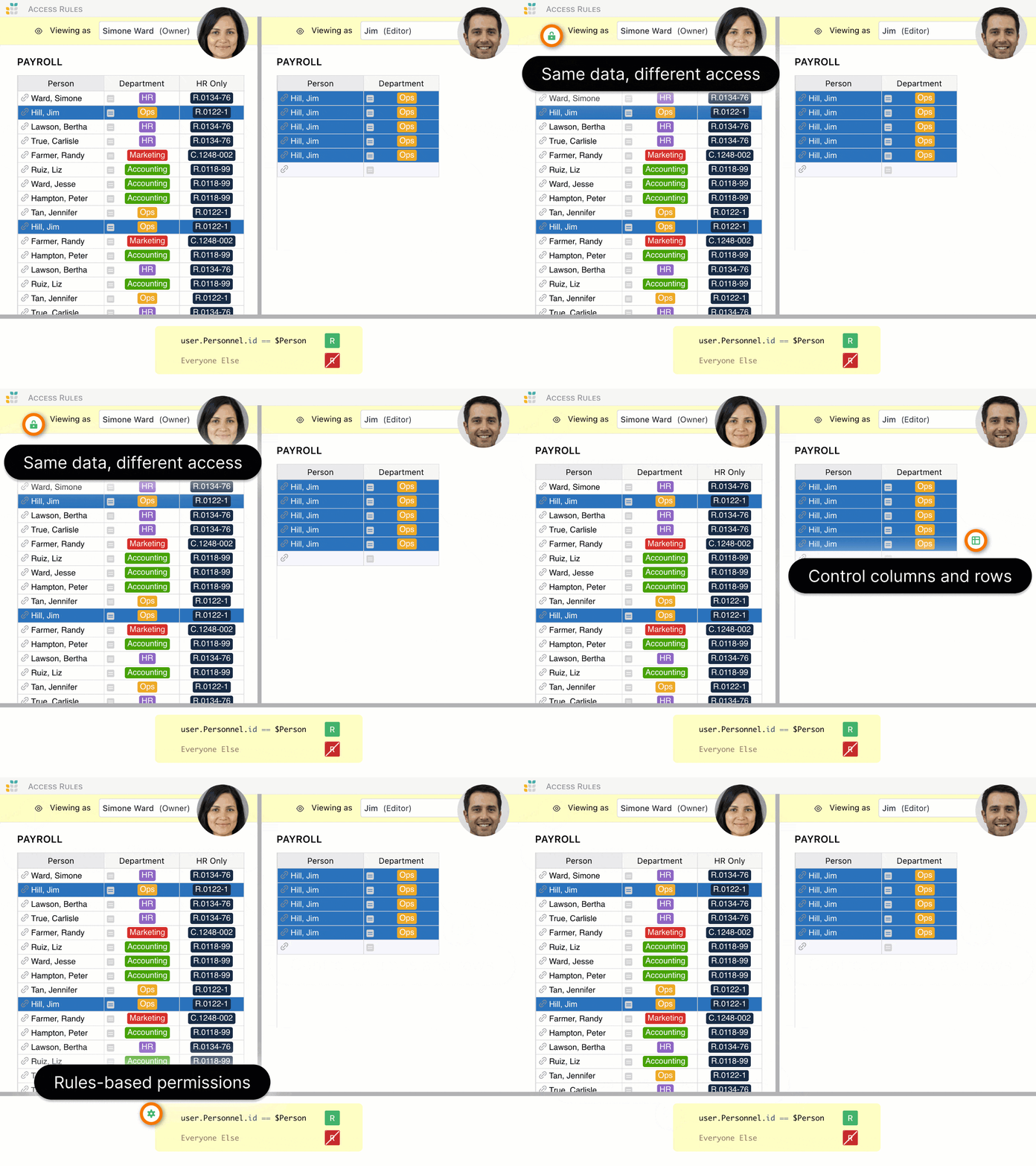


What is Grist?
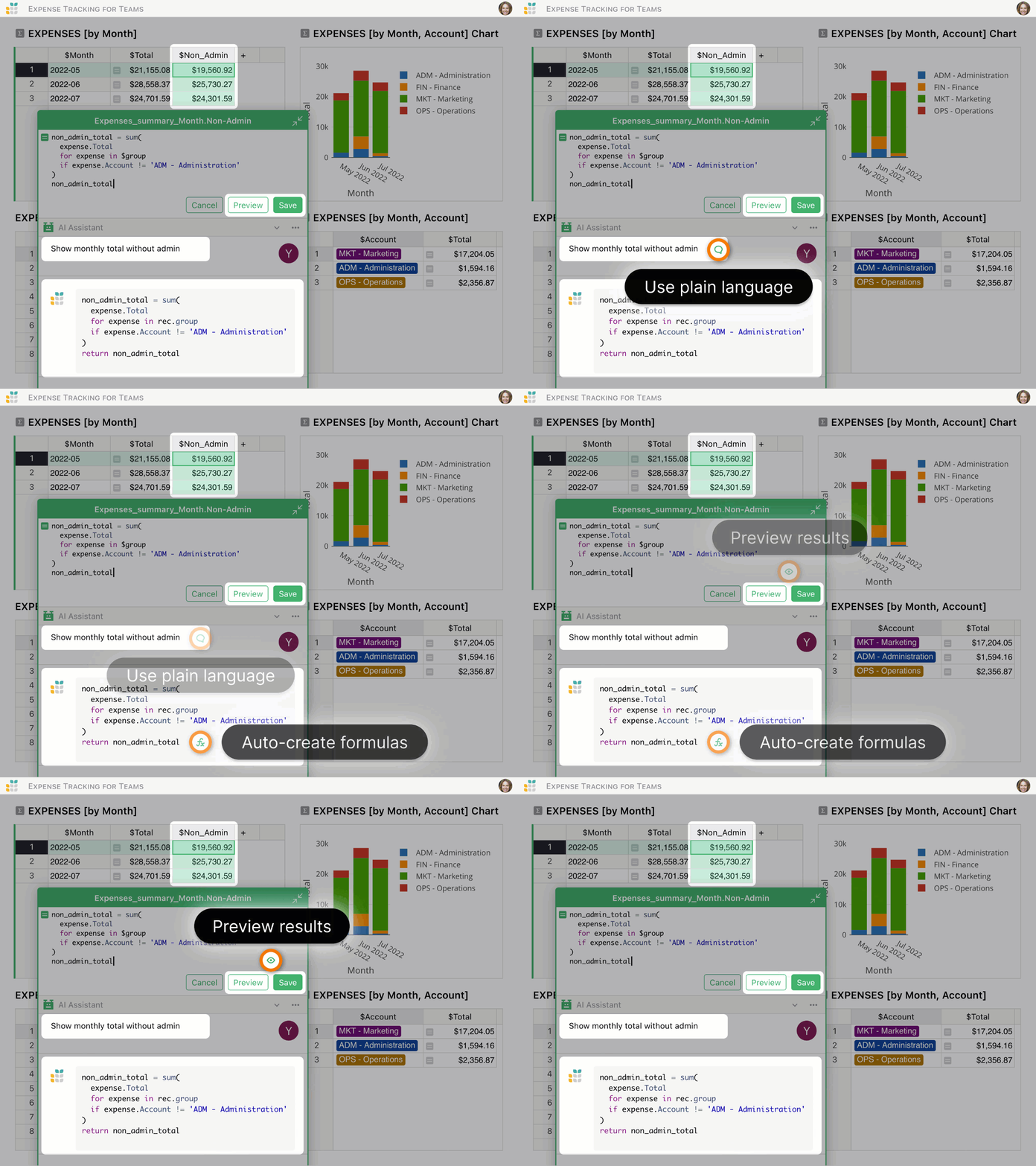
Grist is a relational spreadsheet: columns are named and typed like in a database, but they can still be filled with spreadsheet formulas, and the grist-core repository is the community server edition you run yourself to host those documents. Formula cells accept full Python syntax plus many familiar Excel functions, and an optional assistant can draft formulas against OpenAI-style chat endpoints. Documents support choice lists, cross-table references, attachments, conditional formatting, native forms, and drag-and-drop layouts of linked charts, cards and summary tables. Access rules work at row, column and table level so you can share part of a document, and collaboration covers live presence, threaded comments with mentions, and suggested changes for others to approve. Each document is a portable SQLite-based file, which keeps whole-document backups and restores simple. To run it you need one container, a persisted directory, and a session secret; production setups add a reverse proxy, an authentication method, and optionally Redis, a PostgreSQL home database, or S3-compatible snapshot storage. The open-source core is Apache-2.0 and needs no key; Grist Labs sells a fuller edition with extras such as automations, audit-log streaming, advanced admin controls and built-in OIDC/SAML sign-in, which is unlocked in the same image by an activation key after a 30-day trial.
Grist alternatives
 nocodbSelf-hosted open-source Airtable alternative that turns any database into a no-code platform with spreadsheet-like interface, supporting PostgreSQL, MySQL, and SQLite.Comparenocodb with Grist
 BaserowA self-hosted, open-source Airtable alternative: no-code databases with forms, automations and an app builder, MIT-licensed core with paid Premium tiers.CompareBaserow with Grist
 MathesarOpen-source, self-hosted spreadsheet UI for PostgreSQL: view, edit and query data, build forms and queries without SQL, using native Postgres roles.CompareMathesar with Grist
 open-sparrowOpenSparrow is a self-hosted, open-source PHP platform generating CRUD apps, dashboards, calendars from JSON schema on PostgreSQL. Includes RAG, workflows, Kanban, 2FA.Compareopen-sparrow with Grist
 docmostSelf-hosted, open-source collaborative wiki with real-time editing, diagrams, AI features, and enterprise SSO as a Confluence/Notion alternative.Comparedocmost with Grist
 directusDirectus is a self-hosted headless CMS that puts instant REST and GraphQL APIs, a no-code admin Studio, media library and an MCP server on top of your own SQL database.Comparedirectus with Grist
 AppFlowyA self-hosted AI workspace that lets teams run projects, wikis, and knowledge bases on their own infrastructure with private AI and complete data ownership.CompareAppFlowy with Grist
 ToolJetSelf-hosted, open-source low-code platform for internal tools and dashboards: visual builder, 90+ data sources, built-in database, AI app generation and MCP agent access.CompareToolJet with Grist
Should you self-host Grist?
Grist scores 75/100 on selfhost.directory (how scoring works) and ranks #2 of 10 in Data Management. It has 12 076 GitHub stars, +175 in the last 30 days.
It shipped 16 stable releases in the past year. The latest, v1.7.22, came out on 29 October 2026. New versions land roughly every 3 weeks.
Setup is easy: most people get it running in one sitting. An official Docker image is available. It is Apache-2.0-licensed and written mostly in Typescript.
Its closest alternative on selfhost.directory is nocodb (81/100, 65 461 stars). It scores higher overall, so compare the two before you pick. See Grist vs nocodb side by side.
Features
- AI formula assistantIn grist-core the assistant is limited to formulas; the broader task-based Assistant is full-edition only.
- Custom Widgets
- Drag-and-drop dashboards
- Embeddable page views
- File attachments
- Form Builder
- Granular Access Control
- Import and export
- Python formula engine
- Real-Time Collaboration
- REST API
- Sandboxed Execution
- Version history and backups
- Webhooks
Grist README
Grist is a modern relational spreadsheet. It combines the flexibility of a spreadsheet with the robustness of a database.
grist-core(this repo – also known as Grist Community edition) has what you need to run a powerful server for hosting spreadsheets.grist-desktopis a Linux/macOS/Windows desktop app for viewing and editing spreadsheets stored locally.grist-staticis a fully in-browser build of Grist for displaying spreadsheets on a website without back-end support.
Grist is developed by Grist Labs, an NYC-based company 🇺🇸🗽. The French government 🇫🇷 organizations ANCT Données et Territoires and DINUM (Direction Interministérielle du Numérique) have also made significant contributions to the codebase.
FAQ
Can I use Grist as the backend of my web app?
No, not as a direct backend: Grist has no authentication method suited to that, since an API key would be exposed to every visitor of the page.
Can I embed Grist into my website?
Yes, Grist pages can be shown view-only inside an iframe by appending an embed parameter to the page URL.
How do I sum the total of a column?
Use a summary table widget rather than a cell formula, since Grist rows are records; the summary table counts records and sums numeric columns automatically and updates as data grows.
Does Grist accept non-English characters?
Yes in column labels and in cell values, but column ids (the Python names used in formulas) must stay English, and imported headers are approximated.
How many rows can I have?
Grist works best below roughly 100,000 rows; the practical limit also depends on tables, columns and cell content and is about 20MB in CSV terms. Attachments are counted separately.
Can I move documents between sites?
Yes, by duplicating a document into the destination site; the original stays in place, so you can delete it afterwards.
How do I update my profile settings?
Open the user menu from the profile icon and choose Profile Settings, where you can change your name and theme, pick a language, and manage an API key.
More in Data Management
 HindsightOpen-source agent memory server with retain, recall and reflect APIs, a web control plane and a built-in MCP endpoint; self-hosted via Docker, pip or Helm.
 invenio-app-rdmInvenioRDM is a self-hosted, open-source research data management platform for institutions to run their own repository with records, communities, and REST API.
 label-studioOpen-source, self-hosted data labeling tool for images, audio, text, video and time series, with ML pre-labeling, cloud storage import and a REST API.
 MarmotSelf-hosted, open-source data catalog and context layer: index tables, topics, queues and APIs with lineage, owners and a glossary, and serve it to AI agents.
- MathesarOpen-source, self-hosted spreadsheet UI for PostgreSQL: view, edit and query data, build forms and queries without SQL, using native Postgres roles.
 MultiscrapeHome Assistant custom component for scraping (html, xml or json) multiple values (from a single HTTP request) with a separate sensor/attribute for each value. Support for (login) form-submit functionality.
 nimtableNimtable is a self-hosted, open-source observability platform for Apache Iceberg lakehouses with a web UI and REST API to explore catalogs, run SQL, and manage compaction
 OpenBBOpenBB's Open Data Platform is a self-hosted, open-source financial data layer: one Python SDK, CLI, REST API, MCP server and desktop app.
 OpenELIS GlobalSelf-hosted, open-source LIS/LIMS used in 26+ countries. FHIR R4 native with analyzer integration, pathology, sample storage, and One Health surveillance.
 o-spreadsheeto-spreadsheet is a self-hosted, open-source spreadsheet component for the web with real-time collaboration, Excel import/export, and a plugin architecture.
 PgStackPgStack is a self-hosted, open-source tool that creates search and audit read replicas of your Postgres database via logical replication.
 pgvectorOpen-source vector similarity search for Postgres
0 comments